

Procedure to annotate a file
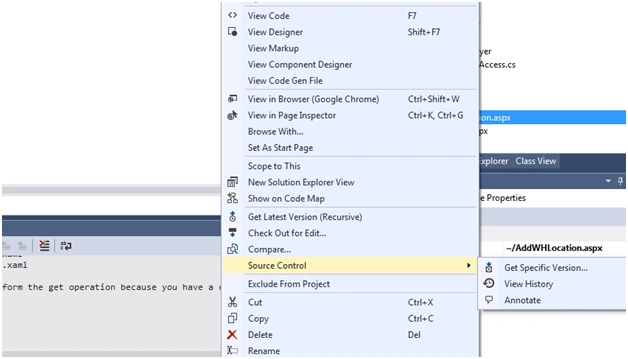
In Visual Studio, Solution Explorer, go to the of the file you want to annotate, right-click on that file and then choose Source Control and then Annotate.
The Annotated window displays the annotated file.
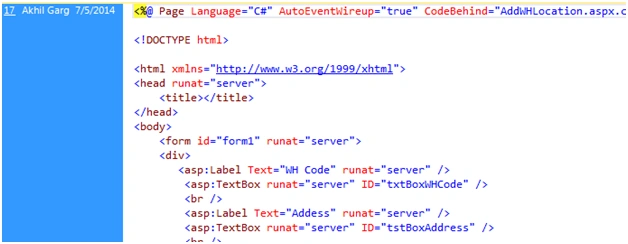
Each annotation appears to the left of the text that was changed Contains :Changeset number , The name of the person who made the change, Date.
You can open the context menu for an annotation.
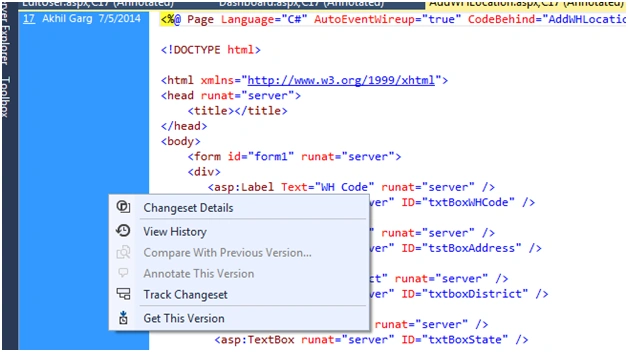
From the Context menu you can see all ChangesetDetails : Changeset Details , View History , Compare With Previous Version, Annotate This Version, Track Changeset, Get This Version
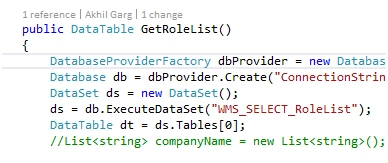
This feature has been extended in Visual Studio with Code Lens Making connection with Lync and adding some more details. For more info check Code Lens in Visual Studio 2013.
Thiruppathi RPosted May 13, 2016, 10:22 AM
Nice Sharing...
Michal HabalcikPosted Jan 21, 2015, 1:32 AM
Thanks for sharing. I was always skipping this feature somehow.