

In this post, I’ll share about EntityTag caching in Web API. Caching always plays a vital role when we have very frequent requests for model to server, which stores loads of potential information and removes the need to hit server again and again, which helps to enhance Web API performance and reduce the load on server hosting the API. EntityTag is an HttpHeader used for cache conditional requests for resource. EntityTag is also pronounced as ETag.
Let’s take a simple example which use an ETag like “Client sends a request to Http server with Etag value" that holds an updated value for cached resource. The server identifies this with ETag value whether client has an already updated value or it should revert with a latest copy back to client.
ETag's working behavior and implementation
This section elaborates about ETag and its working behavior. Actually ETag is a string representation which is created by server against each request for a resource and also varies as value is updated for resource. For example,
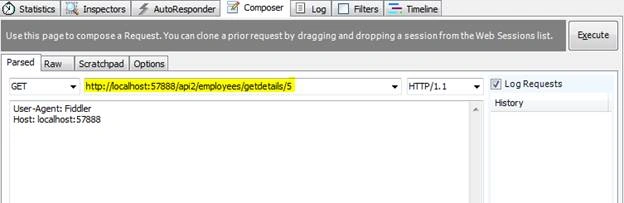
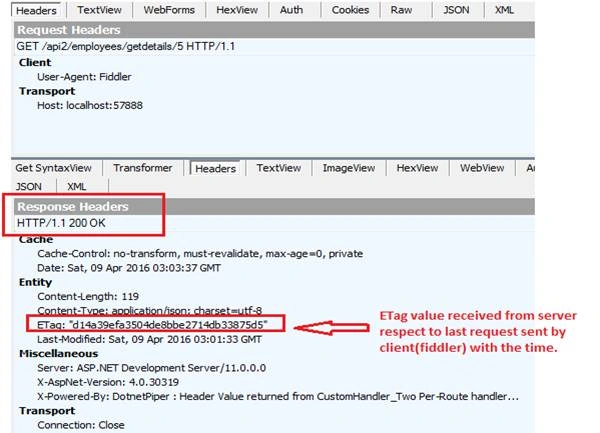
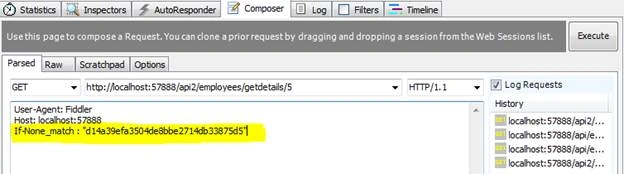
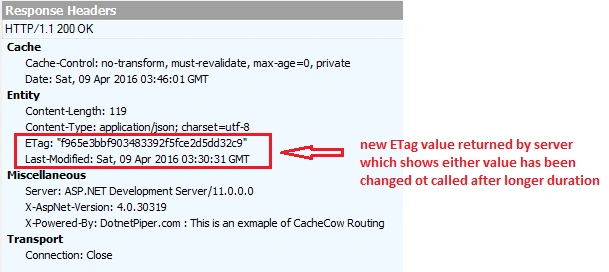
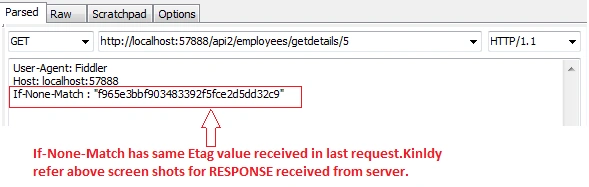
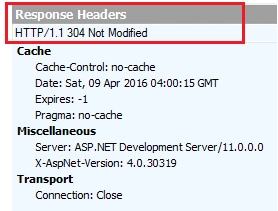
Initially client sends a request http://localhost:57888/api2/employees/getdetails/5 to server and ask for employeeId 5, as per initial request it won’t be cached and server will return the fresh copy of the requested resource with some ETag value. We’ll see this in illustrations further down in this article. Later client sends the same request to server with header If-None-Matchalong with ETag value which client has received in body response of earlier (e.g. TR6truy7) request If server finds equal ETag value for the requested resource than server responds Http not modified otherwise server will respond with new ETag value.Header “If-None-Match” works only with HttpGet and HttpDelete.
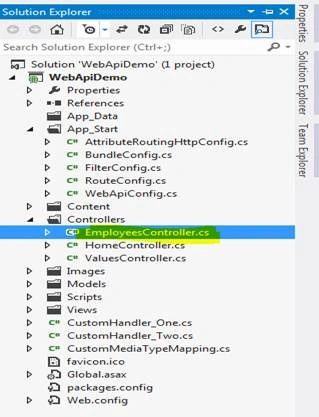
Let’s look in practical implementation. This is the simple structure of an application as given below in image:
Install of CacheCow library: Kindly find the below screen shots to install CacheCow server from NuGet package manager.
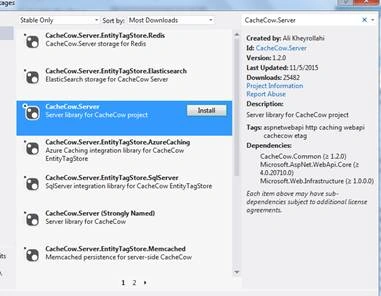
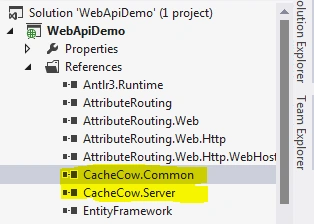
Click on install button as shown in above screenshot. As soon as you install the CacheCow you will see,
CacheCow.Common.dll and CacheCow.Server dll as depicted in screen below:
Once the installation has done, we need to register CacheCow handler in WebApiConfig.cs file like shown below in depicted image.

- //Way to register CacheCowHandler in WebApi.Config file
- var objCacheCow = new CacheCow.Server.CachingHandler(config,"");
- config.MessageHandlers.Add(objCacheCow);

bharath reddyPosted Nov 8, 2017, 2:24 AM
I have a GET method which returns data. For first time I called and its 200 Ok. Then i have modified the data in one post method. Now i am calling the same Get. Now it's returning 304 Not Modified. It supposed to be return 200 OK. How to modify the cache using ETag, in that case?
GAUTAM NAYAKPosted Jul 11, 2017, 12:18 PM
I have a GET method which returns data. For first time I called and its 200 Ok. Then i have modified the data in one post method. Now i am calling the same Get. Now it's returning 304 Not Modified. It supposed to be return 200 OK. How to modify the cache using ETag, in that case?
Bilal MaherPosted Apr 5, 2017, 3:12 AM
How we can register WebApiConfig.Cs ?? where we can use it??
Atul RawatPosted Apr 12, 2016, 2:59 AM
informative article sir
Vignesh ManiPosted Apr 10, 2016, 8:25 AM
nice