

Introduction
In my previous article I told you about:
- How to Apply Slice Function on Observable Array Using KnockoutJS.
- How to Apply Reverse Function on Observable Array Using KnockoutJS.
In today's article I will tell you how to apply a Pop Function on an Observable Array using KnokcoutJS.
The Pop Function is used to remove the last value from the array and return it.
Step 1
First of all you need to add an external Knockout js file into your application. You can either download it from this link: "KnockoutJS" or can download my application that is available at the beginning of this article in Zip Format and then can use the file attached with this Zip file.
After downloading the file you need to call it in the head section of your application.
<head runat="server">
<title></title>
<script src="knockout-2.3.0.js"></script>
</head>
Step 2
Now we can work on our application. First we will work on the ViewModel. For this you need to add a Script tag under the Body Section and then need to add this code:
<script>
function x() {
var self = this;
self.trainee = ko.observableArray([
{ name: 'Anubhav' },
{ name: 'Mohit' },
{ name: 'Ashish' }
]);
self.sortPeople = function () {
return self.trainee.pop();
};
}
ko.applyBindings(new x());
</script>
Here first I created a function named "x()".
In this function I created an object named self that will represent the current function.
Then I created an Observable Array named "Trainee()", in this Array I provided three names as default names.
Then a function was created named "sortPeople", in this function I declared the pop() function.
At the end I applied the Binding to the x().
Step 3
Our work on the ViewModel is now completed so we can move towards the View of our application.
Write this code in the view part of your application:
<input type="button" data-bind="click:sortPeople" value="Click me"/>
<ul data-bind="foreach: trainee">
<li data-bind="text:name"></li>
</ul>
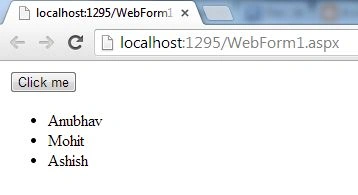
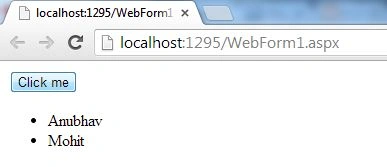
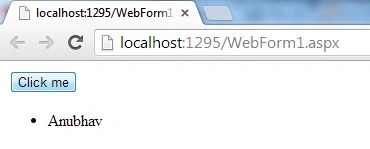
Bhuvanesh MohankumarPosted May 3, 2016, 12:44 PM
Good one..