

Introduction
In today's article I will tell you how to apply Validations using KnokcoutJS in an ASP.NET Application, Part 1.
We often use JavaScript Validations in our application, but if we are working with KnockoutJS then why not apply Validations using Knockout only?
This article will help you to put two types of Validations in your application. The first validation is to not allow a null value and the second is to not allow a value other than a number.
Let's see the procedure required to create such an application.
Step 1
First of all you need to add am external Knockout js file into your application, you can either download it from this link: "KnockoutJS" or can download my application available at the beginning of this article in Zip Format and then use the file attached with this Zip file.
After downloading the file you need to call it in the head section of your application as in the following:
<head runat="server">
<title></title>
<script src="knockout-2.3.0.js"></script>
</head>
Step 2
Now we can work on our application. First we will work on the ViewModel; for this you need to add a Script tag under the Body Section and then need add this code:
<script type="text/javascript">
function x() {
this.getFocused = ko.observable();
this.text = ko.observable();
this.setFocus= function () {;
if (this.text().length == 0) {
this.getFocused(true);
alert("Provide Your Name");
}
else {
this.getFocused(false)
}
}
this.Number = ko.observable(123);
this.NotaNumber = ko.observable(true);
this.attemptedValue = ko.computed({
read: this.Number,
write: function (value) {
if (isNaN(value))
this.NotaNumber(false);
else {
this.NotaNumber(true);
this.Number(value);
}
},
owner: this
});
};
ko.applyBindings(new x());
</script>
As always I first created a function "x()", you can divide this function into two parts, one for the first validation that is "not allowing null value" and the second for the second validation that is "allowing only numbers".
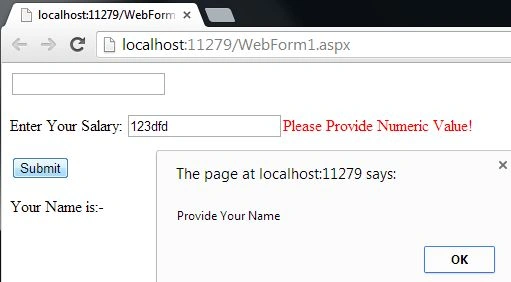
For the first part I created two Observables named "getFocused" and "text". Then I created a function named "setFocus". In that function I checked the length of the text() observable, if the length is found to be 0 then the TextBox will get the focus and an alert box will popup that will ask you to enter some value into the TextBox.
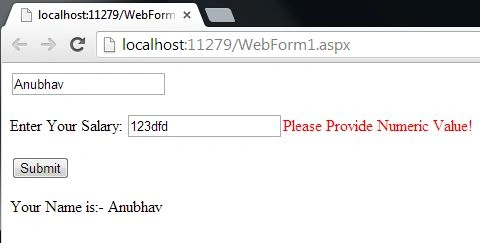
In the second half I again created two Observables named Number and NotaNumber. Then I took a Computed Property in which read and write are used. Read will read the value of Number and in the Write a function is created that will check the value to be a Number or Not a Number, if it is found that the value entered is not a number then the "NotaNumber" Observable will be activated otherwise it will remain in the Inactivated state.
At the end I applied the binding to the function x().
Our work on the View Model is now complete so now we can move towards the View of our application.
Step 3
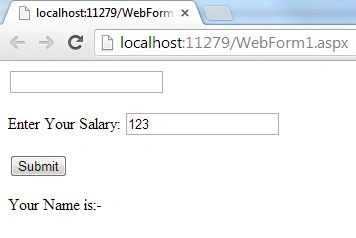
In the View Part or the design part, write the following code:
<div>
<input data-bind="value: text, hasFocus: getFocused" />
<p>Enter Your Salary: <input data-bind="value: attemptedValue"/><label style="color:red" data-bind="visible: !NotaNumber()">Please Provide Numeric Value!</label></p>
<button data-bind="click: setFocus">Submit</button>
<br />
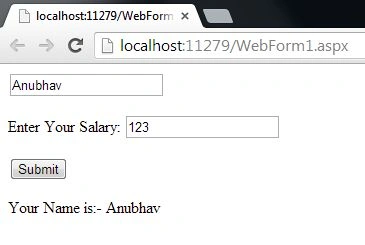
<p>Your Name is:- <label data-bind="text:text"></label></p>
</div>
Join the conversation! Your thoughts help the community grow.