

Introduction
In this article we will create an Appointment Calendar in Windows Phone 7. In this article we show how to use the Calendar Application to access the Calendar data. For the calendar object we are going to use a reference to the Appointments object and do a search and show the results in a collection of Appointment objects. The end result in the appointments object can be used in different ways as per the requirement by binding to different controls and to do some scheduling. The appointment class is to interact with user appointment data. It is inherited from the Microsoft.Phone.UserData namespace.
Step 1: In this step first of all we have to open a Windows Phone application.
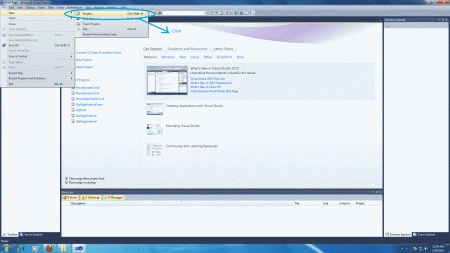
- Go to Visual Studio 2010
- File->New->Project
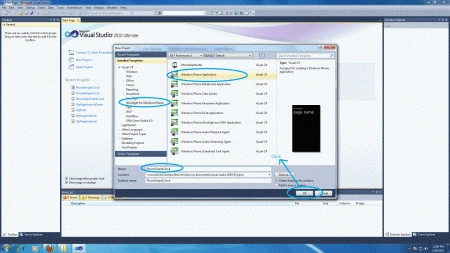
- Select the template named Silverlight for Windows Phone
- Select the Windows Phone application
- Give it a name as you want
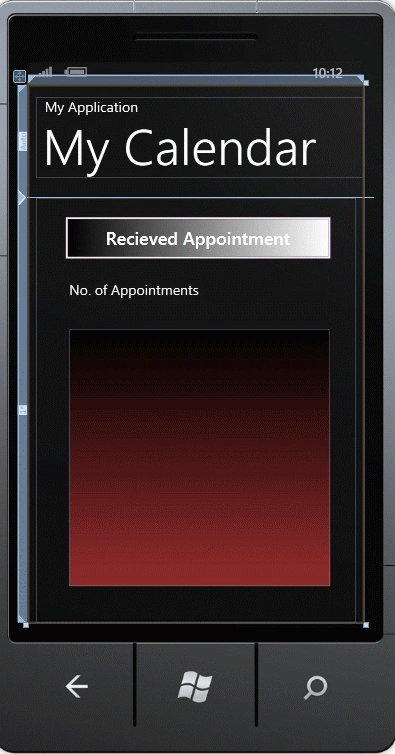
Step 2: Create a title for the application in MainPage.xaml.
Code
<StackPanel x:Name="TitlePanel" Grid.Row="0" Margin="12,17,0,28">
<TextBlock x:Name="ApplicationTitle" Text="My Application" Style="{StaticResource PhoneTextNormalStyle}"/>
<TextBlock x:Name="PageTitle" Text="My Calendar" Margin="9,-7,0,0" Style="{StaticResource PhoneTextTitle1Style}"/>
</StackPanel>
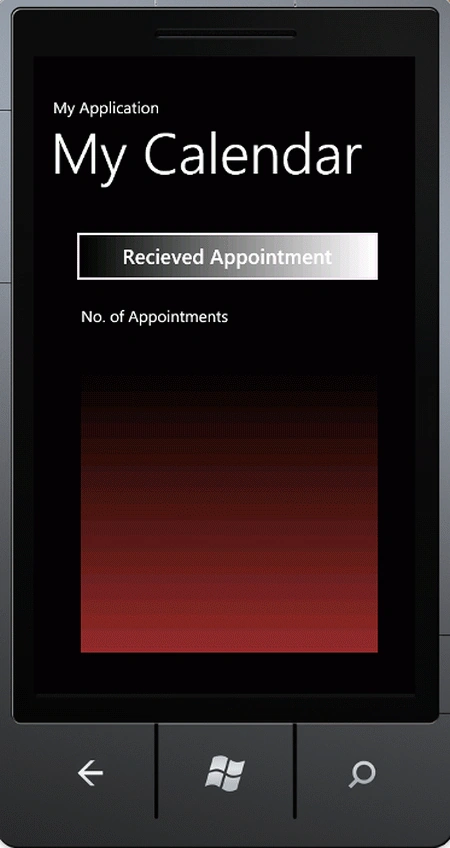
Step 4: Now customize the MainPage.xaml code according to our need; the code is given below.
Code
<phone:PhoneApplicationPage
x:Class="F5debugWp7Calendar.MainPage"
xmlns="http://schemas.microsoft.com/winfx/2006/xaml/presentation"
xmlns:x="http://schemas.microsoft.com/winfx/2006/xaml"
xmlns:phone="clr-namespace:Microsoft.Phone.Controls;assembly=Microsoft.Phone"
xmlns:shell="clr-namespace:Microsoft.Phone.Shell;assembly=Microsoft.Phone"
xmlns:d="http://schemas.microsoft.com/expression/blend/2008"
xmlns:mc="http://schemas.openxmlformats.org/markup-compatibility/2006"
mc:Ignorable="d" d:DesignWidth="480" d:DesignHeight="768"
FontFamily="{StaticResource PhoneFontFamilyNormal}"
FontSize="{StaticResource PhoneFontSizeNormal}"
Foreground="{StaticResource PhoneForegroundBrush}"
SupportedOrientations="Portrait" Orientation="Portrait"
shell:SystemTray.IsVisible="True">
<!--LayoutRoot is the root grid where all page content is placed-->
<Grid x:Name="LayoutRoot" Background="Transparent">
<Grid.RowDefinitions>
<RowDefinition Height="Auto"/>
<RowDefinition Height="*"/>
</Grid.RowDefinitions>
<!--TitlePanel contains the name of the application and page title-->
<StackPanel x:Name="TitlePanel" Grid.Row="0" Margin="12,17,0,28">
<TextBlock x:Name="ApplicationTitle" Text="My Application" Style="{StaticResource PhoneTextNormalStyle}"/>
<TextBlock x:Name="PageTitle" Text="My Calendar" Margin="9,-7,0,0" Style="{StaticResource PhoneTextTitle1Style}"/>
</StackPanel>
<!--ContentPanel - place additional content here-->
<Grid x:Name="ContentPanel" Grid.Row="1" Margin="12,0,12,0">
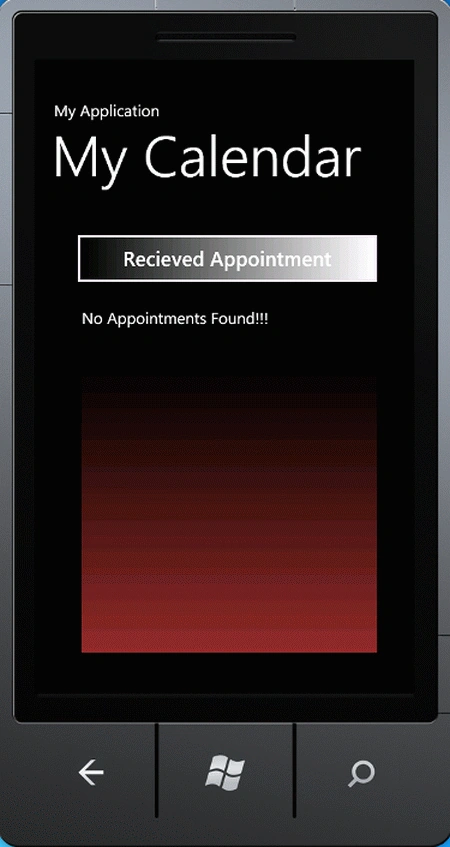
<Button Content="Recieved Appointment" Height="83" HorizontalAlignment="Left" Margin="30,16,0,0" Name="btnAppointment" VerticalAlignment="Top"
Width="402" Click="btnAppointment_Click" BorderBrush="#FFFFE6FF"><Button.Background>
<LinearGradientBrush EndPoint="1,0.5" StartPoint="0,0.5">
<GradientStop Color="Black" Offset="0" />
Join the conversation! Your thoughts help the community grow.