

Introduction
Array Lists are part of the List interface in Java. They are very important because of the reason that they can grow or shrink easily depending on the need. So if we do not know the size of our data then it is better to use an Array List. They are not restricted by size.
Array List
- Array List is based on an array but different in the manner that it is resizable accordingly, unlike an array.
- Array List is not synchronized.
- Array List can grow or shrink accordingly.
- Array List is the part of the List interface in Java.
- Array List is synchronized; that is why they are not thread-safe.
- Array List also allows null values.
Array List Methods
There are various methods. We will explain some of them.
Creation of Array List
ArrayList <List_name> = new ArrayList();
Example
- package demo;
- import java.util.*;
- public class Demo {
- public static void main(String args[]) {
- ArrayList ar = new ArrayList();
- System.out.println("ArrayList is : " + ar);
- }
- }
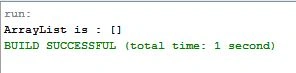
Output
Adding items into Array List
- package demo;
- import java.util.*;
- public class Demo {
- public static void main(String args[]) {
- ArrayList ar = new ArrayList();
- ar.add("raj");
- ar.add("ram");
- System.out.println("ArrayList is : " + ar);
- }
- }
Output

Finding the size of Array List
Example
- package demo;
- import java.util.*;
- public class Demo {
- public static void main(String args[]) {
- ArrayList ar = new ArrayList();
- ar.add("raj");
- ar.add("ram");
- System.out.println("ArrayList is : " + ar);
- System.out.println("Size of ArrayList is : " + ar.size());
- }
- }
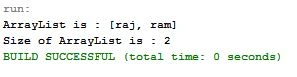
Output
Retrieving item from Array List
- package demo;
- import java.util.*;
- public class Demo
- {
- public static void main(String args[])
- {
- ArrayList ar = new ArrayList();
- ar.add("raj");
- ar.add("ram");
- System.out.println("ArrayList is : " + ar);
- for (int i = 0; i < ar.size(); i++)
- {
- System.out.println("At index : " + i +" item is " + ar.get(i));
- }
- }
- }
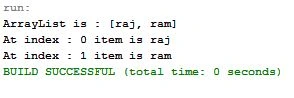
Output
Removing item from Array List
<List_name>.remove(index);
Or:
<List_name>.remove("item");
Example
- package demo;
- import java.util.*;
- public class Demo
- {
- public static void main(String args[])
- {
- ArrayList ar = new ArrayList();
- ar.add("raj");
- ar.add("ram");
- ar.add("sam");
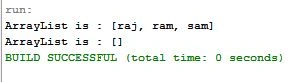
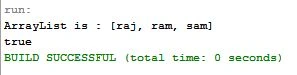
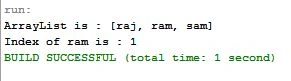
- System.out.println("ArrayList is : " + ar);
- ar.remove(1);
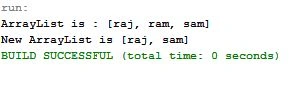
- System.out.println("New ArrayList is " + ar);
- }
- }
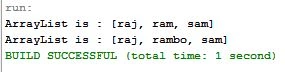
Or:
Join the conversation! Your thoughts help the community grow.