

Introduction
Distribute cache plays a major role in optimizing the application's performance by caching the data in memory and reducing the database trips. In simple word, caching refers to storing the result of an operation so that future request returns faster.
When do we cache?
- When the computation is slow.
- Computation will run multiple times.
- When the output is the same for a particular input, we know we don't have to recompute it every time because it will be the same result.
- When your hosting provider charges for DB access. For example, the Google APP engine gives you a fixed number of reads and writes to the data store on a particular day, and if you go over that, you have to pay for it, even if the website doesn't get a lot of traffic. In this case, you can cache the response and reduce the unnecessary server hits, by this way, you can save some money.
What is NCache?
NCache is an Open Source in-memory distributed cache for .NET, Java, and Node.js. NCache is extremely fast and linearly scalable and caches application data to reduce expensive database trips. Use NCache to remove performance bottlenecks related to your data storage and databases and scale your .NET, Java, and Node.js applications to extreme transaction processing (XTP).
Get started with NCache here. Please go through the installation process of NCache.
What is response caching?
Response caching will cache the server responses of a request so that subsequent requests can access the data from the cache instead of hitting a server. For example, assume we have a country and state cascading dropdown list in our web form, so based on the country selection, the request will pass to the server, and we use to get a respective state list. In this case, the country and state data will never change frequently, so it is unnecessary to make country and state request to the server whenever the web form loads. Initially, we can save the response in the cache, and for consecutive calls, instead of hitting the server we can get a saved response from a cache. We can cache any response from the HTTP request, it can be XML, Text, JSON, or HTML. We will get complete control on the cached response using the cache-control property. For example, if cache-control: max-age=45 implies that the server response is valid for a period of 45 seconds.
In this article, I will demonstrate how we can optimize the performance of our ASP.NET Core web application using Distributed NCache with response Caching.
There are different ways to cache the response.
- In-memory
- Response cache via HTTP Header
- Distributed Caching
1. In-Memory
In this approach, the response content will be cached in-memory on the server-side and served for all subsequent calls. We can use built-in <cache> tags to define the section of the views to be cached.
Since the content is cached in-memory, it will be cleared on the application restarts.
2. Response cache via HTTP Header
In this approach, the response content is cached in the browser's end. It can reduce the server hits because the subsequent calls are served by the browser cache.
3. Distributed Caching
In this approach, the response cache is distributed across several servers in a web farm that is external to an application. For subsequent calls, any server can be responded. NCache provides a powerful distributed cache service to implement this approach, which will improve the application's performance by reducing the server hits.
NCache as a response caching middleware
NCache is one of the best response caching middleware for .NET web applications, providing the following benefits as a distributed cache.
- 100% .NET – It is a distributed cache in the market that is completely built with .NET.
- Fast and Scalable – It is fast since it uses an in-memory distributed cache. We can scale it linearly, so NCache will be a great choice when we experience performance challenges in our ASP.NET Core application during high traffic.
- High Availability – It supports peer clustering architecture, so there is no data loss when the cache server is down.
Read more about NCache features here.
Creating a new ASP.NET Core MVC application
Step 1
Open Visual Studio IDE
Step 2
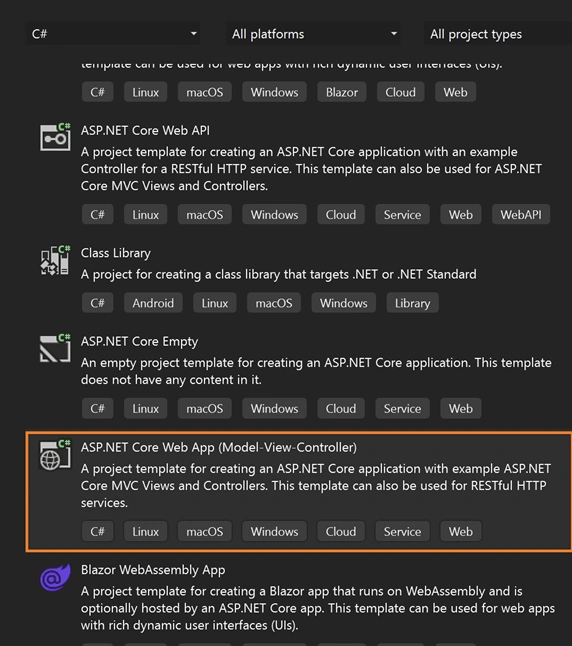
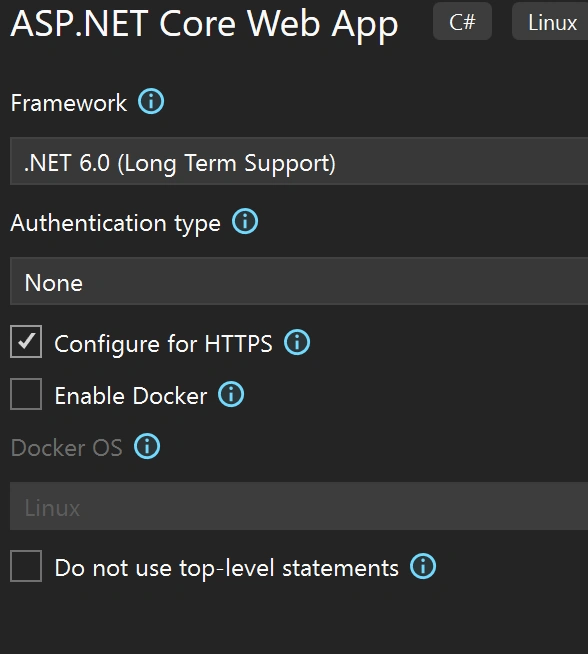
Select, create a new project -> choose ASP.NET Core Web Application template and click on next.

Join the conversation! Your thoughts help the community grow.