

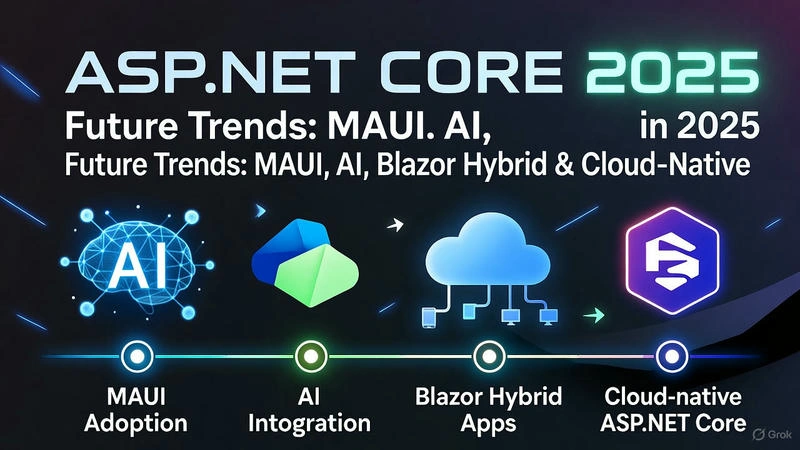
Previous article: ASP.NET Core Monitoring & Logging Mastery | Proactive Application Insights (Part-34 of 40)
Table of Contents
Introduction: The Evolving ASP.NET Core Ecosystem
.NET MAUI: Unified Cross-Platform Development
AI and Machine Learning Integration
Blazor Hybrid and WebAssembly Advancements
Cloud-Native and Serverless Evolution
Performance and Runtime Optimizations
Microservices and Distributed Systems
Real-World 2025 Application Scenario
Future-Proofing Your Skills
1. Introduction: The Evolving ASP.NET Core Ecosystem
1.1 The ASP.NET Core 2025 Landscape
The ASP.NET Core ecosystem is undergoing a revolutionary transformation, positioning itself as the leading framework for modern web development. By 2025, we're witnessing the convergence of web, mobile, desktop, and AI technologies into a unified development experience.
Key Transformations:
Unified development with .NET MAUI
Native AI and ML integration
Blazor Hybrid for seamless cross-platform experiences
Cloud-native first approach
Enhanced performance and minimal APIs
1.2 Why Future-Proof Your Skills Now?
The technology landscape is shifting rapidly. Consider these real-world impacts:
    // Program.cs - ASP.NET Core 2025 Minimal API with Future Features
using Microsoft.AspNetCore.Builder;
using Microsoft.Extensions.DependencyInjection;
using Microsoft.AI.Services;

var builder = WebApplication.CreateBuilder(args);

// 2025: AI services integrated by default
builder.Services.AddAIServices(options =>
{
    options.EnableIntelligentRouting = true;
    options.AutoOptimization = true;
    options.PredictiveScaling = true;
});

// 2025: Unified dependency injection for web, mobile, desktop
builder.Services.AddUnifiedApp<Program>();

// 2025: Cloud-native configuration out of the box
builder.Configuration.AddCloudNativeSources();

var app = builder.Build();

// 2025: AI-powered endpoint optimization
app.UseAIOptimization();

// 2025: Minimal APIs with enhanced capabilities
app.MapGet("/smart-products", async (IAIProductService productService) =>
{
    // AI-powered product recommendations
    var recommendations = await productService.GetIntelligentRecommendations();
    return Results.Ok(recommendations);
})
.WithAIOptions(opt => opt.EnablePredictiveCaching = true);

app.MapPost("/analyze-sentiment", async (SentimentAnalysisRequest request) =>
{
    // Built-in AI capabilities
    var analysis = await app.Services.GetRequiredService<ISentimentAnalyzer>()
        .AnalyzeAsync(request.Text);

    return Results.Ok(new { Sentiment = analysis.Score, Confidence = analysis.Confidence });
});

await app.RunAsync();
2. .NET MAUI: Unified Cross-Platform Development
2.1 MAUI Fundamentals and Architecture
.NET Multi-platform App UI (MAUI) represents the future of cross-platform development, enabling single-project development for iOS, Android, macOS, and Windows.
2.1.1 MAUI Project Structure 2025
    <!-- MyApp.csproj - Enhanced MAUI 2025 -->
<Project Sdk="Microsoft.NET.Sdk">
  <PropertyGroup>
    <TargetFrameworks>net8.0-android;net8.0-ios;net8.0-maccatalyst</TargetFrameworks>
    <TargetFrameworks Condition="$([MSBuild]::IsOSPlatform('windows'))">
      $(TargetFrameworks);net8.0-windows10.0.19041.0
    </TargetFrameworks>

    <!-- 2025 Enhanced Output Types -->
    <OutputType>MultiPlatform</OutputType>
    <UseMaui>true</UseMaui>
    <SingleProject>true</SingleProject>

    <!-- 2025 Intelligent Platform Detection -->
    <EnablePlatformOptimizations>true</EnablePlatformOptimizations>
    <AIOptimizedBuild>true</AIOptimizedBuild>
  </PropertyGroup>

  <!-- 2025 Smart Package References -->
  <ItemGroup>
    <PackageReference Include="Microsoft.Maui.Controls" Version="8.0.100-rc.*" />
    <PackageReference Include="Microsoft.Maui.Controls.Compatibility" Version="8.0.100-rc.*" />
    <PackageReference Include="Microsoft.AspNetCore.SignalR.Client" Version="8.0.0" />

    <!-- 2025 AI-Enhanced Packages -->
    <PackageReference Include="Microsoft.ML.OnDevice" Version="3.0.0" />
    <PackageReference Include="Microsoft.CognitiveServices.Speech" Version="2.0.0" />
  </ItemGroup>
</Project>
2.1.2 Advanced MAUI Application Architecture
csharp
    // App.xaml.cs - 2025 Enhanced MAUI Application
using Microsoft.Maui;
using Microsoft.Maui.Controls;
using Microsoft.Maui.Controls.Hosting;
using Microsoft.Maui.Hosting;
using Microsoft.Extensions.DependencyInjection;
using Microsoft.AI.Services;

namespace FutureApp2025
{
    public partial class App : Application
    {
        public App()
        {
            InitializeComponent();

            // 2025: AI-powered theme detection
            DetectAndApplyOptimalTheme();

            MainPage = new MainPage();
        }

        protected override Window CreateWindow(IActivationState activationState)
        {
            // 2025: Adaptive window management
            return new AdaptiveWindow(new MainPage())
            {
                Title = "Future App 2025",

                // 2025: AI-optimized window sizing
                Size = GetOptimalWindowSize(),

                // 2025: Intelligent positioning
                Position = GetSmartWindowPosition()
            };
        }

        private void DetectAndApplyOptimalTheme()
        {
            // 2025: AI-driven theme optimization
            var themeService = Services.GetService<IThemeOptimizationService>();
            var optimalTheme = themeService?.GetOptimalTheme() ?? AppTheme.Light;

            UserAppTheme = optimalTheme;

            // 2025: Dynamic resource adjustment
            Resources.MergedDictionaries.Add(new AdaptiveResourceDictionary());
        }
    }

    public static class MauiProgram
    {
        public static MauiApp CreateMauiApp()
        {
            var builder = MauiApp.CreateBuilder();

            builder
                .UseMauiApp<App>()
                .ConfigureFonts(fonts =>
                {
                    fonts.AddFont("OpenSans-Regular.ttf", "OpenSansRegular");
                    fonts.AddFont("OpenSans-Semibold.ttf", "OpenSansSemibold");

                    // 2025: Adaptive font loading
                    fonts.AddAdaptiveFont("SegoeUI-Variable.ttf", "SegoeUI");
                })
                .ConfigureMauiHandlers(handlers =>
                {
                    // 2025: Enhanced handlers with AI capabilities
                    handlers.AddHandler<AdaptiveEntry, AdaptiveEntryHandler>();
                    handlers.AddHandler<SmartButton, SmartButtonHandler>();
                });

            // 2025: AI Service Integration
            builder.Services.AddAIServices();
            builder.Services.AddSingleton<IThemeOptimizationService, AIThemeService>();
            builder.Services.AddSingleton<IPredictiveCacheService, PredictiveCacheService>();

            // 2025: Cloud Services
            builder.Services.AddAzureCognitiveServices();
            builder.Services.AddAWSServices();

            return builder.Build();
        }
    }
}
2.2 Real-World MAUI Implementation: Smart Retail Application
2.2.1 Cross-Platform Product Catalog
    // Models/Product.cs
using System.ComponentModel;
using System.Runtime.CompilerServices;

namespace FutureApp2025.Models
{
    public class Product : INotifyPropertyChanged
    {
        private string _name;
        private decimal _price;
        private int _stock;
        private bool _isFavorite;
        private double _aiRelevanceScore;

        public string Id { get; set; } = Guid.NewGuid().ToString();

        public string Name
        {
            get => _name;
            set => SetProperty(ref _name, value);
        }

        public string Description { get; set; }

        public decimal Price
        {
            get => _price;
            set => SetProperty(ref _price, value);
        }

        public string Category { get; set; }

        public string ImageUrl { get; set; }

        public int Stock
        {
            get => _stock;
            set => SetProperty(ref _stock, value);
        }

        public bool IsFavorite
        {
            get => _isFavorite;
            set => SetProperty(ref _isFavorite, value);
        }

        // 2025: AI-generated relevance score
        public double AIRelevanceScore
        {
            get => _aiRelevanceScore;
            set => SetProperty(ref _aiRelevanceScore, value);
        }

        // 2025: Augmented Reality properties
        public string ARModelUrl { get; set; }
        public bool HasARExperience => !string.IsNullOrEmpty(ARModelUrl);

        public List<string> Tags { get; set; } = new();
        public DateTime LastUpdated { get; set; } = DateTime.UtcNow;

        public event PropertyChangedEventHandler PropertyChanged;

        protected virtual void SetProperty<T>(ref T field, T value, [CallerMemberName] string propertyName = null)
        {
            if (EqualityComparer<T>.Default.Equals(field, value)) return;

            field = value;
            PropertyChanged?.Invoke(this, new PropertyChangedEventArgs(propertyName));

            // 2025: Auto-save on property change
            Task.Run(async () => await SaveToCloudAsync());
        }

        private async Task SaveToCloudAsync()
        {
            // 2025: Intelligent cloud synchronization
            await CloudSyncService.Instance.SyncProductAsync(this);
        }
    }

    // 2025: Enhanced product with AI capabilities
    public class SmartProduct : Product
    {
        public PredictiveAnalytics Analytics { get; set; }
        public UserBehaviorPattern UserPattern { get; set; }
        public List<AlternativeProduct> SmartAlternatives { get; set; } = new();

        // 2025: Real-time price optimization
        public decimal DynamicPrice => CalculateDynamicPrice();

        private decimal CalculateDynamicPrice()
        {
            // AI-powered dynamic pricing
            var basePrice = Price;
            var demandMultiplier = Analytics?.DemandFactor ?? 1.0m;
            var userWillingness = UserPattern?.PriceSensitivity ?? 1.0m;

            return basePrice * demandMultiplier * userWillingness;
        }
    }
}
2.2.2 Advanced MAUI UI with AI Features
    <!-- Views/SmartProductPage.xaml - 2025 Enhanced UI -->
<?xml version="1.0" encoding="utf-8" ?>
<ContentPage x:Class="FutureApp2025.Views.SmartProductPage"
             xmlns="http://schemas.microsoft.com/dotnet/2021/maui"
             xmlns:x="http://schemas.microsoft.com/winfx/2009/xaml"
             xmlns:models="clr-namespace:FutureApp2025.Models"
             xmlns:ai="clr-namespace:Microsoft.AI.Controls;assembly=Microsoft.AI.Maui"
             Title="Smart Product"
             Background="{DynamicResource PageBackground}">

    <ScrollView>
        <Grid RowDefinitions="Auto,Auto,Auto,Auto,Auto,Auto"
              ColumnDefinitions="*,Auto"
              Padding="20"
              RowSpacing="15"
              ColumnSpacing="10">

            <!-- 2025: AI-Optimized Image with AR Capability -->
            <ai:SmartImage Source="{Binding Product.ImageUrl}"
                          HeightRequest="300"
                          Aspect="AspectFill"
                          Grid.Row="0"
                          Grid.ColumnSpan="2">
                <ai:SmartImage.GestureRecognizers>
                    <TapGestureRecognizer Tapped="OnImageTapped" />
                </ai:SmartImage.GestureRecognizers>
            </ai:SmartImage>

            <!-- AR Experience Badge -->
            <Frame IsVisible="{Binding Product.HasARExperience}"
                   BackgroundColor="{StaticResource ARPrimary}"
                   Padding="8,4"
                   HorizontalOptions="End"
                   VerticalOptions="Start"
                   Grid.Row="0"
                   Grid.Column="1">
                <Label Text="AR"
                       TextColor="White"
                       FontSize="12"
                       FontAttributes="Bold"/>
            </Frame>

            <!-- Product Information -->
            <VerticalStackLayout Grid.Row="1" Grid.ColumnSpan="2" Spacing="8">
                <Label Text="{Binding Product.Name}"
                       FontSize="24"
                       FontAttributes="Bold"
                       TextColor="{DynamicResource PrimaryTextColor}"/>

                <Label Text="{Binding Product.Description}"
                       FontSize="16"
                       TextColor="{DynamicResource SecondaryTextColor}"
                       MaxLines="3"/>

                <!-- 2025: AI Relevance Indicator -->
                <ai:RelevanceIndicator RelevanceScore="{Binding Product.AIRelevanceScore}"
                                      Grid.Row="1"
                                      Grid.Column="1"/>
            </VerticalStackLayout>

            <!-- 2025: Dynamic Pricing Display -->
            <VerticalStackLayout Grid.Row="2" Grid.ColumnSpan="2" Spacing="4">
                <Label Text="Price"
                       FontSize="14"
                       TextColor="{DynamicResource TertiaryTextColor}"/>

                <Label Text="{Binding Product.DynamicPrice, StringFormat='${0:F2}'}"
                       FontSize="28"
                       FontAttributes="Bold"
                       TextColor="{DynamicResource PriceColor}"/>

                <!-- Original Price with Strike-through -->
                <Label IsVisible="{Binding ShowOriginalPrice}"
                       Text="{Binding Product.Price, StringFormat='Was ${0:F2}'}"
                       FontSize="14"
                       TextColor="{DynamicResource DiscountTextColor}"
                       TextDecorations="Strikethrough"/>
            </VerticalStackLayout>

            <!-- 2025: AI-Powered Stock Prediction -->
            <Frame Grid.Row="3" Grid.ColumnSpan="2"
                   BackgroundColor="{DynamicResource InfoBackground}"
                   Padding="15"
                   BorderColor="{DynamicResource BorderColor}">
                <HorizontalStackLayout Spacing="10">
                    <Label Text="🚀"
                           FontSize="16"
                           VerticalOptions="Center"/>

                    <VerticalStackLayout Spacing="2">
                        <Label Text="{Binding StockPrediction.Message}"
                               FontSize="14"
                               FontAttributes="Bold"
                               TextColor="{DynamicResource PrimaryTextColor}"/>

                        <Label Text="{Binding StockPrediction.Details}"
                               FontSize="12"
                               TextColor="{DynamicResource SecondaryTextColor}"/>
                    </VerticalStackLayout>
                </HorizontalStackLayout>
            </Frame>

            <!-- Action Buttons -->
            <Grid Grid.Row="4" Grid.ColumnSpan="2" ColumnDefinitions="*,*" ColumnSpacing="10">
                <Button Text="Add to Cart"
                        BackgroundColor="{StaticResource Primary}"
                        TextColor="White"
                        CornerRadius="10"
                        HeightRequest="50"
                        Clicked="OnAddToCartClicked"/>

                <Button Text="AR View"
                        Grid.Column="1"
                        BackgroundColor="{StaticResource ARPrimary}"
                        TextColor="White"
                        CornerRadius="10"
                        HeightRequest="50"
                        IsVisible="{Binding Product.HasARExperience}"
                        Clicked="OnARViewClicked"/>
            </Grid>

            <!-- 2025: AI-Generated Alternatives -->
            <VerticalStackLayout Grid.Row="5" Grid.ColumnSpan="2" Spacing="10">
                <Label Text="Smart Alternatives"
                       FontSize="18"
                       FontAttributes="Bold"
                       TextColor="{DynamicResource PrimaryTextColor}"/>

                <CollectionView ItemsSource="{Binding SmartAlternatives}"
                               SelectionMode="Single"
                               SelectionChanged="OnAlternativeSelected">
                    <CollectionView.ItemsLayout>
                        <LinearItemsLayout Orientation="Horizontal" ItemSpacing="10"/>
                    </CollectionView.ItemsLayout>

                    <CollectionView.ItemTemplate>
                        <DataTemplate x:DataType="models:Product">
                            <Frame WidthRequest="120"
                                   HeightRequest="160"
                                   Padding="0"
                                   CornerRadius="10"
                                   HasShadow="True">
                                <Grid RowDefinitions="*,Auto,Auto">
                                    <Image Source="{Binding ImageUrl}"
                                           Aspect="AspectFill"
                                           Grid.Row="0"/>

                                    <Label Text="{Binding Name}"
                                           Grid.Row="1"
                                           FontSize="12"
                                           Margin="5,2"
                                           MaxLines="2"
                                           LineBreakMode="TailTruncation"/>

                                    <Label Text="{Binding Price, StringFormat='${0:F2}'}"
                                           Grid.Row="2"
                                           FontSize="14"
                                           FontAttributes="Bold"
                                           Margin="5,2"
                                           TextColor="{StaticResource Primary}"/>
                                </Grid>
                            </Frame>
                        </DataTemplate>
                    </CollectionView.ItemTemplate>
                </CollectionView>
            </VerticalStackLayout>
        </Grid>
    </ScrollView>
</ContentPage>
    // Views/SmartProductPage.xaml.cs
using FutureApp2025.Models;
using FutureApp2025.Services;
using Microsoft.Maui.Controls;

namespace FutureApp2025.Views
{
    public partial class SmartProductPage : ContentPage
    {
        private readonly SmartProduct _product;
        private readonly IAIProductService _aiService;

        public SmartProduct Product => _product;
        public List<Product> SmartAlternatives { get; private set; } = new();
        public StockPrediction StockPrediction { get; private set; }

        public SmartProductPage(SmartProduct product)
        {
            InitializeComponent();
            _product = product;
            _aiService = ServiceProvider.GetService<IAIProductService>();

            BindingContext = this;

            // 2025: Load AI-powered data asynchronously
            LoadAIData();
        }

        private async void LoadAIData()
        {
            try
            {
                // 2025: Parallel AI service calls
                var alternativesTask = _aiService.GetSmartAlternativesAsync(_product.Id);
                var predictionTask = _aiService.PredictStockAsync(_product.Id);
                var relevanceTask = _aiService.CalculateRelevanceAsync(_product.Id);

                await Task.WhenAll(alternativesTask, predictionTask, relevanceTask);

                SmartAlternatives = await alternativesTask;
                StockPrediction = await predictionTask;
                _product.AIRelevanceScore = await relevanceTask;

                OnPropertyChanged(nameof(SmartAlternatives));
                OnPropertyChanged(nameof(StockPrediction));
            }
            catch (Exception ex)
            {
                // 2025: AI-powered error recovery
                await HandleAIErrorAsync(ex);
            }
        }

        private async void OnAddToCartClicked(object sender, EventArgs e)
        {
            // 2025: AI-optimized cart addition
            var result = await CartService.AddProductWithAIOptimizationAsync(_product);

            if (result.Success)
            {
                await DisplayAlert("Success", "Product added to cart with AI optimization", "OK");

                // 2025: Trigger AI analytics
                await AnalyticsService.TrackCartAdditionAsync(_product, result.OptimizationType);
            }
            else
            {
                await DisplayAlert("Error", result.ErrorMessage, "OK");
            }
        }

        private async void OnARViewClicked(object sender, EventArgs e)
        {
            // 2025: Launch AR experience
            await Navigation.PushAsync(new ARProductViewPage(_product));
        }

        private async void OnAlternativeSelected(object sender, SelectionChangedEventArgs e)
        {
            if (e.CurrentSelection.FirstOrDefault() is Product selectedProduct)
            {
                // 2025: AI-powered navigation with context preservation
                await Navigation.PushAsync(new SmartProductPage(
                    await _aiService.ConvertToSmartProductAsync(selectedProduct)));
            }
        }

        private async Task HandleAIErrorAsync(Exception ex)
        {
            // 2025: Intelligent error handling with fallback strategies
            var errorHandler = ServiceProvider.GetService<IAIErrorHandler>();
            await errorHandler.HandleProductPageErrorAsync(ex, _product);
        }
    }

    // 2025: AI-Powered Data Models
    public class StockPrediction
    {
        public string Message { get; set; }
        public string Details { get; set; }
        public DateTime PredictedDate { get; set; }
        public double Confidence { get; set; }
        public StockAction RecommendedAction { get; set; }
    }

    public enum StockAction
    {
        Increase,
        Maintain,
        Decrease,
        Clearance
    }
}
3. AI and Machine Learning Integration
3.1 Native AI Services in ASP.NET Core 2025
3.1.1 Built-in AI Middleware and Services
    // Program.cs - AI-Enabled ASP.NET Core 2025
using Microsoft.AI.Services;
using Microsoft.ML.Services;

var builder = WebApplication.CreateBuilder(args);

// 2025: Native AI Service Integration
builder.Services.AddAIServices(aiBuilder =>
{
    // Intelligent request routing
    aiBuilder.AddIntelligentRouting();

    // Predictive auto-scaling
    aiBuilder.AddPredictiveScaling();

    // AI-powered caching
    aiBuilder.AddAICaching();

    // Natural language processing
    aiBuilder.AddNLP();

    // Computer vision services
    aiBuilder.AddComputerVision();

    // Anomaly detection
    aiBuilder.AddAnomalyDetection();

    // Personalization engine
    aiBuilder.AddPersonalization();
});

// 2025: ML.NET Enhanced Integration
builder.Services.AddMLServices(mlBuilder =>
{
    mlBuilder.AddAutoML();
    mlBuilder.AddOnDeviceTraining();
    mlBuilder.AddModelManagement();
});

// 2025: AI-Optimized Database Context
builder.Services.AddAIDbContext<ApplicationDbContext>(options =>
{
    options.UseAIQueryOptimization();
    options.UsePredictiveIndexing();
    options.EnableIntelligentCaching();
});

var app = builder.Build();

// 2025: AI Middleware Pipeline
app.UseAIOptimization();
app.UseIntelligentCompression();
app.UsePredictiveCaching();
app.UseAISecurity();

// 2025: AI-Enhanced Endpoints
app.MapAIGroup("/ai", aiGroup =>
{
    aiGroup.MapPost("/analyze-sentiment", AnalyzeSentiment)
           .WithAIOptions(new AIEndpointOptions
           {
               EnableRealtimeLearning = true,
               PersonalizationLevel = PersonalizationLevel.High
           });

    aiGroup.MapPost("/recommend-products", RecommendProducts)
           .WithAIOptions(new AIEndpointOptions
           {
               UseCollaborativeFiltering = true,
               CacheStrategy = AICacheStrategy.Smart
           });

    aiGroup.MapPost("/predict-demand", PredictDemand)
           .WithAIOptions(new AIEndpointOptions
           {
               ModelRefreshRate = RefreshRate.High,
               ConfidenceThreshold = 0.85
           });
});

app.Run();

// 2025: AI-Powered Endpoint Handlers
async Task<IResult> AnalyzeSentiment(SentimentRequest request, ISentimentAnalyzer analyzer)
{
    // 2025: Built-in sentiment analysis with context awareness
    var result = await analyzer.AnalyzeWithContextAsync(request.Text, request.Context);

    return Results.Ok(new SentimentResponse
    {
        Score = result.Score,
        Confidence = result.Confidence,
        KeyPhrases = result.KeyPhrases,
        SuggestedActions = result.SuggestedActions,
        EmotionalTone = result.EmotionalTone
    });
}

async Task<IResult> RecommendProducts(RecommendationRequest request, IProductRecommender recommender)
{
    // 2025: Multi-factor intelligent recommendations
    var recommendations = await recommender.GetPersonalizedRecommendationsAsync(
        request.UserId,
        new RecommendationContext
        {
            CurrentContext = request.Context,
            HistoricalBehavior = request.History,
            RealTimeFactors = request.RealTimeData
        });

    return Results.Ok(recommendations);
}

async Task<IResult> PredictDemand(DemandPredictionRequest request, IDemandPredictor predictor)
{
    // 2025: AI-powered demand forecasting
    var prediction = await predictor.PredictAsync(
        request.ProductId,
        request.Timeframe,
        new PredictionFactors
        {
            MarketTrends = request.MarketData,
            SeasonalFactors = request.Seasonality,
            ExternalEvents = request.ExternalFactors
        });

    return Results.Ok(prediction);
}
3.1.2 Advanced AI Service Implementation
    // Services/IntelligentProductService.cs
using Microsoft.ML;
using Microsoft.ML.Data;
using Microsoft.AI.Services;

namespace FutureApp2025.Services
{
    public interface IIntelligentProductService
    {
        Task<List<Product>> GetPersonalizedRecommendationsAsync(string userId, RecommendationContext context);
        Task<DemandPrediction> PredictProductDemandAsync(string productId, TimeSpan timeframe);
        Task<PriceOptimization> OptimizeProductPriceAsync(string productId);
        Task<SentimentAnalysis> AnalyzeProductReviewsAsync(string productId);
        Task<List<string>> GenerateProductDescriptionsAsync(Product product);
    }

    public class IntelligentProductService : IIntelligentProductService
    {
        private readonly MLContext _mlContext;
        private readonly ITransformer _recommendationModel;
        private readonly ITransformer _demandModel;
        private readonly ITransformer _sentimentModel;
        private readonly IAICompletionService _completionService;

        public IntelligentProductService(MLContext mlContext, IAICompletionService completionService)
        {
            _mlContext = mlContext;
            _completionService = completionService;

            // 2025: Auto-load optimized models
            _recommendationModel = LoadModel("recommendation");
            _demandModel = LoadModel("demand");
            _sentimentModel = LoadModel("sentiment");
        }

        public async Task<List<Product>> GetPersonalizedRecommendationsAsync(string userId, RecommendationContext context)
        {
            // 2025: Multi-model ensemble recommendation
            var collaborativeResults = await GetCollaborativeFilteringRecommendations(userId);
            var contentBasedResults = await GetContentBasedRecommendations(userId, context);
            var contextAwareResults = await GetContextAwareRecommendations(userId, context);

            // 2025: AI-powered result fusion
            var fusedResults = FuseRecommendations(
                collaborativeResults,
                contentBasedResults,
                contextAwareResults);

            return await ApplyRealTimeOptimizations(fusedResults, context);
        }

        public async Task<DemandPrediction> PredictProductDemandAsync(string productId, TimeSpan timeframe)
        {
            var predictionEngine = _mlContext.Model.CreatePredictionEngine<ProductData, DemandPrediction>(_demandModel);

            // 2025: Real-time feature engineering
            var productData = await ExtractRealTimeFeatures(productId, timeframe);
            var prediction = predictionEngine.Predict(productData);

            // 2025: Confidence calibration and uncertainty quantification
            prediction = await CalibratePrediction(prediction, productData);

            return prediction;
        }

        public async Task<PriceOptimization> OptimizeProductPriceAsync(string productId)
        {
            // 2025: Reinforcement learning for dynamic pricing
            var currentState = await GetPricingState(productId);
            var optimalAction = await _pricingAgent.GetOptimalAction(currentState);

            return new PriceOptimization
            {
                ProductId = productId,
                CurrentPrice = currentState.CurrentPrice,
                RecommendedPrice = optimalAction.NewPrice,
                Confidence = optimalAction.Confidence,
                ExpectedImpact = optimalAction.ExpectedRevenue,
                RiskAssessment = optimalAction.RiskLevel
            };
        }

        public async Task<SentimentAnalysis> AnalyzeProductReviewsAsync(string productId)
        {
            var reviews = await _reviewService.GetProductReviewsAsync(productId);

            // 2025: Aspect-based sentiment analysis
            var analysisResults = new List<AspectSentiment>();

            foreach (var review in reviews)
            {
                var aspects = await ExtractAspects(review.Text);
                foreach (var aspect in aspects)
                {
                    var sentiment = await AnalyzeAspectSentiment(aspect, review.Text);
                    analysisResults.Add(new AspectSentiment
                    {
                        Aspect = aspect,
                        Sentiment = sentiment.Score,
                        Confidence = sentiment.Confidence,
                        ReviewId = review.Id
                    });
                }
            }

            // 2025: AI-powered insights generation
            var insights = await GenerateInsights(analysisResults);

            return new SentimentAnalysis
            {
                ProductId = productId,
                OverallSentiment = CalculateOverallSentiment(analysisResults),
                AspectAnalysis = analysisResults,
                KeyInsights = insights,
                TrendingAspects = GetTrendingAspects(analysisResults)
            };
        }

        public async Task<List<string>> GenerateProductDescriptionsAsync(Product product)
        {
            // 2025: AI-generated content with brand voice preservation
            var prompt = $"""
                Generate 3 compelling product descriptions for:
                Product: {product.Name}
                Category: {product.Category}
                Key Features: {string.Join(", ", product.Features)}
                Target Audience: {product.TargetAudience}

                Requirements:
                - Maintain brand voice: professional yet approachable
                - Highlight unique selling propositions
                - Include SEO-optimized keywords
                - Vary tone and length for different use cases
                """;

            var descriptions = await _completionService.GenerateTextAsync(prompt, new GenerationOptions
            {
                Temperature = 0.7,
                MaxTokens = 500,
                NumberOfVariants = 3
            });

            return descriptions.Select(d => d.Text).ToList();
        }

        private async Task<List<Product>> FuseRecommendations(params List<Product>[] recommendationSets)
        {
            // 2025: Learning-to-rank approach for recommendation fusion
            var allProducts = recommendationSets.SelectMany(x => x).Distinct().ToList();

            // Extract features for each product
            var productFeatures = new Dictionary<string, RecommendationFeatures>();
            foreach (var product in allProducts)
            {
                productFeatures[product.Id] = await ExtractRecommendationFeatures(product, recommendationSets);
            }

            // Apply learned fusion model
            var rankedProducts = await _fusionModel.RankProductsAsync(productFeatures);

            return rankedProducts.Take(10).ToList();
        }

        private async Task<RecommendationFeatures> ExtractRecommendationFeatures(Product product, List<Product>[] sets)
        {
            // 2025: Multi-source feature extraction
            return new RecommendationFeatures
            {
                CollaborativeScore = GetRankInSet(product, sets[0]),
                ContentSimilarity = await CalculateContentSimilarity(product),
                ContextRelevance = await CalculateContextRelevance(product),
                DiversityScore = CalculateDiversity(product, sets),
                NoveltyFactor = await CalculateNovelty(product),
                BusinessValue = await CalculateBusinessValue(product)
            };
        }
    }

    // 2025: Advanced AI Data Models
    public class RecommendationFeatures
    {
        public float CollaborativeScore { get; set; }
        public float ContentSimilarity { get; set; }
        public float ContextRelevance { get; set; }
        public float DiversityScore { get; set; }
        public float NoveltyFactor { get; set; }
        public float BusinessValue { get; set; }
        public float TemporalRelevance { get; set; }
        public float SocialProof { get; set; }
    }

    public class DemandPrediction
    {
        public float PredictedDemand { get; set; }
        public float Confidence { get; set; }
        public float Uncertainty { get; set; }
        public Dictionary<string, float> FeatureImportance { get; set; } = new();
        public List<DemandScenario> Scenarios { get; set; } = new();
        public RiskAssessment Risk { get; set; }
    }

    public class SentimentAnalysis
    {
        public string ProductId { get; set; }
        public float OverallSentiment { get; set; }
        public List<AspectSentiment> AspectAnalysis { get; set; } = new();
        public List<string> KeyInsights { get; set; } = new();
        public List<TrendingAspect> TrendingAspects { get; set; } = new();
        public SentimentTrend Trend { get; set; }
    }
}
4. Blazor Hybrid and WebAssembly Advancements
4.1 Blazor Hybrid 2025: Unified Web and Native
4.1.1 Advanced Blazor Hybrid Architecture
Join the conversation! Your thoughts help the community grow.