

Introduction
In this article, I will explain how to implement model validations using data annotations in ASP.NET MVC. In ASP.NET MVC, we can easily implement validation by using Data Annotation properties. We can see the practical example for creating ASP.NET MVC model validation using Data Annotation.
- Open Visual Studio installed in your system.
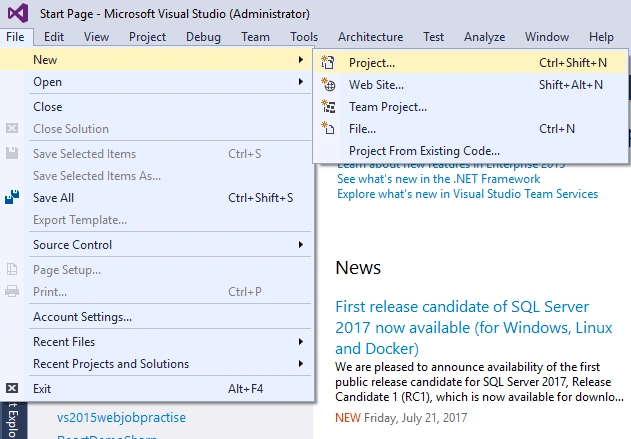
- Go to File -> Select New - Project.
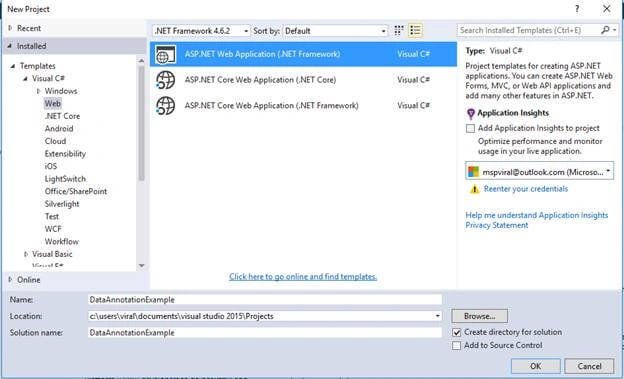
- Select Template >> ASP.NET Web application and give the appropriate application name followed by clicking on OK.
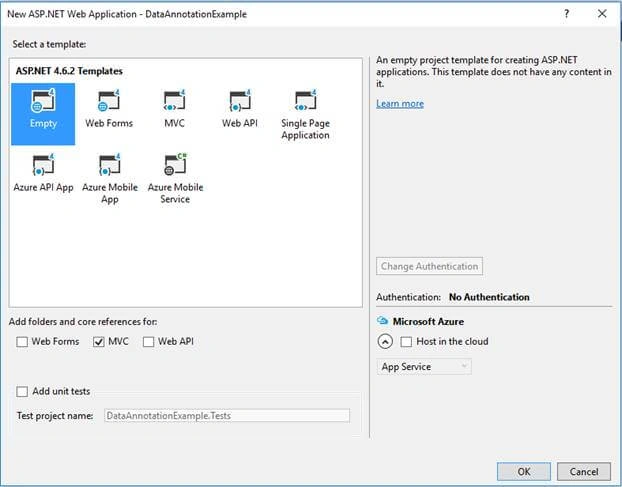
- When you click OK button, a new popup will open.
- Select Empty Template and also select checkbox of "Add folders and core references as MVC". Then, click OK.
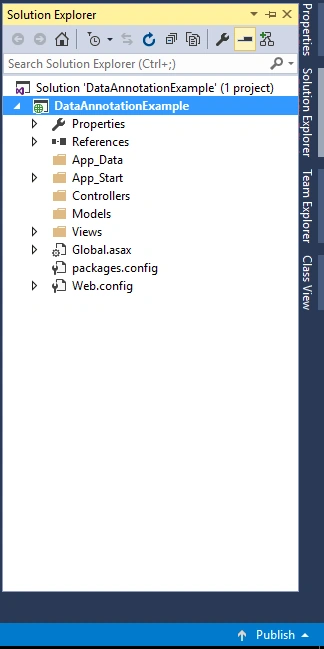
- Once your application creation is completed, your project structure would be like this.
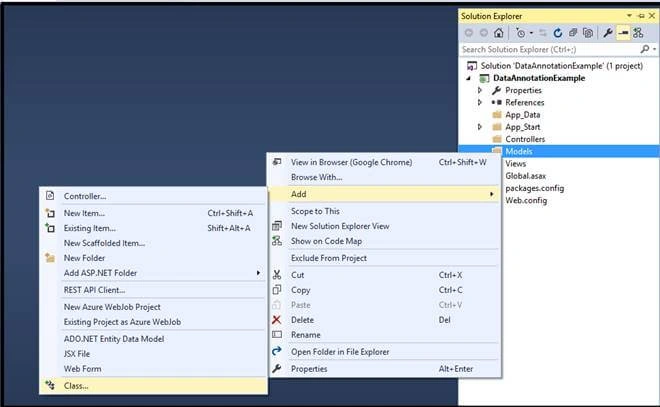
- The next step is to right click on your "Models" folder >> Add >> select Class and name it as UsersModel.
- using System.ComponentModel.DataAnnotations;
- namespace MVCExamples.Models {
- public class UsersModel {
- [Key]
- public int UserId {
- get;
- set;
- }
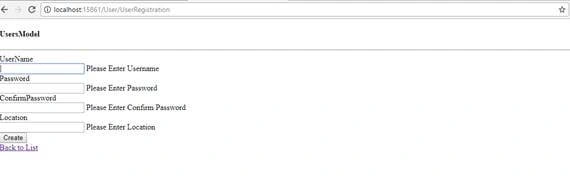
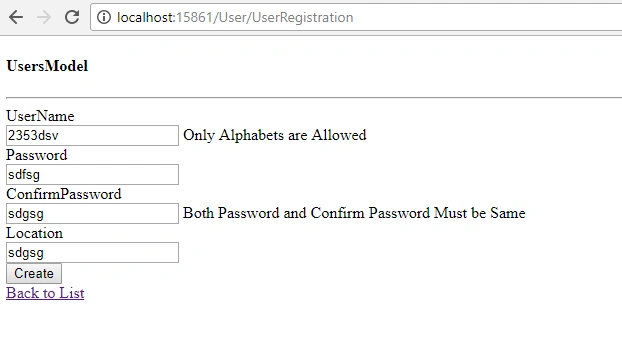
- [RegularExpression("^[a-zA-Z]*$", ErrorMessage = "Only Alphabets are Allowed")]
- [Required(ErrorMessage = "Please Enter Username")]
- public string UserName {
- get;
- set;
- }
- [Required(ErrorMessage = "Please Enter Password")]
- public string Password {
- get;
- set;
- }
- [Required(ErrorMessage = "Please Enter Confirm Password")]
- [Compare("Password", ErrorMessage = "Both Password and Confirm Password Must be Same")]
- public string ConfirmPassword {
- get;
- set;
- }
- [Required(ErrorMessage = "Please Enter Location")]
- public string Location {
- get;
- set;
- }
- }
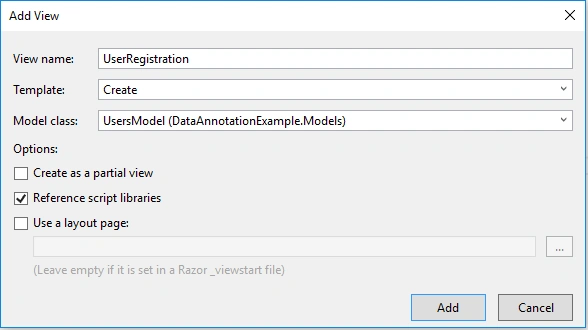
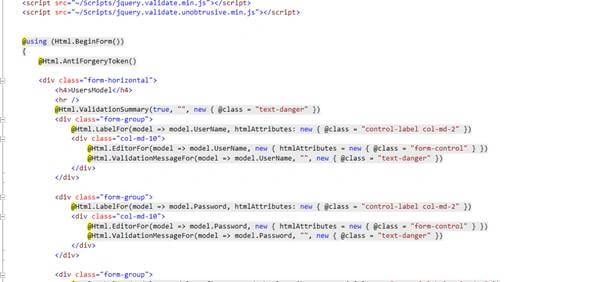
Join the conversation! Your thoughts help the community grow.