

Restricting or limiting the file type extensions is a key business requirement. It is not necessary that a business allows all file types to be uploaded via their web application. Sometimes, only image files are accepted by the web application, sometimes only documents, and sometimes the combination of image, documents, and compressed file types are accepted by the web system.
Today, I shall be demonstrating the process of limiting/restricting the desired upload file type extensions by implementing custom data annotation/attribute component on ASP.NET MVC5 platform. This article is not specific to image files only, you can use the provided solution with any type of file format as well.
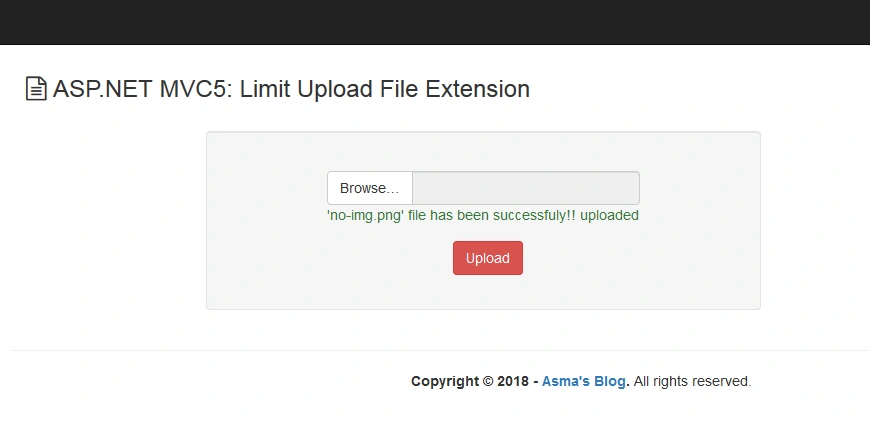
Following are some prerequisites before you proceed any further in this tutorial.
- Knowledge of ASP.NET MVC5.
- Knowledge of HTML.
- Knowledge of Bootstrap.
- Knowledge of C# Programming.
You can download the complete source code for this tutorial or you can follow the step by step discussion below. The sample code is being developed in Microsoft Visual Studio 2015 Enterprise.
Let's begin now.
Step 1
Step 2
- .....
- <system.web>
- <authentication mode="None" />
- <compilation debug="true" targetFramework="4.5.2" />
- <!-- executionTimeout = 30hrs (the value is in seconds) and maxRequestLength = 1GB (the value is in Bytes) -->
- <httpRuntime targetFramework="4.5.2" executionTimeout="108000" maxRequestLength="1073741824" />
- </system.web>
- <system.webServer>
- <!-- maxAllowedContentLength = 1GB (the value is in Bytes) -->
- <security>
- <requestFiltering>
- <requestLimits maxAllowedContentLength="1073741824" />
- </requestFiltering>
- </security>
- .....
- </system.webServer>
- .....
executionTimeout -> Amount of time required to process your request on the web server. The value is provided in seconds.
maxRequestLength -> Maximum size which your request can capture and send to the web server. The value is provided in bytes.
maxAllowedContentLength -> Maximum allowed size of your content (e.g. file, text data etc.) that is sent to the web server. The value is provided in bytes.
Step 3
- <!DOCTYPE html>
- <html>
- <head>
- <meta charset="utf-8" />
- <meta name="viewport" content="width=device-width, initial-scale=1.0">
- <title>@ViewBag.Title</title>
- @Styles.Render("~/Content/css")
- @Scripts.Render("~/bundles/modernizr")
- <!-- Font Awesome -->
- <link rel="stylesheet" href="https://maxcdn.bootstrapcdn.com/font-awesome/4.4.0/css/font-awesome.min.css" />
- </head>
- <body>
- <div class="navbar navbar-inverse navbar-fixed-top">
- <div class="container">
- <div class="navbar-header">
- <button type="button" class="navbar-toggle" data-toggle="collapse" data-target=".navbar-collapse">
- <span class="icon-bar"></span>
- <span class="icon-bar"></span>
- <span class="icon-bar"></span>
- </button>
- </div>
- </div>
- </div>
- <div class="container body-content">
- @RenderBody()
- <hr />
- <footer>
- <center>
- <p><strong>Copyright © @DateTime.Now.Year - <a href="http://wwww.asmak9.com/">Asma's Blog</a>.</strong> All rights reserved.</p>
- </center>
- </footer>
- </div>
- @*Scripts*@
- @Scripts.Render("~/bundles/jquery")
- @Scripts.Render("~/bundles/jqueryval")
- @Scripts.Render("~/bundles/bootstrap")
- @RenderSection("scripts", required: false)
- </body>
- </html>
In the above code, I have simply created a basic default layout page and linked the require libraries into it.
Step 4
- //-----------------------------------------------------------------------
- // <copyright file="AllowExtensionsAttribute.cs" company="None">
- // Copyright (c) Allow to distribute this code and utilize this code for personal or commercial purpose.
- // </copyright>
- // <author>Asma Khalid</author>
- //-----------------------------------------------------------------------
- namespace ImgExtLimit.Helper_Code.Common
- {
- using System;
- using System.Collections.Generic;
- using System.ComponentModel.DataAnnotations;
- using System.Linq;
- using System.Web;
- /// <summary>
- /// File extensions attribute class
- /// </summary>
- [AttributeUsage(AttributeTargets.Field | AttributeTargets.Property, AllowMultiple = false, Inherited = true)]
- public class AllowExtensionsAttribute : ValidationAttribute
- {
- #region Public / Protected Properties
- /// <summary>
- /// Gets or sets extensions property.
- /// </summary>
- public string Extensions { get; set; } = "png,jpg,jpeg,gif";
- #endregion
- #region Is valid method
- /// <summary>
- /// Is valid method.
- /// </summary>
- /// <param name="value">Value parameter</param>
- /// <returns>Returns - true is specify extension matches.</returns>
- public override bool IsValid(object value)
- {
- // Initialization
- HttpPostedFileBase file = value as HttpPostedFileBase;
- bool isValid = true;
- // Settings.
- List<string> allowedExtensions = this.Extensions.Split(new char[] { ',' }, StringSplitOptions.RemoveEmptyEntries).ToList();
- // Verification.
- if (file != null)
- {
- // Initialization.
- var fileName = file.FileName;
- // Settings.
- isValid = allowedExtensions.Any(y => fileName.EndsWith(y));
- }
- // Info
- return isValid;
- }
- #endregion
- }
- }
In ASP.NET MVC 5, creating customized data annotations/attributes is one of the cool features. The ASP.NET MVC 5 platform already contains a default FileExtensions attribute, but, the issue with this pre-built data annotation/attribute is that it is applicable only on string type view model properties and in my case, I am uploading the files via "HttpPostedFileBase" data type view model property. This means that the pre-built data annotation/attribute does not have any means to know the data type of the file(s) that I am uploading which will have no effect on the limitation that is considered to be applied on the uploaded file type extensions. Of course, there are many other tricks or workarounds to go through while working with the pre-built FileExtensions attribute, but, I prefer the custom data annotation/attribute mechanism, which is much simpler.
So, in the above code, I have created a new class "AllowExtensionsAttribute" (by following the naming convention of custom attribute class) and inherited the ValidationAttribute class. Then, I have created a public property "Extensions" and set the default value with image file type extensions, which means that my custom attribute will accept only image file type to be uploaded. So, in order to allow the required file type extensions, this property will be updated at the time of my custom attribute utilization accordingly. Finally, I have overridden the "IsValid(....)" method which will receive my uploaded file as "HttpPostedFileBase" data type and from this, I will extract the file type extension of the uploaded file and then validate whether it is according to either default file type extension restriction or according to my provided file type extensions.
Step 5

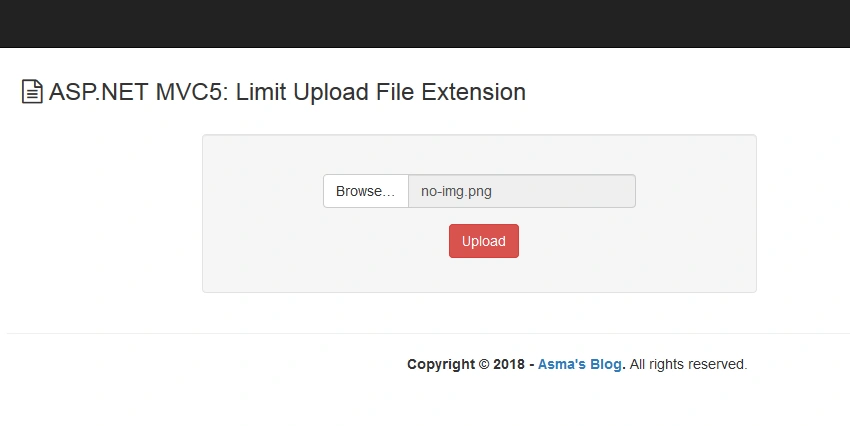
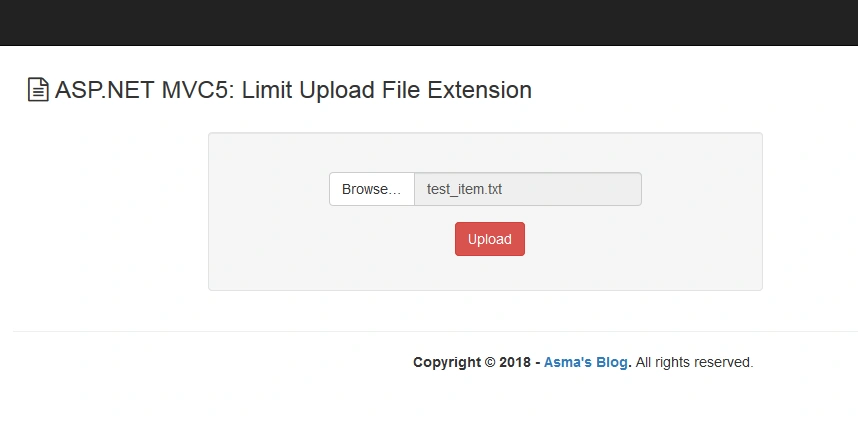
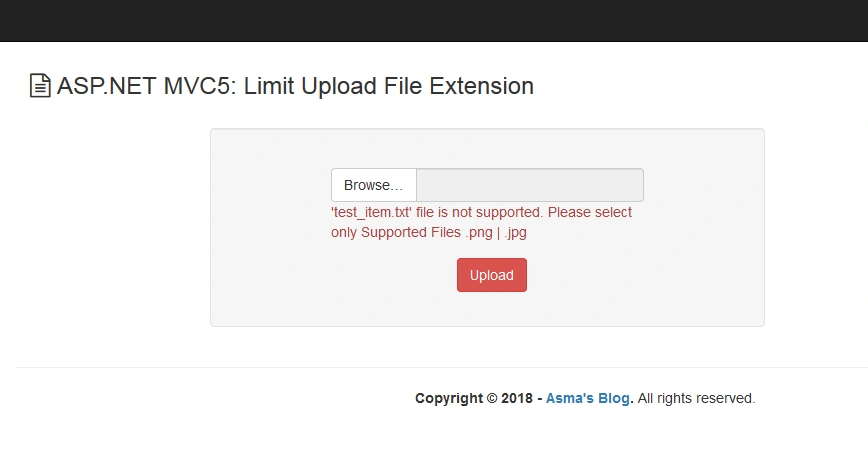
sunny kumarPosted Jan 15, 2020, 10:16 PM
Using System;using System.Collections.Generic; using System.ComponentModel.DataAnnotations; using System.ComponentModel.DataAnnotations.Schema; using System.Linq; using System.Web; namespace WebApplication2.Models { public class TourDetailModels { [Key] public int id { get; set; } [Required] [Display(Name ="Subject")] public string Subject { get; set; } [Required] [Display(Name = "Tour Date")] public string TourYear { get; set; } [Required] [Display(Name = "Total Foreign Tours")] public int ForeignTourCount { get; set; } [Required] [Display(Name = "Country")] public string Country { get; set; } public string OfficerName { get; set; } [Display(Name = "Status")] public string Tourstatus { get; set; } public DateTime timestamp { get; set; } [Display(Name = "Data Filled By")] public string DataFilledBy { get; set; } public string filename { get; set; } public string PptAfterTour { get; set; } public string filenameaftertour { get; set; } public string PptBeforeTour { get; set; } public int status { get; set; } = 1; [NotMapped] [Required] [Helper(Extensions ="pdf,ppt",ErrorMessage ="Please Upload Only Specific Extension Files")] public HttpPostedFileBase pptbeforetourpath { get; set; } //[NotMapped] //[Required] //[ValidateFile] //public HttpPostedFileBase pptaftertourpath { get; set; } } }
sunny kumarPosted Jan 15, 2020, 10:16 PM
Using System;using System.Collections.Generic; using System.ComponentModel.DataAnnotations; using System.Linq; using System.Web; namespace WebApplication2.Models { [AttributeUsage(AttributeTargets.Field|AttributeTargets.Property,AllowMultiple =false,Inherited =true)] public class Helper:ValidationAttribute { public string Extensions { get; set; } = "pdf,ppt"; public override bool IsValid(object value) { HttpPostedFileBase file = value as HttpPostedFileBase; bool isValid = true; List<string> allowedExtensions = this.Extensions.Split(new char[] { ',' }, StringSplitOptions.RemoveEmptyEntries).ToList(); if (file != null) { var filename = file.FileName; isValid = allowedExtensions.Any(y => filename.EndsWith(y)); } return isValid; } } }
sunny kumarPosted Jan 15, 2020, 10:16 PM
I also tried your code, but still it is getting passed through the model validation, i dont know how
Kuldeep SinghPosted Apr 6, 2019, 4:04 PM
It it working fine on server side. Mam can you provide or extend this code for working on client side as well.