

In this article, we will learn how we can assign different /multiple IPs on a single network interface card(Lan card). Using this LAN card user can work with different network
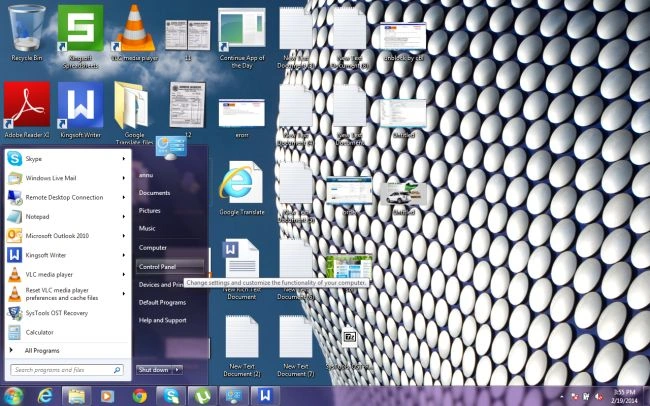
Click on start and go to the control panel
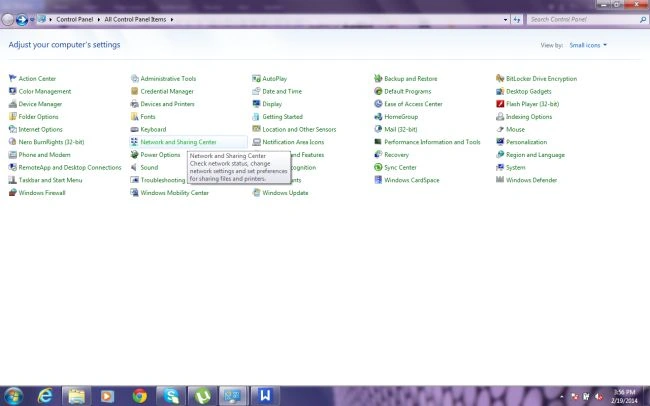
Click on Network and sharing center
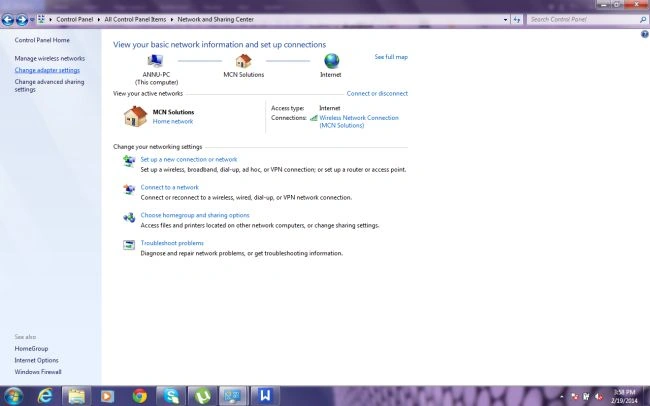
Click on change adapter settings
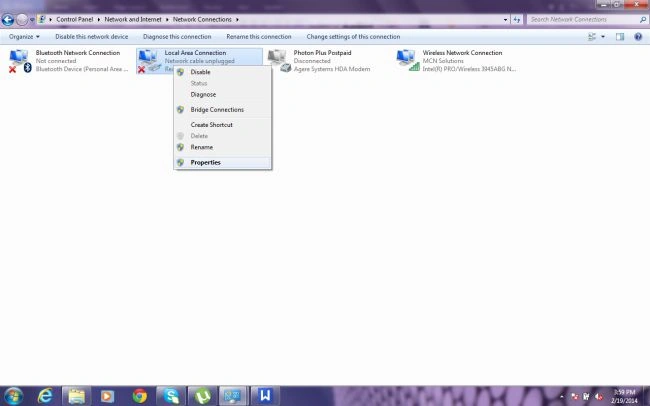
Right click on Local area connection and go to properties
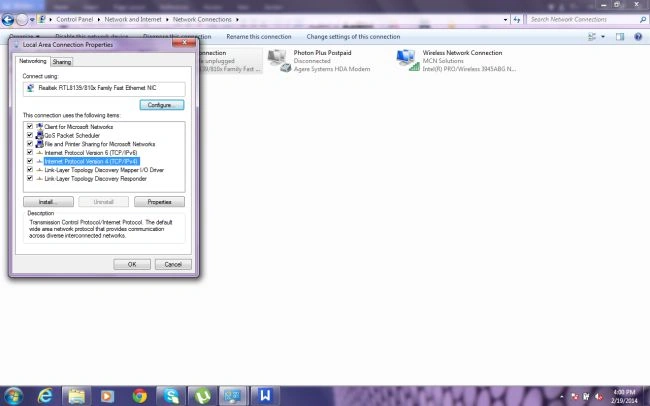
Double click on Internet Protocol Version(TCP/IPV4)
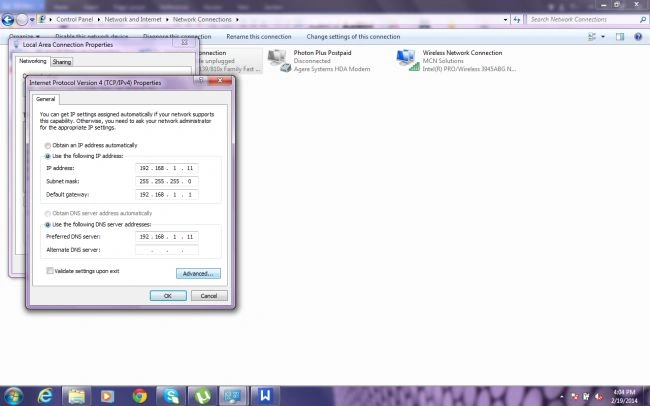
Click on Advance and go to IP Setting then click add ip address
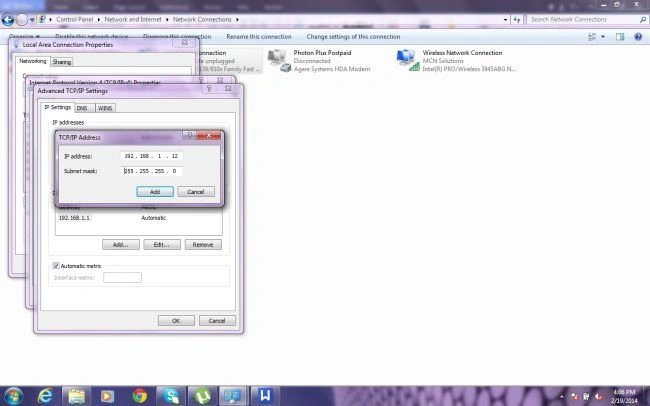
And fill another IP 192.168.1.12 and subnet mask 255.255.255.0 now click on add
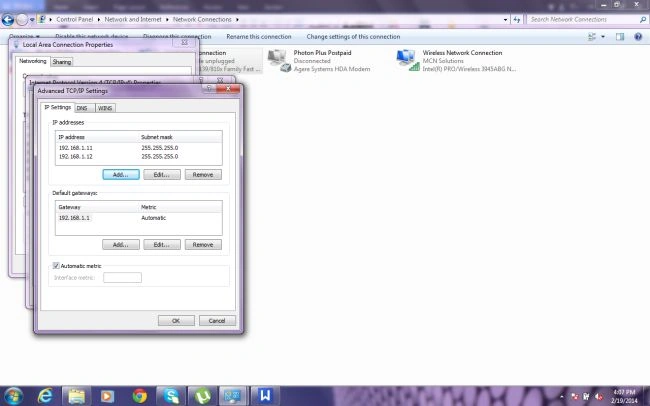
You will see two IP address in the IP address list;
Similarly, you can add multiple IP's, gateways IP's, and DNS IP's for a single network card.
Join the conversation! Your thoughts help the community grow.