

Introduction
In this article, I’m going to explain how to use out of the box features to attach multiple files with one click in the default new form of SharePoint’s custom list. So, with the help of this, we can choose multiple files and attach them all at once instead of choosing files one by one to upload.
Procedure Overview
- Create a SharePoint list
- Click on a new item
- Apply multiple to the default attach file button in the new form
Procedure
Step 1
Click on the new item in the list, it will navigate to the default page,
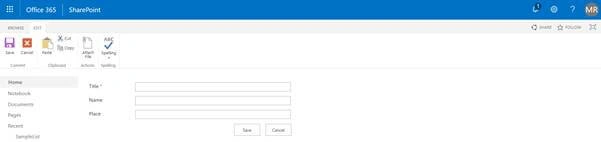
In this default case, we can’t choose multiple files to attach. To do that we need to apply multiple properties to attach the file button.
Step 2
Click on Attach File, it will take you to the upload file page as below,
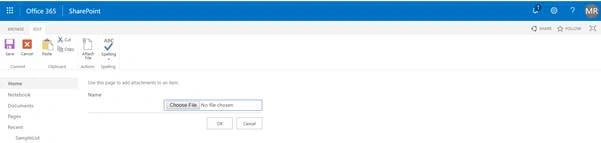
Get the ID of Choose File input by inspecting the element.
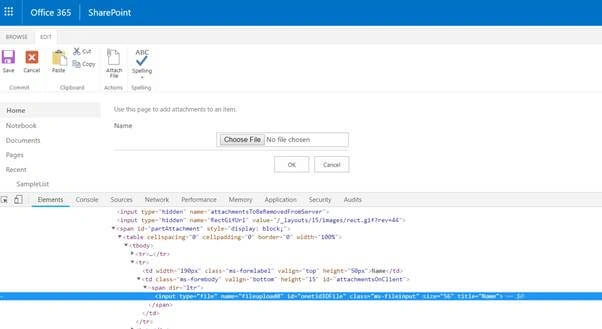
Take the ID and write the below code to apply Multiple to the attach file input.
Code
- document.getElementById("onetidIOFile").multiple = true;
- //Where “onetidIOFile” is the Id of Chosen file input
- <script src="https://ajax.aspnetcdn.com/ajax/jQuery/jquery-3.3.1.min.js"></script>
- <script src="https://ajax.aspnetcdn.com/ajax/jQuery/jquery-3.3.1.min.js"></script>
- <script>
- $(function() {
- document.getElementById("onetidIOFile").multiple = true;
- })()
- </script>
Procedure for add snippet editor,
- Click on Edit page from Gear Icon
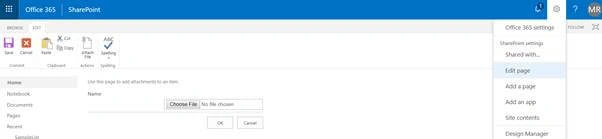
- Insert Script Editor, which is available under Media and Content.
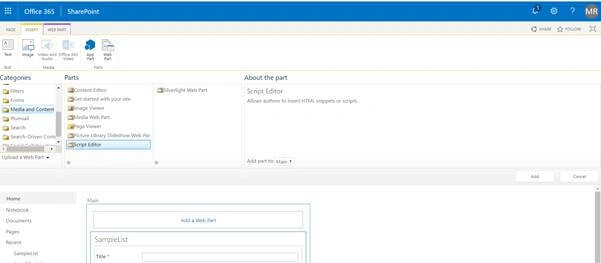
- Edit Snippet and add the full code, then insert and save.
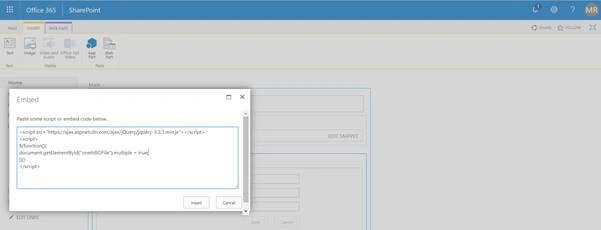
- Now, go to Page and Stop editing.
That’s it, now you can choose multiple files to attach in the default new form of SharePoint list,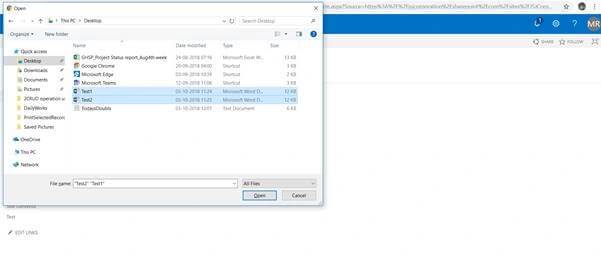
Choose the multiple files and attach to a SharePoint list item, the result will be like below.
Result
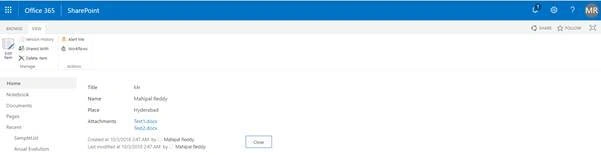
Thus, we have chosen multiple files in the default new form.
Conclusion
This article will help show you you how we can use the out of the box concept to choose multiple files to attach to the SharePoint list item.
Thank You!
Maria MorariuPosted Nov 7, 2022, 11:59 AM
This solution works for Sharpoint 2019? I tried your script and can selected more file, but finally atached only one.
Ulhas MorbalePosted Feb 25, 2022, 3:17 PM
How many files we can attach in a single list item?
Imran AliPosted Oct 22, 2019, 3:51 PM
Excellent work!!
Pavan KalyanPosted Oct 7, 2018, 10:08 PM
Very Good Information. I will follow these steps when it is required. Thanks