

Introduction
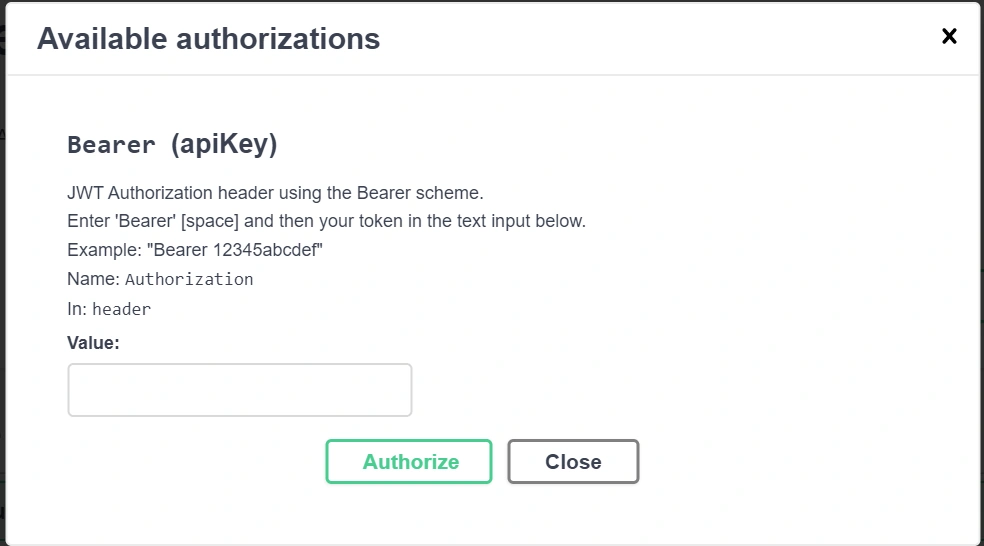
This article is meant to make the process of authentication and authorization easier using JSON Web Tokens and also to check the entire process with Swagger UI rather than PostMan.
What is ASP.Net Core?
ASP.NET Core is an open-source and cloud-optimized web framework for developing modern web applications that can be developed and run on Windows, Linux, and Mac. It includes the MVC framework, which now combines the features of MVC and Web API into a single web programming framework.
-
ASP.NET Core apps can run on .NET Core or on the full .NET Framework.
-
It was built to provide an optimized development framework for apps that are deployed to the cloud or run on-premises.
-
It consists of modular components with minimal overhead, so you retain flexibility while constructing your solutions.
-
You can develop and run your ASP.NET Core apps cross-platform on Windows, Mac, and Linux
What is a JSON Web Token?
A JSON Web Token (or JWT) is simply a JSON payload containing a particular claim. The key property of JWTs is that in order to confirm if they are valid we only need to look at the token itself. ... A JWT is made of 3 parts: the Header, the Payload, and the Signature.
Url: https://jwt.io/
What is Swagger and how it is useful in ASP.NET Core Web API?
Swagger
Swagger is a machine-readable representation of a RESTful API that enables support for interactive documentation, client SDK generation, and discoverability.
Swashbuckle is an open-source project for generating Swagger documents for Web APIs that are built with ASP.NET Core MVC.
Create a New Project and select ASP.NET Core Web Application:
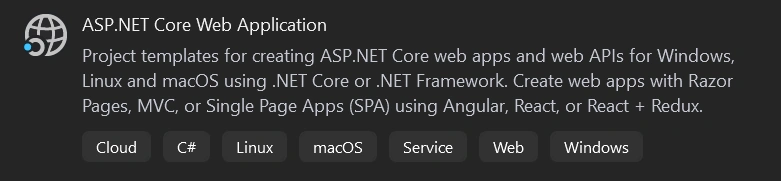
After clicking to the next button:
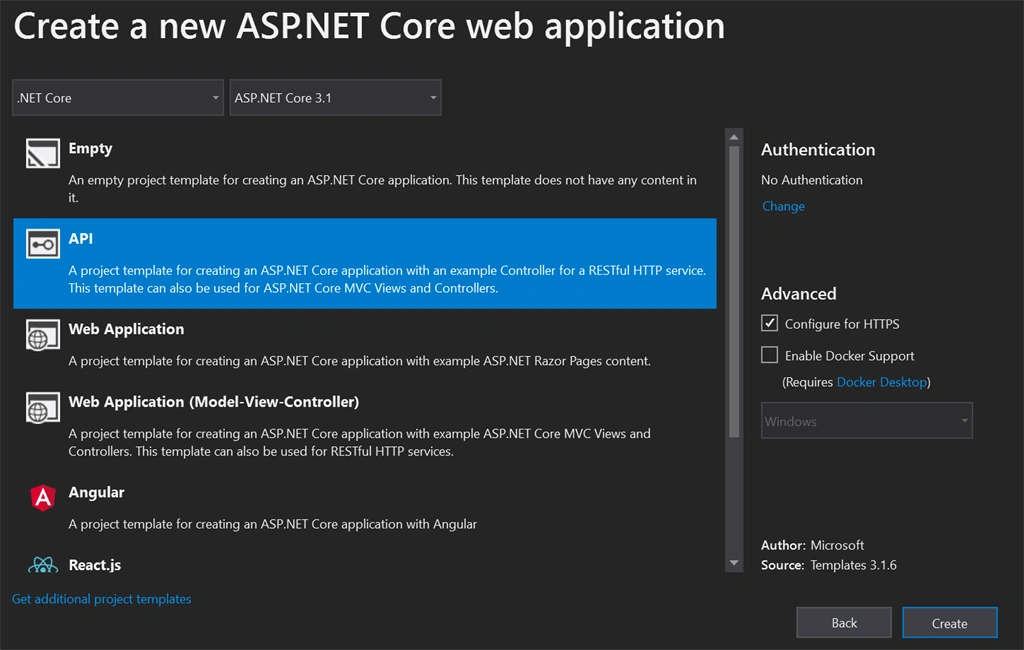
Click on the Create Button to create a Sample API Project.
Create an Authenticate Controller
Create this method under the Authenticate Controller:
- private string GenerateJSONWebToken(LoginModel userInfo)
- {
- var securityKey = new SymmetricSecurityKey(Encoding.UTF8.GetBytes(_config["Jwt:Key"]));
- var credentials = new SigningCredentials(securityKey, SecurityAlgorithms.HmacSha256);
- var token = new JwtSecurityToken(_config["Jwt:Issuer"],
- _config["Jwt:Issuer"],
- null,
- expires: DateTime.Now.AddMinutes(120),
- signingCredentials: credentials);
- return new JwtSecurityTokenHandler().WriteToken(token);
- }
Create another method for Login Validation to authenticate the user via the Hardcoded method:
- private async Task<LoginModel> AuthenticateUser(LoginModel login)
- {
- LoginModel user = null;
- //Validate the User Credentials
- //Demo Purpose, I have Passed HardCoded User Information
- if (login.UserName == "Jay")
- {
- user = new LoginModel { UserName = "Jay", Password = "123456" };
- }
- return user;
- }
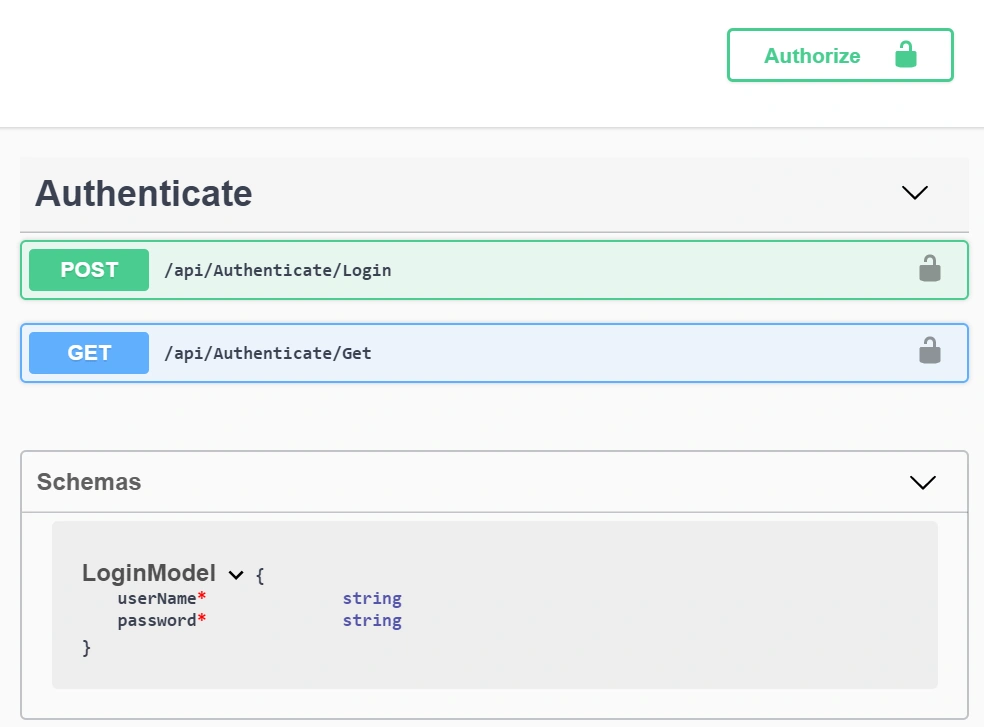
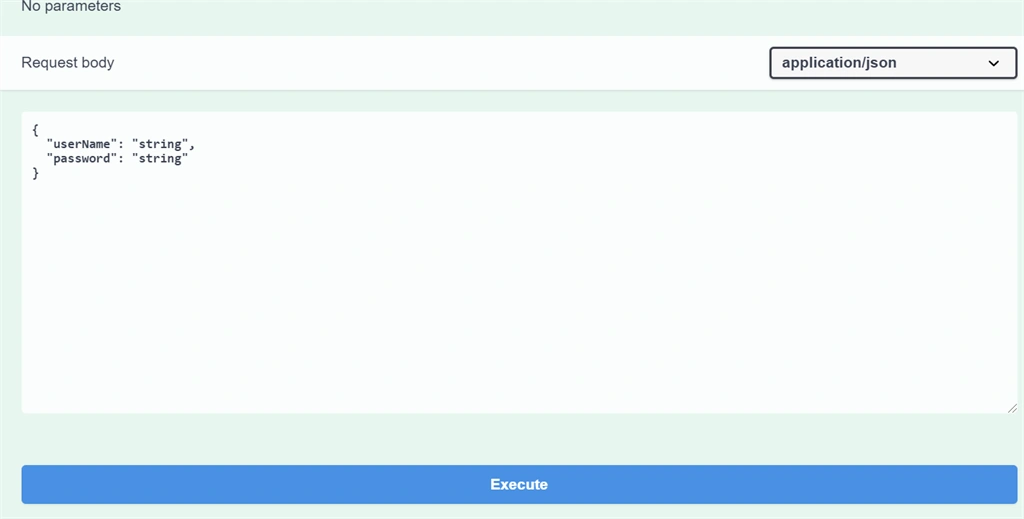
Create the Login Method to pass the parameters as JSON Format to Validate the User and to generate the Token (JWT).
- [AllowAnonymous]
- [HttpPost(nameof(Login))]
- public async Task<IActionResult> Login([FromBody] LoginModel data)
- {
- IActionResult response = Unauthorized();
- var user = await AuthenticateUser(data);
- if (data != null)
- {
- var tokenString = GenerateJSONWebToken(user);
- response = Ok(new { Token = tokenString , Message = "Success" });
- }
- return response;
- }
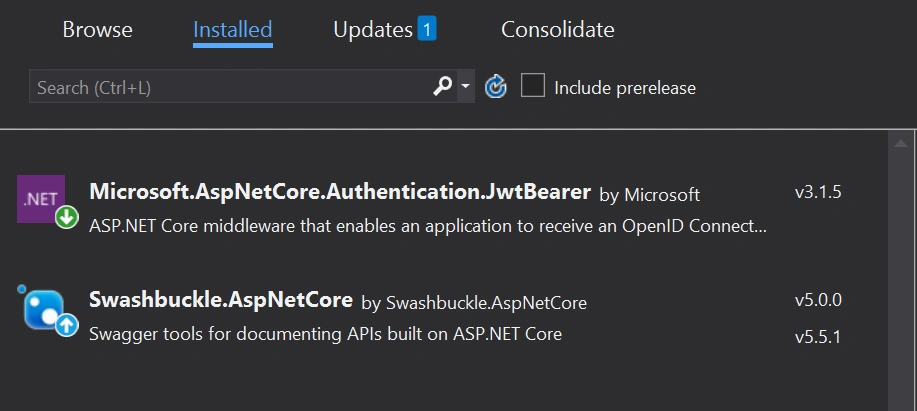
To use the JWT Token and Swagger, we need to install the above two into our project
Add this Class in Authenticate Controller, as these are the required parameters to validate the User
- public class LoginModel
- {
- [Required]
- public string UserName { get; set; }
- [Required]
- public string Password { get; set; }
- }
- using System;
- using System.Collections.Generic;
- using System.ComponentModel.DataAnnotations;
- using System.IdentityModel.Tokens.Jwt;
- using System.Linq;
- using System.Runtime.InteropServices.WindowsRuntime;
- using System.Text;
- using System.Threading.Tasks;
- using Microsoft.AspNetCore.Authentication;
- using Microsoft.AspNetCore.Authorization;
- using Microsoft.AspNetCore.Mvc;
- using Microsoft.Extensions.Configuration;
- using Microsoft.IdentityModel.Tokens;
- namespace AuthenticationandAuthorization.Controllers
- {
- public class AuthenticateController : BaseController
- {
- #region Property
- /// <summary>
- /// Property Declaration
- /// </summary>
- /// <param name="data"></param>
- /// <returns></returns>
- private IConfiguration _config;
- #endregion
- #region Contructor Injector
- /// <summary>
- /// Constructor Injection to access all methods or simply DI(Dependency Injection)
- /// </summary>
- public AuthenticateController(IConfiguration config)
- {
- _config = config;
- }
- #endregion
- #region GenerateJWT
- /// <summary>
- /// Generate Json Web Token Method
- /// </summary>
- /// <param name="userInfo"></param>
- /// <returns></returns>
- private string GenerateJSONWebToken(LoginModel userInfo)
- {
- var securityKey = new SymmetricSecurityKey(Encoding.UTF8.GetBytes(_config["Jwt:Key"]));
- var credentials = new SigningCredentials(securityKey, SecurityAlgorithms.HmacSha256);
- var token = new JwtSecurityToken(_config["Jwt:Issuer"],
- _config["Jwt:Issuer"],
- null,
- expires: DateTime.Now.AddMinutes(120),
- signingCredentials: credentials);
- return new JwtSecurityTokenHandler().WriteToken(token);
- }
- #endregion
- #region AuthenticateUser
- /// <summary>
- /// Hardcoded the User authentication
- /// </summary>
- /// <param name="login"></param>
- /// <returns></returns>
- private async Task<LoginModel> AuthenticateUser(LoginModel login)
- {
- LoginModel user = null;
- //Validate the User Credentials
- //Demo Purpose, I have Passed HardCoded User Information
- if (login.UserName == "Jay")
- {
- user = new LoginModel { UserName = "Jay", Password = "123456" };
- }
- return user;
- }
- #endregion
- #region Login Validation
- /// <summary>
- /// Login Authenticaton using JWT Token Authentication
- /// </summary>
- /// <param name="data"></param>
- /// <returns></returns>
- [AllowAnonymous]
- [HttpPost(nameof(Login))]
- public async Task<IActionResult> Login([FromBody] LoginModel data)
- {
- IActionResult response = Unauthorized();
- var user = await AuthenticateUser(data);
- if (data != null)
- {
- var tokenString = GenerateJSONWebToken(user);
- response = Ok(new { Token = tokenString , Message = "Success" });
- }
- return response;
- }
- #endregion
- #region Get
- /// <summary>
- /// Authorize the Method
- /// </summary>
- /// <returns></returns>
- [HttpGet(nameof(Get))]
- public async Task<IEnumerable<string>> Get()
- {
- var accessToken = await HttpContext.GetTokenAsync("access_token");
- return new string[] { accessToken };
- }
- #endregion
- }
- #region JsonProperties
- /// <summary>
- /// Json Properties
- /// </summary>
- public class LoginModel
- {
- [Required]
- public string UserName { get; set; }
- [Required]
- public string Password { get; set; }
- }
- #endregion
- }

susanta sahooPosted Aug 3, 2022, 5:18 PM
/api/Authenticate/Get is not providing response ..even after logged in using generated token, throwing 401 error
Hassan GulzarPosted Jul 14, 2021, 6:45 PM
In the method GenerateJSONWebToken, the parameter userInfo (of type LoginModel) is not used in the method body anywhere. Is this intentional?
Gopal PPosted Apr 15, 2021, 7:39 AM
How to access username and password from Database to validate instead of hard code?
Joey IrelandPosted Jan 17, 2021, 6:18 PM
When using postman to look at the login call it brings back a 415 unsupported media type, is there a fix for this? Works ok in swaggers ui its just that call
Hamid KhanPosted Oct 20, 2020, 1:44 PM
Many many thanks you explain very well...... Thanks
shiva prakashagPosted Aug 17, 2020, 8:31 AM
Downloaded sample code is not able to unzip, so can you please help me on next steps ASAP
DevaraPosted Aug 3, 2020, 11:29 PM
Nice article, Thanks for sharing Jay Krishna Reddy
Pritesh MaturkarPosted Jul 26, 2020, 10:38 PM
It is very Nice article. Thanks For Sharing. I have one question 1.How to delete or remove jwt token for Logout?