

Auto ViewModelLocator
I will present a little trick inside of the ViewModels instantiation in MVVM pattern.
Sometimes, we work in WPF small solutions, which does not usually need ViewModelLocator class as ViewModels class generator, because we don’t need to save ViewModels reference. We will not worry about feeding ViewModelLocator class and we will go to deploy our ViewModels classes immediately. This fits perfectly with the unit tests and binding engine.
We will get all this with a class with two WPF attached properties given below.
We will have two cases, which are given below.
- The View name and ViewModel name will have equivalent names.
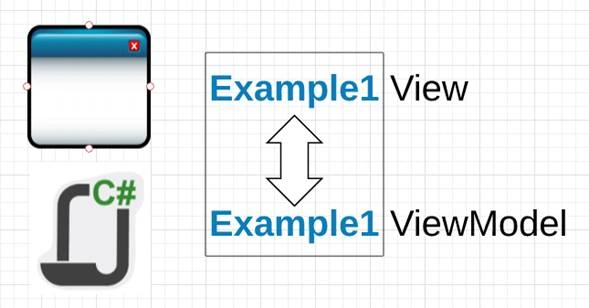
- SameNameClass[View].xaml
- SameNameClass[ViewModel].cs
- View name and ViewModel name don’t have equivalent names.
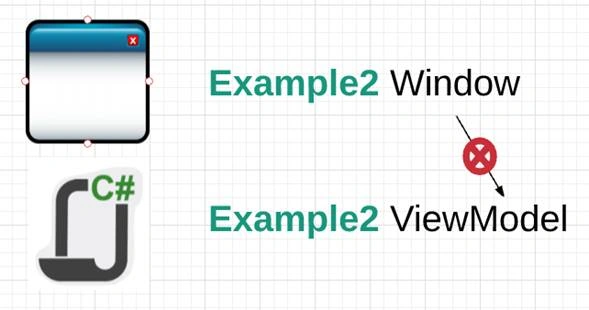
- DifenteNameView.xaml
- DiferentNameViewModel.cs
Equivalents Names (View and ViewModel)
In this case, proceed, as shown below.
- <Window x:Class="AutoMVVMLocator.Example1View"
- xmlns="http://schemas.microsoft.com/winfx/2006/xaml/presentation"
- xmlns:x="http://schemas.microsoft.com/winfx/2006/xaml"
- xmlns:d="http://schemas.microsoft.com/expression/blend/2008"
- xmlns:mc="http://schemas.openxmlformats.org/markup-compatibility/2006"
- xmlns:local="clr-namespace:AutoMVVMLocator"
- local:MLMVVM.IsAutomaticLocator="True"
- mc:Ignorable="d"
- Title="Example1View" Height="300" Width="300">
- local:MLMVVM.IsAutomaticLocator = “True”
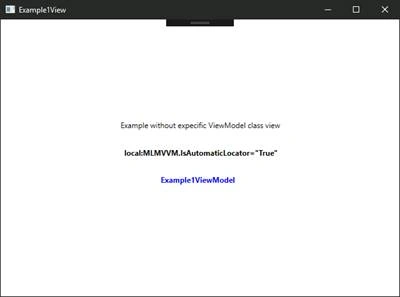
In this example, the view Example1View instances an Example1ViewModel object as DataContext automatically.
Not Equivalents Names (View and ViewModel)
In this case, we need to specify another property with the name of ViewModel class.
- <Window x:Class="AutoMVVMLocator.Example2Window"
- xmlns="http://schemas.microsoft.com/winfx/2006/xaml/presentation"
- xmlns:x="http://schemas.microsoft.com/winfx/2006/xaml"
- xmlns:d="http://schemas.microsoft.com/expression/blend/2008"
- xmlns:mc="http://schemas.openxmlformats.org/markup-compatibility/2006"
- xmlns:local="clr-namespace:AutoMVVMLocator"
- local:MLMVVM.ViewModelClassName="Example2ViewModel"
- local:MLMVVM.IsAutomaticLocator="True"
- mc:Ignorable="d"
- Title="Example2Window" Height="300" Width="396.546">
- local:MLMVVM.ViewModelClassName = “Example2ViewModel”
- local:MLMVVM.IsAutomaticLocator = “True”
Note
The property ViewModelClassName has to be in first place.
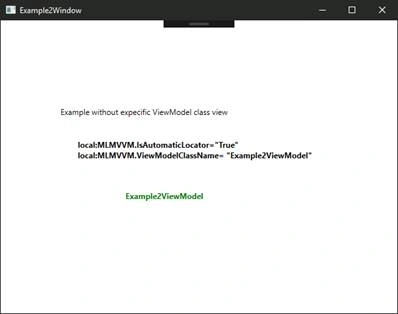
In this example, the view Example2Window instances an Example2ViewModel object as DataContext automatically.
MLMVVM class
It is a very simple class. It has two AttachProperties and two private methods.
The attachproperties are the previously configured properties.
- Activate the automatic instance ViewModels classes.
- Show the ViewModel class name to the instance. If your ViewModelClass name is equivalent with the View name, its property is not necessary.
- public static bool GetIsAutomaticLocator(DependencyObject obj) {
- return (bool) obj.GetValue(IsAutomaticLocatorProperty);
- }
- public static void SetIsAutomaticLocator(DependencyObject obj, bool value) {
- obj.SetValue(IsAutomaticLocatorProperty, value);
- }
- public static readonly DependencyProperty IsAutomaticLocatorProperty = DependencyProperty.RegisterAttached("IsAutomaticLocator", typeof(bool), typeof(MLMVVM), new PropertyMetadata(false, IsAutomaticLocatorChanged));
- private static void IsAutomaticLocatorChanged(DependencyObject d, DependencyPropertyChangedEventArgs e) {
- var callOwner = d as FrameworkElement;
- var className = GetViewModelClassName(d);
- var userControl = GetInstanceOf(callOwner.GetType(), className);
- callOwner.DataContext = userControl;
- }
- public static string GetViewModelClassName(DependencyObject obj) {
- return (string) obj.GetValue(ViewModelClassNameProperty);
- }
- public static void SetViewModelClassName(DependencyObject obj, string value) {
- obj.SetValue(ViewModelClassNameProperty, value);
- }
- public static readonly DependencyProperty ViewModelClassNameProperty = DependencyProperty.RegisterAttached("ViewModelClassName", typeof(string), typeof(MLMVVM), new PropertyMetadata(null));
The two private methods contains a dynamic instance engine.
- private static object GetInstanceOf(Type dependencyPropertyType, string className)
- {
- var assembly = dependencyPropertyType.Assembly;
- var assemblyTypes = assembly.GetTypes();
- var classNameDef = GetClassName(dependencyPropertyType, className);
- var userControlType = assemblyTypes.FirstOrDefault(a => a.Name.Contains(classNameDef));
- if (userControlType == null) throw new ArgumentException($"Not exist a type {classNameDef} in the asembly {assembly.FullName}");
- var resultado = Activator.CreateInstance(userControlType);
- return resultado;
- }
- private static string GetClassName(Type dependencyPropertyType, string className)
- {
- if (string.IsNullOrWhiteSpace(className)) return $"{dependencyPropertyType.Name}Model";
- return className;
- }
Limitations
If you work in a great project or you need recover the references of the instances ViewModels, you must use a classical ViewModelLocator class.
Test Project
In the Test Project, we have the code and example for all the cases.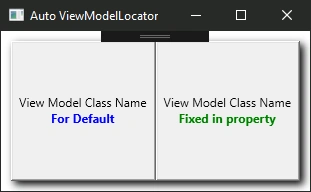
Juan Francisco Morales LariosPosted May 26, 2017, 2:20 AM
Thank you !!! for your comment
Mohamed ElqassasPosted May 25, 2017, 1:23 PM
Great, Thanks for sharing!