

In this article, you will learn how to avoid XSS attacks in MVC Applications with Microsoft's AntiXSS library. I will show you a case where a user submits malicious HTML markup with a message and it starts displaying an annoying alert. Then I will move on and show you how to prevent it with AntiXSS.
In my application, my intent is to allow the user to enter HTML markup with a message. In MVC, when you try to submit HTML markup it will show you an error.
See, what I'm trying to create is something as in the following:
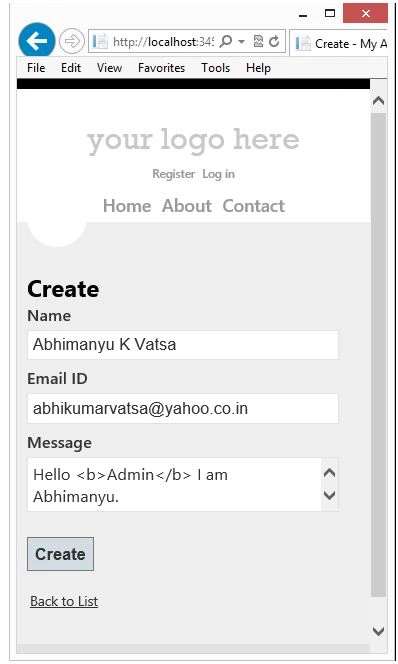
But because of HTML markup in the message MVC rejected my request saying A potentially dangerous Request.Form value was detected from the client (MessageText="Hello <b>Admin</b> I am Ab...").
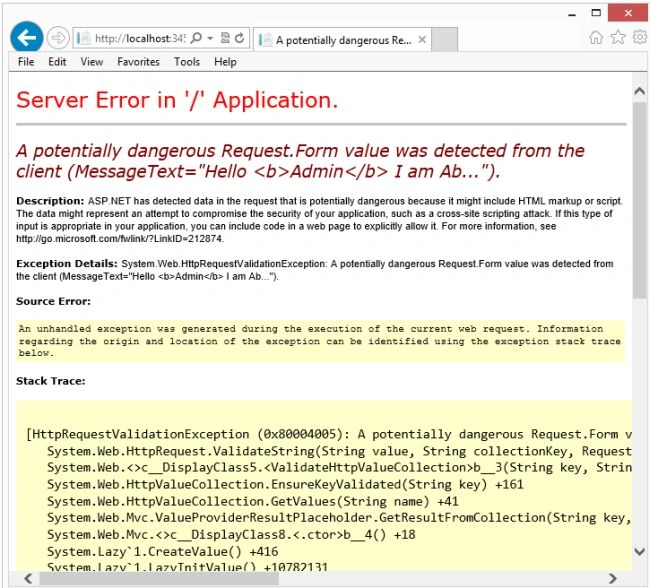
By default, MVC rejects such requests containing HTML markup to prevent Cross-Site Scripting attacks and this is one advantage of MVC since if you forgot to work on XSS preventions then you still win.
If you want to allow the user to submit HTML markup with a message then you can allow it in one of the following ways.
1st Way (Model Level):-
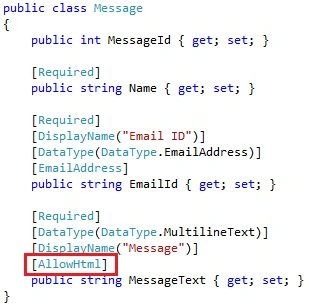
2nd Way (Controller Level):-
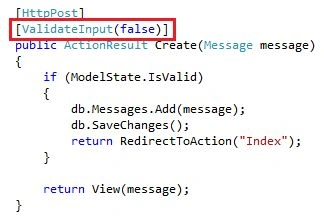
Use any approach given above, this will skip the request validation. But there is still a problem, by default Razor will encode the HTML markup.
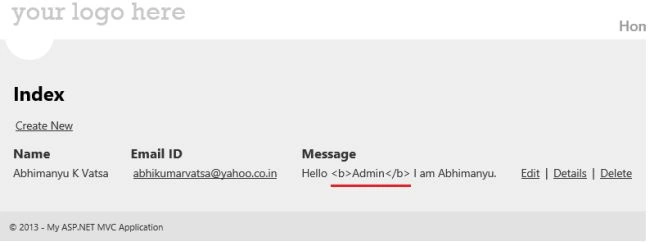
To fix it, for this we can use @Html.Raw(item.MessageText).

So, I have allowed writing HTML markup with MessageText, but see how now a user is trying to send a malicious script with the message text.

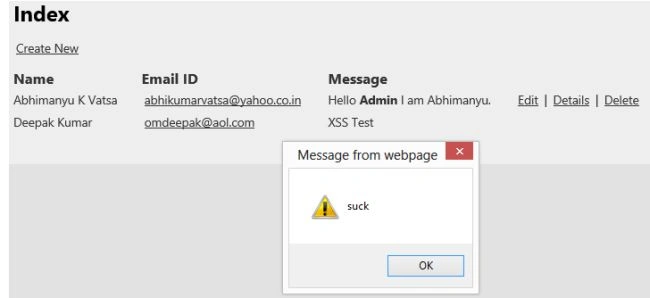
So, whenever you allow HTML markup to be written you must be extremely careful with its prevention. So, here the Microsoft library AntiXSS is useful, let's use this library.
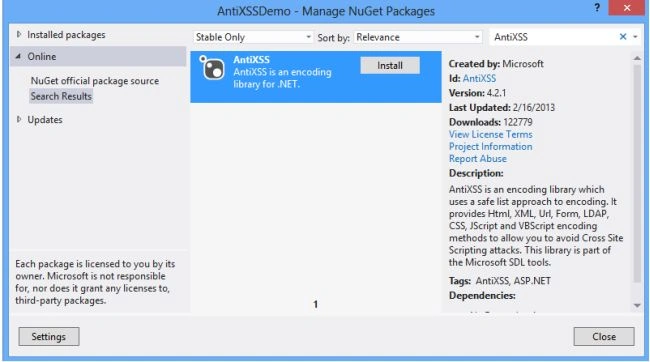
Open NuGet and search for the "AntiXSS" package and install it.
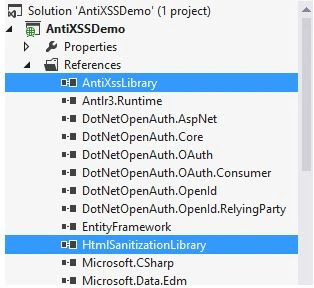
You will find two new dlls AntiXssLibrary and HtmlSantizationLibrary in your project references folder.
Now, just one change in the controller will enable XSS prevention.
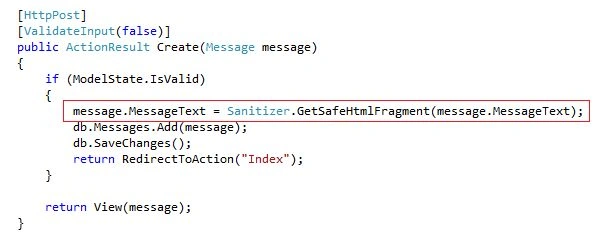
And when any user tries to send a malicious script with a message this will automatically be dropped from the string.
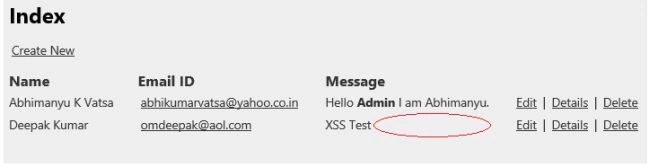
So, in this article, you learned how to prevent XSS attacks with the AntiXSS library.
Josh GlasscockPosted Jul 10, 2024, 1:21 PM
This was an excellent walkthrough! Thanks for taking the time to write this up.
youssef boudayaPosted Oct 20, 2022, 1:39 PM
Can this be used when i have checkmarx error : reflected_xss_all_clients on object model ?
Shyam yumnamPosted Oct 17, 2016, 2:14 PM
In my case it only sanitize script and not html. not the one below <a href="http://west-wind.com">West Wind</a><br>Hello<br>Please login with the form below before proceeding:<form action="”mybadsite.aspx”"><table><tbody><tr><td>Login:</td><td><input type="text" name="x_x_x_x_x_x_x_x_x_x_x_x_x_login"></td></tr><tr><td>Password:</td><td><input type="text" name="x_x_x_x_x_x_x_x_x_x_x_x_x_password"> </td></tr></tbody></table><input type="submit" value="LOGIN"></form>
nai nowPosted Feb 5, 2014, 3:34 AM
hello abhimanyu. I have my application in asp.net which is quite a huge app. Do you have any idea how I can counter the XSS issue for the whole solution. A fast and quick solution.
Abhimanyu K VatsaPosted Mar 29, 2013, 1:05 AM
@Surjit: yes, try AntiXSS
Surjit SinghPosted Mar 28, 2013, 2:09 PM
Is there a solution for below input: Hello <b> admin </b> XSS test <script>alert("suck");<script>