

Introduction
Xamarin is a platform to develop cross-platform and multi-platform apps (for example- Windows Phone, Android, iOS). In Xamarin platform, the code sharing concept is used. In Xamarin Studio, Visual Studio is also available.
Xamarin is a platform to develop cross-platform and multi-platform apps (for example- Windows Phone, Android, iOS). In Xamarin platform, the code sharing concept is used. In Xamarin Studio, Visual Studio is also available.
Prerequisites
- Xamarin Studio.
- Xcode.
The steps given below are required to be followed in order to play videos using AVPlayer in Xamarin iOS.
Step 1
Go To Xamarin Studio.
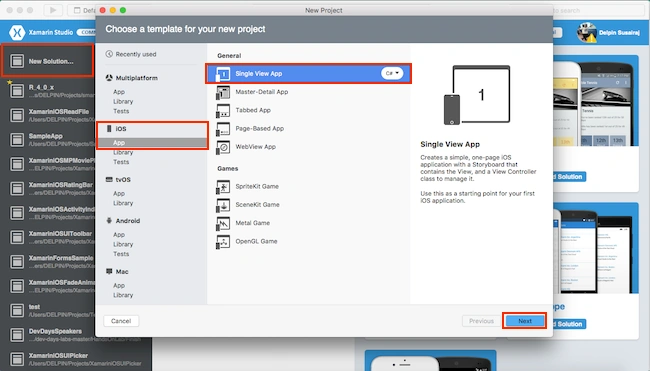
Click New Solution—> select iOS—>select App--> choose Single View App. Afterwards, click Next.
Step 2
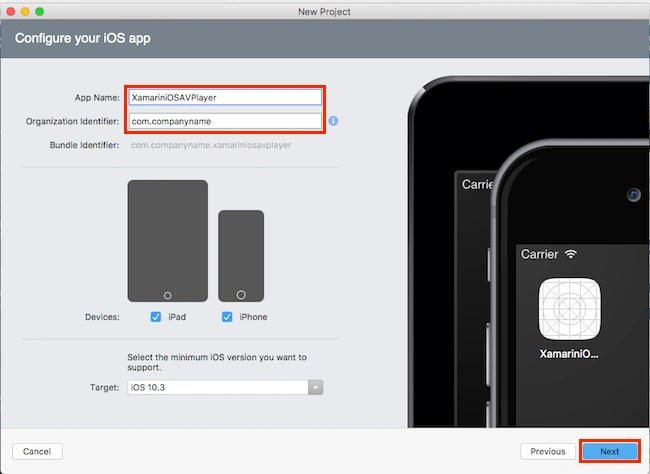
In this step, configure your app. Give the App Name (Ex: sample) and Organization Identifier. Afterwards, click Next.
Step 1
Go To Xamarin Studio.
Click New Solution—> select iOS—>select App--> choose Single View App. Afterwards, click Next.
Step 2
In this step, configure your app. Give the App Name (Ex: sample) and Organization Identifier. Afterwards, click Next.
Step 3
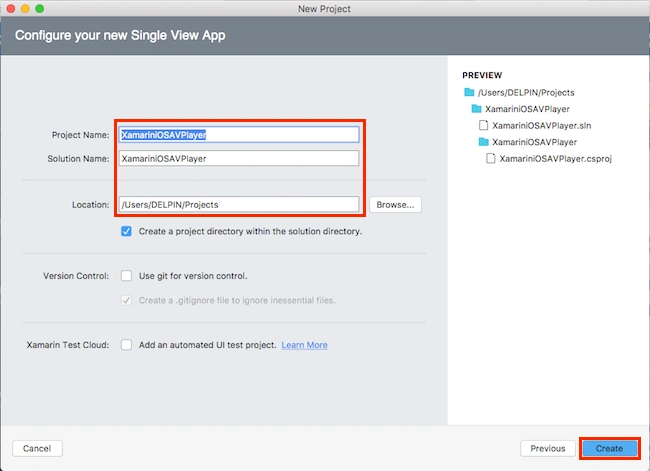
In this step, give your project name (Ex: Sample) and solution name (Ex: Sample). Define the path of your project. Afterwards, click Create.
Step 4
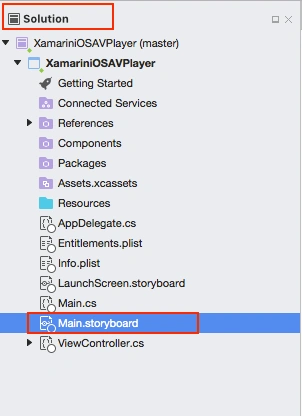
Subsequently, go to the solution. In the solution, get all the files and sources in your project. Now, select Main.storyboard and double-click to open Main.storyboard page.
In this step, give your project name (Ex: Sample) and solution name (Ex: Sample). Define the path of your project. Afterwards, click Create.
Step 4
Subsequently, go to the solution. In the solution, get all the files and sources in your project. Now, select Main.storyboard and double-click to open Main.storyboard page.
Step 5
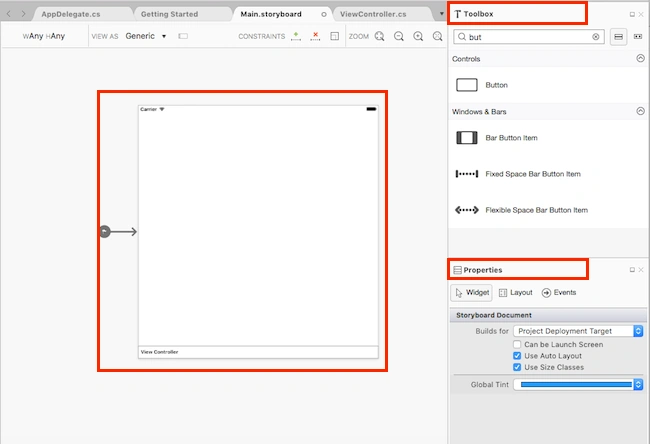
After opening the Main.storyboard, you can design this page as per your desire.
Step 6
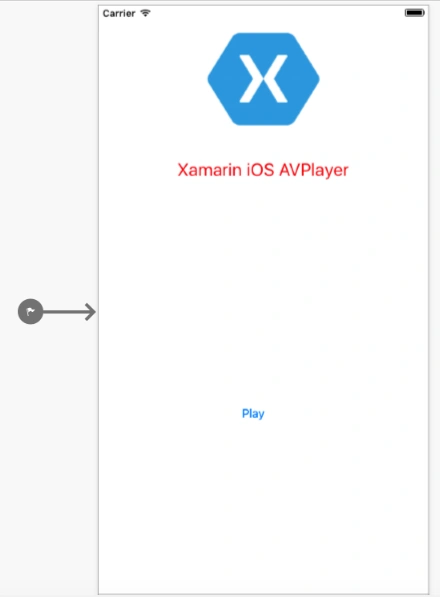
In this step, design your app using Storyboard, Toolbox, and Properties.
- Button(btnPlay).
Step 7
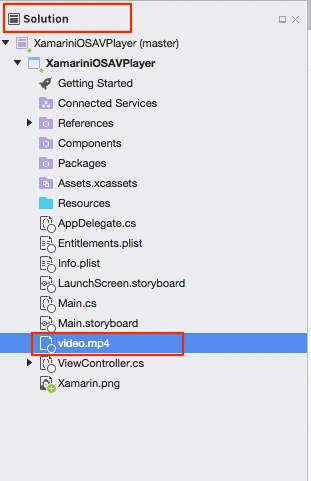
In this step, add a video file from your local system. Go to Solution—>Resource-->right click-->Add-->Add Files.
Now, you can choose the required Video file. Click Open.
In this step, add a video file from your local system. Go to Solution—>Resource-->right click-->Add-->Add Files.
Now, you can choose the required Video file. Click Open.
Next, choose to copy the files to the directory. Afterwards, click OK.
- Filename: video.mp4
Step 8
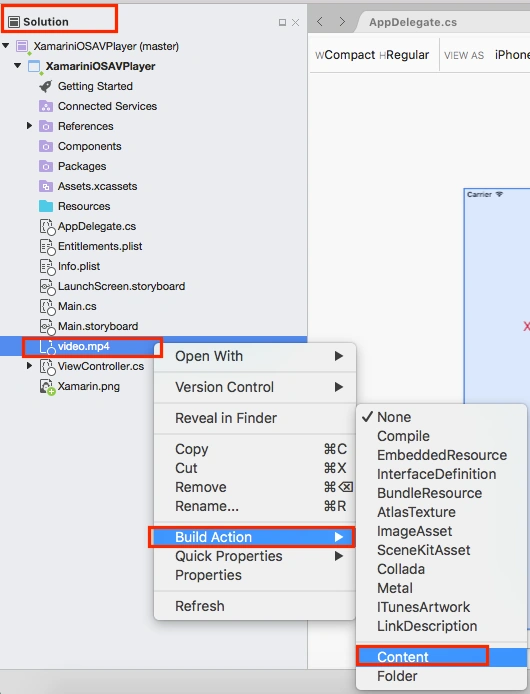
In this step, build Action (Content). You need to set Content-type for your Video files.
Solution Explorer—>Video File—>Right Click—->Build Action—>Select Content.
In this step, build Action (Content). You need to set Content-type for your Video files.
Solution Explorer—>Video File—>Right Click—->Build Action—>Select Content.
Step 10
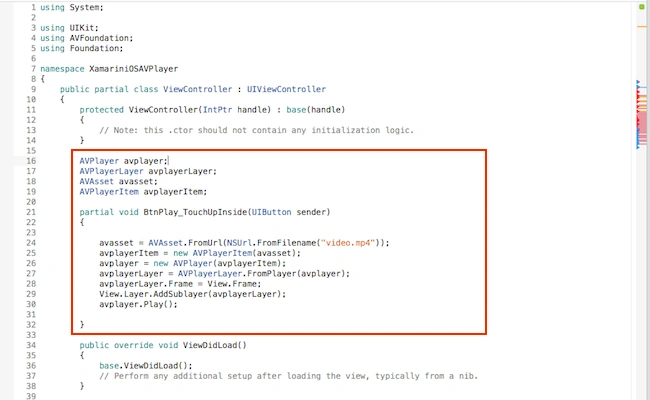
Write the code given below in ViewController.cs.
ViewController.cs
ViewController.cs
- using System;
- using UIKit;
- using AVFoundation;
- using Foundation;
- namespace XamariniOSAVPlayer {
- public partial class ViewController: UIViewController {
- protected ViewController(IntPtr handle): base(handle) {
- // Note: this .ctor should not contain any initialization logic.
- }
- AVPlayer avplayer;
- AVPlayerLayer avplayerLayer;
- AVAsset avasset;
- AVPlayerItem avplayerItem;
- partial void BtnPlay_TouchUpInside(UIButton sender) {
- avasset = AVAsset.FromUrl(NSUrl.FromFilename("video.mp4"));
- avplayerItem = new AVPlayerItem(avasset);
- avplayer = new AVPlayer(avplayerItem);
- avplayerLayer = AVPlayerLayer.FromPlayer(avplayer);
- avplayerLayer.Frame = View.Frame;
- View.Layer.AddSublayer(avplayerLayer);
- avplayer.Play();
- }
- public override void ViewDidLoad() {
- base.ViewDidLoad();
- // Perform any additional setup after loading the view, typically from a nib.
- }
- public override void DidReceiveMemoryWarning() {
- base.DidReceiveMemoryWarning();
- // Release any cached data, images, etc that aren't in use.
- }
- }
- }
Step 10
Now, go to the "Run" option, choose Debug, and select an emulator from the list of iPhone and iPad simulators. You can choose any one simulator and run it.

Output
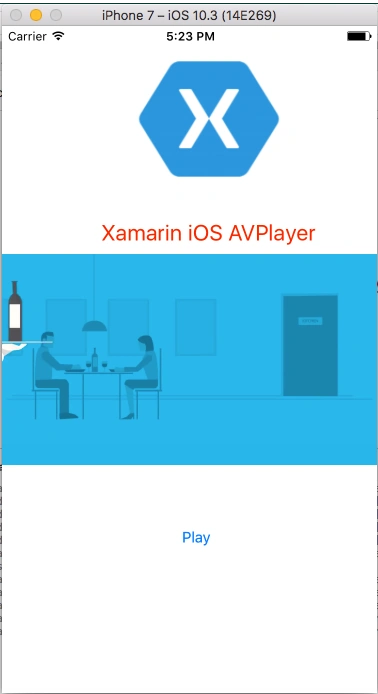
After a few seconds, the app will start running on your iPhone simulator. You will see your app working successfully.
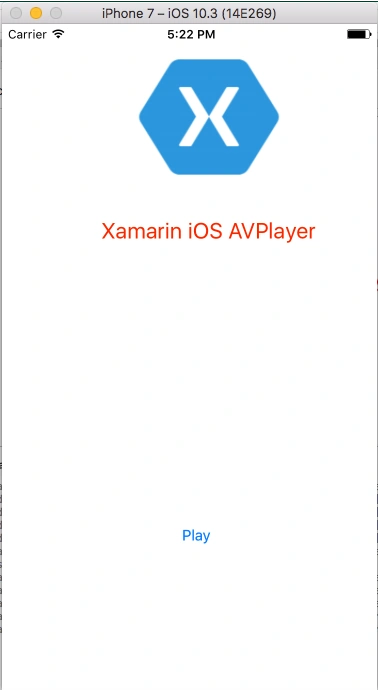
You can click the Play button. The video must play successfully.
Summary
This was the app that plays video using AVPlayer in Xamarin iOS, using Xamarin Studio.
Please share your comments and feedback.
Samuel HyemanPosted Jun 21, 2019, 4:56 AM
Please how do I add Controls