

Introduction
Azure blob storage is an object storage solution in the cloud that stores unstructured data (include audio, video, and text, etc.) to the Azure platform. This data can be accessed from anywhere in the world. Blobs are grouped into "containers" that are tied to user accounts.
Blob storage is designed for saving images to a browser, writing to log files, backup/restore, analysis of stored data, etc.
This article is divided into two parts. The first part is to create Azure blob storage in the Azure portal with security and then write .net core to push and pull the data from blob storage.
Create Blob Storage
Step 1
Go to the Azure Portal and create a new resource -> Storage -> Storage Account.
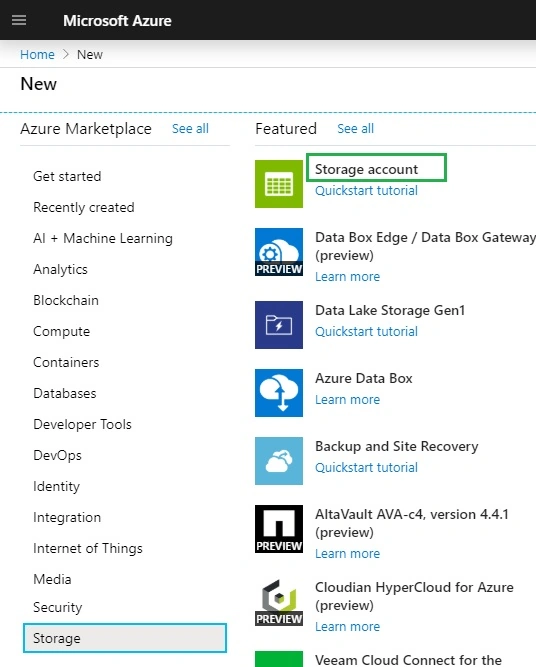
Step 2
Enter all the details like unique storage account name, account type, and replication i.e. replica of one data center to another data center. You can select all other parameters as default for this example.
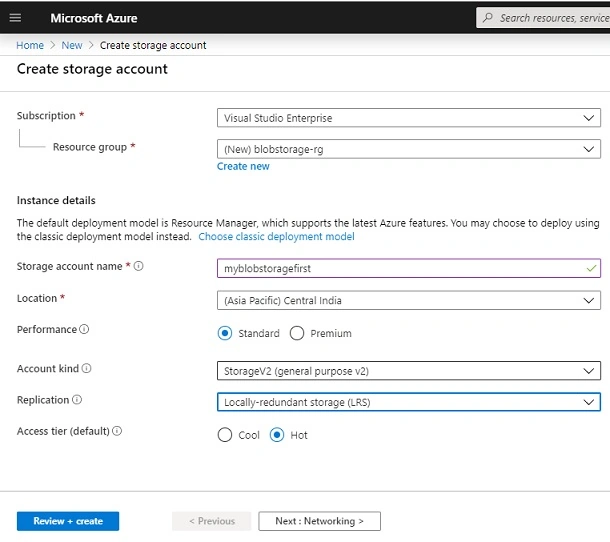
Step 3
Create a new container under the storage account for upload the file in container. select the access level as container(public) then later will change to private to see how to access secure data.
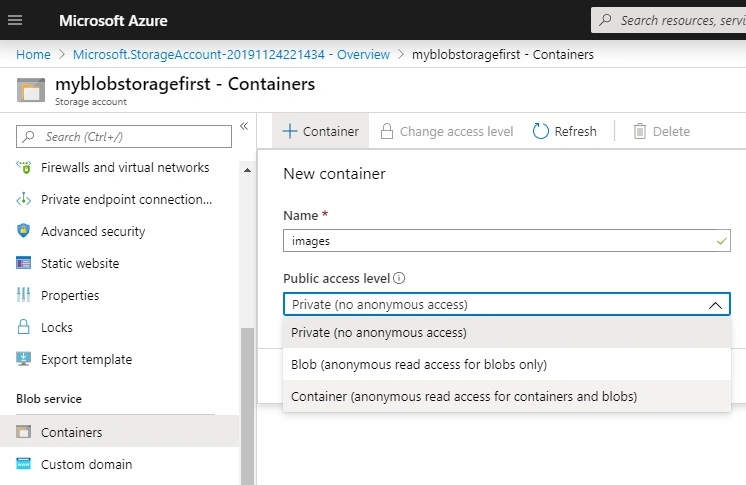
Step 4
Upload the image from your machine into Azure by using the upload option.
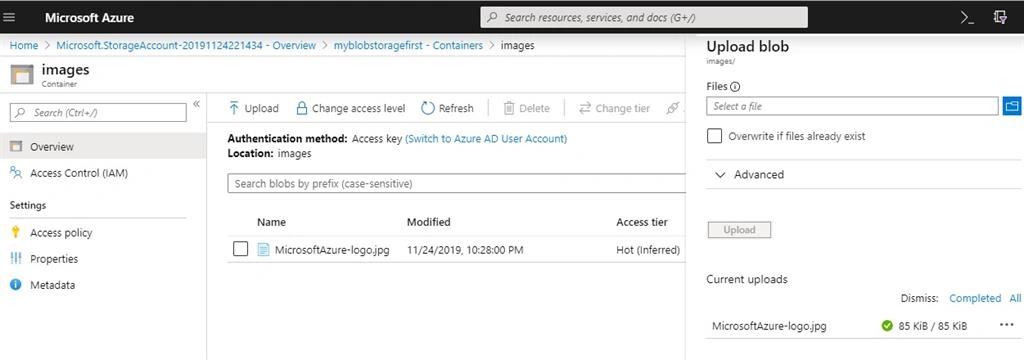
Click on the image (jpg) file and copy the URL and open in a new tab, you should find a URL similar to below one. Anyone in the world can access this URL. https://myblobstoragefirst.blob.core.windows.net/images/MicrosoftAzure-logo.jpg lets move to add security on this container by changing the access level to private.
Create Azure blob storage with security (SAS's)
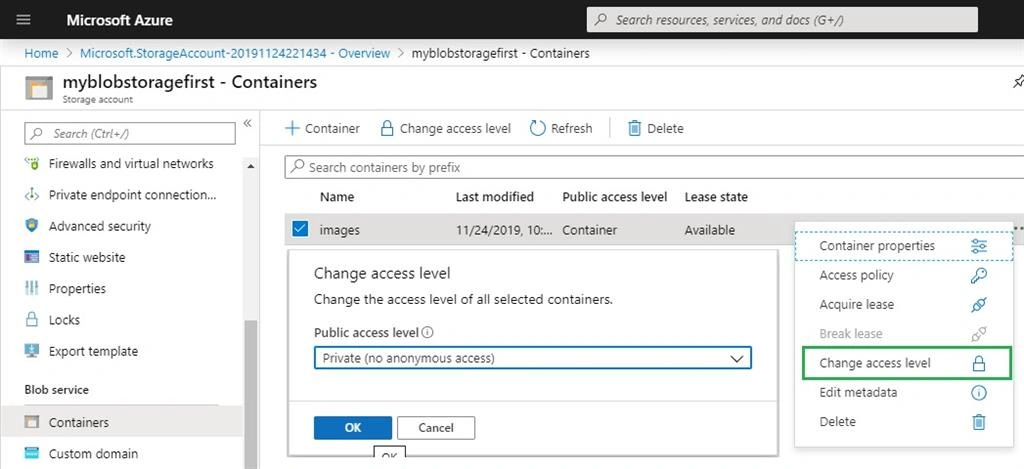
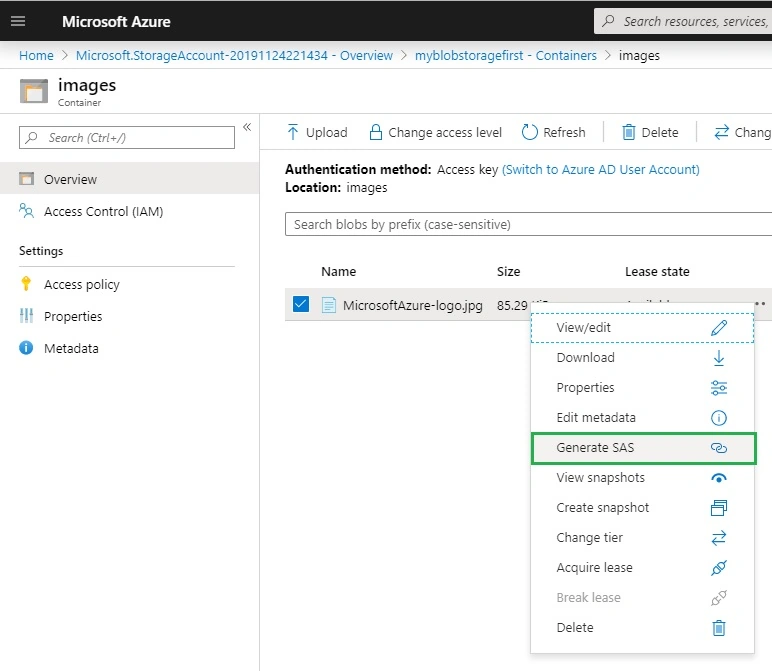
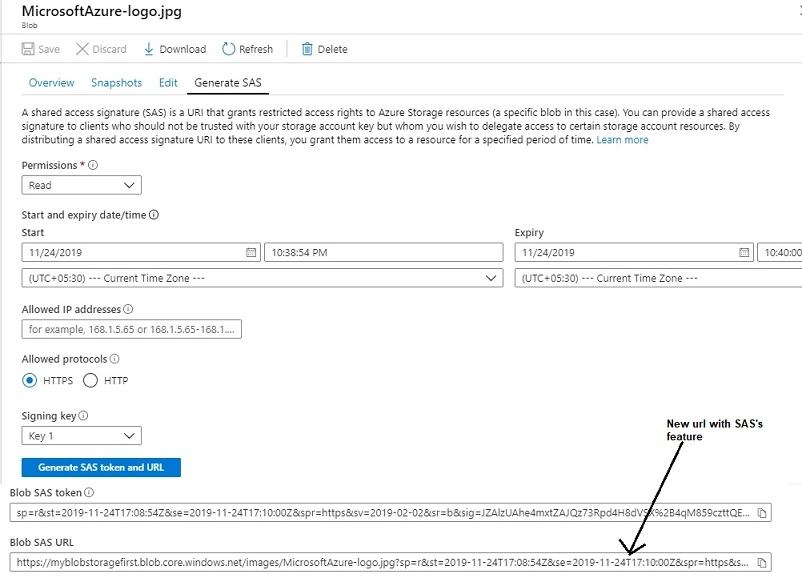
To use the security, change the access level to private and check the URL again, you may get the below error message when you try to access the same URL created in the previous step.
The specified resource does not exist. RequestId:a4644a6c-801e-001a-47e9-a22575000000 Time:2019-11-24T17:04:30.1733108Z.
GokulakrishnaPosted Dec 23, 2019, 2:30 AM
Nice Explanation
AnandPosted Dec 20, 2019, 4:16 AM
Thank sir for such a beautiful article. will help many developers like me.
Bikesh SrivastavaPosted Dec 20, 2019, 1:30 AM
Well explained.