

Introduction
Hi, in this article, we will see how to create a Devcenter in Azure; this is a step-by-step process. Dont skip the below steps.
What is Azure DevCenter?
A DevCenter is a dedicated platform designed to empower developers and provide them with the resources they need to excel in their craft. It serves as a centralized hub where developers can access comprehensive documentation, tutorials, tools, and community support. Whether you're a beginner looking to learn the ropes or an experienced developer seeking advanced resources, the DevCenter is here to guide you on your journey.
Step 1
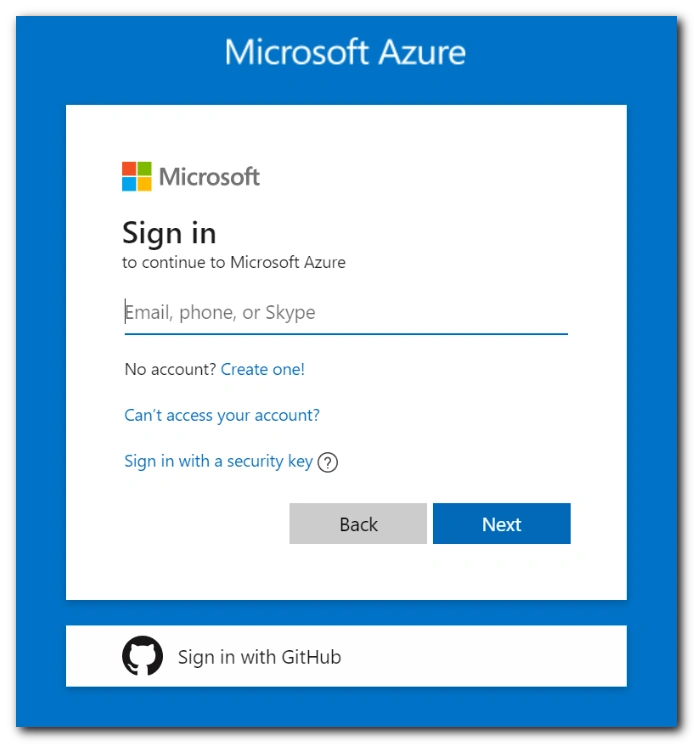
First, you have to sign in to your Azure portal; if you dont have one, create one and log in using your account credentials.
Step 2
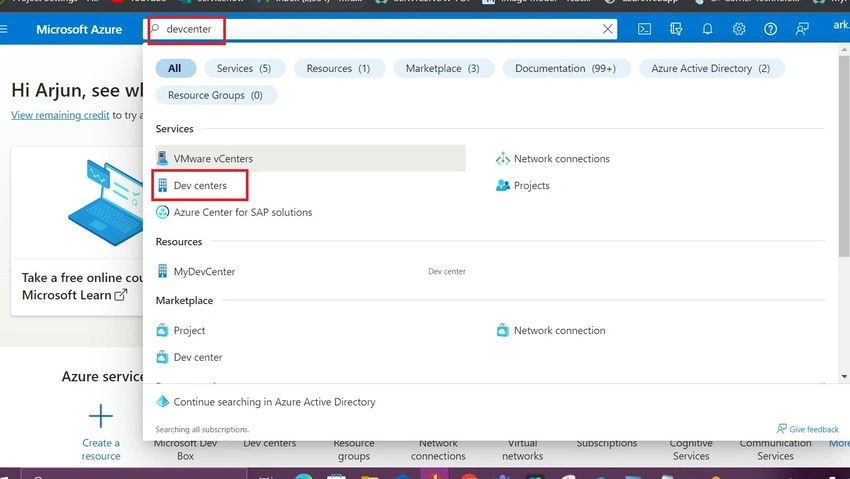
- After creating your Azure account, Go to the search bar and start searching for devcenter.
- Once you find it click it to open.
Step 3
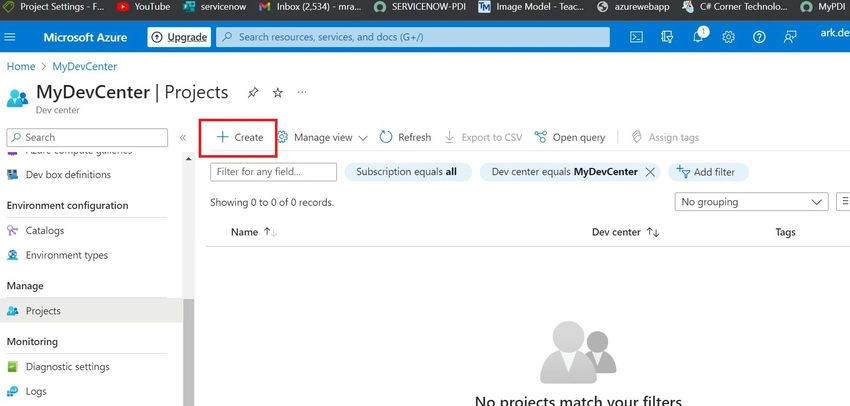
- By selecting the overview, you can check the components which need to be created for the project based on the requirement.
- You navigate to the project section in the overview.
- Click create new on the project.
Step 4
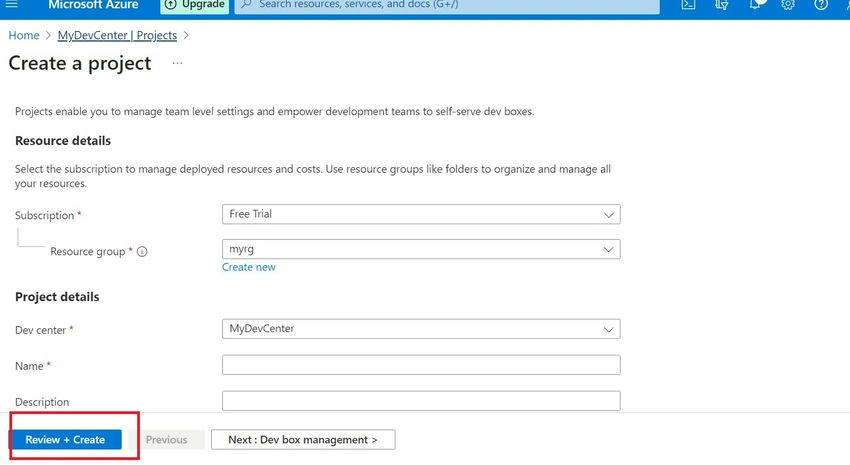
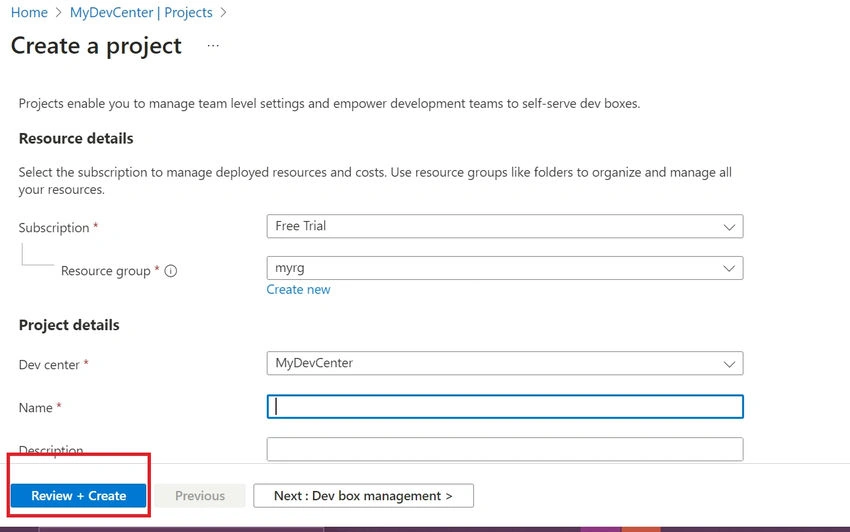
- Now you can navigate to the project section and fill in all the details it asks,
- you need a resource group, a devcenter, and a name and description of the project.
Step 5
- After the information is provided, kindly check if the resource groups are correctly assigned and selected.
- After reviewing the fields, you can click the Review + Create option below.
- This will trigger the creation of the dev project.
Step 6
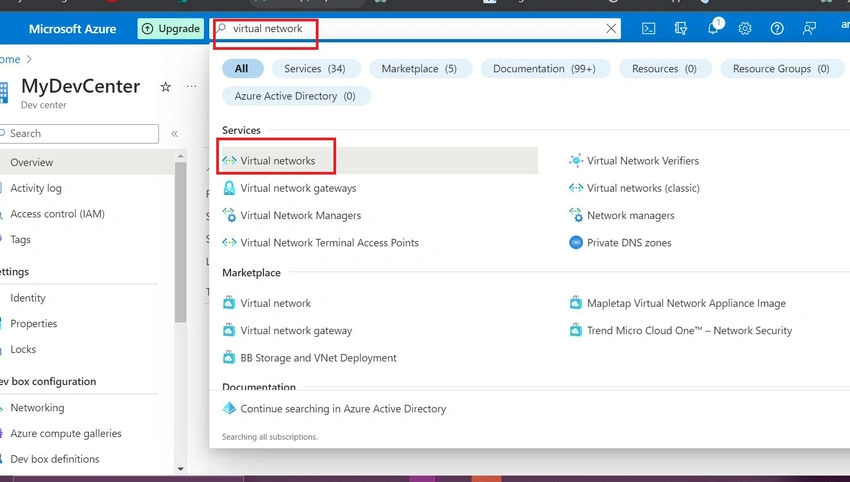
- After successfully deploying the project, we must create a virtual network.
- A V netis used for creating a network connection later.
- Search for the virtual network in the search bar and open it.
Step 7
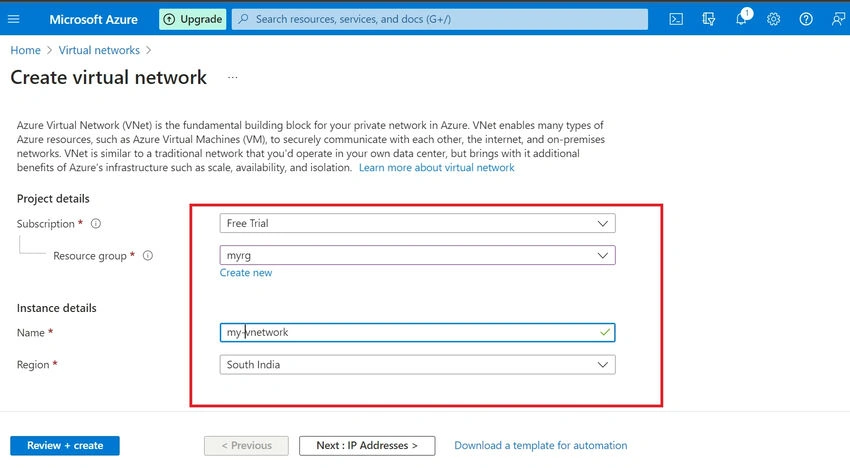
- Now fill in all the fields for your Vnet
- Remember to select the correct resource group for your Vnet.
- After filling in the details, kindly click on Review +cretae.
Step 8
- Now your Vnet is created, you can check it over the notifications if the deployment is successful.
- After the deployment, you are free to experiment with your devcenter.
Conclusion
By providing a centralized platform for developers, it enables collaboration, knowledge sharing, and the discovery of resources. A well-designed and user-friendly DevCenter can empower developers with comprehensive documentation, tutorials, and tools, ensuring they have the necessary support to create exceptional applications. Furthermore, it serves as a hub for engagement, enabling developers to connect with one another, exchange ideas, and receive timely support from experts.
Have fun experimenting with your dev center. Thanks for reading
Cr BhargaviPosted Jul 18, 2023, 11:16 AM
Thanks for the descriptive article