

Today, in this article we will discuss basic concepts of Azure Function. An Azure Function is a perfect example of Serverless architecture or computes service. Using Azure Function, we can run the event-based code without managing any infrastructure. Since the Azure function is a trigger-based service, so it always executes a script of a block of code in response to a variety of events. An Azure Function can also be used to achieve the decoupling, high throughput or response, reusability of code, etc. So, we will discuss the Azure Functions in all aspects in four parts. Today, in the first part of this article series, we will discuss the below topics,
- An Overview of Azure Function
- Difference between Azure Functions and Web Jobs
- Concept of ARM Templates and use an Azure Function.
- Why we need to use Azure Function.
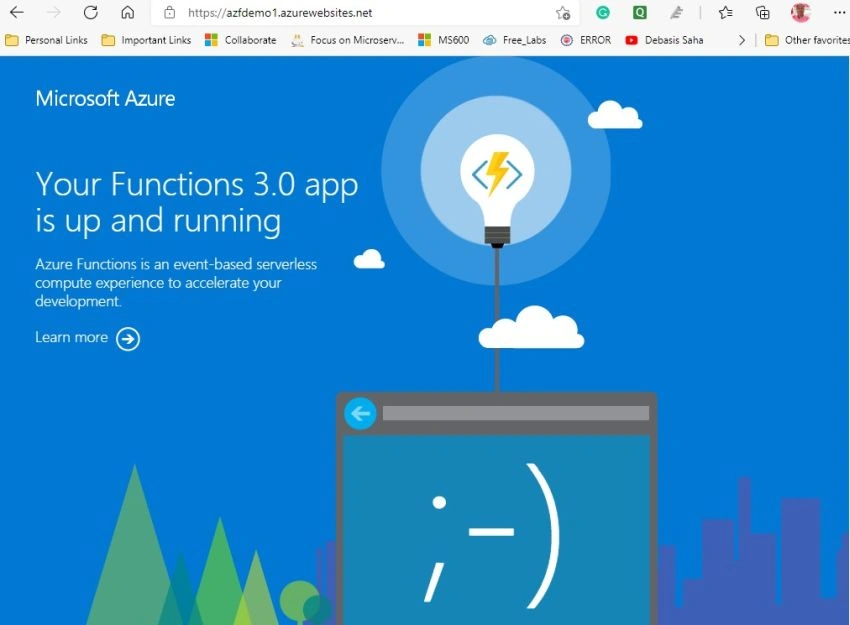
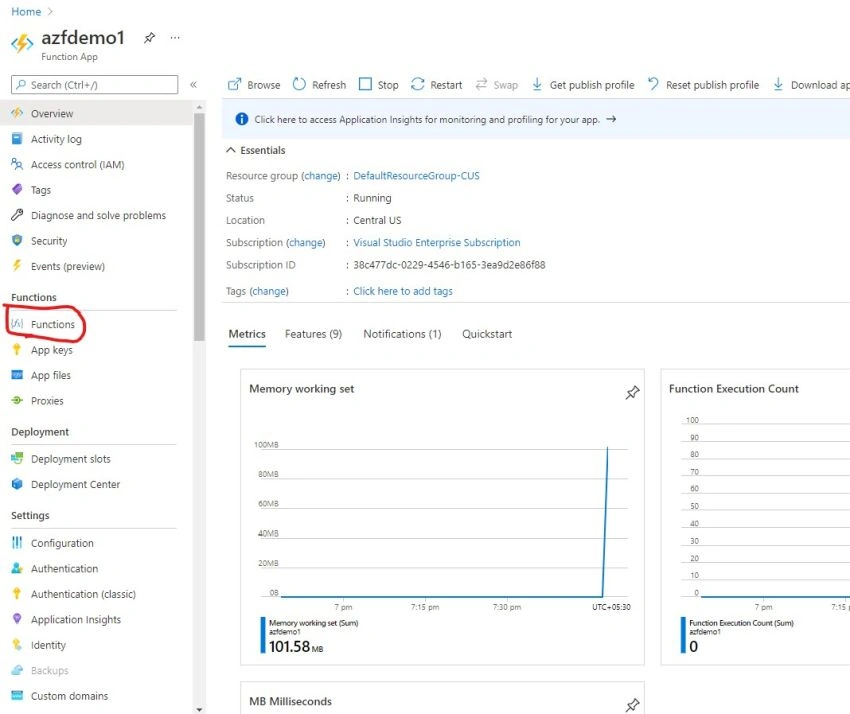
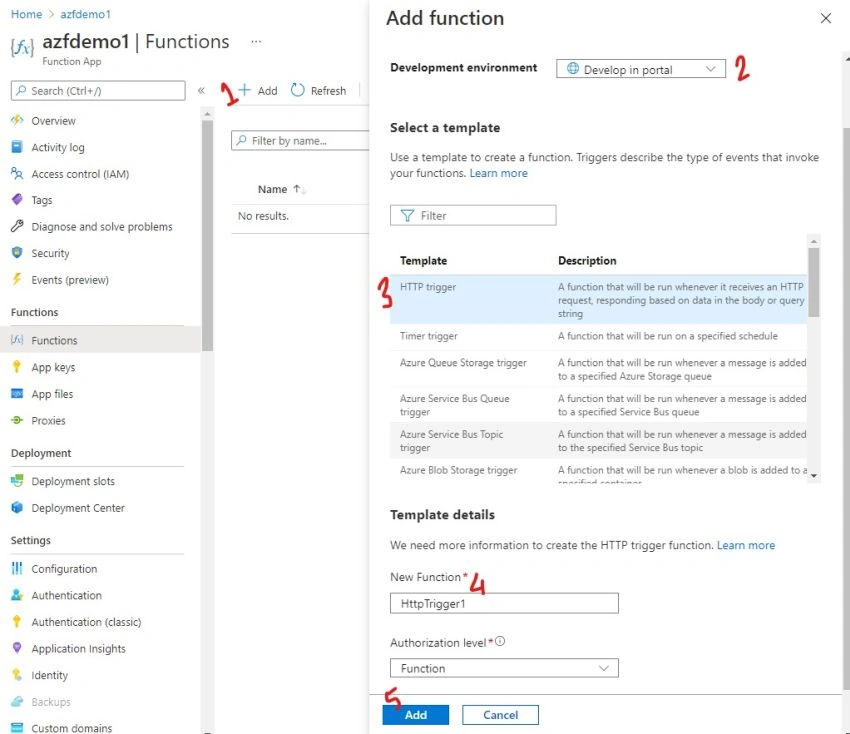
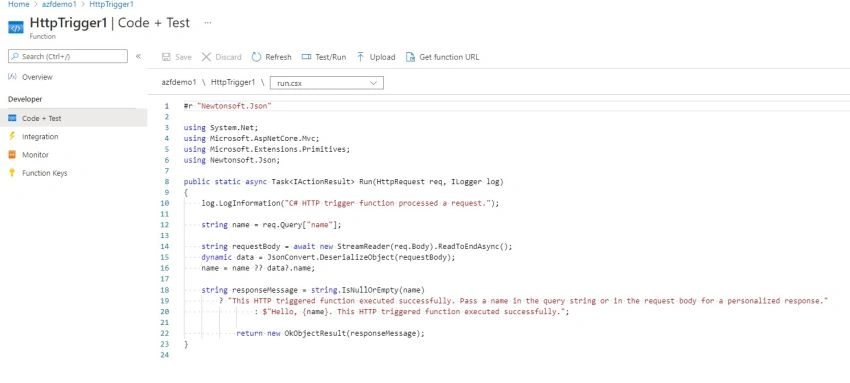
- Create Azure Functions with Help of Azure Portal.
- Create Azure Functions using Visual Studio 2019
Azure Function: An Overview
An Azure Function is known as a Serverless technology that is growing faster nowadays. With the help of Azure functions, we can create a serverless solution that provides us the benefits of write less code, less infrastructure maintenance, and saving in costs. So, despite invests much effort in the deployments and maintaining servers for the application, the cloud infrastructure like Azure provides us all the latest resources required to keep running the applications. In the case of Azure Function, we just need to worry only about the piece of code which we write to implement the requirement or functionality and the rest of the others like infrastructure, environment, etc. handles by the Azure function itself.
Azure Functions are the next steps in the concept of Platform-as-a-Service (PaaS). Azure Functions provide us the facility to execute some discrete unit of code or functions, in an extremely flexible, scalable, and cost-effective manner.
Azure Function can be developed by using many languages like C#, Java, JavaScript, TypeScript, and Python. Azure Functions are scalable. Normally, Azure Function provides a “compute on-demand” pattern. It means, first we need to implement our business login as Azure Function. After that, when the demand for the execution of that particular code block increases, at that time more resources are automatically allocated to the service, and when the demand drops, then extra allocated resources for the application instances automatically drop.
Compare between Azure Functions & Web Jobs
In the case of any web-based application, one of the common requirements is to perform some background tasks like batch processing, schedule tasks, etc. But the main issue is that running these tasks on IIS will consume one of the threads dedicated to serving the application and the entire process can be interrupted by an app pool recycle. So, their fore we need to perform some tricks to push off app pool recycles until our task has been completed. That’s why we always preferred to run the job outside of the IIS.
WebJobs were the first attempt to solve this problem. Developers can invoke a WebJob through a messaging system such as Storage Queues Or Azure Service Bus and have it completed the task during running the main application continuously on. WebJobs always have built-in triggers for some different events inside of Azure environments like storage queues, blobs, service bus queues, topics, and schedule triggers.
Now, Azure Functions take the basic concept from the WebJobs and expand the working capability in some interesting ways. So, first, Azure Functions enable a whole raft of new trigger types. So, now it is quite possible to trigger such things as Cosmos DB Change feed, Event Hubs, and WebHooks. As a Web Developer, the HTTP Trigger is one of the most interesting options. HTTP Triggers enable us to build an entire website or web application entirely with Triggers.
The below tables shows the difference between the WebJobs and Azure Functions.
| Web Jobs | Azure Function | |
| Trigger | Web Jobs can be configured in two ways – Triggered Web Jobs and Continuous Web Jobs. | Azure Function can be triggered with any of the configured triggers, but it cannot run continuously. |
| Languages Support | Web Jobs are supported by many languages like C#, F#, JavaScript, and More. | Azure Functions are also supported by many languages like C#, F#, Python, JavaScript, Node.js, TypeScript, and More. |
| Deployment | Web Jobs always run as a background service for App Services like Web Apps, API Apps, and Mobile Apps. | Azure Function is a separate App Service that runs in an App Service Plan. |
Concept of ARM Templates
If we want to deploy an infrastructure-as-code to an Azure environment, then Azure Resource Manager (ARM) templates are one of the ways to doing it simply and repeatedly. In this process, we can define the objects which we want with their types, names, and properties as a JSON file that can be understood by the ARM API.
The main advantages of using ARM API are that we can deploy multiple resources together in a single unit of JSON file. In this file, we declare the types of resources, what name we want to use against those resources, and also define the properties of the resources. After that, ARM API either creates new objects which match these details or changes an existing object if the resource name has the same name and type and assigned the mentioned properties against those resources.
The ARM API deploys the resources to the Azure, but it does not deploy any code or applications onto those resources. For example, we can use an ARM template to deploy a virtual machine with SQL Server already installed but can’t use an ARM template to deploy or restore a database using an SSDT package.
Why use Azure Functions?
So, despite the serverless benefits of Azure Function, there are some other benefits also which we can achieve while using Azure Functions. Some of the common benefits of the Azure functions are as below,
- To implement Azure Function, we do not require to learn any new programming languages. We can develop it by using the existing skillset.
- Azure Function also fits into the existing deployment models using Visual Studio.
- Scalability is one of the major benefits of Azure Function. Azure Functions always uses compute-on-demand.
- Azure Function is Cost-Effective.
- We can monitor the Azure Function by using App Insights. App Insights provide us the analytics on the function which additional telemetry code to improve the performance.
- Azure Function can be implemented as a Microservice approach.


Saravanakumar SekaranPosted Aug 3, 2021, 5:27 AM
Amazing article !!!