

Azure Infrastructure Zero to Hero Series – Week 3
Azure Resource Groups: Design, Organization, and Best Practices
When organizations first begin their Microsoft Azure journey, one of the most common mistakes is creating resources without a proper organizational strategy.
It usually starts innocently.
A virtual machine is deployed for testing.
A storage account is created for backups.
A virtual network is added later.
Another engineer deploys an Azure SQL Database.
After several months, the Azure subscription contains hundreds of resources with inconsistent names, different owners, and no clear structure.
Managing costs becomes difficult.
Applying security policies becomes complicated.
Deleting unused resources becomes risky.
This is exactly why Azure Resource Groups exist.
Resource groups are not simply folders. They are the logical foundation for organizing, securing, managing, monitoring, and automating Azure infrastructure.
In this article, we'll explore Resource Groups in depth, understand how they work, discuss real-world design strategies, and learn best practices used by enterprise organizations.
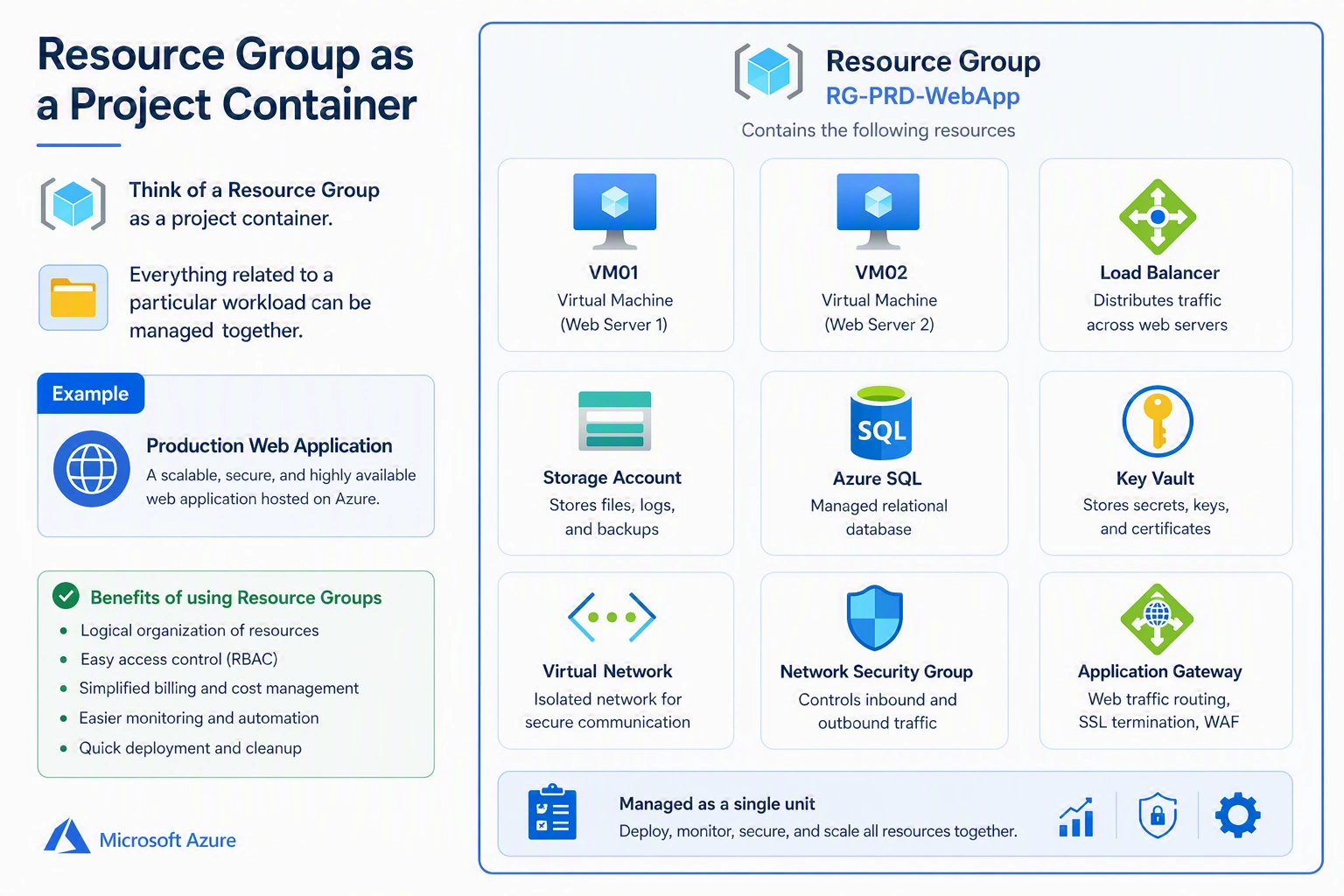
What is an Azure Resource Group?
An Azure Resource Group (RG) is a logical container that holds related Azure resources.
These resources may include:
Virtual Machines
Virtual Networks
Network Security Groups
Storage Accounts
Azure SQL Databases
Load Balancers
Azure Kubernetes Service (AKS)
Azure App Services
Key Vaults
Recovery Services Vaults
Azure Monitor resources
Public IP Addresses
Managed Disks
Think of a resource group as a project container.
Everything related to a particular workload can be managed together.
Instead of searching an entire subscription, administrators simply open the Resource Group.
Everything is organized.
Why Microsoft Introduced Resource Groups
Azure subscriptions can contain thousands of resources.
Without Resource Groups:
Administration becomes difficult.
Permissions become complicated.
Automation becomes inconsistent.
Cost reporting becomes confusing.
Disaster recovery planning becomes harder.
Resource groups solve these problems by providing logical boundaries.
Resource Groups are NOT Folders
One of the biggest misconceptions among beginners is treating resource groups like folders.
They are much more powerful.
Resource groups provide the following:
Lifecycle management
Access control
Policy assignment
Cost tracking
Monitoring scope
Automation scope
RBAC scope
Resource deployment scope
A resource group is actually the management boundary for Azure resources.
Characteristics of Resource Groups
Every resource group has several important characteristics.
1. Every Resource Must Belong to One Resource Group
There are no exceptions.
Every Azure resource belongs to exactly one resource group.
A resource cannot exist without a resource group.
2. One Resource Cannot Belong to Multiple Resource Groups
Unlike folders in some operating systems, Azure resources cannot exist in two resource groups simultaneously.
3. Resource Groups Can Span Multiple Regions
This surprises many Azure beginners.
Although the Resource Group itself has a location, resources inside it may exist in different Azure regions.
4. Resource Group Metadata Has a Region
When creating a resource group, Azure asks for a location.
This location stores only the Resource Group metadata.
It does NOT determine where the resources must reside.
Designing Resource Groups
There are several approaches.
The best design depends on your organization.
Let's examine each strategy.
Strategy 1 – Group by Application (Recommended)
This is Microsoft's recommended design.
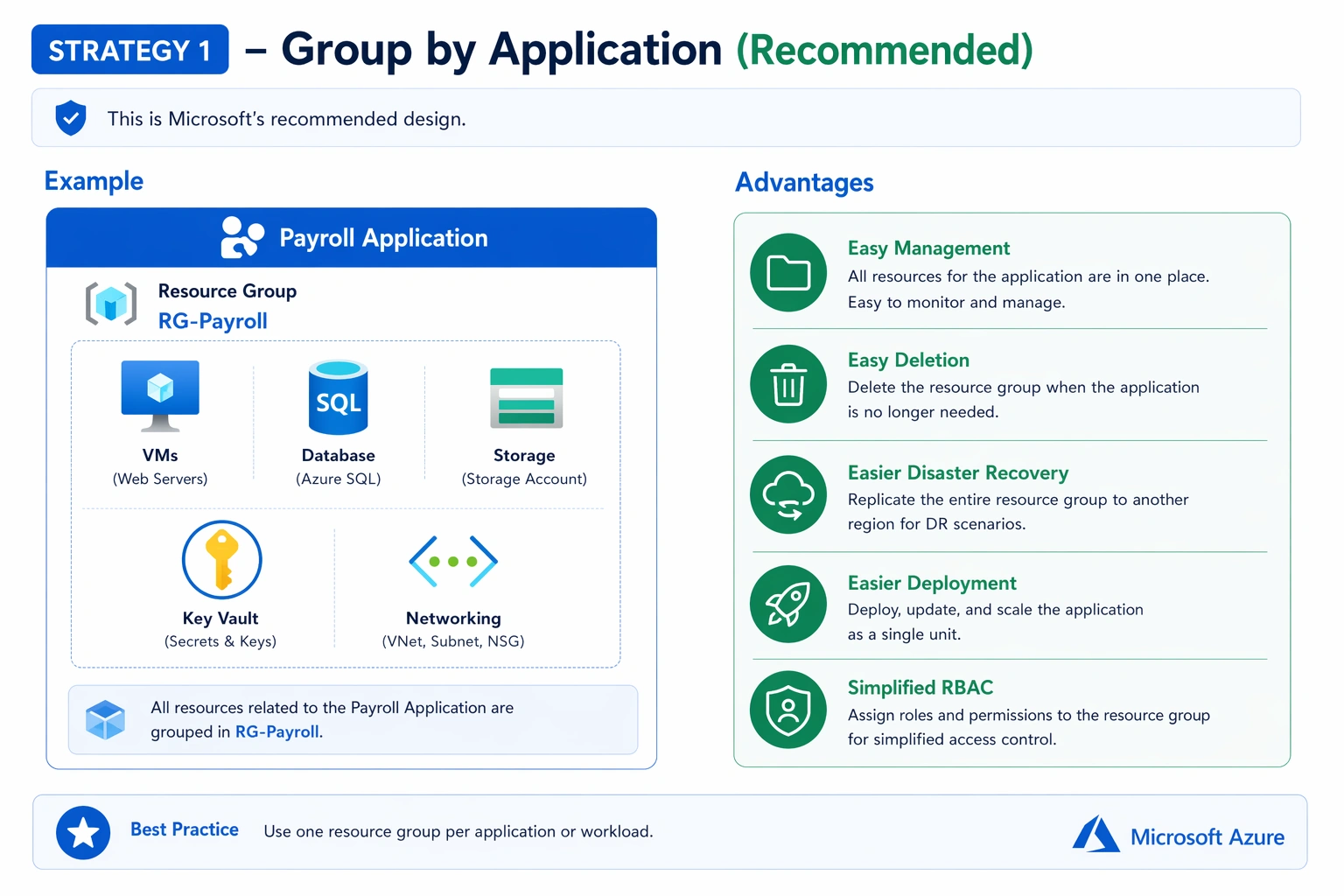
Most enterprise environments follow this model.
Strategy 2 – Group by Environment
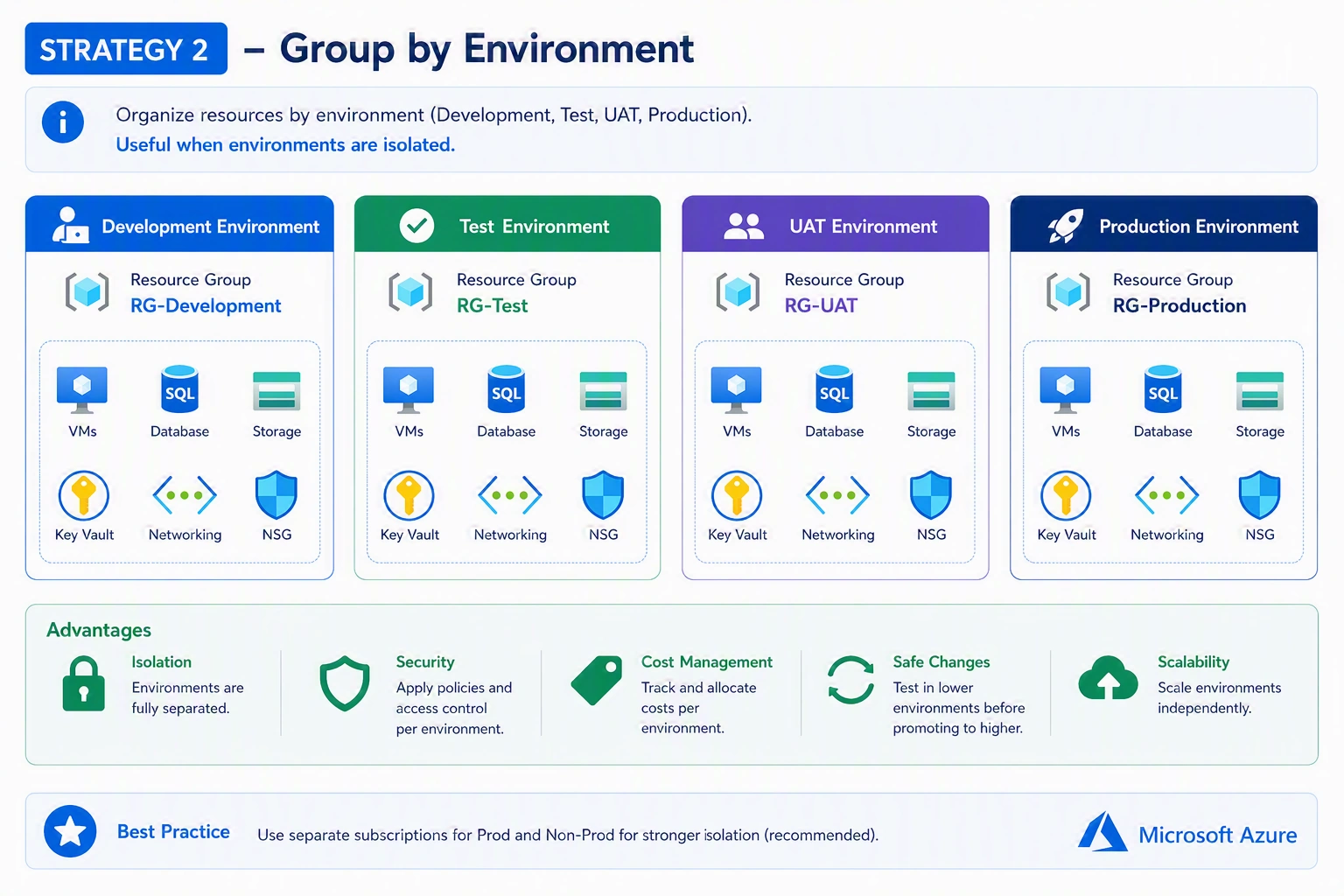
Useful when environments are isolated.
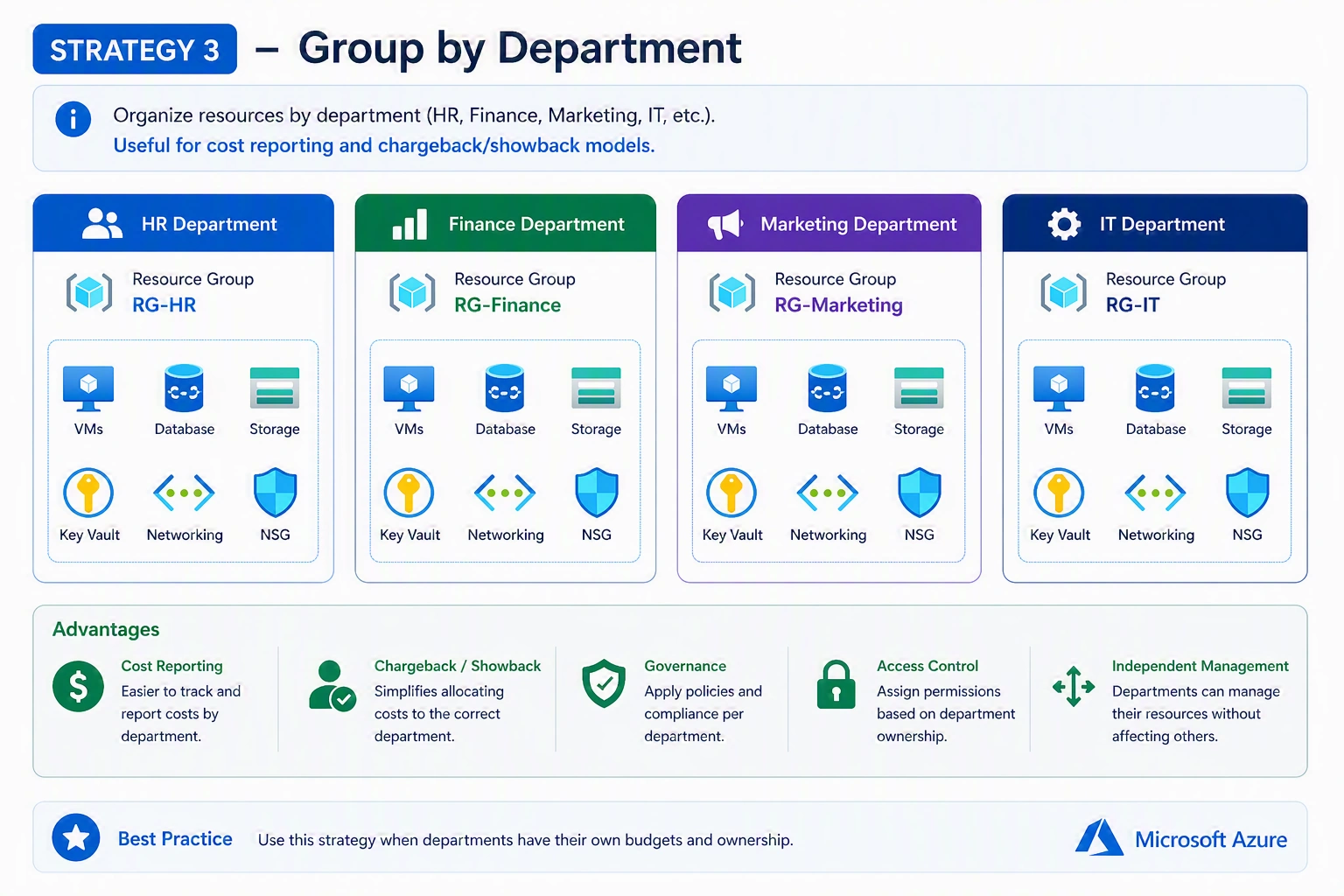
Strategy 3 – Group by Department
Strategy 4 – Group by Lifecycle
Resources that share the same lifecycle belong together.
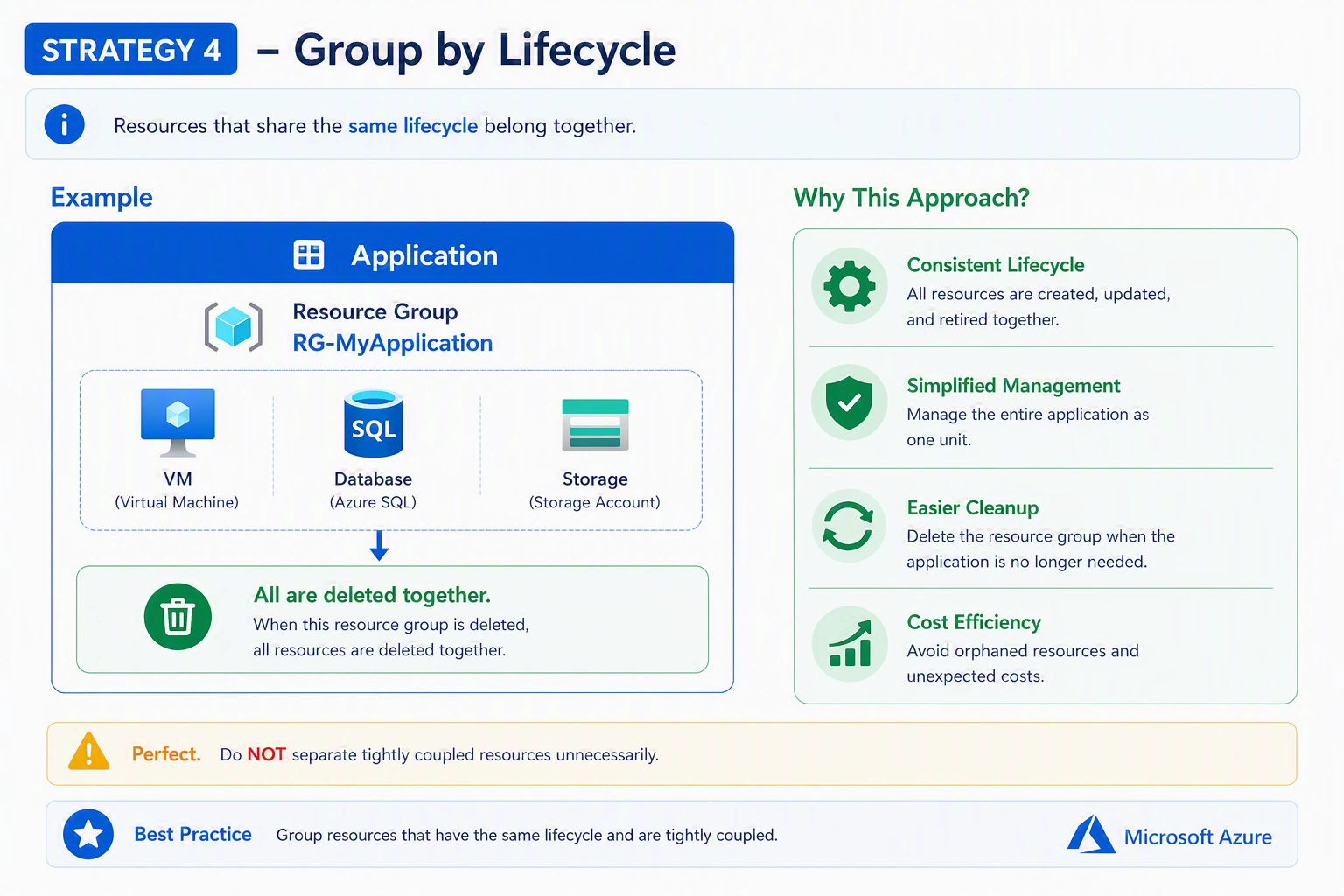
All are deleted together.
Perfect.
Do NOT separate tightly coupled resources unnecessarily.
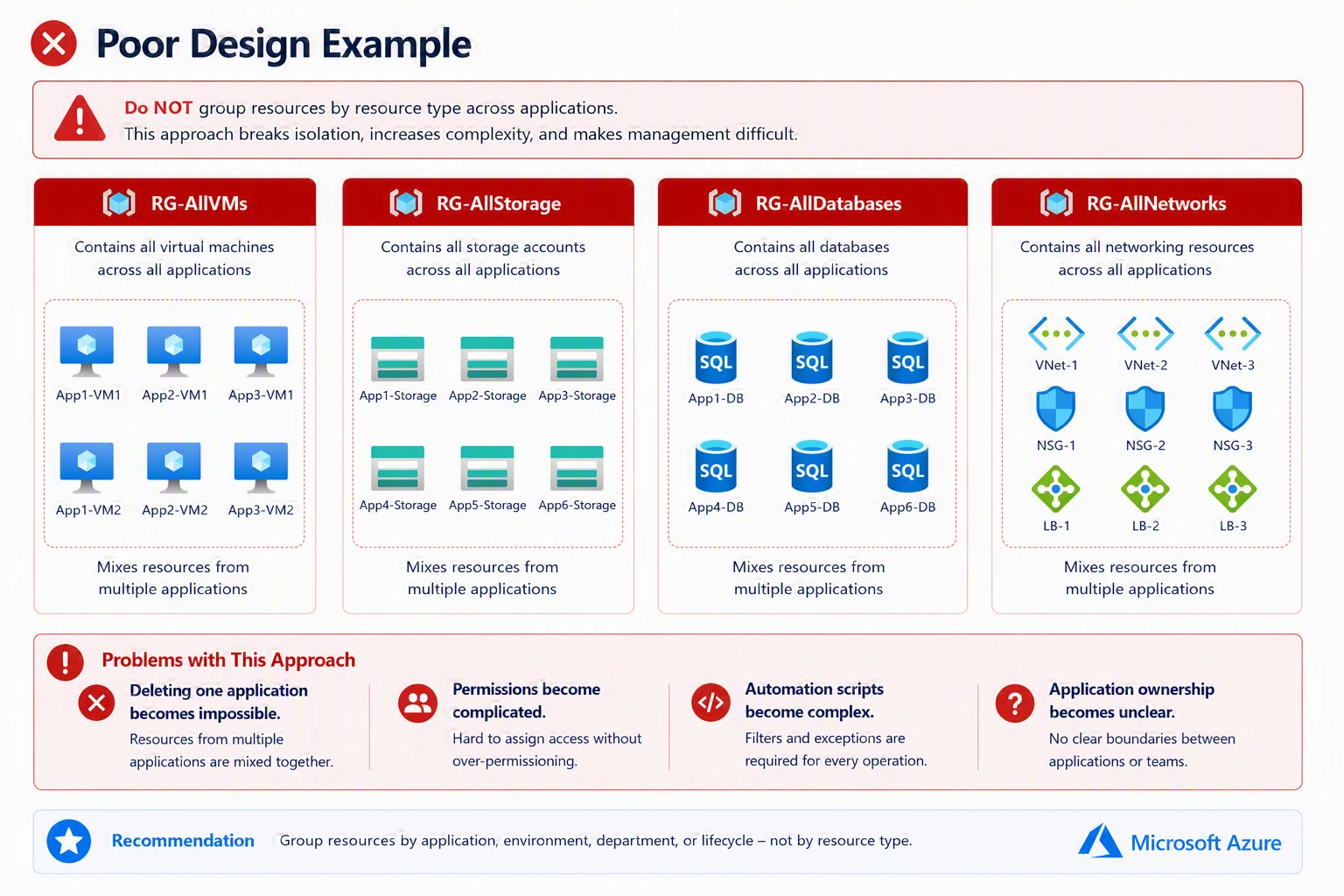
Poor Design Example
Enterprise Resource Group Example
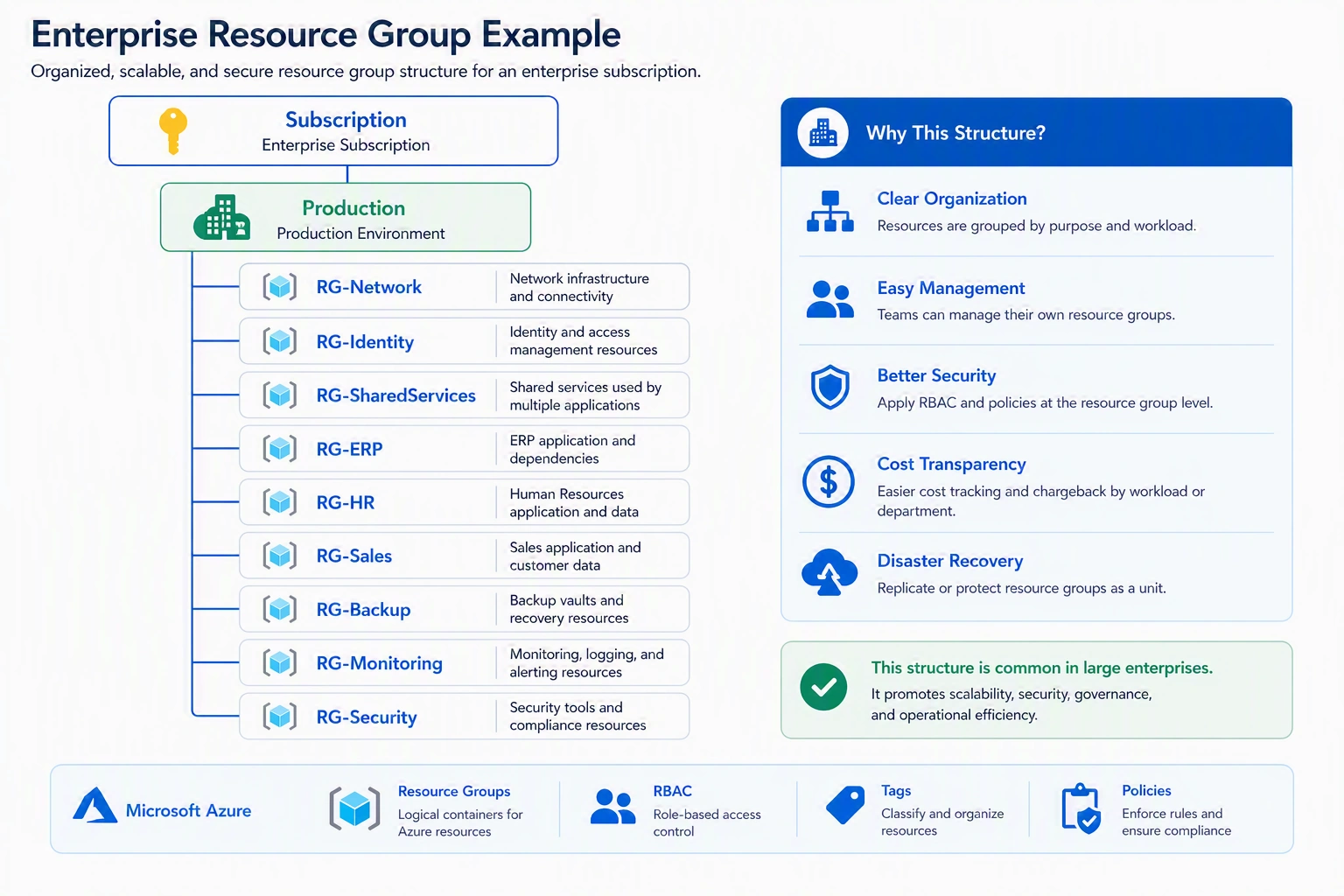
This structure is common in large enterprises.
Naming Convention Best Practices
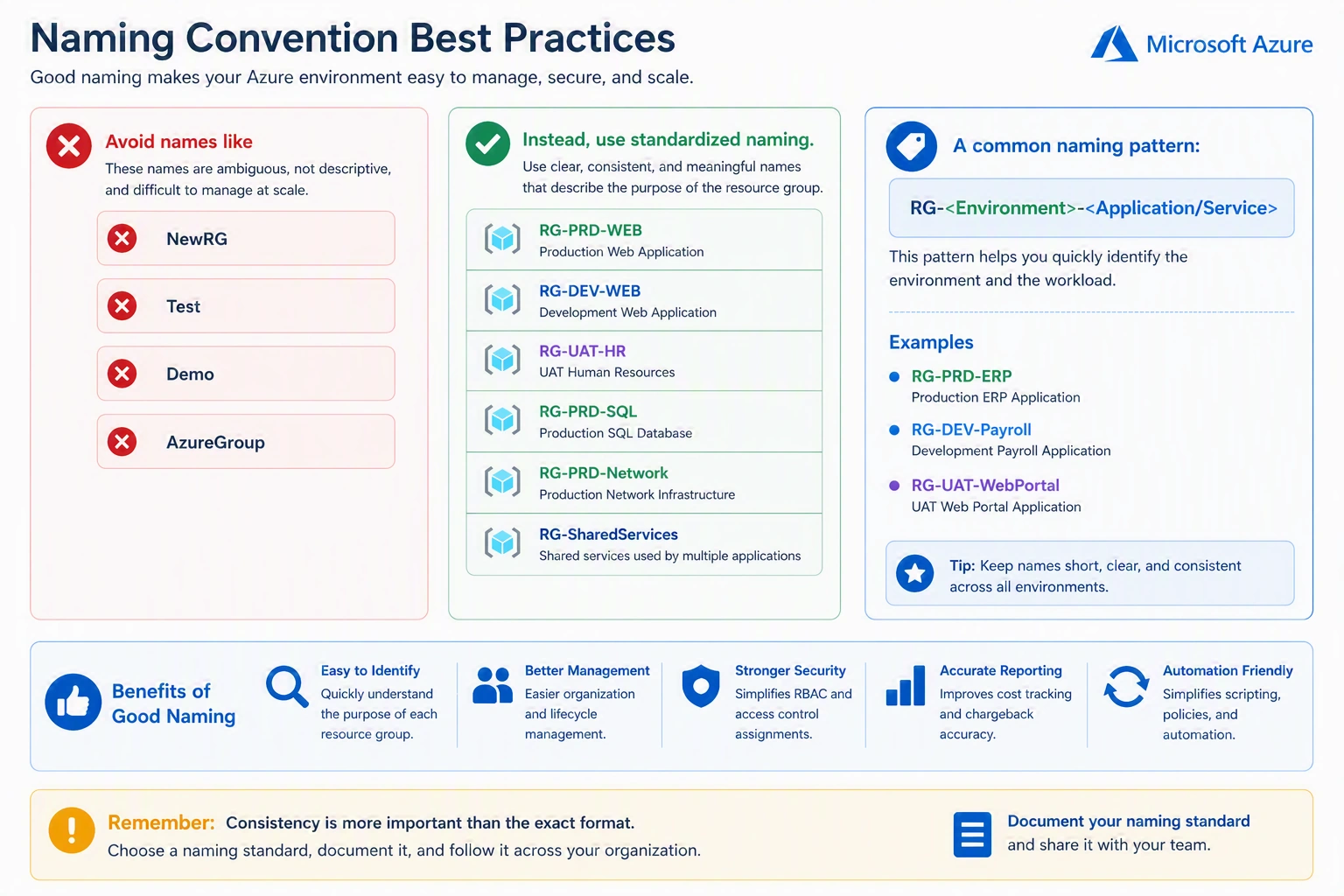
Consistency is more important than the exact format.
Resource Locks
One of the most useful resource group features is resource locks.
There are two types.
CanNotDelete
Prevents accidental deletion.
Users can still modify resources.
ReadOnly
Prevents
Delete
Modify
Only reading is allowed.
Ideal for highly sensitive shared infrastructure.
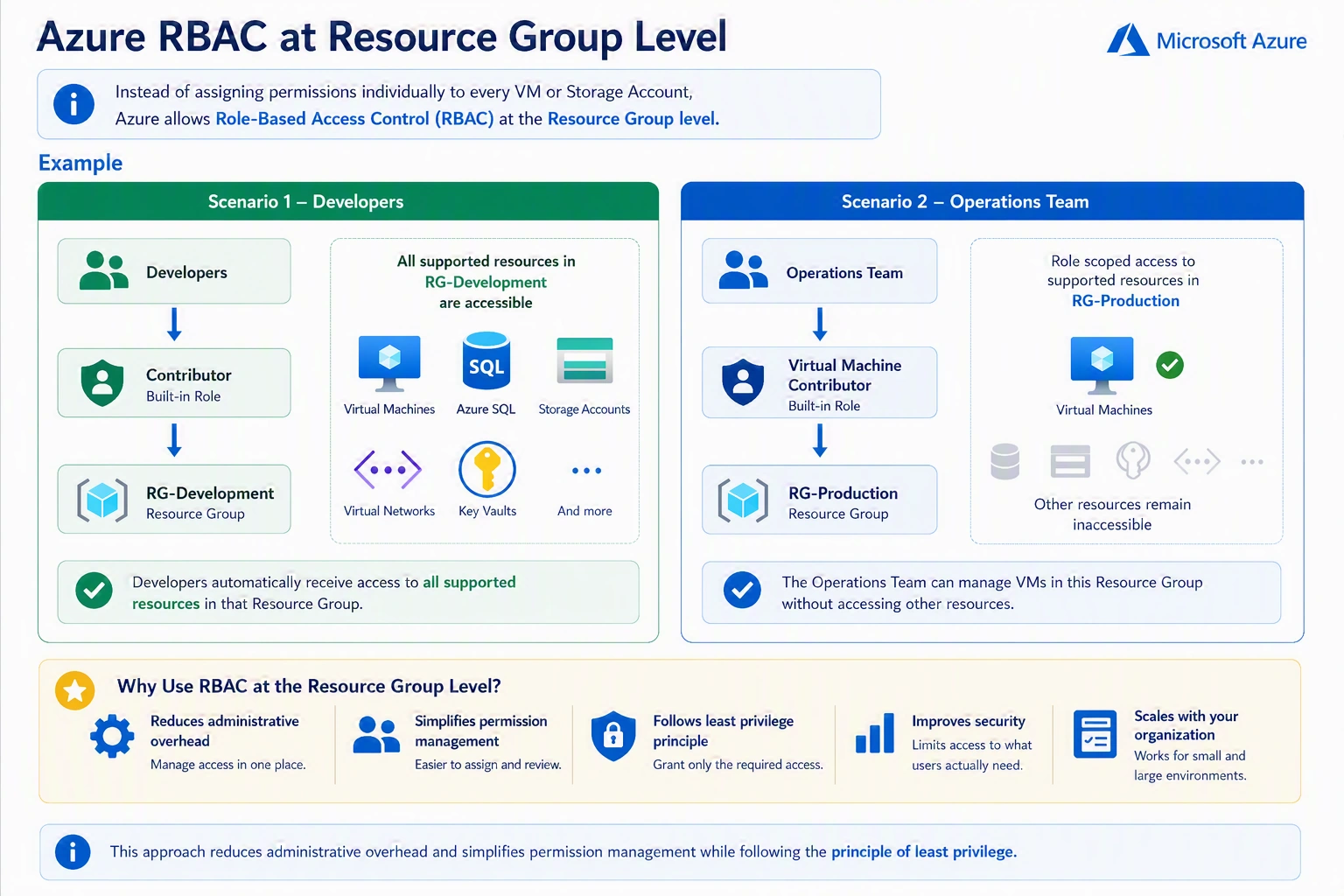
Azure RBAC at Resource Group Level
Instead of assigning permissions individually to every VM or storage account, Azure allows role-based access control (RBAC) at the resource group level.
Join the conversation! Your thoughts help the community grow.