Introduction
Azure Key Vault is a powerful and secure service provided by Microsoft Azure for safeguarding sensitive information such as keys, secrets, and certificates. In this article, we will guide you through the process of creating an Azure Key Vault, enabling Role-Based Access Control (RBAC), adding a user with specific permissions, and creating a secret within the Key Vault.
Log in to the Azure portal (https://portal.azure.com/) and navigate to the Azure Key Vault service.
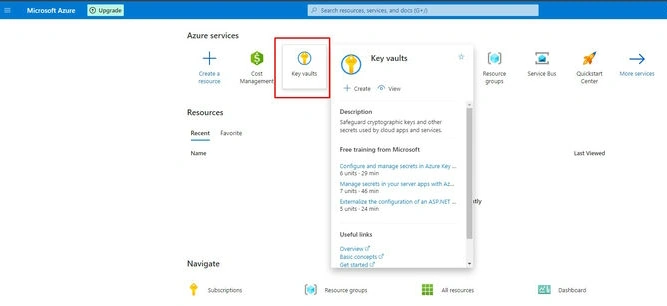

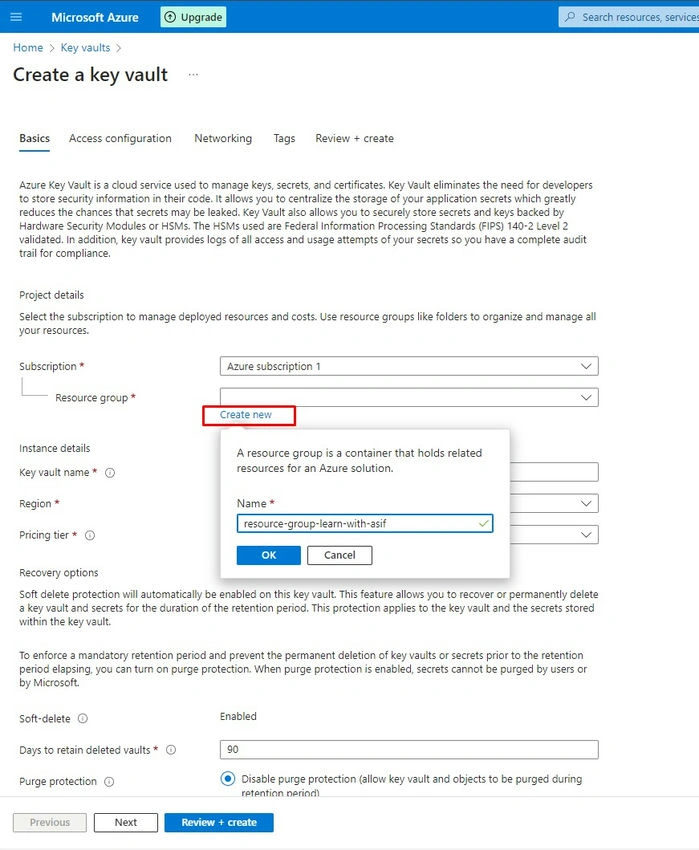
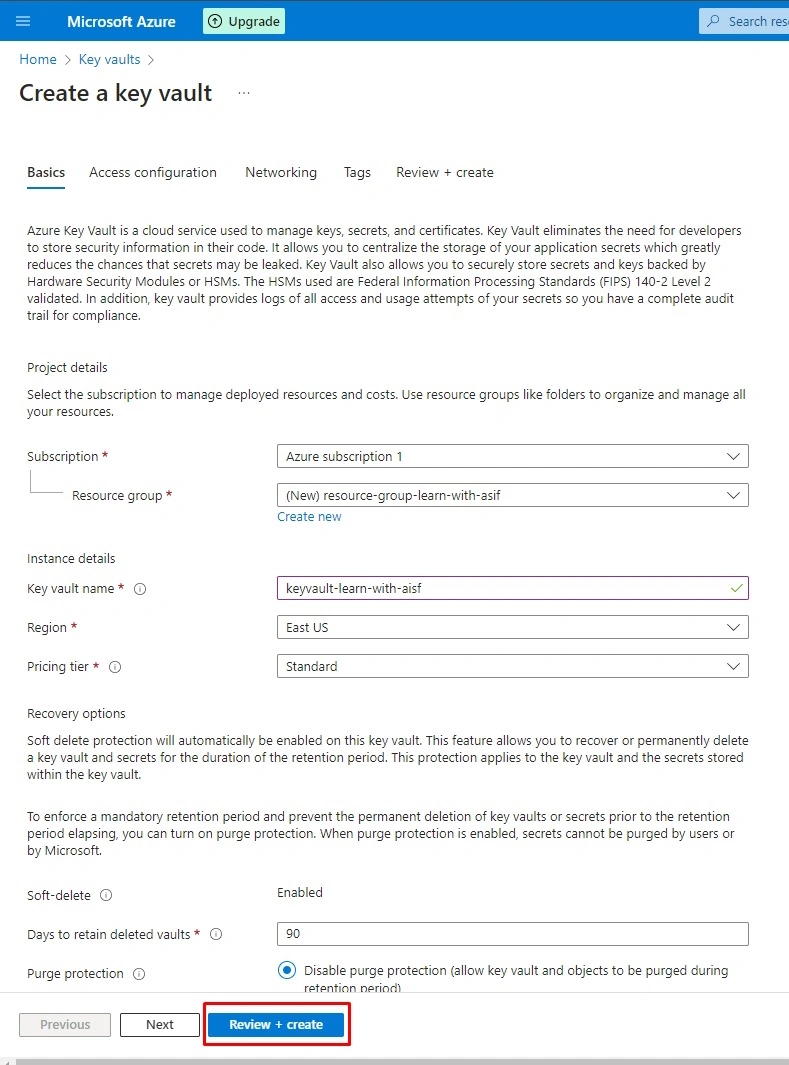

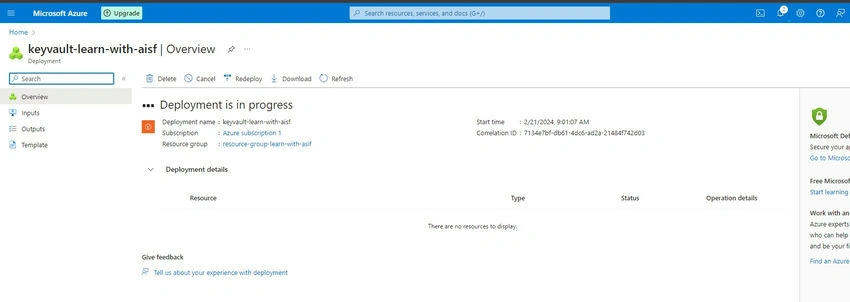
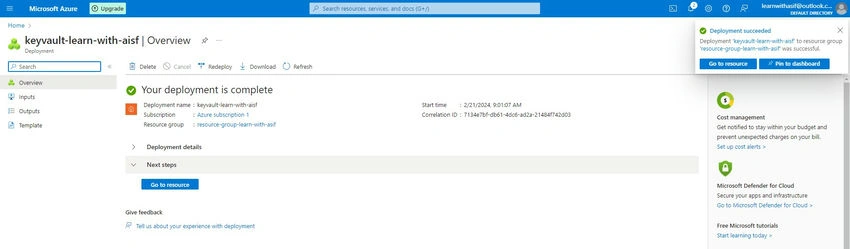
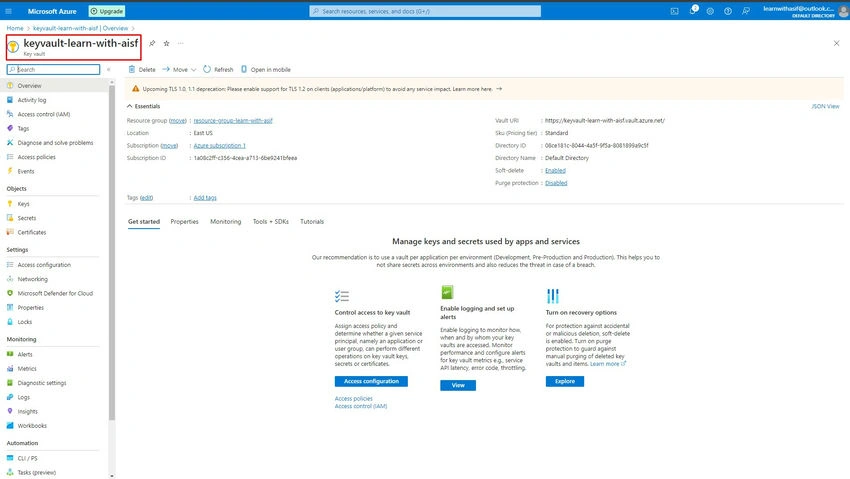
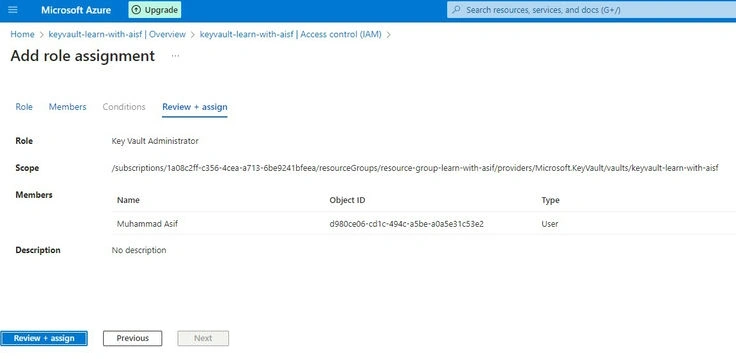
The current LoggedIn User has no rights to create or view the secrets in Key Vault so we have to enable Role-Based Access Control.
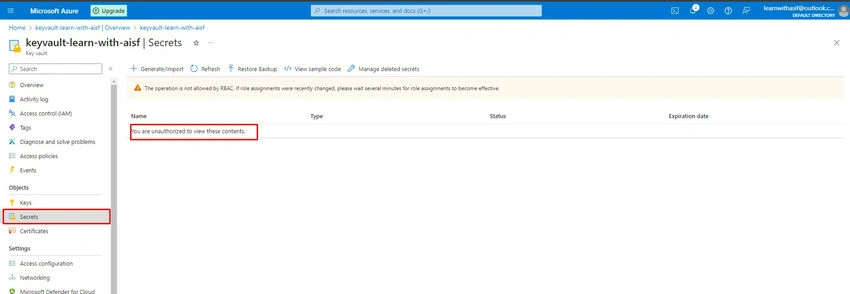
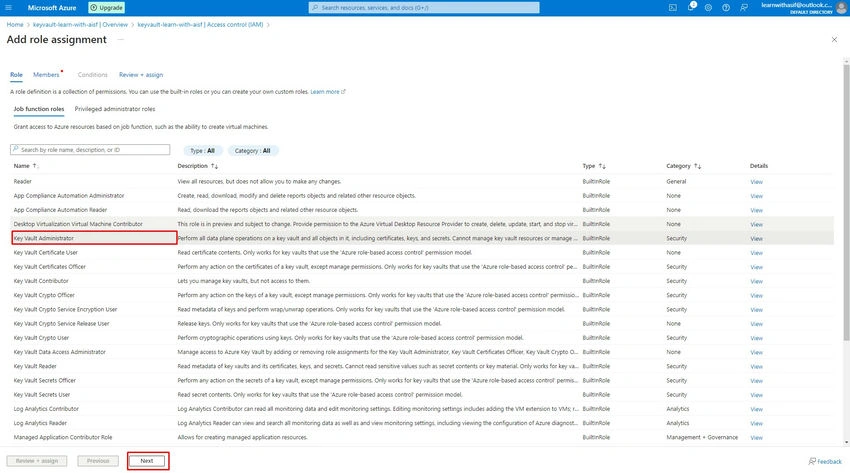
Add Role Assignment
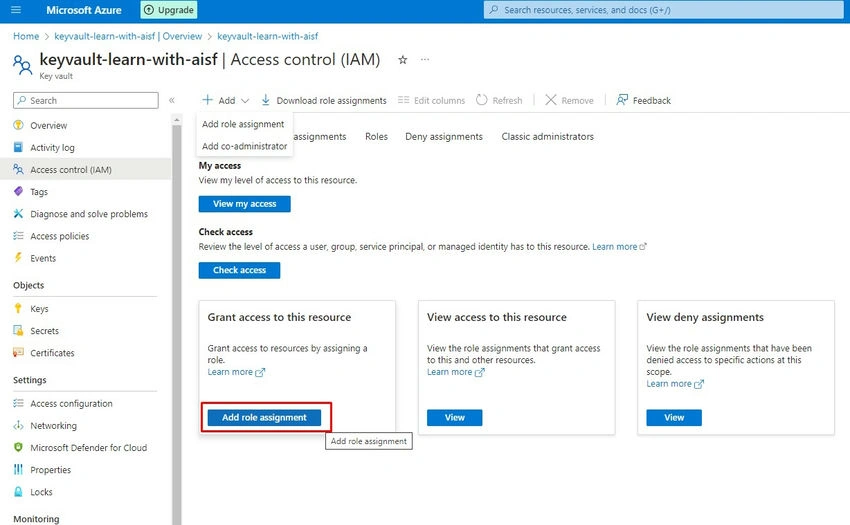
Giving Key Vault Admin role to current user
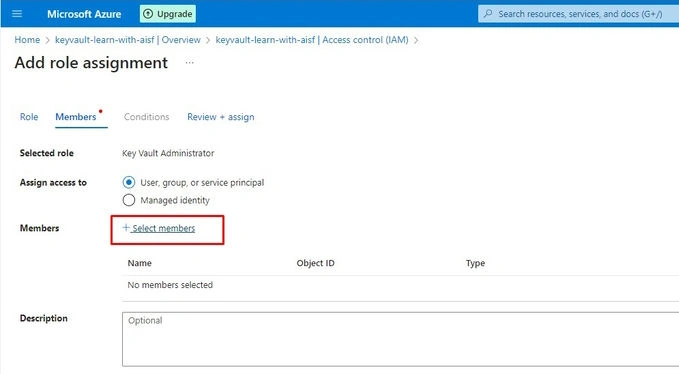
Select Member
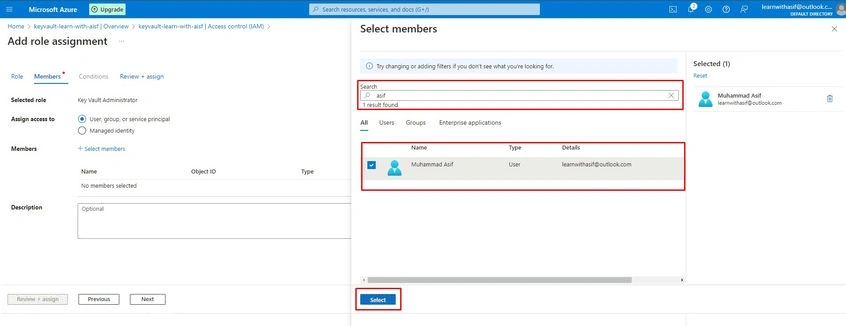
Adding current user
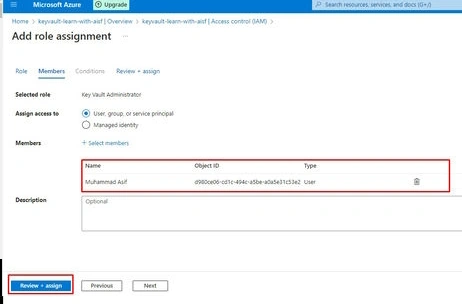
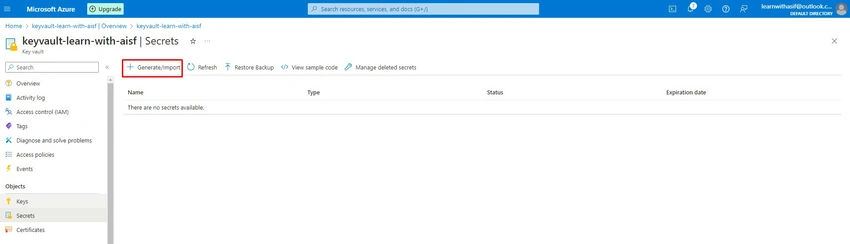
Now user is able to Generate/ Import the Secret in this Key Vault
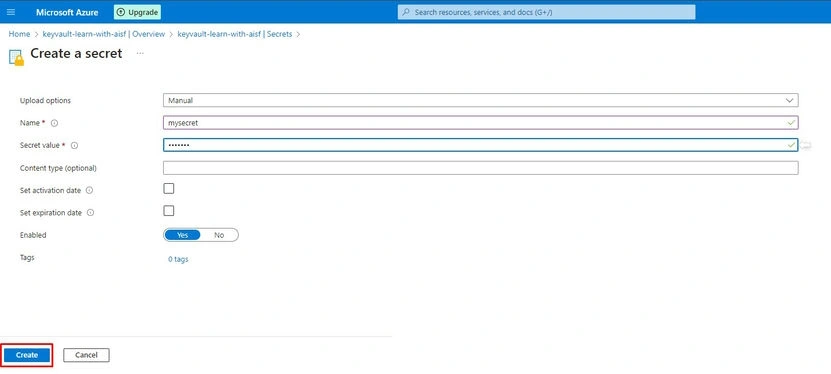
Create a secret
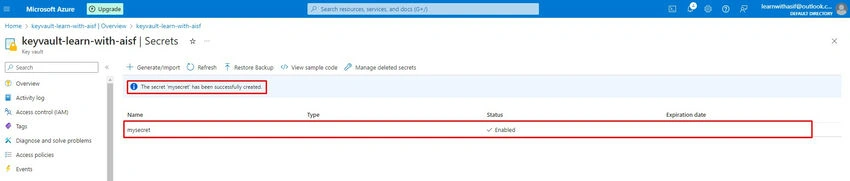
The Secret has been created successfully
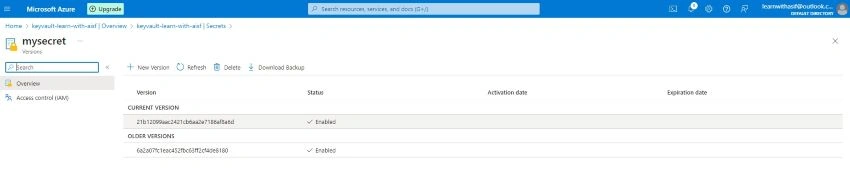
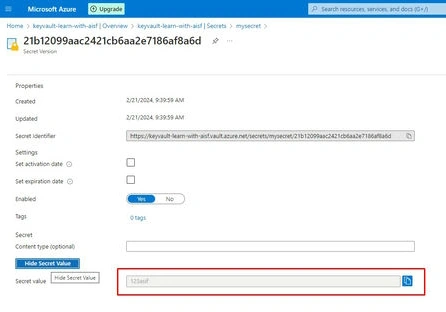
After creating a secret you can view the secret current version and show the secret value

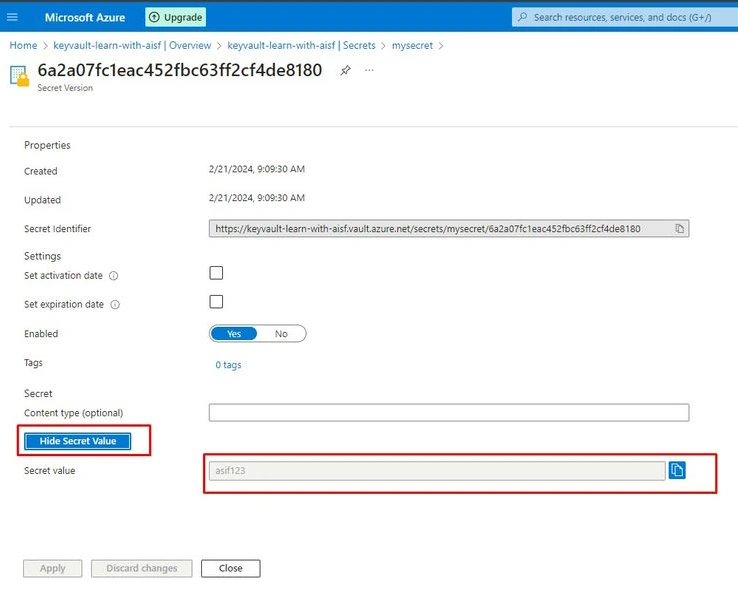
You can add new version of secret also

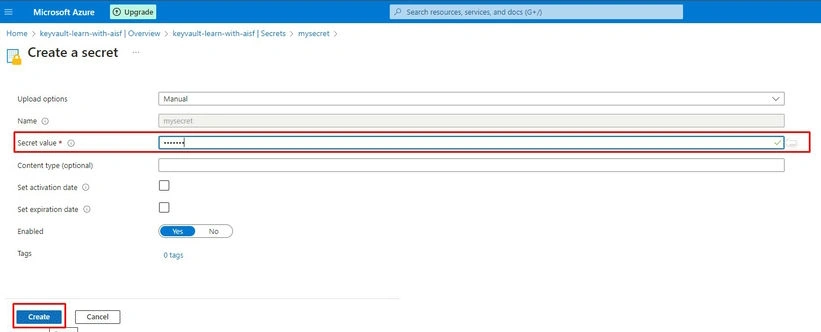
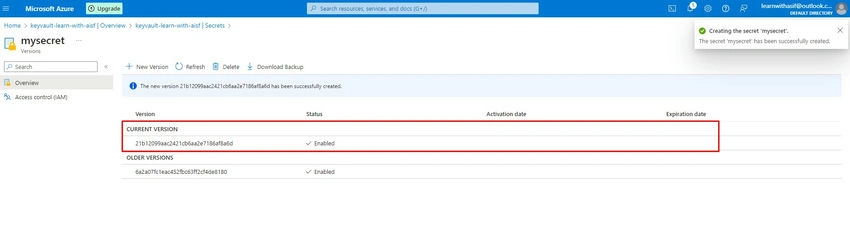
The current version has been changed
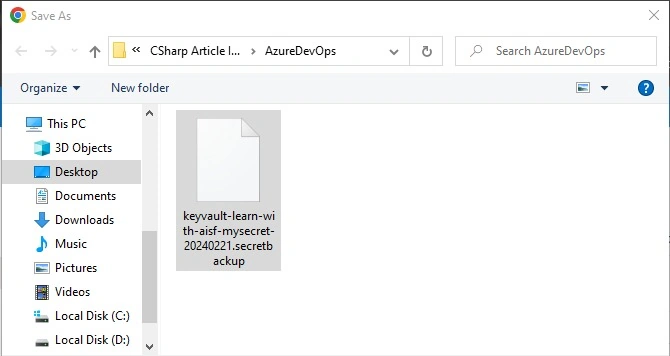
You can also back the secret

You can delete the secret

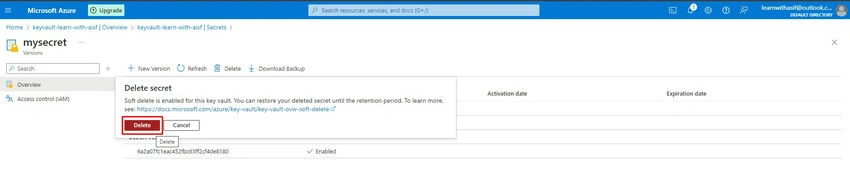

You can manage the deleted secrets
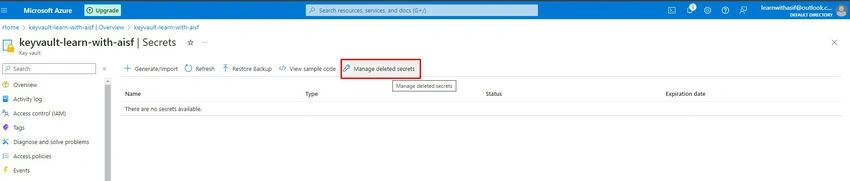
You can restore the secret
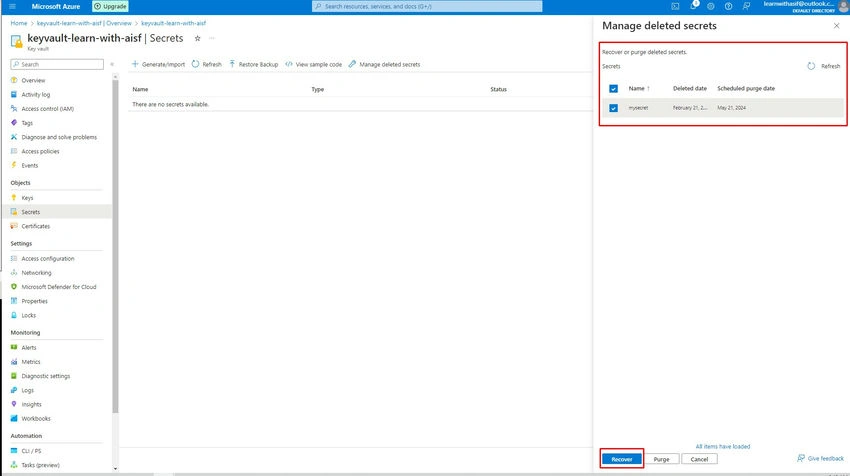

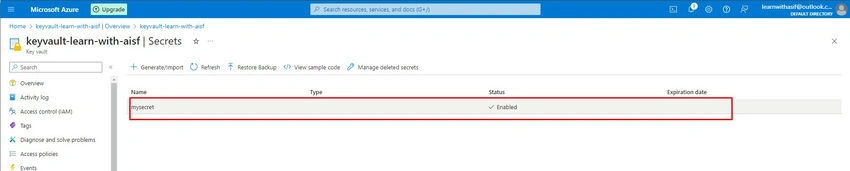
Refresh the secrets

Now deleted secret is restored successfully
Conclusion
By following these steps, you have successfully created an Azure Key Vault, enabled Role-Based Access Control, added a user with specific permissions, and created, deleted, backed up, and restored a secret within the Key Vault. This robust approach to securing sensitive information ensures that only authorized individuals or services can access and manage the secrets stored in your Azure Key Vault, enhancing the overall security of your Azure resources.


Vinay AyinapurapuPosted Feb 21, 2024, 3:08 PM
Nice one...