

Introduction
Today's article is the continuation of my post-Azure Machine Learning: Classification Predictive Analysis using Iris Dataset. In this post, I shall be demonstrating the utilization of the Azure Machine Learning model into a client application. I shall be making a web-based application.
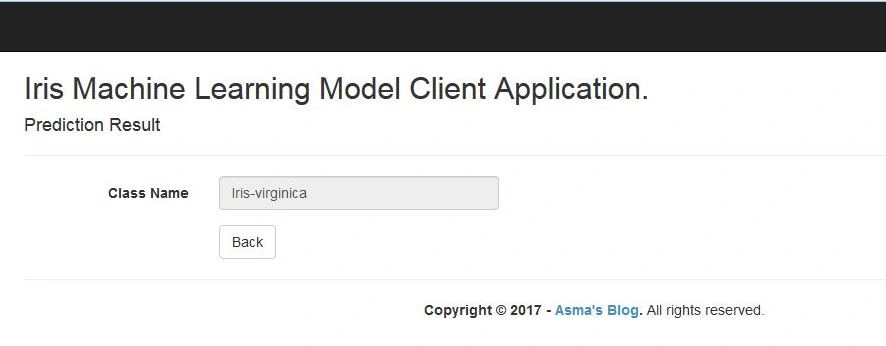 What my web application does is that it consumes the Iris ML model which I have created in Azure Machine Learning Studio. The application will train and predict the provided values into Iris classified type i.e. Iris-setosa, Iris-versicolor, and Iris-virginica.
Prerequisites
What my web application does is that it consumes the Iris ML model which I have created in Azure Machine Learning Studio. The application will train and predict the provided values into Iris classified type i.e. Iris-setosa, Iris-versicolor, and Iris-virginica.
Prerequisites
The following are some prerequisites before you proceed further in this tutorial.
- Knowledge of my article Azure Machine Learning: Classification Predictive Analysis using Iris Dataset.
- Knowledge of the Iris dataset.
- Basic understanding of machine learning concepts.
- Knowledge of ASP.NET MVC5.
- Knowledge of HTML.
- Knowledge of JavaScript.
- Knowledge of Bootstrap.
- Knowledge of Jquery.
- Knowledge of C# Programming.
You can download the complete source code for this tutorial or you can follow the step by step discussion below. The sample code is being developed in Microsoft Visual Studio 2015 Enterprise.
Let's begin now.
Step 1
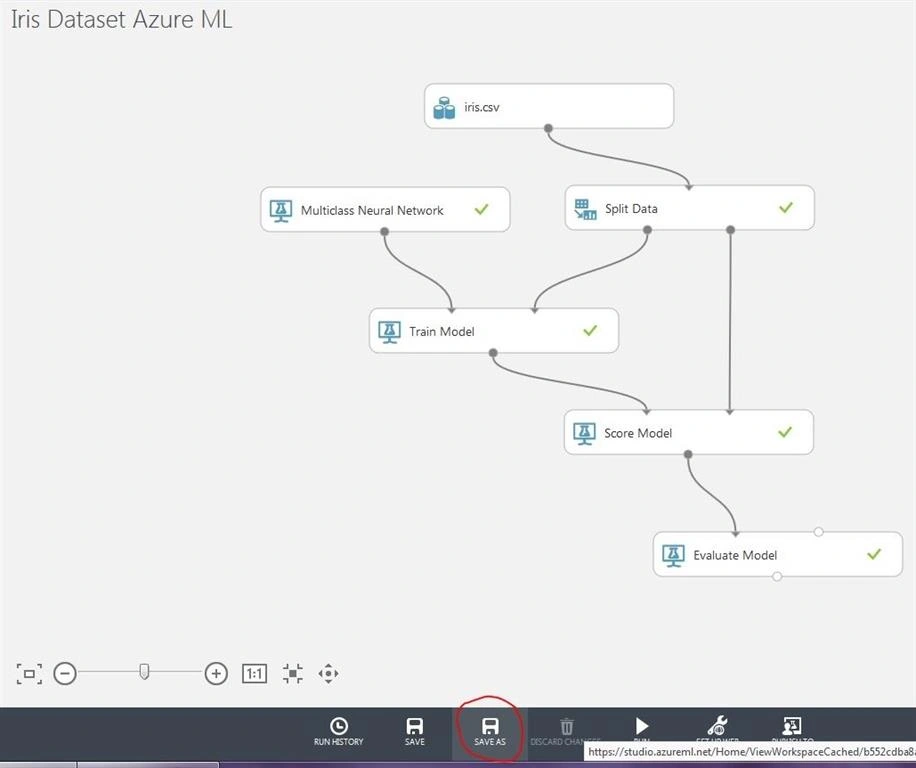
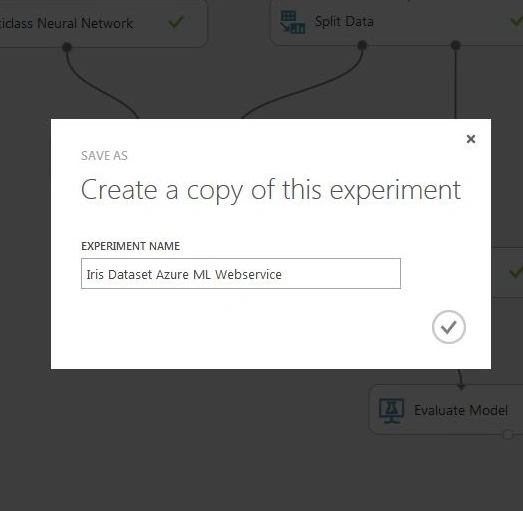
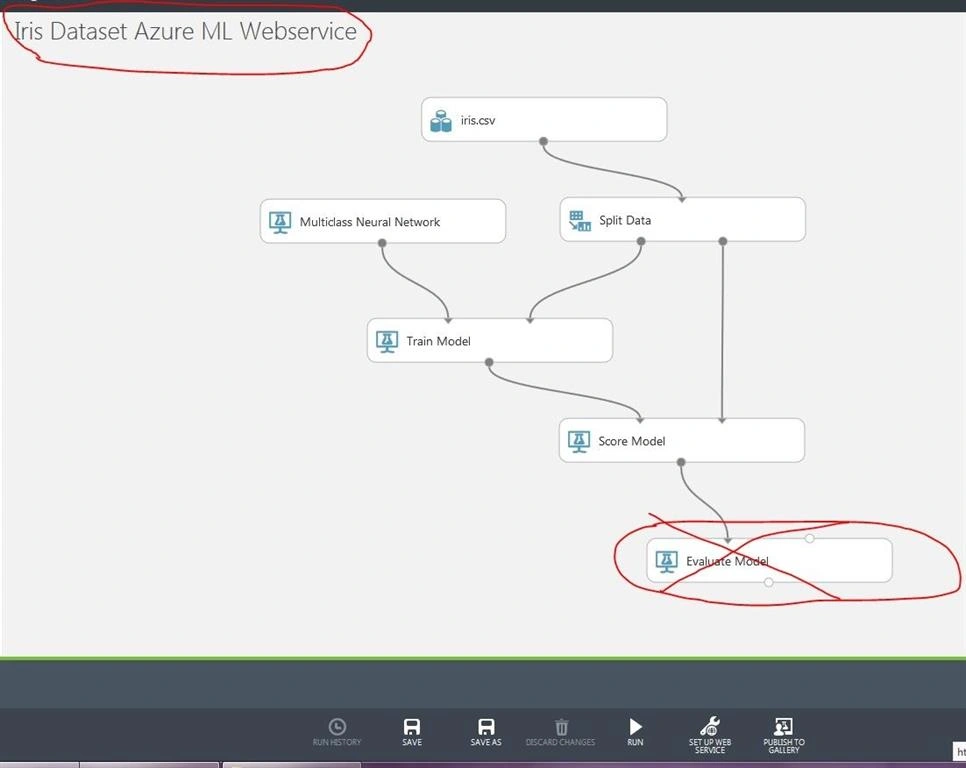
First, we need to convert our Azure ML model to the web service. If you have not created the Iris Machine Learning model previously in Azure ML Studio, you can follow my article Azure Machine Learning: Classification Predictive Analysis using Iris Dataset otherwise open your Machine Learning Studio and click on the Iris dataset Machine Learning model and create a new copy of it. Name it as "Iris dataset Azure ML Web Service" as shown below.
Step 3
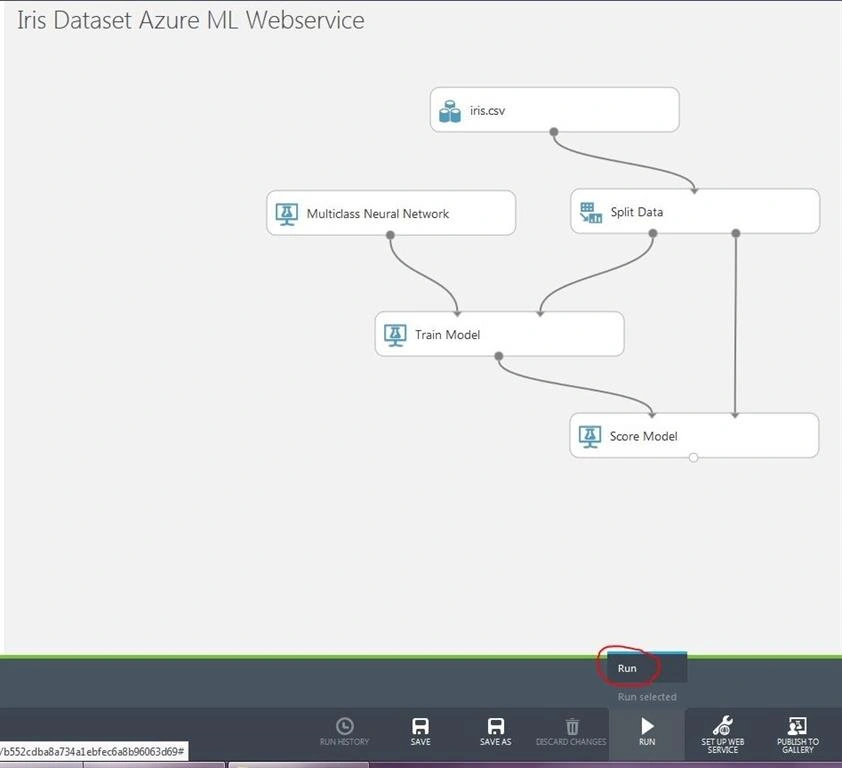
Now, click "Run" as shown below to train your model.
Step 4
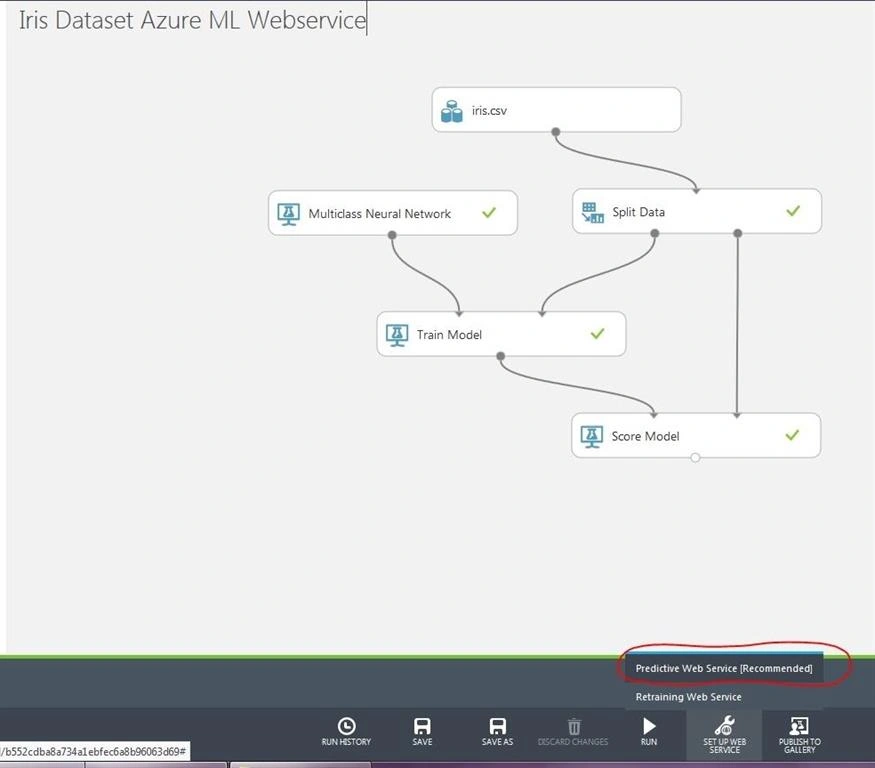
Click "Predictive Web Service [Recommended]" to create a web service for the machine learning model.
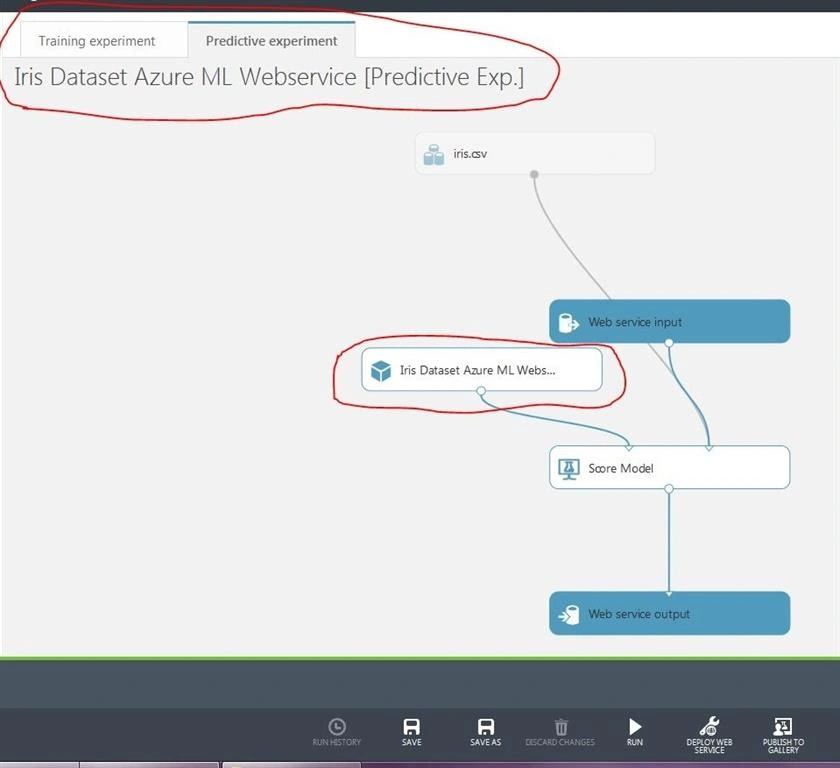
Do note that in the above snippet, our Iris Machine Learning Model is converted into a module under the "Predictive Experiment" tab.
Step 5
Click the "Run" button to train your model for the web service.
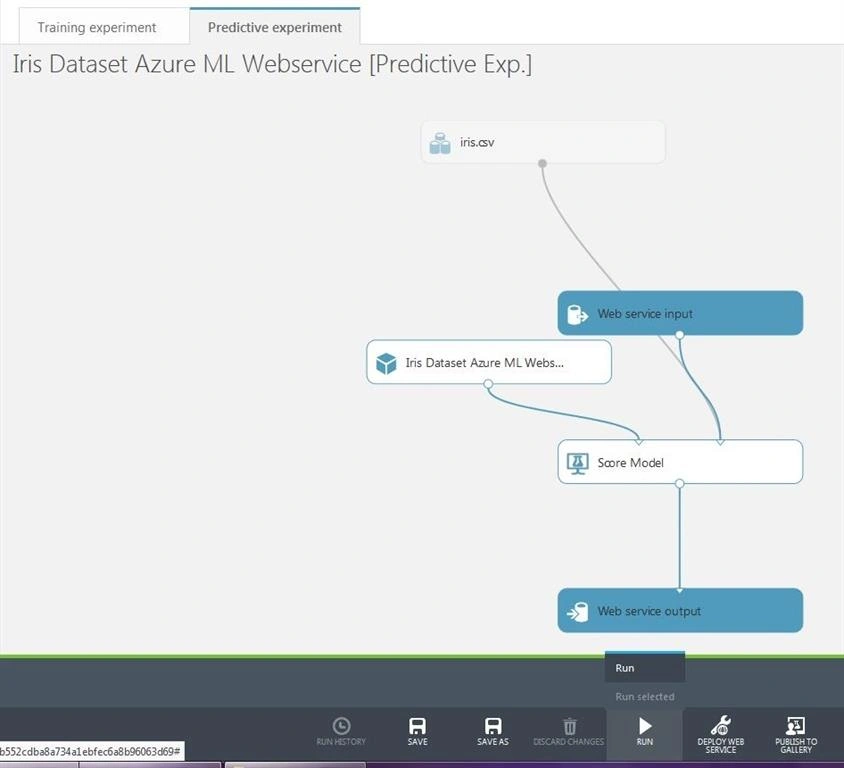
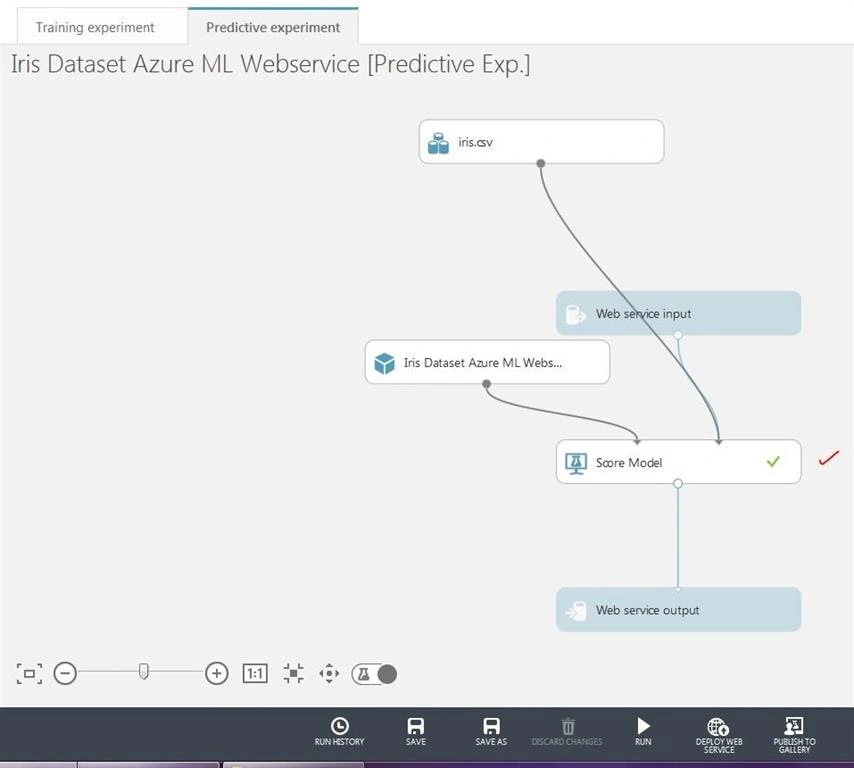
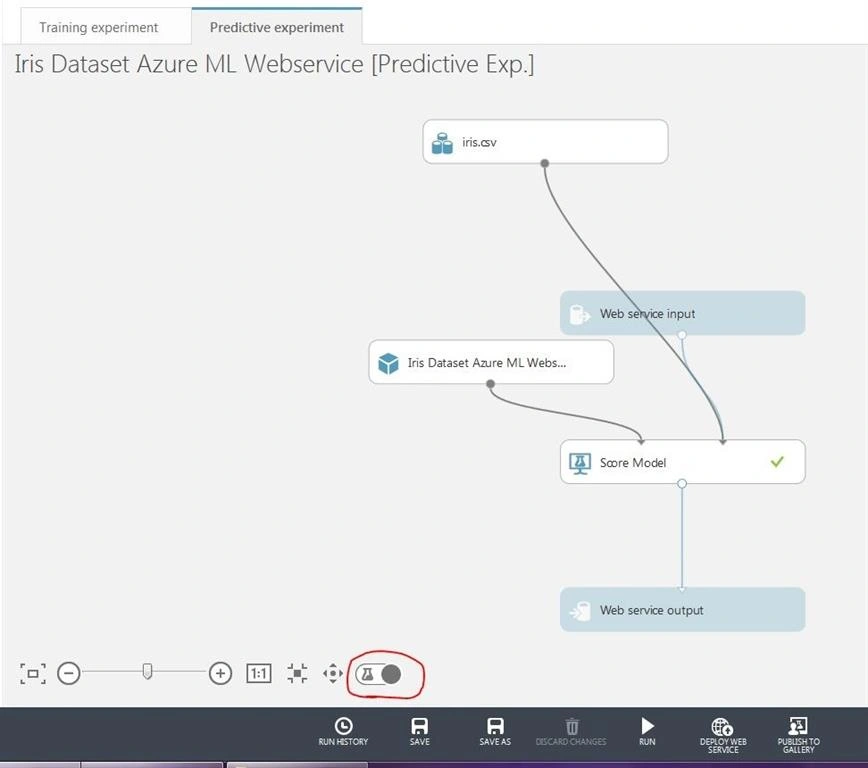
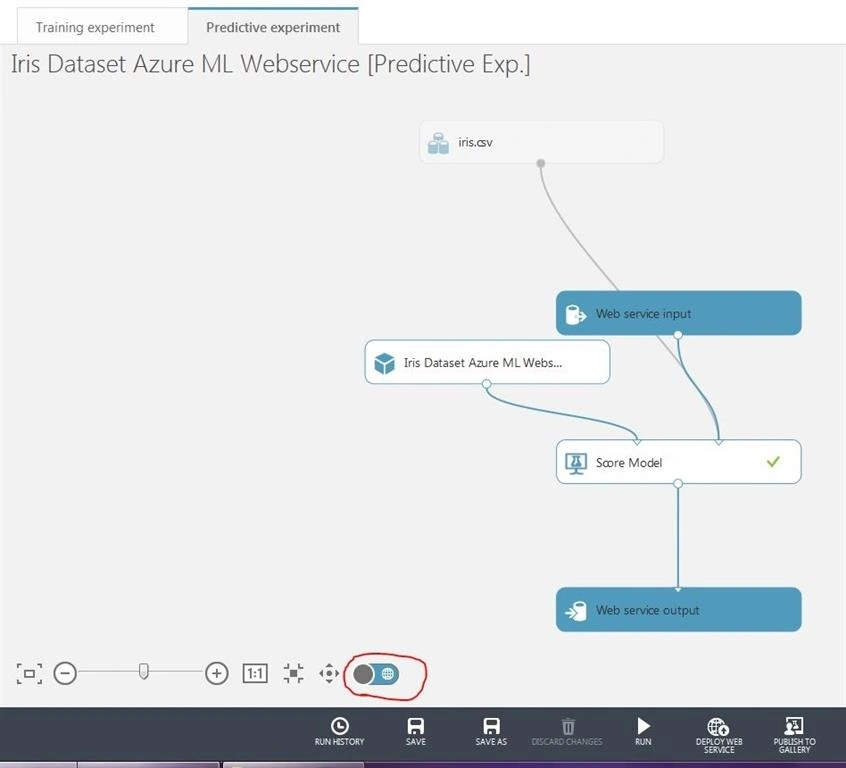
Notice here that some modules are grayed out in training experiment and some are grayed out in the predictive experiment. This is because the grayed out modules tell us that they are not being used; for example, in case of training experiment web service input & web service output modules are not being used while our machine learning model is being evaluated via sample dataset that we have provided and in case of predictive experiment our sample dataset module is grayed out, this means that our web service is not using our sample dataset, we need to train our model with live values via client application.
Step 7
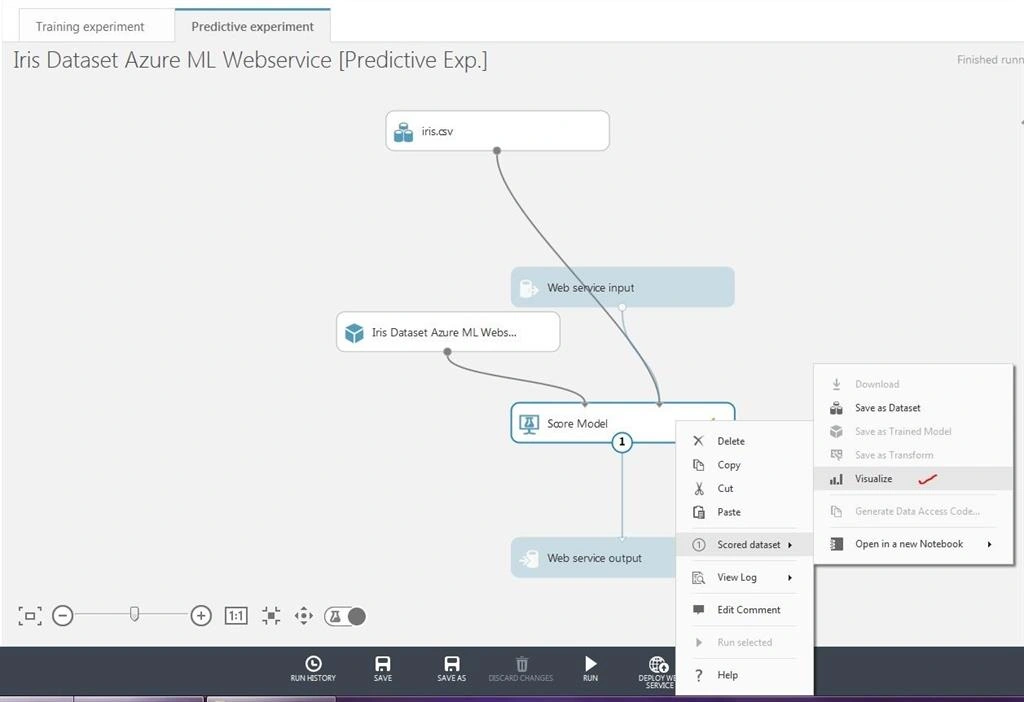
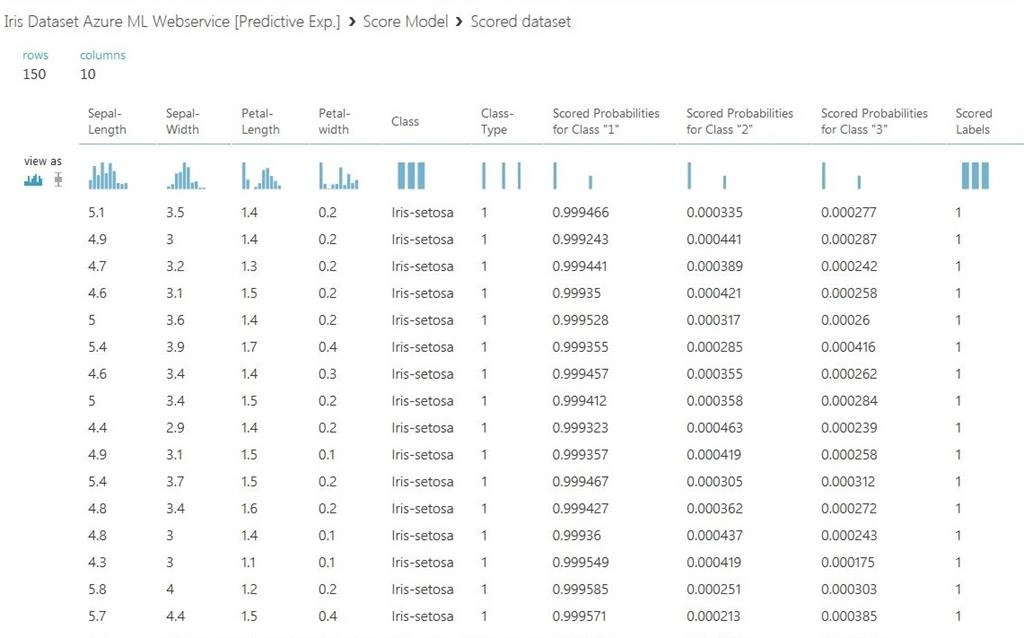
Now, right-click the "Score Model" module under the Training Experiment and click "Visualize". You will see the result of our machine learning model according to our provided sample dataset.
Step 8
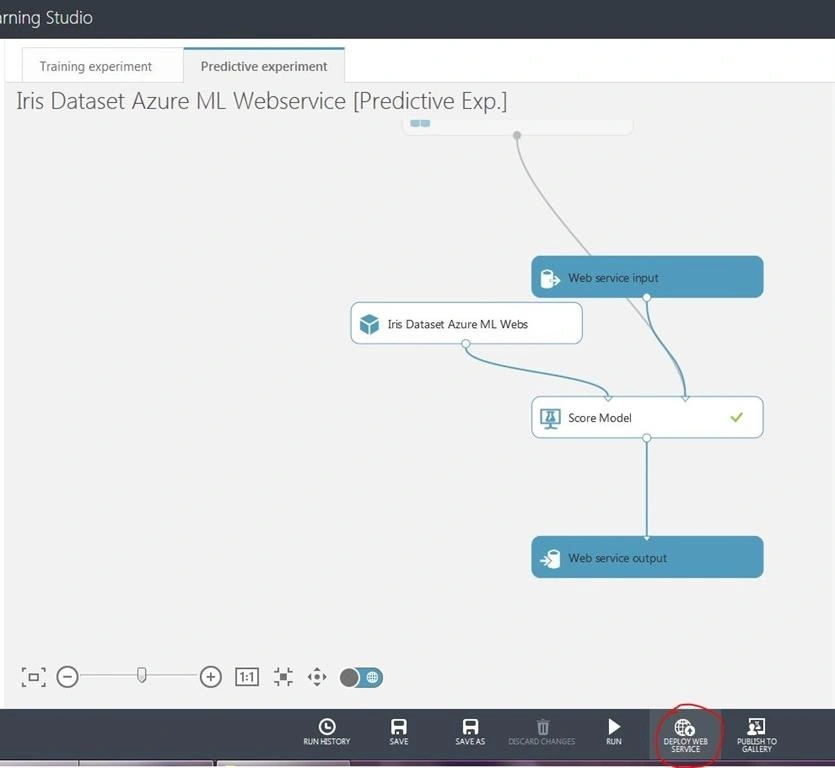
Let's deploy our web services, so, we can consume it in a client application. Click "Deploy Web Service" as shown below i.e.
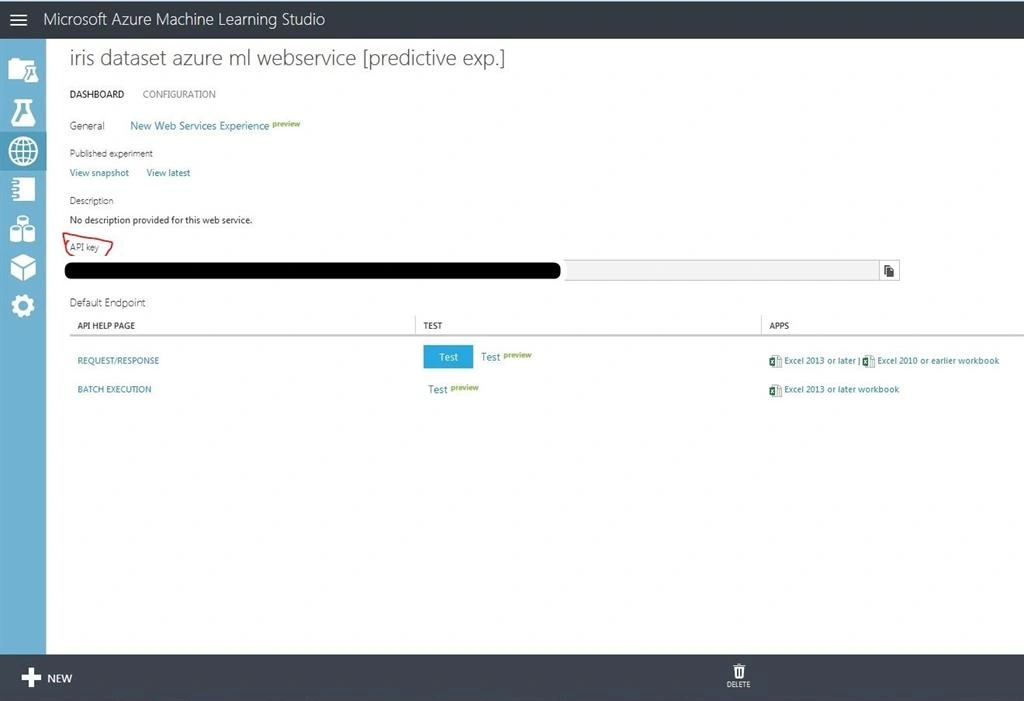
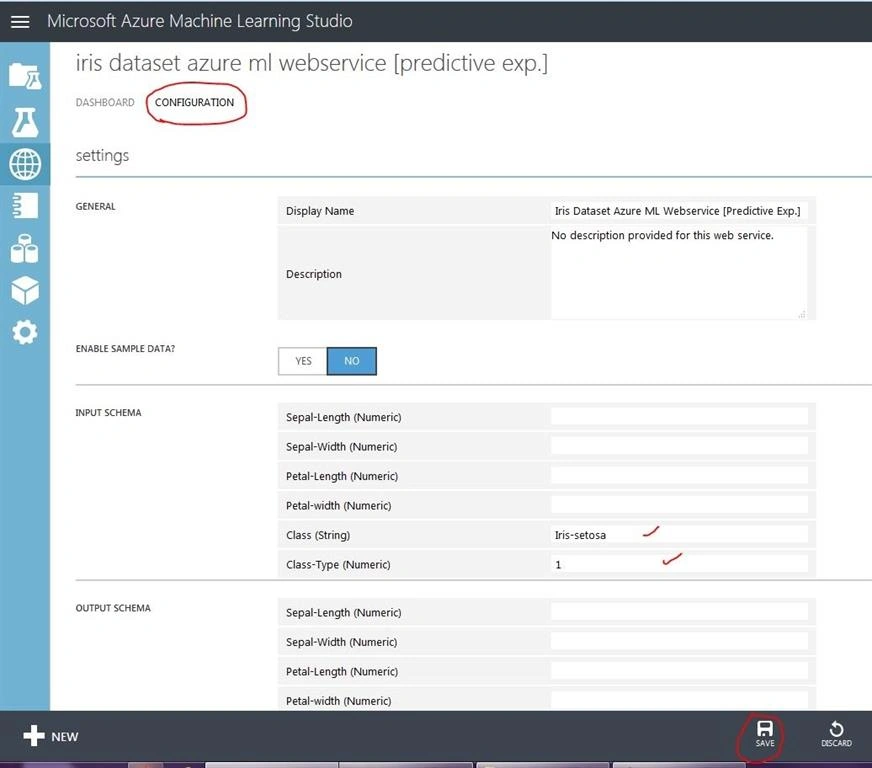
In the above snippets, after deploying the web service, you will be navigated to web service section of azure machine learning studio, here you can see your web service API Key that you can consume in your client-side application and a configuration tab where you can configure default values of the web service input & output.
Step 9
Now, click "New Web Services Experience" and then click "Consume" as shown below
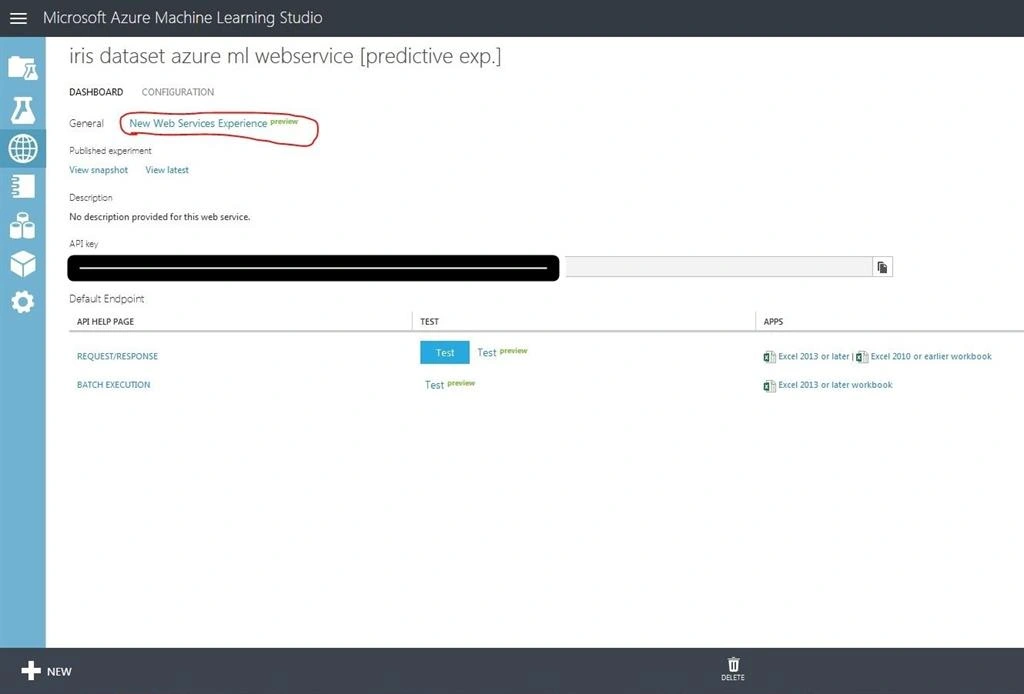
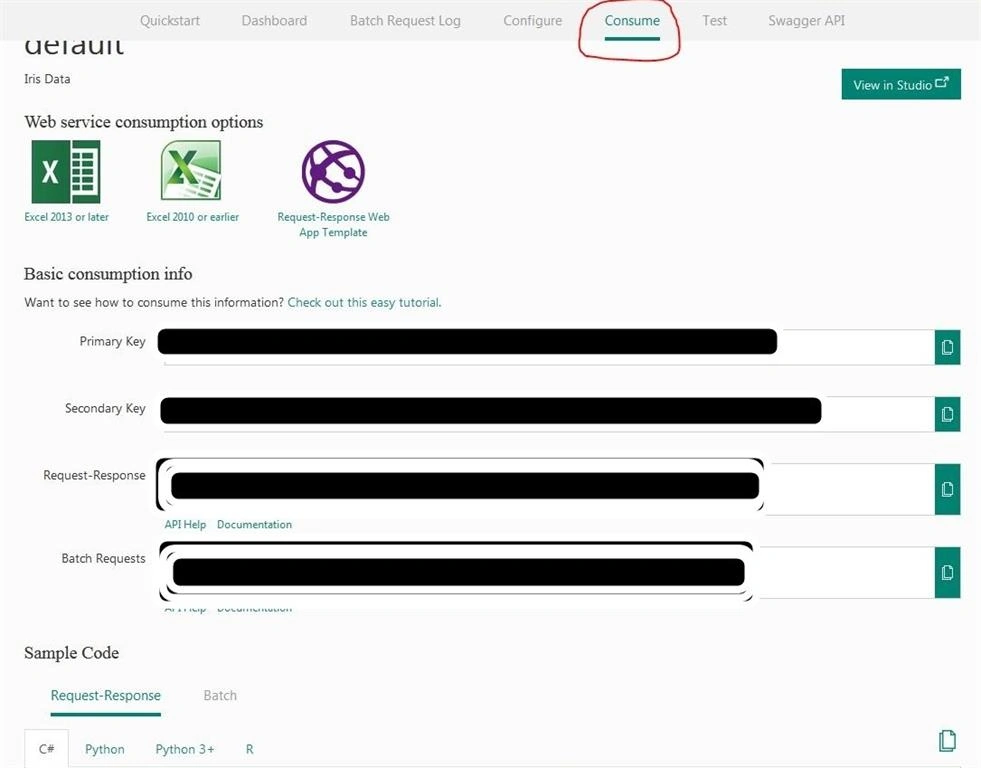
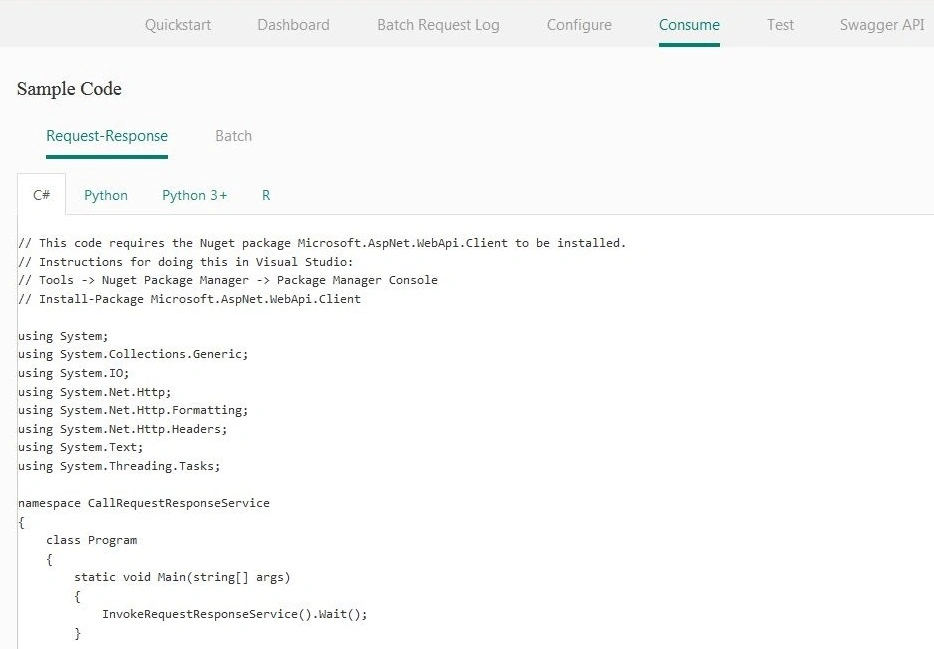
In the above snippets, you will see different types of API Keys and code to be consumed in the target client application.
Step 10
Since, I will create a web application as a sample application therefore, I will consume the sample consumption code in asp.net mvc5 web application. So for that, create a new asp.net MVC project in visual studio and name it "IrisMLClientApp".
Step 11
Replace "Views\Shared\_Layout.cshtml" file with following code i.e
- <!DOCTYPE html>
- <html>
- <head>
- <meta charset="utf-8" />
- <meta name="viewport" content="width=device-width, initial-scale=1.0">
- <title>@ViewBag.Title</title>
- @Styles.Render("~/Content/css")
- @Scripts.Render("~/bundles/modernizr")
- <!-- Font Awesome -->
- <link rel="stylesheet" href="https://maxcdn.bootstrapcdn.com/font-awesome/4.4.0/css/font-awesome.min.css" />
- </head>
- <body>
- <div class="navbar navbar-inverse navbar-fixed-top">
- <div class="container">
- <div class="navbar-header">
- <button type="button" class="navbar-toggle" data-toggle="collapse" data-target=".navbar-collapse">
- <span class="icon-bar"></span>
- <span class="icon-bar"></span>
- <span class="icon-bar"></span>
- </button>
- </div>
- </div>
- </div>
- <div class="container body-content">
- @RenderBody()
- <hr />
- <footer>
- <center>
- <p><strong>Copyright © @DateTime.Now.Year - <a href="http://www.asmak9.com/">Asma's Blog</a>.</strong> All rights reserved.</p>
- </center>
- </footer>
- </div>
- @Scripts.Render("~/bundles/jquery")
- @Scripts.Render("~/bundles/bootstrap")
- @RenderSection("scripts", required: false)
- </body>
- </html>
In the above code, we have simply created a simple layout for our application.
Step 12
Now, create new controller, name it "Home" and replace following code in "Controllers\HomeController.cs" i.e.
- using IrisMLClientApp.Models;
- using Newtonsoft.Json;
- using System;
- using System.Collections.Generic;
- using System.Linq;
- using System.Net.Http;
- using System.Net.Http.Headers;
- using System.Threading.Tasks;
- using System.Web;
- using System.Web.Mvc;
- namespace IrisMLClientApp.Controllers
- {
- public class HomeController : Controller
- {
- #region Train ML
- //
- // GET: /Home/TrainML
- [AllowAnonymous]
- public ActionResult TrainML()
- {
- return View();
- }
- //
- // POST: /Home/TrainML
- [HttpPost]
- [AllowAnonymous]
- [ValidateAntiForgeryToken]
- public async Task<ActionResult> TrainML(IrisMLViewModel model)
- {
- if (ModelState.IsValid)
- {
- // Info.
- IrisMLResponseViewModel obj = await this.RequestMLModel(model);
- }
- // If we got this far, something failed, redisplay form
- return this.RedirectToAction("TrainMLSuccess");
- }
- //
- // GET: /Home/TrainMLSuccess
- [AllowAnonymous]
- public ActionResult TrainMLSuccess()
- {
- return View();
- }
- #endregion
- #region Predict
- //
- // GET: /Home/Predict
- [AllowAnonymous]
- public ActionResult Predict()
- {
- return View();
- }
- //
- // POST: /Home/Predict
- [HttpPost]
- [AllowAnonymous]
- [ValidateAntiForgeryToken]
- public async Task<ActionResult> Predict(IrisMLViewModel model)
- {
- // Initialization.
- IrisMLResponseViewModel obj = new IrisMLResponseViewModel();
- if (ModelState.IsValid)
- {
- // Info.
- obj = await this.RequestMLModel(model);
- }
- // If we got this far, something failed, redisplay form
- return this.RedirectToAction("PredictionResult", obj);
- }
- //
- // GET: /Home/PredictionResult
- [AllowAnonymous]
- public ActionResult PredictionResult(IrisMLResponseViewModel input)
- {
- // Initialization
- PredictionResultViewModel result = new PredictionResultViewModel();
- // Switch
- switch (input.Class_Type_Predicted)
- {
- case "1": result.Class_Name = "Iris-setosa";
- break;
- case "2":
- result.Class_Name = "Iris-versicolor";
- break;
- case "3":
- result.Class_Name = "Iris-virginica";
- break;
- default: result.Class_Name = "Iris-setosa";
- break;
- }
- return View(result);
- }
- #endregion
- #region Helpers
- #region Request ML model method
- public async Task<IrisMLResponseViewModel> RequestMLModel(IrisMLViewModel input)
- {
- // Initialization.
- IrisMLResponseViewModel obj = new IrisMLResponseViewModel();
- try
- {
- using (var client = new HttpClient())
- {
- var scoreRequest = new
- {
- Inputs = new Dictionary<string, List<Dictionary<string, string>>>() {
- {
- "input1",
- new List<Dictionary<string, string>>(){new Dictionary<string, string>(){
- {
- "Sepal-Length", input.Sepal_Length
- },
- {
- "Sepal-Width", input.Sepal_Width
- },
- {
- "Petal-Length", input.Petal_Length
- },
- {
- "Petal-width", input.Petal_Width
- },
- {
- "Class", input.Class_Name
- },
- {
- "Class-Type", input.Class_Type
- },
- }
- }
- },
- },
- GlobalParameters = new Dictionary<string, string>()
- {
- }
- };
- const string apiKey = "your-apikey"; // Replace this with the API key for the web service
- client.DefaultRequestHeaders.Authorization = new AuthenticationHeaderValue("Bearer", apiKey);
- client.BaseAddress = new Uri("your-uri");
- // WARNING: The 'await' statement below can result in a deadlock
- // if you are calling this code from the UI thread of an ASP.Net application.
- // One way to address this would be to call ConfigureAwait(false)
- // so that the execution does not attempt to resume on the original context.
- // For instance, replace code such as:
- // result = await DoSomeTask()
- // with the following:
- // result = await DoSomeTask().ConfigureAwait(false)
- HttpResponseMessage response = await client.PostAsJsonAsync("", scoreRequest).ConfigureAwait(false);
- if (response.IsSuccessStatusCode)
- {
- string result = await response.Content.ReadAsStringAsync();
- string[] data = result.Split(':');
- obj.Class_Type_Predicted = data[12].Split('}')[0].Split('\"')[1];;
- Console.WriteLine("Result: {0}", result);
- }
- else
- {
- Console.WriteLine(string.Format("The request failed with status code: {0}", response.StatusCode));
- // Print the headers - they include the requert ID and the timestamp,
- // which are useful for debugging the failure
- Console.WriteLine(response.Headers.ToString());
- string responseContent = await response.Content.ReadAsStringAsync();
- Console.WriteLine(responseContent);
- }
- }
- }
- catch (Exception ex)
- {
- // Info
- Console.Write(ex);
- }
- // Info.
- return obj;
- }
- #endregion
- #endregion
- }
- }
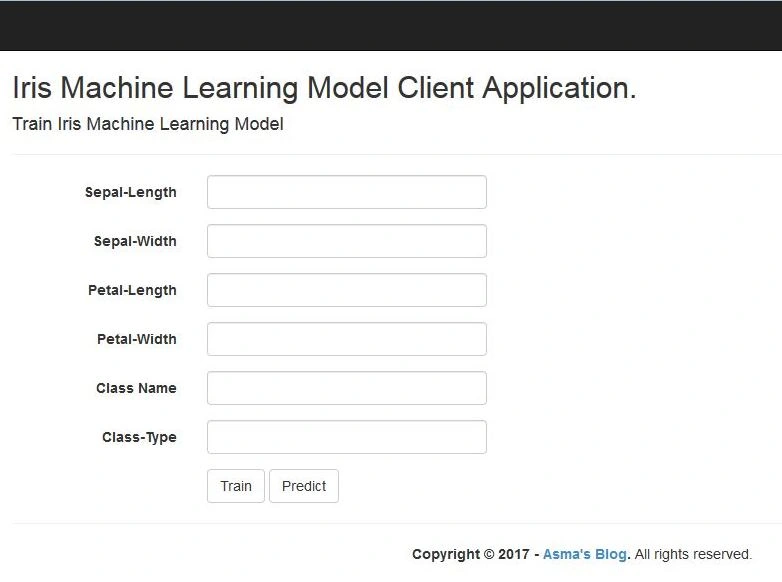
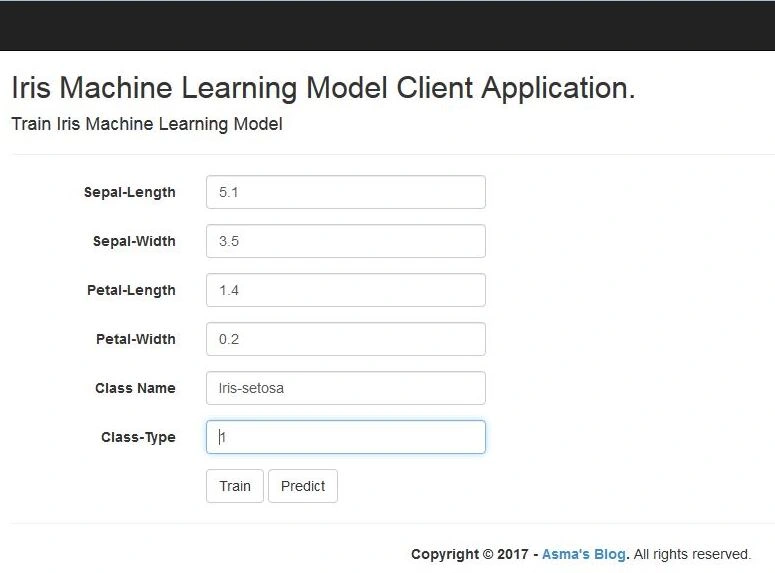
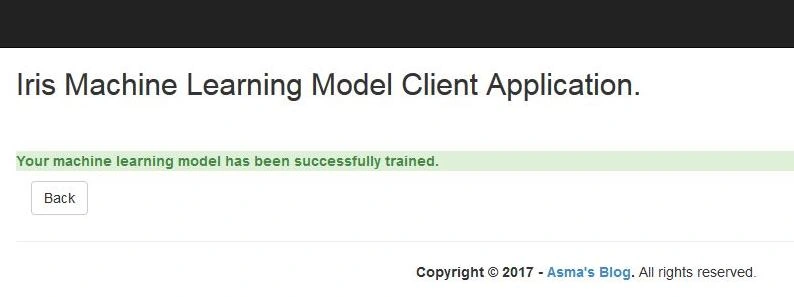
In the above code, I have created actions for the respective pages in which I have consumed our machine learning model web service. The following piece of code will train & predict results based on the iris machine learning model. The provided values are real-time values. So, if the pattern value does not exist for a particular class the machine learning model will result in an output score that's the same as the input, but, if some values exist for a particular class, the machine learning model will try predicting the input result.
Jyotsna RamananPosted Mar 19, 2019, 2:33 PM
Hi, could you please explain what is the difference in the model definition between 'IrisMLResponseViewModel' and 'PredictionResultViewModel'? I am trying to understand so that I can make appropriate modifications to make a recommendation engine website. Thank you in advance,
Hamid KhanPosted Nov 9, 2017, 3:43 AM
Good progress.......................