

Azure Scheduler
Azure Scheduler permits you to declaratively describe actions to run in the cloud. It then schedules and runs those actions automatically. Scheduler creates, maintains, and invokes scheduled work.
Prerequisites
- Azure account.
Now let's get started with the following steps:
Create a job
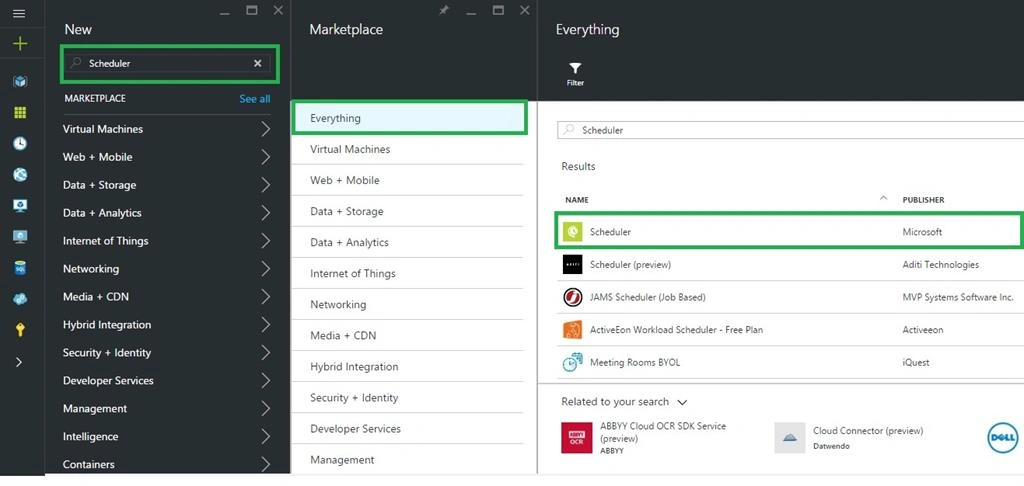
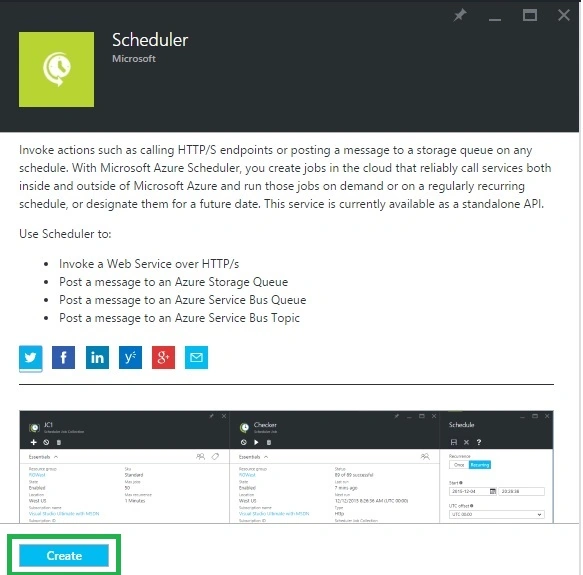
Sign in to the online Microsoft Azure Portal. Click +New > type Scheduler in the search box > then select Scheduler in results page > click Create.
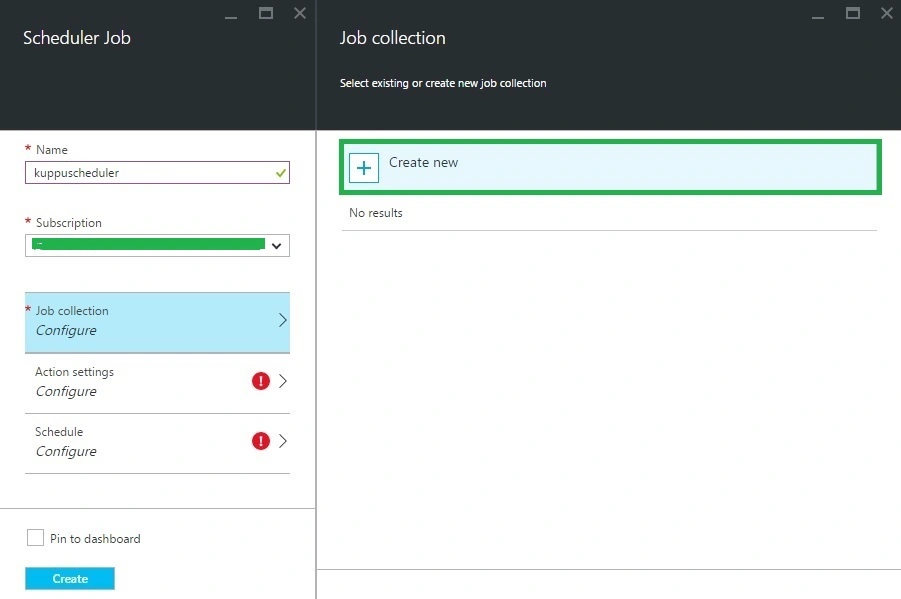
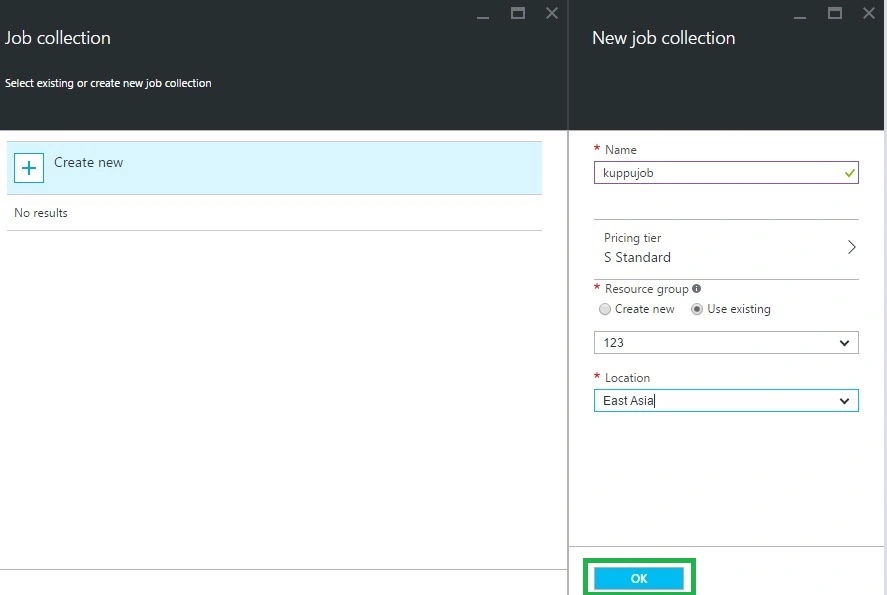
Select an existing job collection, or click Create New > enter a name.
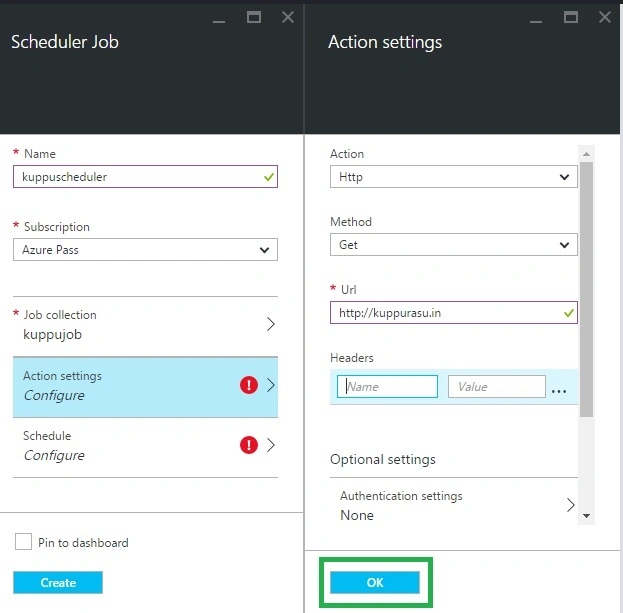
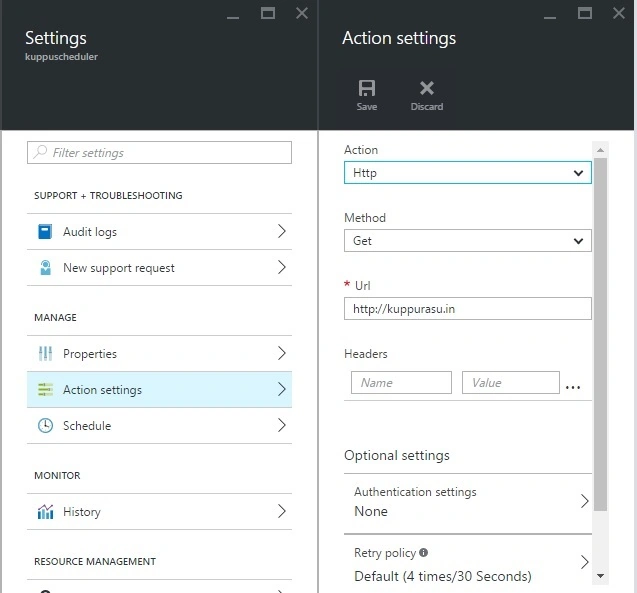
Next, in Action Settings, define the following values: Action Type, Method and URL.
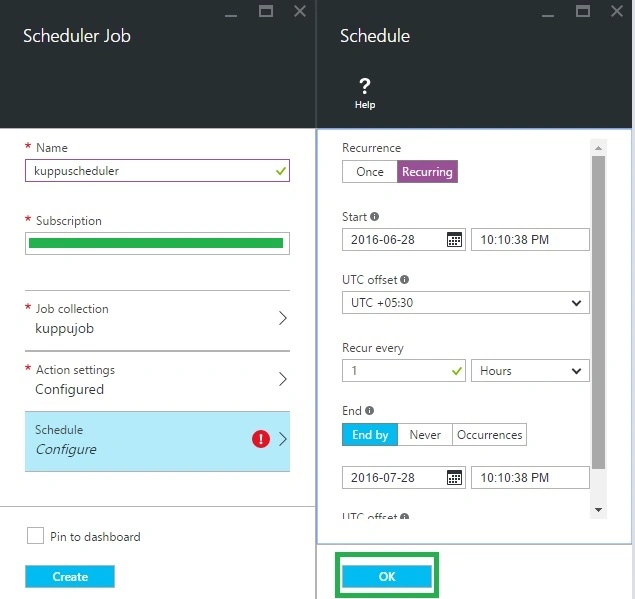
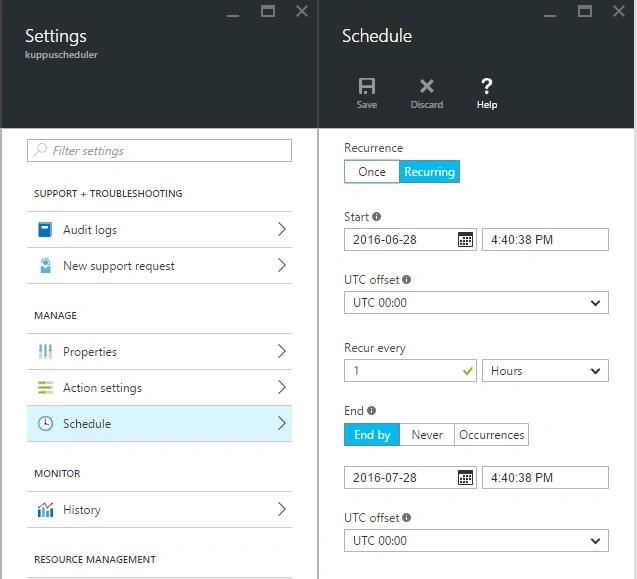
Now we define a schedule. The job could be defined as a one-time job, but let’s pick a recurring schedule: Recurrence, Start, Recur and End by:
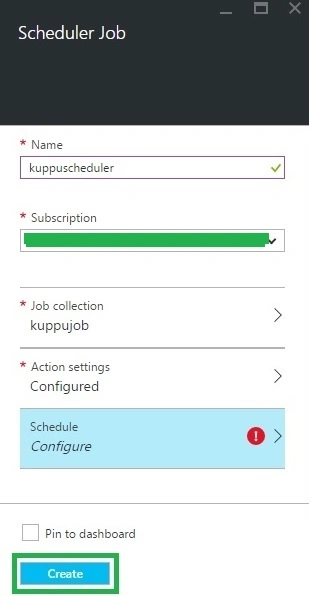
After some time we will get Azure Scheduler details in the Azure portal.
Manage and monitor jobs
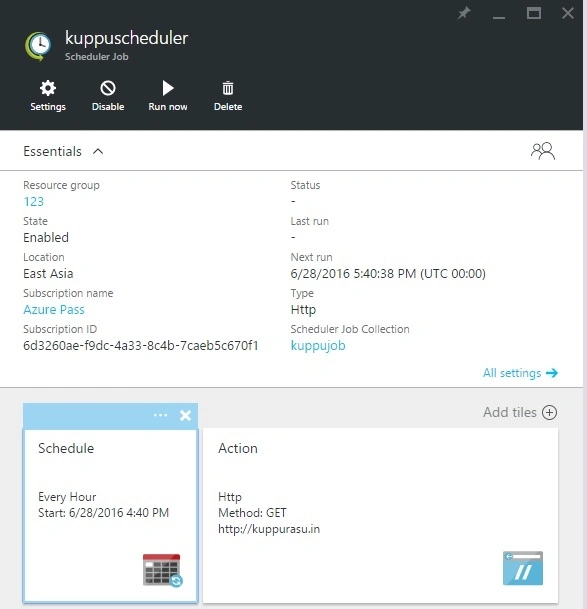
Once a job is created, it appears in the main Azure dashboard.
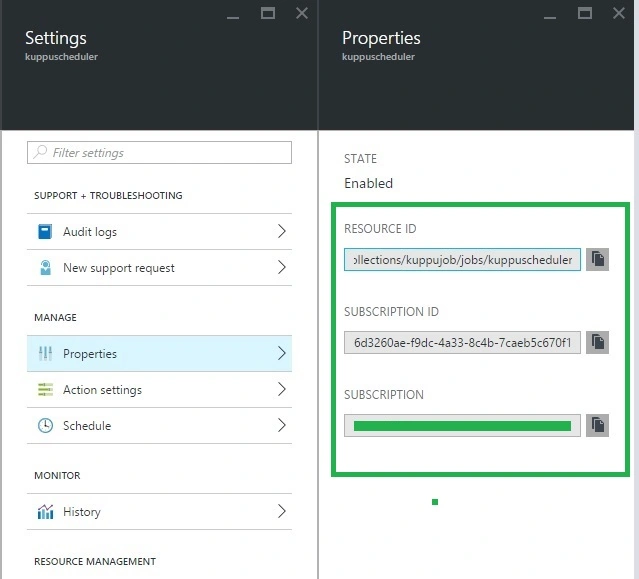
Properties
These read-only properties describe the management metadata for the Scheduler job.
Action settings
Clicking on a job in the Jobs screen allows us to configure that job. This lets us configure advanced settings, if we didn't configure them in the quick-create wizard.
Schedule
This lets us reconfigure the schedule, if we did like to change the schedule we created in the quick-create wizard.
Shakti Singh DulawatPosted Jul 1, 2016, 6:07 AM
Nothing New Such article already available on C# corner and Website
RajaPosted Jul 1, 2016, 12:04 AM
Nice Share...
Vignesh ManiPosted Jun 30, 2016, 5:36 PM
Good one sir
kalu singh raoPosted Jun 30, 2016, 2:35 PM
Nice...
Praveen SreeramPosted Jun 30, 2016, 12:27 PM
Nice