

Introduction
Disaster recovery (DR) is a crucial aspect of cloud storage, ensuring business continuity during outages. Azure Storage provides built-in geo-redundancy to protect against regional failures.
Microsoft has introduced Planned Failover, currently in preview, to allow seamless failover without data loss, enabling customers to manage the Failover themselves as well as conduct Disaster Recovery drills for testing the resilience.
Overview of Replication Options
Azure Storage offers multiple redundancy options to safeguard data.
- Locally Redundant Storage (LRS): Replicates data within a single data center.
- Zone-Redundant Storage (ZRS): Distributes data across multiple availability zones within a region.
- Geo-Redundant Storage (GRS): Replicates data asynchronously to a secondary region.
- Geo-Zone-Redundant Storage (GZRS): Combines ZRS and GRS for enhanced redundancy.
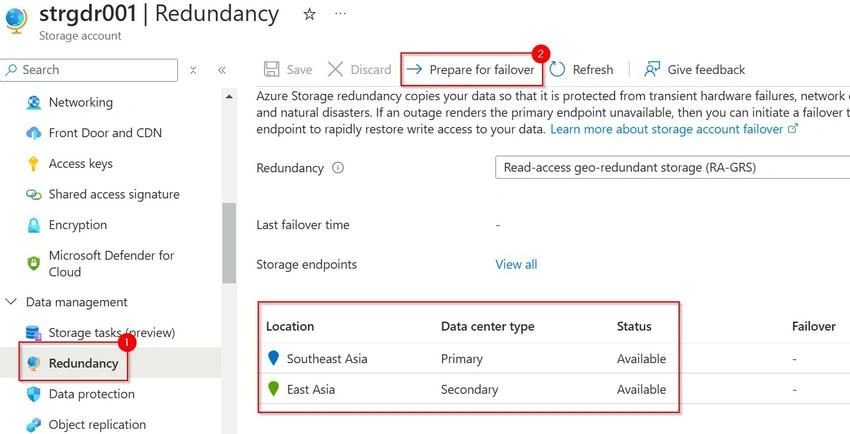
GRS and GZRS provide disaster recovery capabilities by maintaining a secondary copy in a paired region.
Planned Failover in Preview
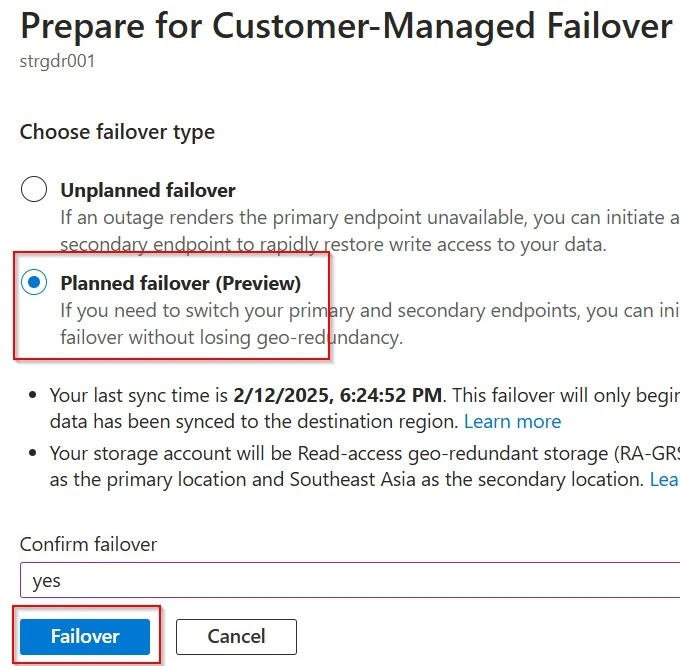
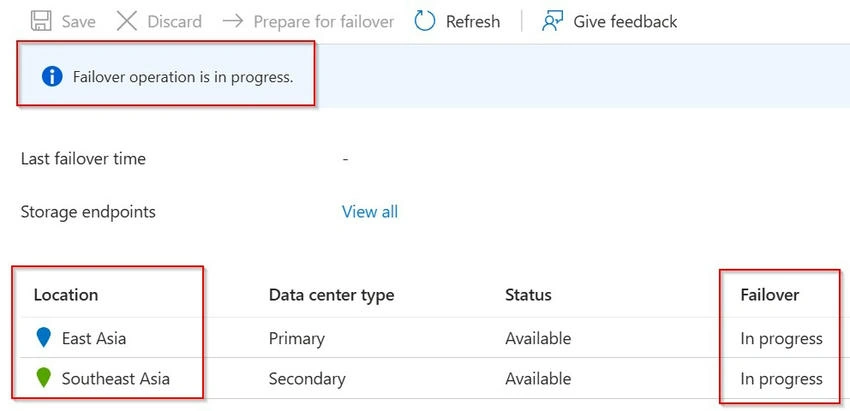
Planned Failover is a new capability in preview that allows controlled failover from the primary region to the secondary without data loss. Unlike unplanned failover, where data loss might occur due to asynchronous replication, Planned Failover ensures a zero-data-loss transition.
Enabling Planned Failover in Preview
To use Planned Failover, you must register the AllowSoftFailover feature at the subscription level as shown below.
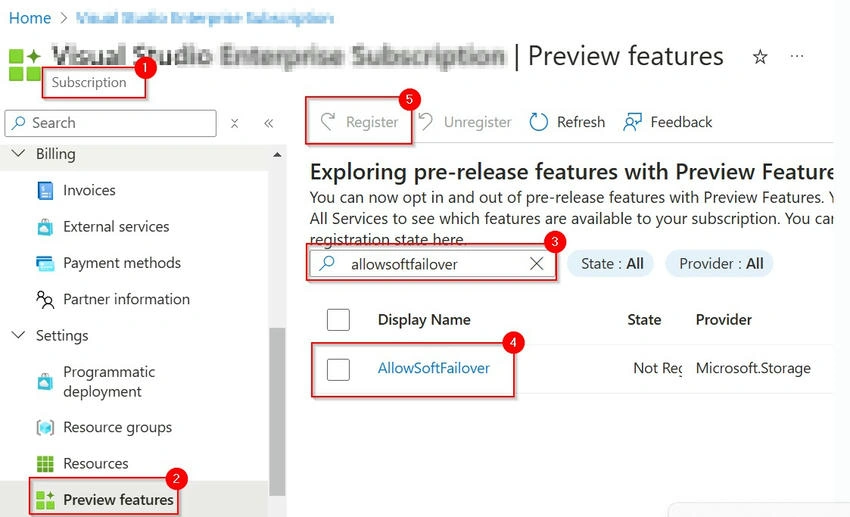
Once registered, the Planned Failover option will be available for GRS and GZRS storage accounts.
Note. The Planned Failover option is currently in Preview and available only in the regions below.
- France Central
- France South
- India Central
- India West
- East Asia
- Southeast Asia
Official Documentation: https://learn.microsoft.com/en-us/azure/storage/common/storage-disaster-recovery-guidance#customer-managed-planned-failover-preview
Prerequisites
- Create a Storage Account in one of the above regions where Planned Failover is available.
- Ensure your storage account uses GRS or RA-GRS (recommended).
- Register the AllowSoftFailover feature at the subscription level.
- Create a Container and upload a few Blobs to the Container.
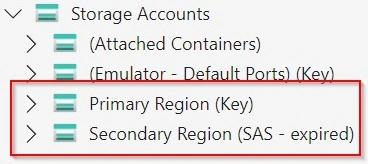
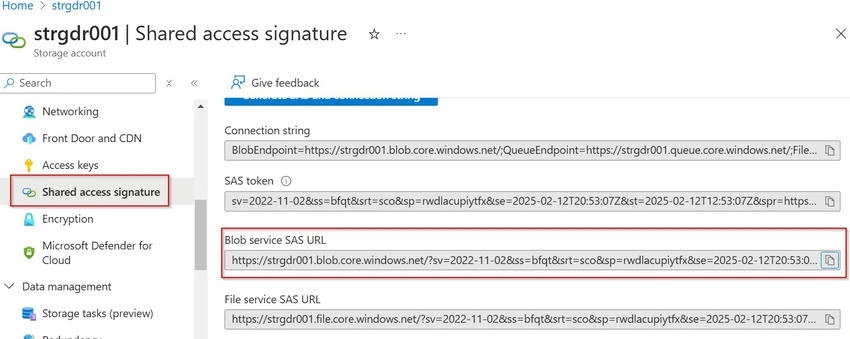
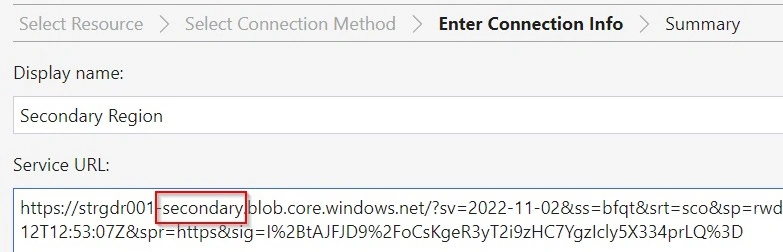
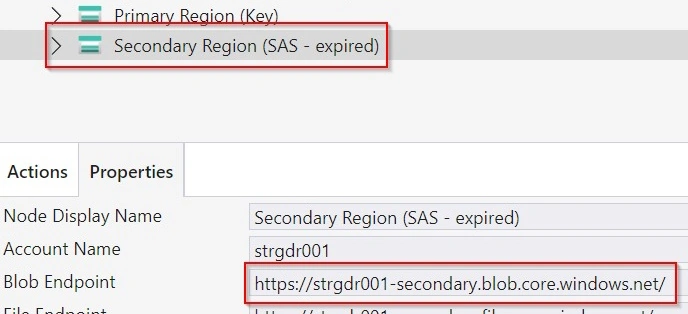
- Download & Configure Azure Storage Explorer
Join the conversation! Your thoughts help the community grow.