

Introduction
Dynamic data masking is a feature that is available in Azure Synapse Analytics. It restricts the exposure of sensitive data to end users. We can configure data masking to hide sensitive data in the result sets that are queries from users. Using data masking, we can not only restrict, also specify the amount of sensitive data that can be revealed with a lower impact on the application layer.
Dynamic Data Masking – Key points
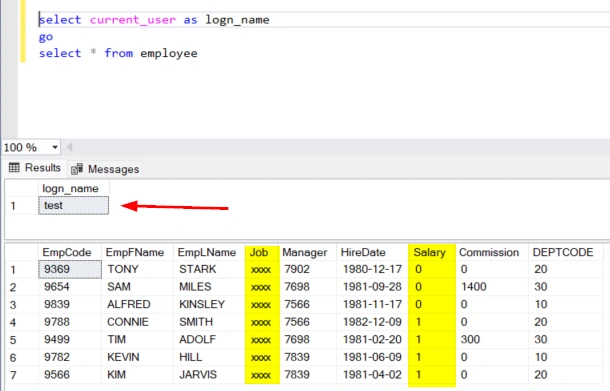
The dynamic data masking feature works by replacing sensitive data in transit without touching the source data (data at rest). This provides great benefits for data management teams, as they can always preserve the original data.
- Works in near-real time and throws out the results without too much delay.
- Useful in protecting data, particularly in reporting/read-only scenarios.
- No need to process a copy of original data and setup processing to mask all data in advance.
- Acts as a layer of security for protecting sensitive data stored in the tables.
- Some performance overhead will be unavoidable, as all traffic to the database will be inspected.
- Users can bypass the layer by directly connecting to the database, and can query the data unmasked, thereby rendering the purpose useless.
Steps
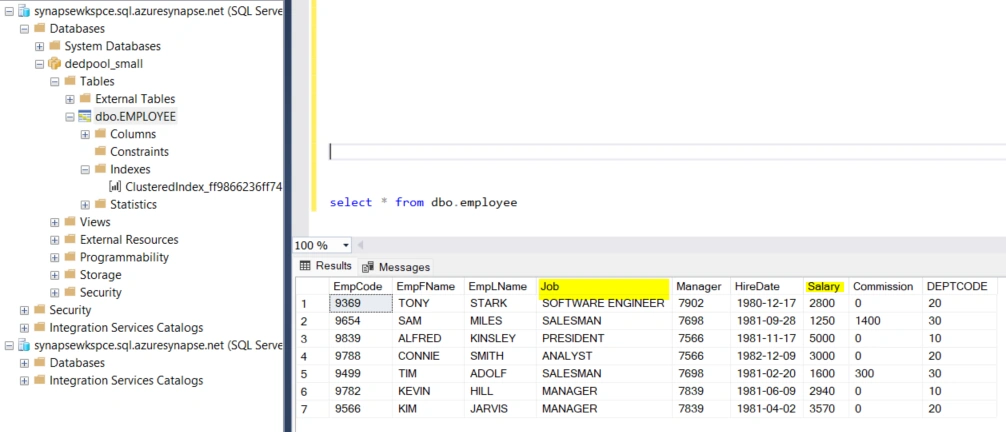
I have created a dedicated pool in synapse and created a table with few rows for demo. Remember that you can create only an external table, and cannot create a user table, in a built-in pool. So, make sure you create a dedicated pool before proceeding.
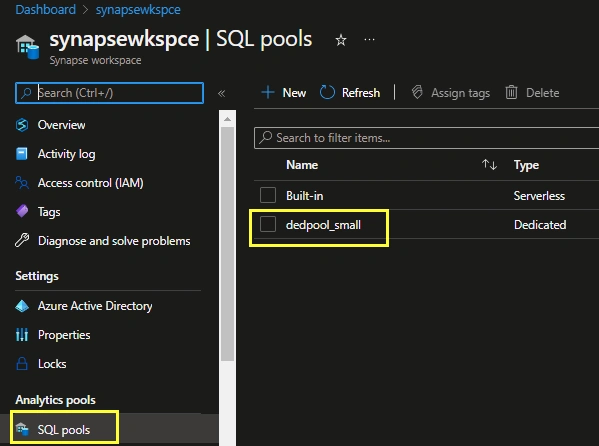
On the left side stack in your synapse workspace, select SQL Pools and then open your dedicated pool.
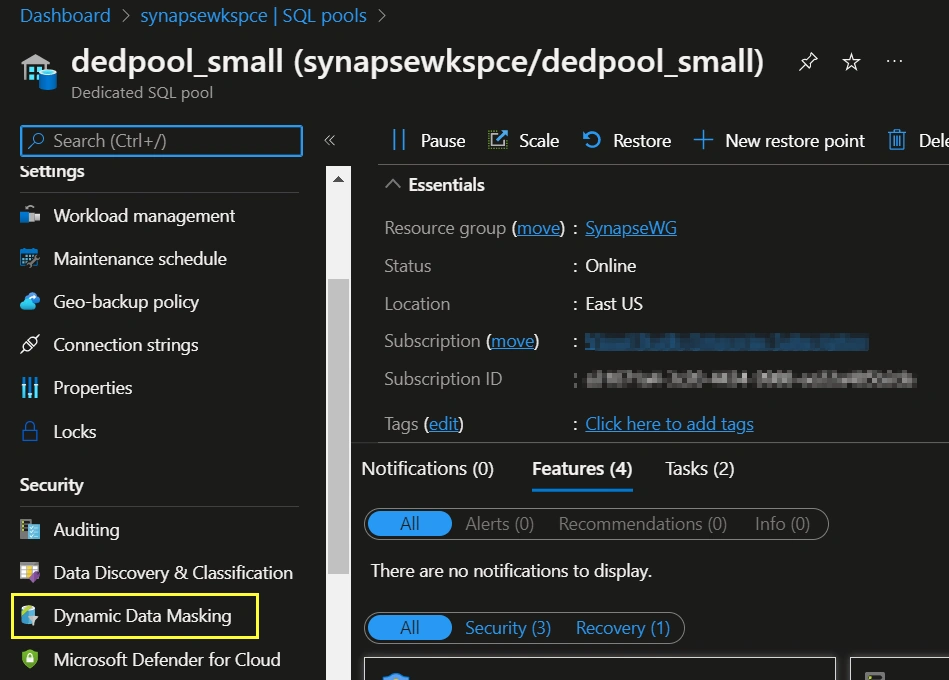
After that, you will see a similar page, which is the dedicated pool settings page. On the left side column, click on the Dynamic Data Masking option under Security tab.
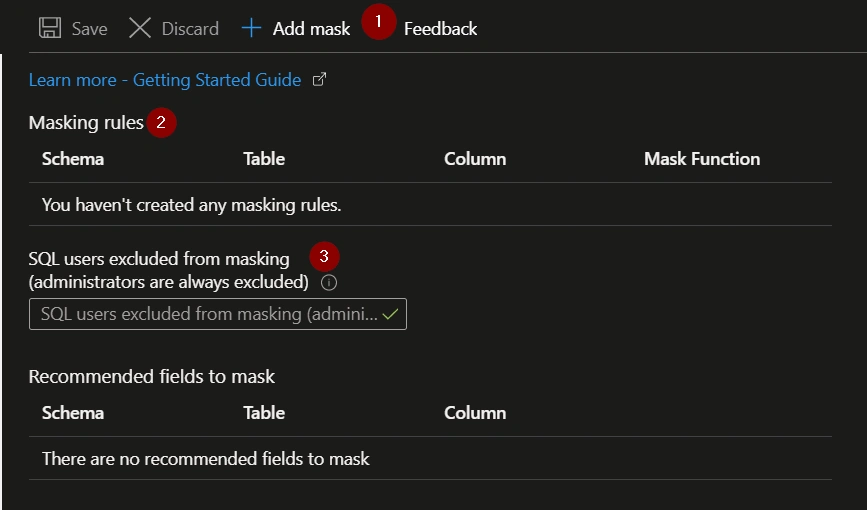
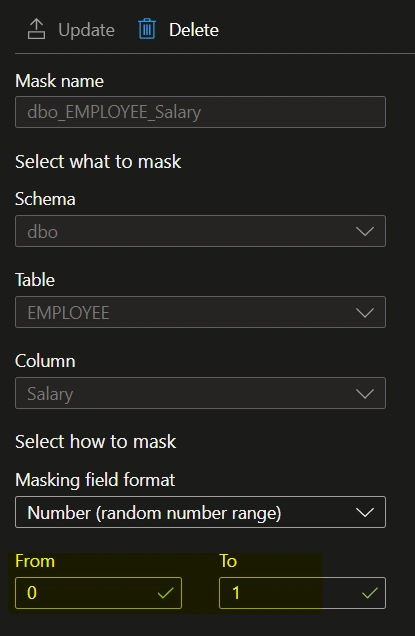
In the next option, you can add your tables into masking using the given options. The numerical banners in the screenshot are explained below.
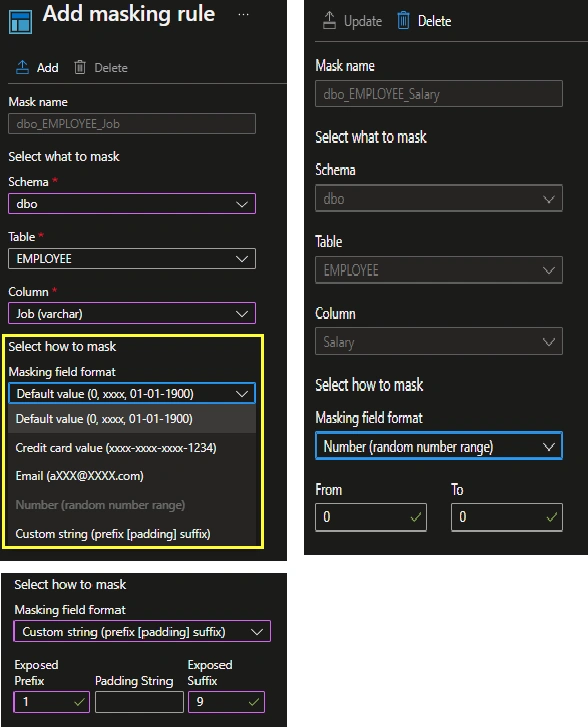
- Add the tables into masking - more about this in the next section.
- The masking rules that already exist, that you have created previously.
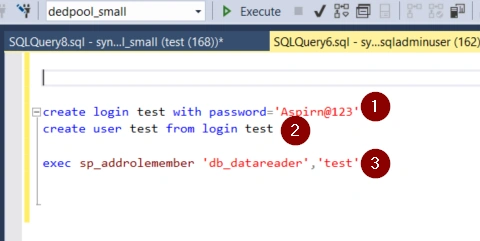
- You can exclude any user, apart from users with administrator roles, from masking. They will see the data unmasked when they try to query the data.
Koshila SenadhiraPosted Dec 1, 2022, 8:39 AM
Interesting Article!!