

Introduction
Azure VPN Gateway is a critical component for organizations that rely on secure connectivity between on-premises environments, branch offices, and Azure Virtual Networks. Microsoft regularly performs maintenance on gateway infrastructure to improve security, reliability, and platform performance.
Although these updates are designed to have minimal impact, organizations with business-critical workloads may prefer to decide when maintenance occurs. Azure provides Customer-Controlled Maintenance to give administrators greater control over the timing of gateway updates.
This article explains what Customer-Controlled Maintenance is, why it is useful, and how to configure it.
Why Customer-Controlled Maintenance?
Cloud platforms continuously receive updates to improve their services. These updates may include:
Security patches
Platform enhancements
Network infrastructure upgrades
Hardware replacement
Reliability improvements
Without a maintenance schedule, Azure determines the most appropriate maintenance time. While Microsoft aims to minimize disruption, some organizations require maintenance to occur only during approved maintenance windows.
Customer-Controlled Maintenance allows administrators to define those preferred windows.
Benefits
Implementing a maintenance schedule provides several advantages:
Greater control over planned maintenance
Reduced business disruption
Maintenance during non-business hours
Better alignment with organizational change management processes
Easier coordination with IT operations teams
How It Works
The process consists of three primary steps:
Create a Maintenance Configuration.
Define a recurring maintenance schedule.
Assign the configuration to one or more VPN Gateway resources.
Once assigned, Azure attempts to perform eligible gateway maintenance during the configured maintenance window whenever possible.
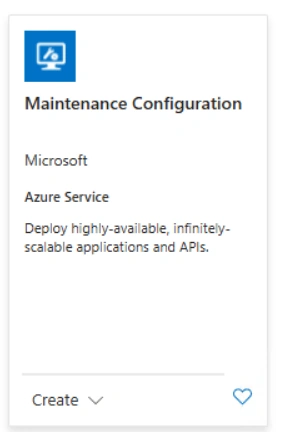
Step 1: In the Azure Portal, search for Maintenance Configurations.
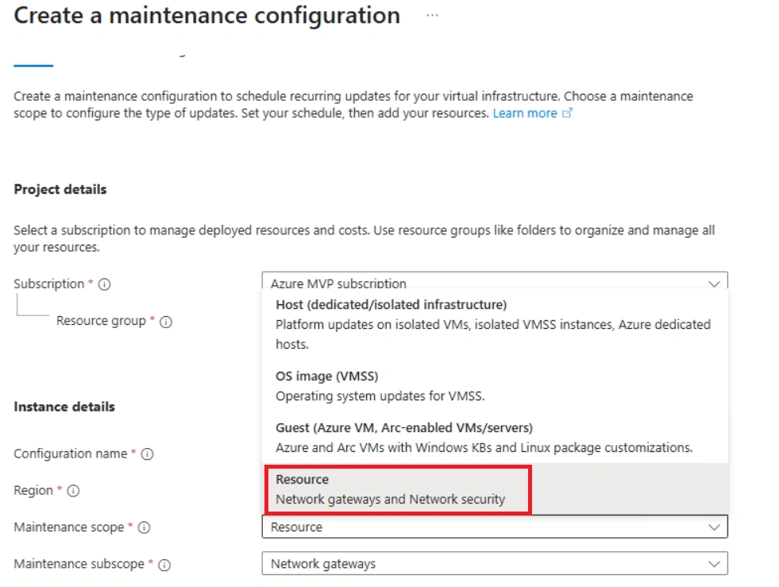
Step 2: Choose Network Gateways as the maintenance scope.
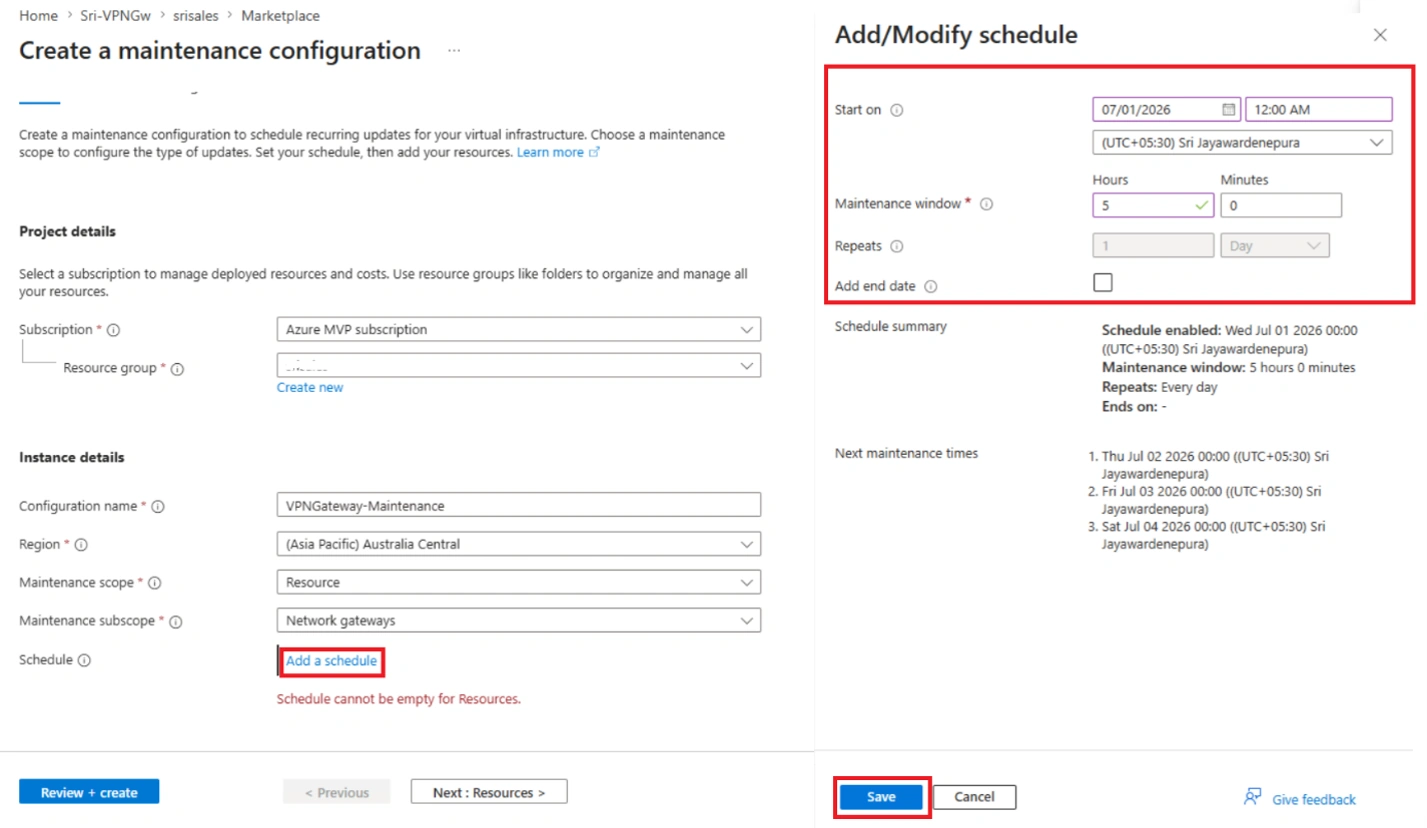
Step 3: Click Add a schedule to define your maintenance window. Configure the schedule to align with your organization's operational hours and planned maintenance policy.
In this example, I have configured the maintenance window from 12:00 AM to 5:00 AM IST. If Microsoft performs any eligible maintenance during this period, it will be scheduled within this window, helping to minimize the impact on business operations and ensuring that maintenance occurs outside normal working hours.
Click Save, and then click Next: Resource.
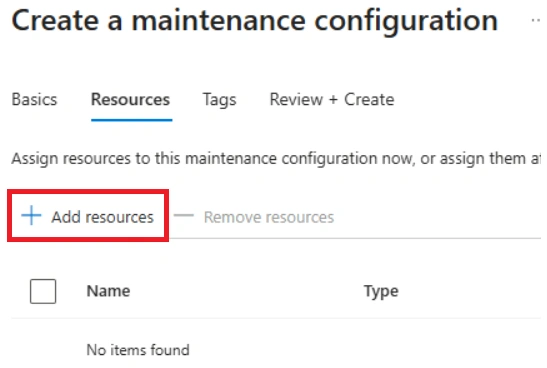
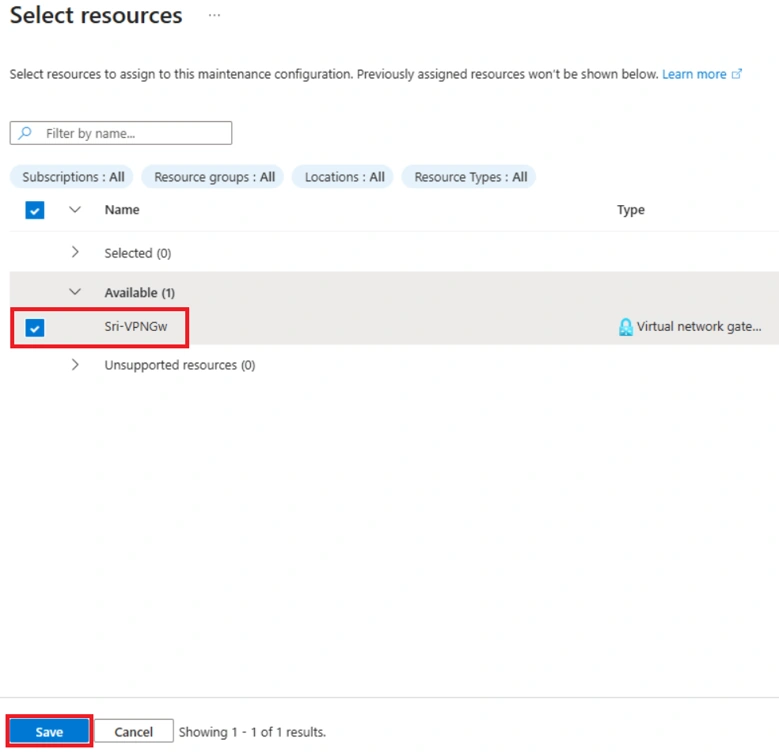
Step 4: Click + Add resources to Assigning Resources.
Step 5: All available Virtual Network Gateway resources will be displayed. Select the Virtual Network Gateway that you want to associate with the maintenance configuration, and then click Save to apply the changes. Click Review + Create
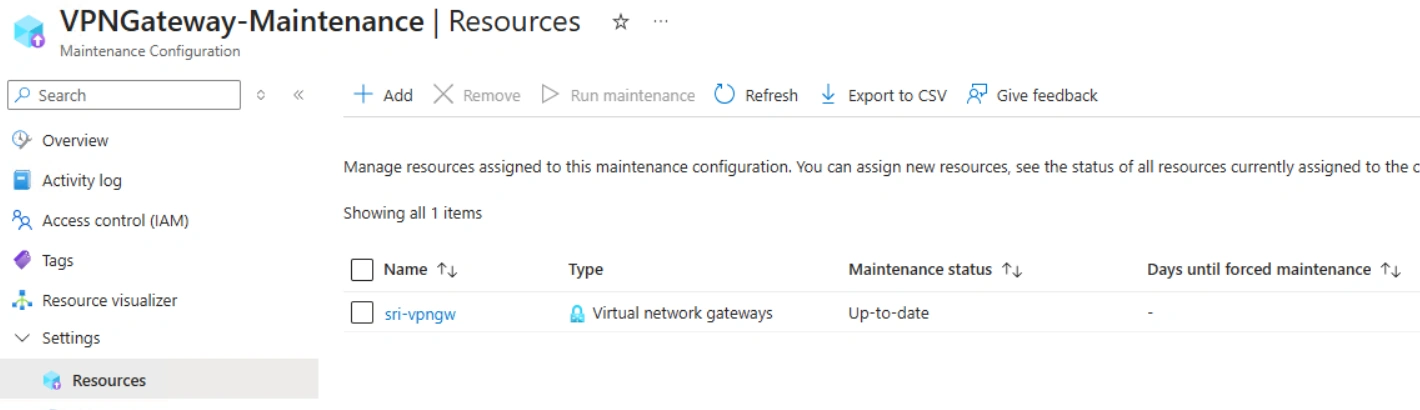
Step 6: After creating the maintenance configuration, open it and select Resources under the Settings section. All associated Virtual Network Gateways will be displayed. If required, you can associate multiple VPN Gateways with the same maintenance configuration, allowing them to follow the same maintenance schedule.
Summary
Customer-Controlled Maintenance is a valuable Azure feature for organizations that require predictable maintenance schedules for their VPN Gateway infrastructure. By defining maintenance windows that align with business operations, administrators can reduce unexpected interruptions while continuing to benefit from Microsoft's ongoing platform improvements.
For enterprises with production workloads, implementing Customer-Controlled Maintenance is considered a best practice as part of an overall operational governance strategy.
Join the conversation! Your thoughts help the community grow.