

In this article, we will learn an easy way to perform background processing in .NET Core applications. A background process/job is a process that runs behind the scenes without user intervention. Hangfire is a simple, persistent, transparent, reliable, and efficient open-source library used to perform background processing in .NET and .NET Core applications.
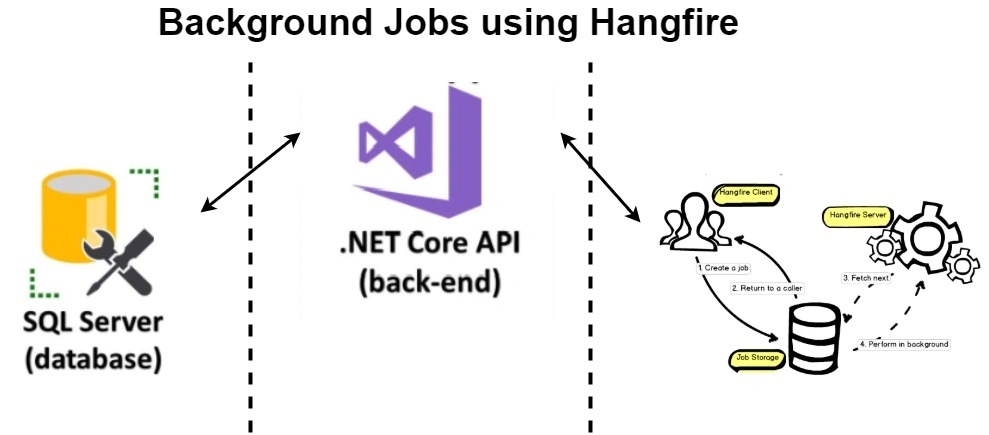
Why Background Processing?
- Lengthy operations like database updates
- Invoice generation
- Monthly reports
- Automatic subscription renewal
- Email upon sign-up
Background Jobs/Tasks
- Fire and Forget
- Delayed
- Periodic and Scheduled
- Continuations
These tasks happen only once. For example, sending a welcome email when a user signup.
Delayed
Delayed tasks are like fire and forget but do not execute them as soon as the action is taken instead, we define a time when the background job is going to run. For example when we want to send a voucher or discount to a user 5 hours after they signed up.
Periodic and Scheduled
These jobs are performed periodically based on a schedule, for example, generating marketing emails or generating invoices.
Continuations
Continuations are executed when their parent job has been finished.
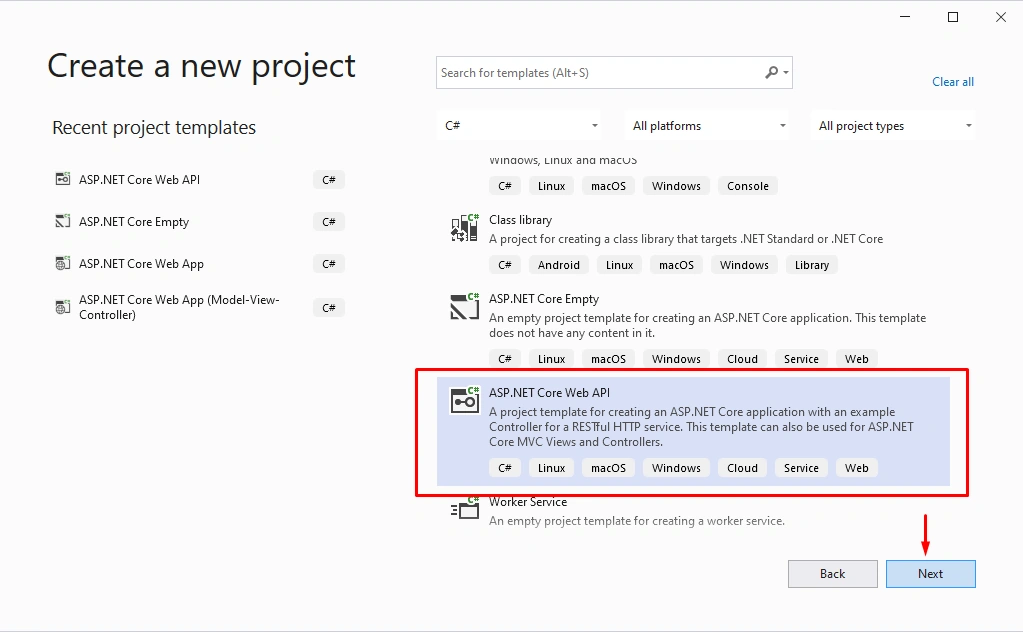
Step 1
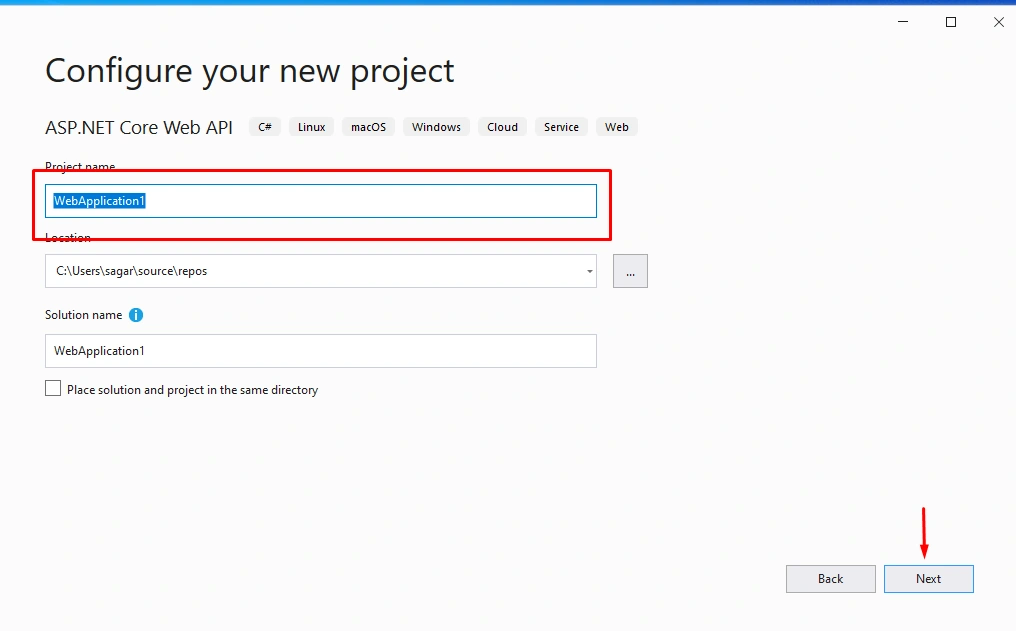
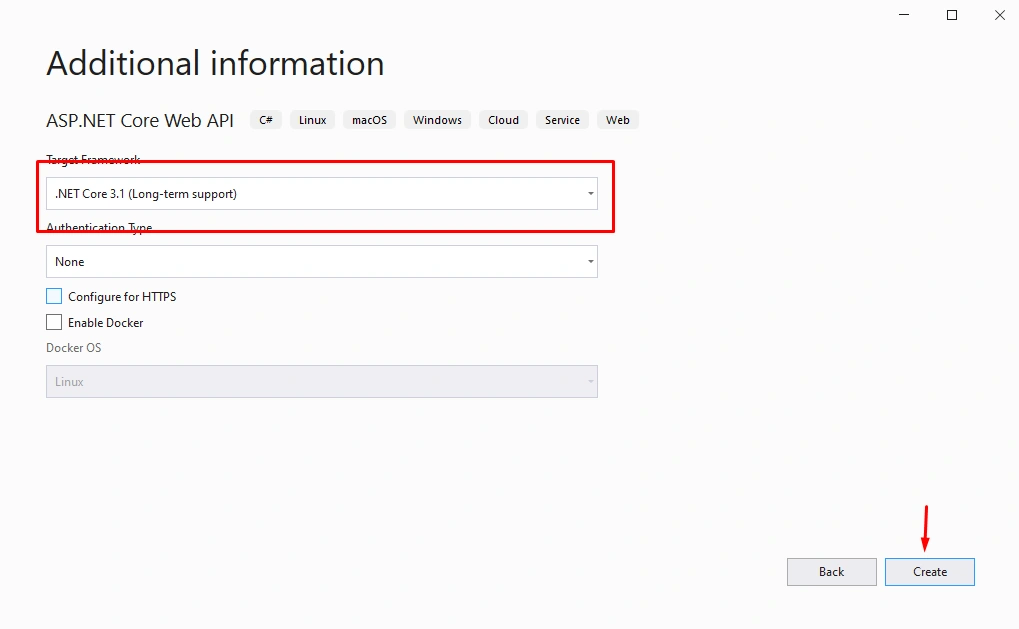
Create a new project as shown below,
Step 2
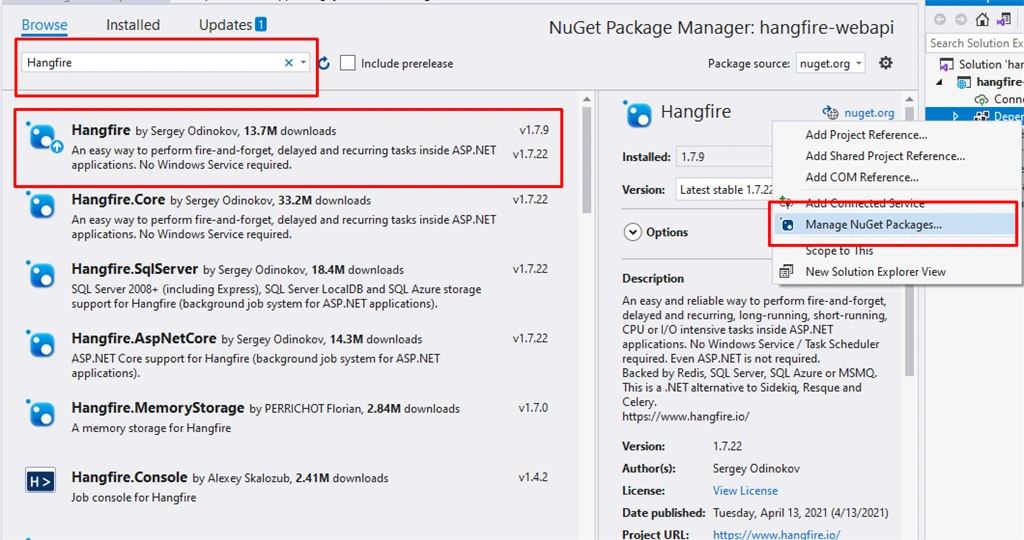
Let's install the Hangfire Nuget package as shown below,
Step 3
Open Startup.cs file and change as per the readme file from hangfire. Inside the configure services plese add the hangfire services as shown below,
- using System;
- using System.Collections.Generic;
- using System.Linq;
- using System.Threading.Tasks;
- using Hangfire;
- using Microsoft.AspNetCore.Builder;
- using Microsoft.AspNetCore.Hosting;
- using Microsoft.AspNetCore.HttpsPolicy;
- using Microsoft.AspNetCore.Mvc;
- using Microsoft.Extensions.Configuration;
- using Microsoft.Extensions.DependencyInjection;
- using Microsoft.Extensions.Hosting;
- using Microsoft.Extensions.Logging;
- namespace hangfire_webapi
- {
- public class Startup
- {
- public Startup(IConfiguration configuration)
- {
- Configuration = configuration;
- }
- public IConfiguration Configuration { get; }
- // This method gets called by the runtime. Use this method to add services to the container.
- public void ConfigureServices(IServiceCollection services)
- {
- services.AddHangfire(x => x.UseSqlServerStorage(@"Data Source=.;Initial Catalog=hangfire-webapi-db;Integrated Security=True;Pooling=False"));
- services.AddHangfireServer();
- services.AddControllers();
- }
- // This method gets called by the runtime. Use this method to configure the HTTP request pipeline.
- public void Configure(IApplicationBuilder app, IWebHostEnvironment env)
- {
- if (env.IsDevelopment())
- {
- app.UseDeveloperExceptionPage();
- }
- app.UseHttpsRedirection();
- app.UseHangfireDashboard();
- app.UseRouting();
- app.UseAuthorization();
- app.UseEndpoints(endpoints =>
- {
- endpoints.MapControllers();
- });
- }
- }
- }
Step 4
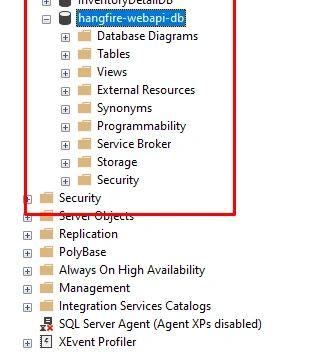
Let's configure the database open SQL server and create a database as shown below,
Join the conversation! Your thoughts help the community grow.