

Introduction
- -- backup the master database
- backup database master
- to disk = 'c:\temp\master.bak'
- with init;
- -- backup the msdb database
- backup database msdb
- to disk = 'c:\temp\msdb.bak'
- with init;
- -- backup the model database
- backup database model
- to disk = 'c:\temp\model.bak'
- with init;
Listing 1
Now let's supposed that the system databases are corrupt, but the binary files of the SQL Server 2005 instance are correct. Then, to simulate this scenario, let's stop the instance of the SQL Server 2005.
Now in order to recover the system databases, then go to the directory of the SQL Express Instance's configuration (c:\program files\Microsoft SQL Server\MSSQL.1\MSSQL\Binn). Open a Command Window and change to this directory (see Figure 1).
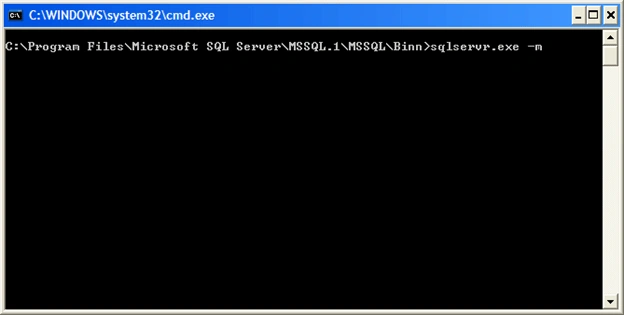
 Next step is to start the SQL Server Instance in single-user (admin) mode as shown in Figure 2.
 Now let's execute the command in Listing 2 in another Command Windows.
Figure 1
Figure 2
- sqlcmd -E
Listing 2
And then the restore SQL command (see Listing 3).
- RESTORE DATABASE master
- FROM DISK = 'c:\temp\master.back';
- GO
Listing 3
Finally, let's open the SQL Server Management Studio in order to recover the msdb and model databases (see Listing 4).
- restore database msdb
- from disk = 'c:\temp\msdb.bak';
- go
- restore database model
- from disk = 'c:\temp\model.bak';
- go
Listing 4
In this article, I covered how to backup and recover system databases such as master, msdb, and model databases.
Join the conversation! Your thoughts help the community grow.