

Introduction

This article is about using Azure Database Server from MySQL, which helps in building trust and managing our Database Servers quickly and reliably. Azure is pretty famous for being able to secure, update, and quickly build the database servers. Azure Database for MySQL provides a fully managed MySQL Database-as-a-Service.
The MySQL Community Edition helps you easily lift and shift to the cloud, using languages and frameworks of your choice.
Usage
- MySQL Community Edition that’s fully managed
- Languages and frameworks
- Built-in high availability
- Protect your database with built-in intelligence
- Simple and flexible pricing
- Unparalleled security
Creating Web App Service to Azure Database for MySQL
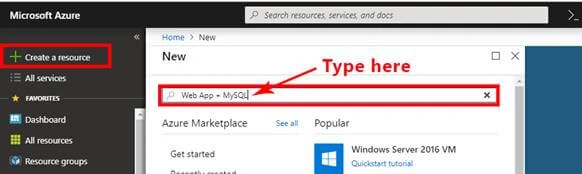
- Open Azure Portal (your account). Click "Create a resource" and then type “Web App + MySQL” in the Search bar.
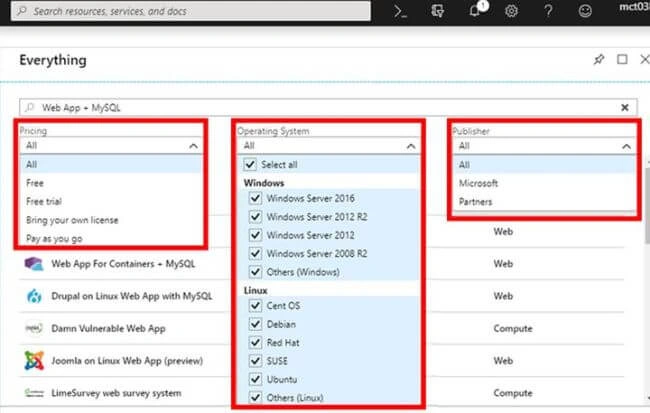
- After you hit Enter, you get to see the following results. Three kinds of menus (Pricing, Operating System, Publisher) are there.
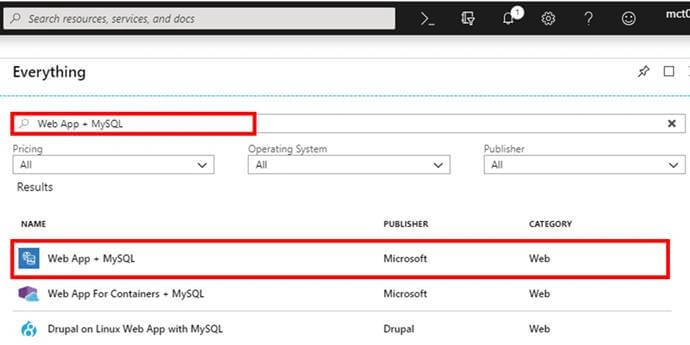
Select all and open “Web App + MySQL”.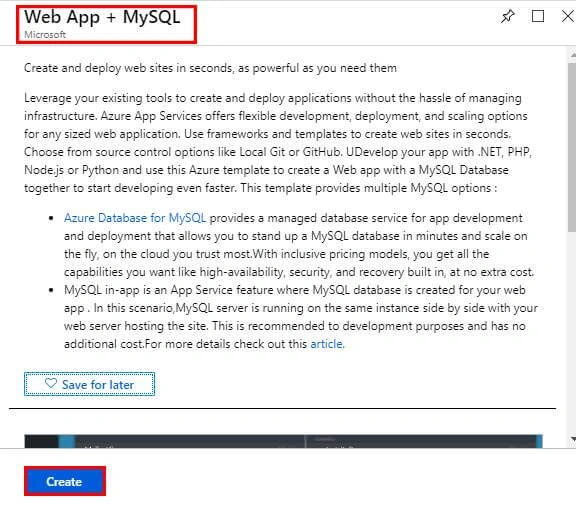
- Then, click the “Create” button for creating a new Web App + MySQL.
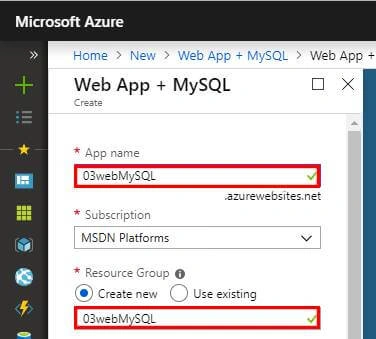
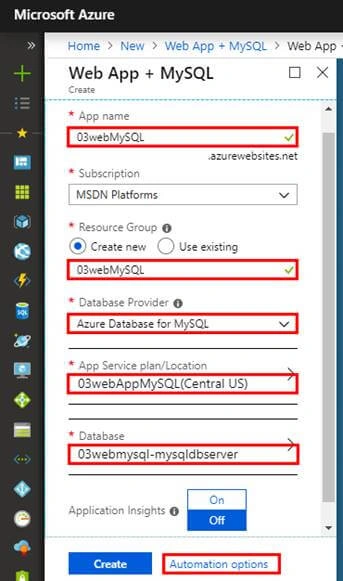
- Fill out the details in the Web App Service & Azure Database for MySQL form.
- App name: Write a standard name.
- Resource Group: Two options - (Create a new resource group / Use an existing one).
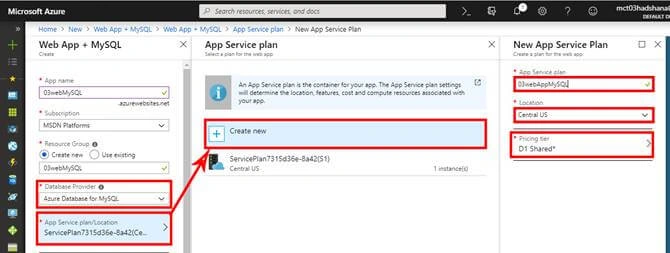
- Then, select the Database Provider and the App service plan. If you need to create a new App Service plan, go to App Service plan/Location - Click “Create new” - Fill out the “New App Service Plan”.
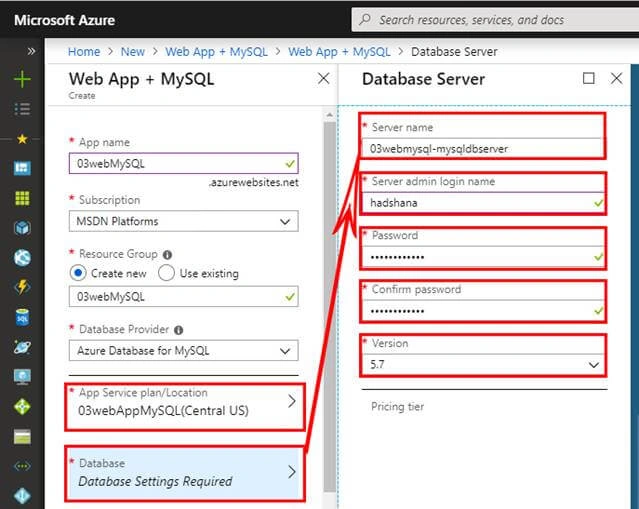
- After filling out the App Service Plan, next, create the Database Server. Click Database. That opens a new form “Database Server”. Fill out the details here.
- Server name: Write a standard name.
- Server admin login name: Write the administrator's name.
- Password: Create a highly secure password.
- Version: Use the standard version.
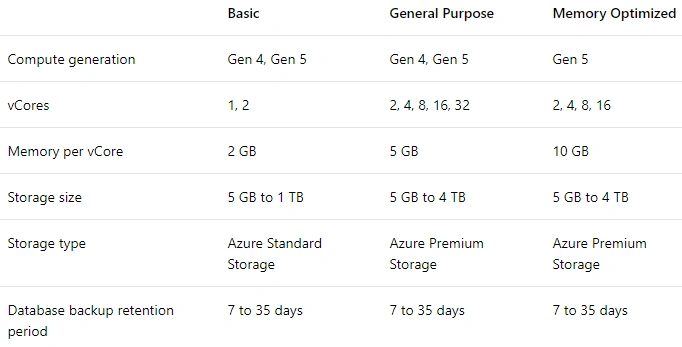
- This part is about the Pricing Tier. There are three kinds of options here, as shown below.
Select the (vCore | Storage | Backup Retention Period) and click “OK”.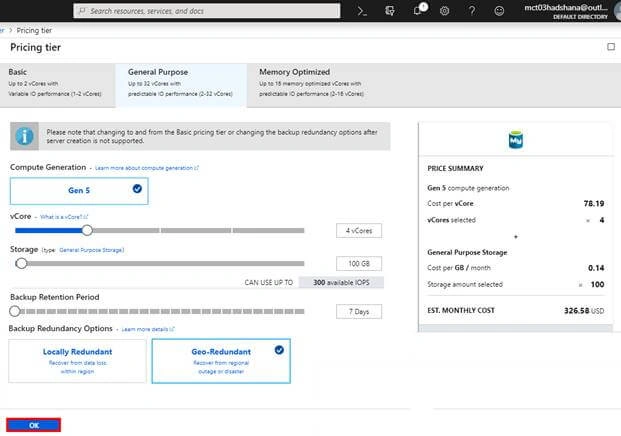
- Click “OK” if you need to change the database name.
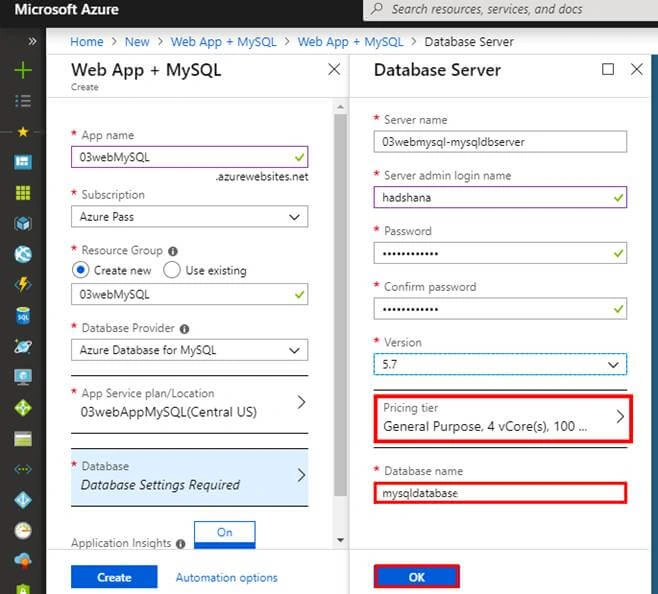
- Fill out the form and see the information and click on the “Automation options” link.
- After clicking the “Automation options”, you can see that there are three kinds of menus (Download | Add to library | Deploy).
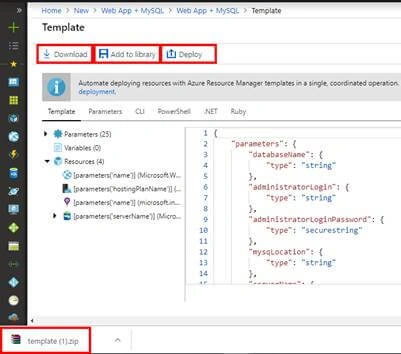
- When you click “Deploy”, you see the full details.
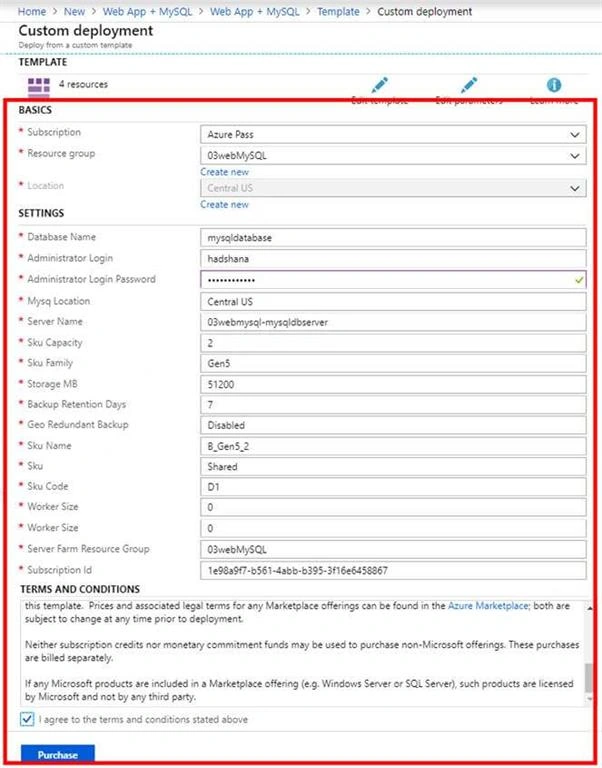
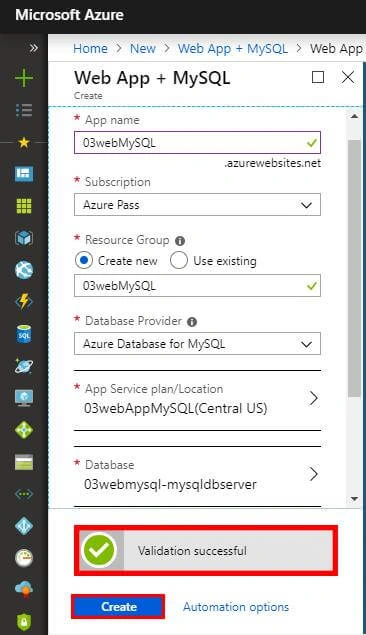
- It returns a “Validation successful” message. Click “Create”.
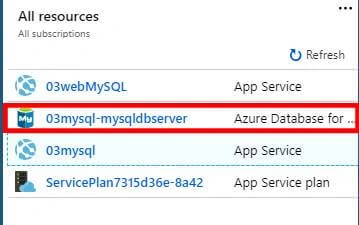
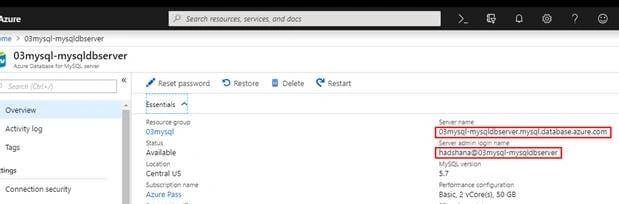
- After deploying, open All resources - Select and Open “03mysql-mysqldbserver(Azure Database for MySQL)”.
- The details will look something like in the image below.
- Open All resources - Select and Open “03WebMySQL (App Service)”.
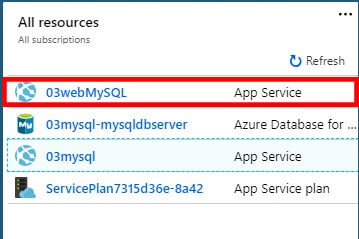
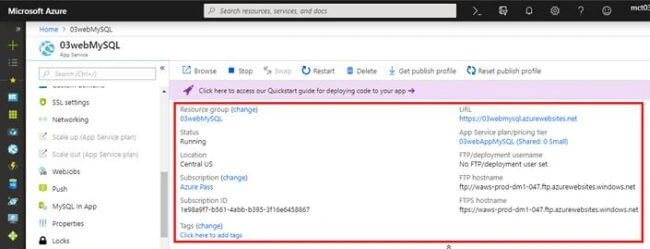
- See the details.
Sana KamalPosted Jun 21, 2019, 10:12 PM
Very Nice Article.
Viknaraj ManogararajahPosted Dec 8, 2018, 9:18 PM
Very good article, nice for sharing!!
Rushi MehtaPosted Dec 8, 2018, 1:28 AM
Explained Very well
Rushi MehtaPosted Dec 8, 2018, 1:28 AM
Nice Srticle Share