

Introduction
In this article, I describe the implementation and use of the Bi-Directional Isolation (Bdi) Tag in HTML5.
Bdi Tag
The <bdi> tag is used on a span of text that is to be isolated from its surrounding text for Bidirectional text formatting. This element is useful when embedding user-generated content with an unknown directionality.
The <bdi> tag is new in HTML5.
Browser Support
The <bdi>tag is currently supported in Firefox and Chrome.
Coding of the <bdi> tag in HTML5
- <!DOCTYPE html>
- <html>
- <head>
- <title>Bdi Tag in HTML5</title>
- </head>
- <body>
- <h1 style="color:Blue">Implementation of <bdi> tag in HTML5</h1>
- <ul>
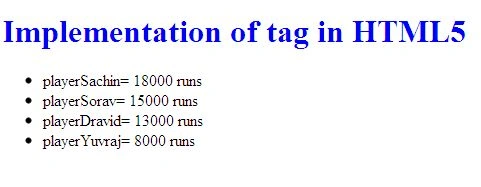
- <li>Player<bdi>Sachin</bdi>= 18000 runs</li>
- <li>Player<bdi>Sorav</bdi>= 15000 runs</li>
- <li>Player<bdi>Dravid</bdi>= 13000 runs</li>
- <li>Player<bdi>Yuvraj</bdi>= 8000 runs</li>
- </ul>
- </body>
- <!html>
Output
Join the conversation! Your thoughts help the community grow.