

Introduction
Here is the story of how I discovered this topic. I was trying to send multiple parameters from parent to child component, it was swell in the beginning but down the road TRex started growing, meaning bigger the application gets more the data had to be sent from parent to child component. Imagine the fishing net of all those parameters?
There has to be a better way to come across this situation and come to think of it there is one, it's called AttributeSplitting.
What is this magical word AttributeSplitting? let's take a walk to uncover the secrets of AttributeSplitting.
Following are the topics being covered in this article, in this same order!
- Why do we need Attribute-Splatting?
- What is Attribute-Splatting & How to use Attribute-Splatting?
Alright, now that we have set the agenda. let's get cracking.
Create a razor component, name it "Child.razor" as per listing 1. Ignore the style in this file, keep your eye on the input element at line number 6.
<div class="boxChild" style="width:350px;">
    <h3 style="padding:5px;">Child</h3>

        <form>
            <label>Name:</label>
            <input type="text"
                   height="20"
                   placeholder="Enter your name!"
                   maxlength="15"
                   size="25"
                   autofocus><br><br>

            <input class="btn btn-success" type="submit" value="Submit">
        </form>

</div>
<style>
    .boxChild {
        background-color: rgb(220, 210, 240);
        border: 5px solid #123524;
        width: 250px;
        margin-left: 30px;
        margin-bottom: 10px;
        padding: 5px;
    }
</style>

@code {

}
Listing 1: Child.razor
The input element on line number 6 has so many attributes such as type, height, placeholder, maxlength, size.
Let's see this in action.
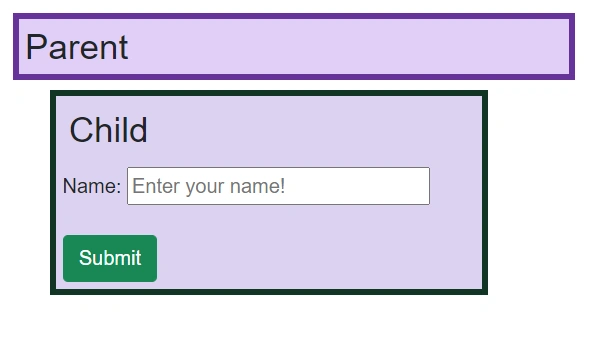
Image 1: Output of Listing 1
1. Why do we need Attribute-Splatting?
The problem occurs when the parent component steps in to set these values for its child component.
Let's see how would that look like?
First, we need to have these attributes exposed for parents to access with [Parameter] and then bind these parameters to the HTML's input tag.
Let's incorporate these changes!
We've modified the input tag at line number 6 and added new parameters from line number 29 in the following listing 2.
<div class="boxChild" style="width:350px;">
    <h3 style="padding:5px;">Child</h3>

        <form>
            <label>Name:</label>
            <input type=@type
                   height=@height
                   placeholder=@placeholder
                   maxlength=@maxlength
                   size=@size
                   autofocus><br><br>

            <input class="btn btn-success" type="submit" value="Submit">
        </form>

</div>
<style>
    .boxChild {
        background-color: rgb(220, 210, 240);
        border: 5px solid #123524;
        width: 250px;
        margin-left: 30px;
        margin-bottom: 10px;
        padding: 5px;
    }
</style>

@code {
    [Parameter]
    public string type { get; set; }
    [Parameter]
    public string height { get; set; }
    [Parameter]
    public string placeholder { get; set; }
    [Parameter]
    public string maxlength { get; set; }
    [Parameter]
    public string size { get; set; }
}
Listing 2: Child.razor with Parameters
Now all we have to do is to create a parent component which will host Child.razor and we will set the values from parent.
In listing 3, we're doing just that! at line number 3 you can see how we are creating an instance of the child component and passing the values from the parent.
@page "/Parent"
<h3 class="box" style="width:450px;padding:5px;">Parent</h3>
<Child type="text"
       height="20"
       placeholder="Enter your name!"
       maxlength="15"
       size="25"></Child>

<style>
.box {
    background-color: rgb(224, 206, 247);
    border: 5px solid rebeccapurple;
}
</style>
@code {

}
Listing 3: Parent.razor
Let's run this to make sure we're on the right path.
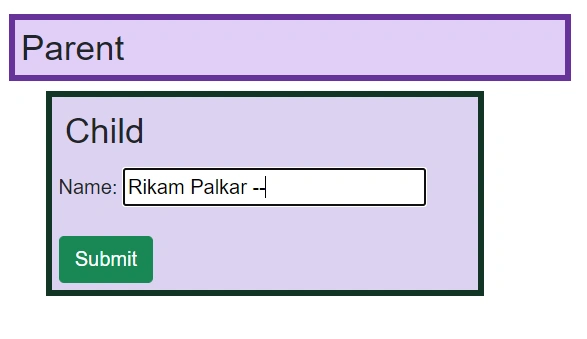
Image 2: Output of Listing 2 and 3
You would notice how it is setting maxlength till 15 characters. So it is working. cool
2. What is Attribute-Splatting & How to use Attribute-Splatting?
Let's ask real question here! What is wrong with it the output in image 2?
It seems to be working fine. Well it may work fine now but when your application grows you're gonna need 10 if not 20 UI elements in this child component and each would have 5-10 attributes, Imagine the number of parameter we have to expose it would easily be more than 100, and it will not only add more lines of code but also it would be harder to read and manage each parameter.
And this is where CustomAttributes comes to rescue. CustomAttributes are the collection of objects. So rather than creating a single parameter for each UI element's attribute, we can simply pass the whole collection of objects.
Values can be stored in objects but the identifier needs to be stored somewhere too, right? For that we are gonna use a Dictionary, so that we can map each key with its value. something like this.
{ "height", "20" },
{ "maxlength", "15" },
{ "size", "25" }
First let's go to the child component, create a dictionary and remove all other unnecessary parameters. Then to bind this dictionary with UI just use "@attributes".
In following listing 4, we are modifying Child.razor, on line number 25 we are creating a dictionary and at line number 6 we are binding it to UI.
As you can see, the UI looks cleaner and the child component doesn't even have to expose 'n' number of parameters.
<div class="boxChild" style="width:350px;">
    <h3 style="padding:5px;">Child</h3>

    <form>
        <label>Name:</label>
        <input @attributes="CustomAttributes" autofocus><br><br>

        <input class="btn btn-success" type="submit" value="Submit">
    </form>

</div>
<style>
    .boxChild {
        background-color: rgb(220, 210, 240);
        border: 5px solid #123524;
        width: 250px;
        margin-left: 30px;
        margin-bottom: 10px;
        padding: 5px;
    }
</style>

@code {
    [Parameter]
    public Dictionary<string, object> CustomAttributes { get; set; }
}
Listing 4: Child.razor with CustomAttributes
Now let's modify parent component. The parent is now responsible to send all details at once. In listing 5, in the code section, we are creating an instance of the dictionary and filling it in the OnInitialized() method, finally at line number 3 we are feeding this object to the child.
@page "/Parent"
<h3 class="box" style="width:450px;padding:5px;">Parent</h3>
<Child CustomAttributes=@CustomAttributes></Child>

<style>
.box {
    background-color: rgb(224, 206, 247);
    border: 5px solid rebeccapurple;
}
</style>
@code {

    public Dictionary<string, object> CustomAttributes { get; set; }

    protected override void OnInitialized()
    {
        CustomAttributes = new()
            {
                { "type", "text" },
                { "height", "20" },
                { "placeholder", "Enter your name!" },
                { "maxlength", "15" },
                { "size", "25" }
            };
    }
}
Listing 5: Parent.razor with CustomAttributes
Let's see if magic happens or not!
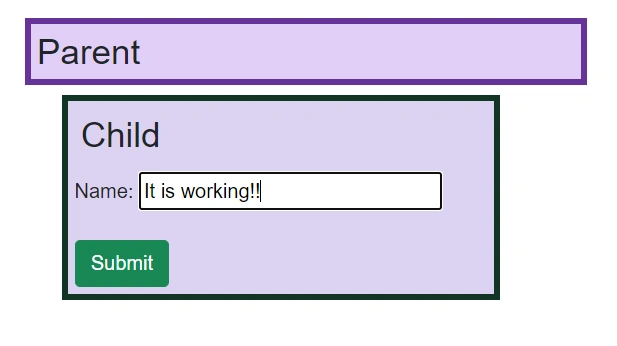
Image 3: Output of Listing 4 and 5.
Rocks like a rain!
To verify the Image 3, here is the snapshot of quickwatch, showing the child component grabbing the data before updating the UI.
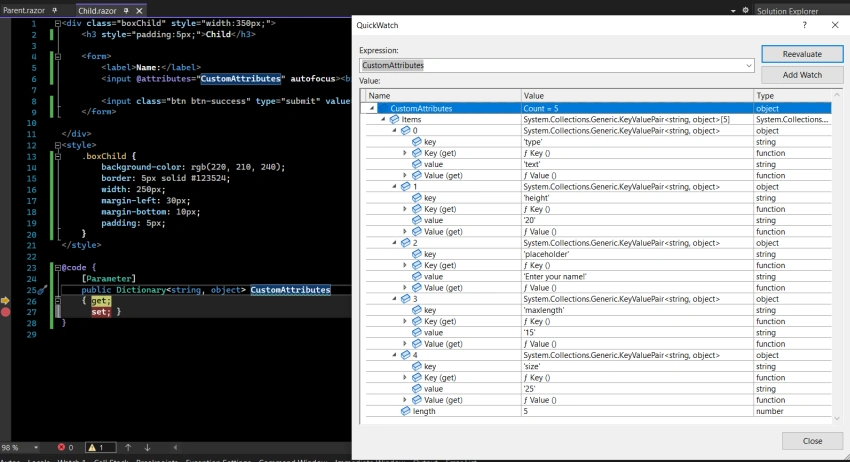
Image 4: quickwatch of object CustomAttributes.
Conclusion
This is how you can use attribute splatting when objects start to get too heavy. It makes code easy to read and it minimizes the chances of human errors, since the UI element is now responsible to manage its own attributes based on the object we pass. This also helps to reduce lines of code which makes code easily maintainable. Plus while working with object oriented programming let's make better use of objects, shall we?
Hit me up @ Linkedin
Join the conversation! Your thoughts help the community grow.