

Problem Statement
This article explains how, as a Power Platform environment Admin you can block access to create GitHub Copilot Harness agent in a specific Environment. As you are aware recently Microsoft has Launched new Copilot Studio experience based on the GitHub Copilot Harness.Unlike Standard Agents, GitHub Copilot Harness solutions consume Copilot Credits and introduce additional governance considerations.Currently at the time of writing this article i do not find any Microsoft Feature available to block GitHub Copilot Harness from Copilot Studio Home Interface.
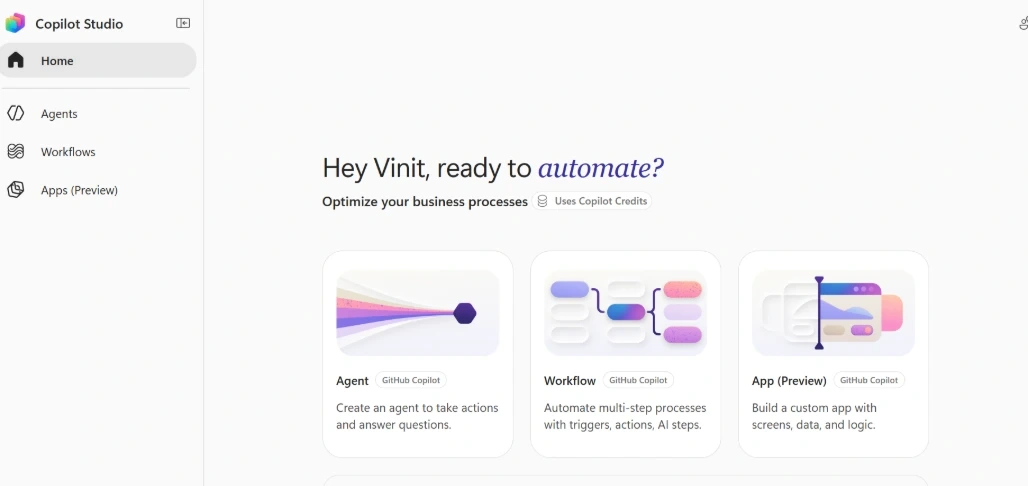
As an environment admin we want to block the access so no Business user can create the GitHub Copilot Harness until we properly have Governance and Copilot Credit consumption Framework in place.
Solution
Prerequisites
You should be at least the Environment Administrator of your Environment where you want to block creation of GitHub Copilot Harness Agent.
Step 1
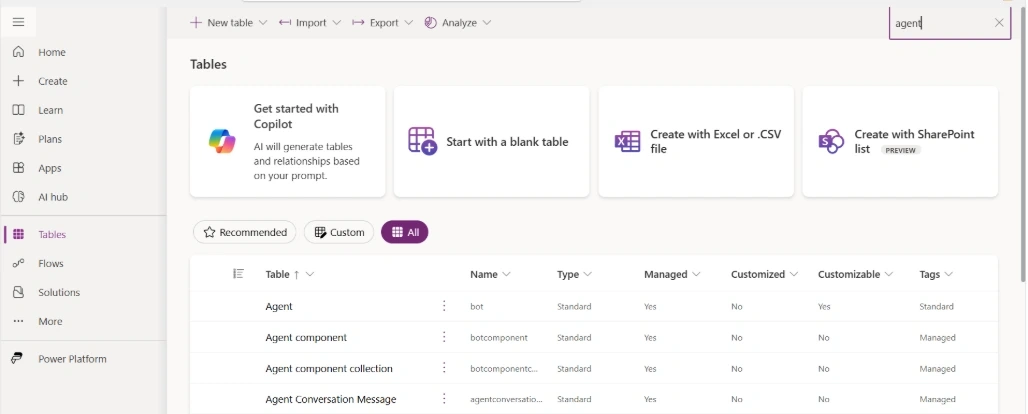
Go to Your Environment Tables, click on Tab ALL and search for Agent table.
https://make.powerapps.com/environments/{Enviornment ID}/entities
Step 2
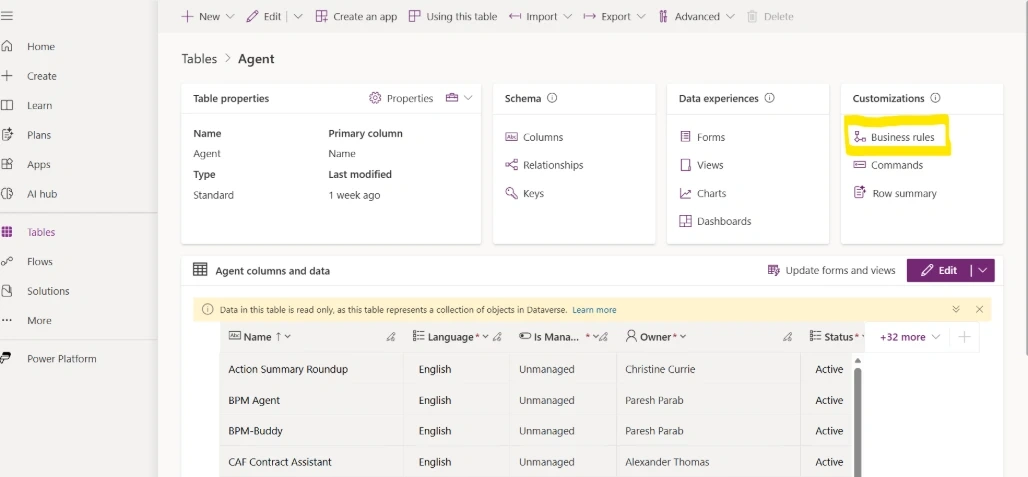
Go to Agent Table, click on Business Rules as Highlighted in below image.
Step 3
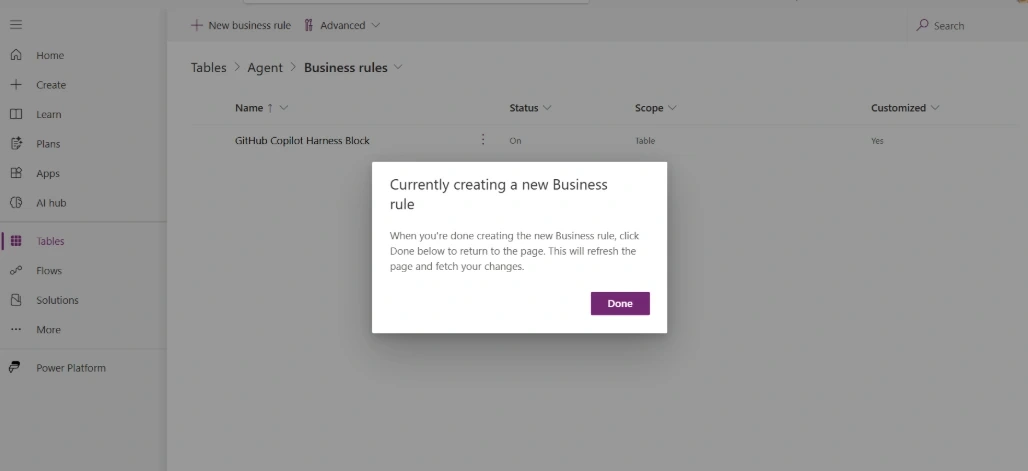
Click on the “Business Rule", it will redirect to a page as below and then Add New Business Rules.
Step 4
Page will redirect to a new tab where you will create new Business rule , it will add a Condition Block as below. In Condition Block have a condition like (Template Contains [cliagent]). So we are going to block GitHub Copilot Harness agent, as we know all Github Harness Copilot agent is created with Template "Cliagent", obviously different version so i have used Contains in Condition. This logic is workaround only and should not be used for Permanent solution as Microsoft might change the Template Name completly.
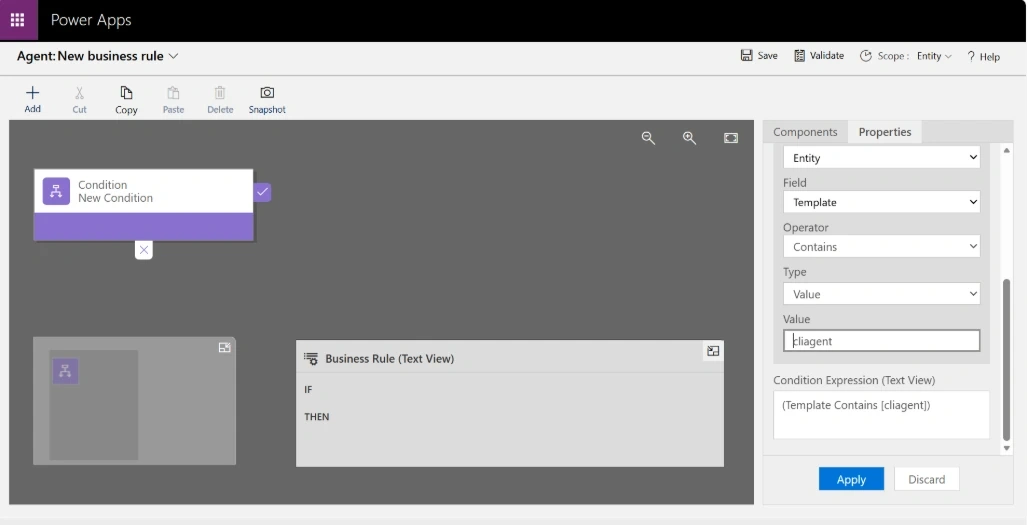
Step 4
Once Condition satisfied, we should show a Error Message to the user saying you can not create GitHub Copilot Harness agent. for that Use Show Error Message Action as below for Status. You can write any Message for user information but links are not allowed here. Save and Activate your Business rule.
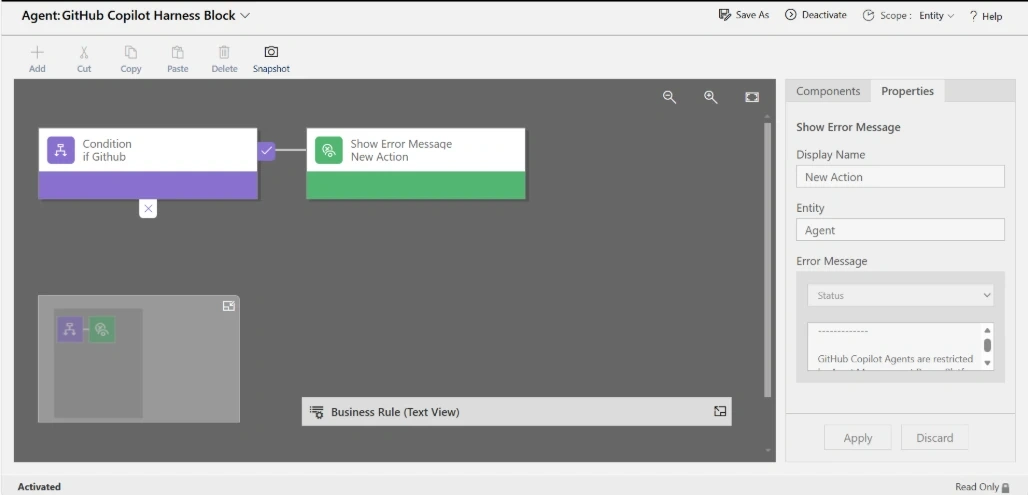
So now you have business rule ready for action on Agent table in Dataverse, whenever an agent created with Template Contains "cliegent", it will show a error message to the user
Output for User
A user now trying to create a GitHub Copilot Harness in the environment where Business Rule is in place will have error message displayed as below
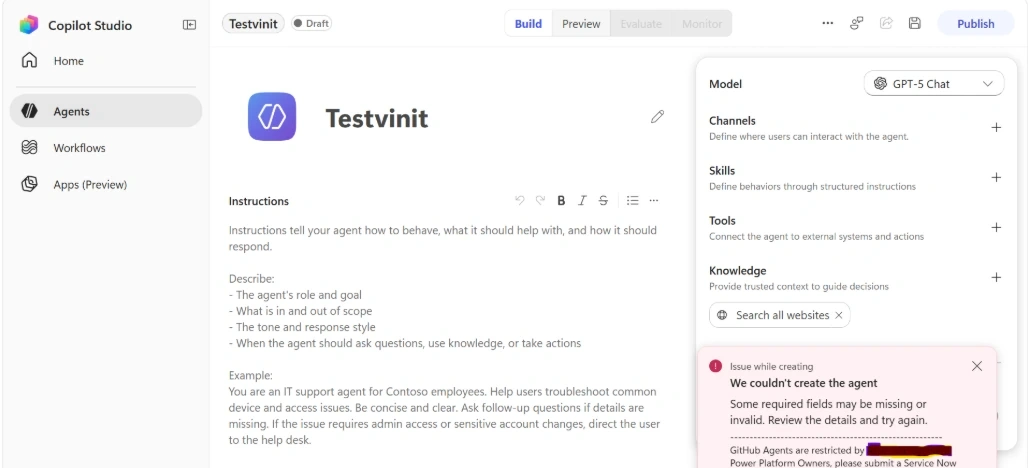
Summary
In this article, I have discussed how a Environment admin can block GitHub Copilot Harness Agent creation from Copilot Studio by applying a Business Rule on Agent table in Dataverse.
Caution : its a workaround solution, but may be Microsoft will come with Permanent solution so Administrator has option to block GitHub Copilot Harness in Specific Environment.
Join the conversation! Your thoughts help the community grow.