

Border is a control that draws border, background or both around another control. It Is a container control such as Grid but you can declare only 1 child element inside it. You must add another container control like Grid or StackPanel to add more controls inside.
Border control looks like the following:

Here's how we declare it inside XAML:
Here's how we declare it inside XAML:
- <Border BorderBrush="Black" BorderThickness="1" Height="203" Width="343">
- //Container Controls or a child control can be declared here
- </Border>
Let's make another example on how to declare it.
Here's an example how to use single child control in a Border Control:
- <Border BorderBrush="Black" BorderThickness="1" HorizontalAlignment="Left" Height="203"
- Margin="136,103,0,0" VerticalAlignment="Top" Width="343">
- <CheckBox Content="Tick me!" />
- </Border>
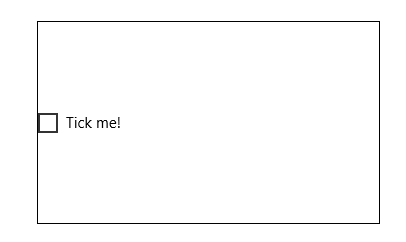
Here's another example how to use StackPanel to contain many child controls inside a Border Control:
- <Border BorderBrush="Black" BorderThickness="1" HorizontalAlignment="Left" Height="203"
- Margin="136,103,0,0" VerticalAlignment="Top" Width="343">
- <StackPanel>
- <CheckBox Content="Tick Me"/>
- <CheckBox Content="Tick Me Too"/>
- <CheckBox Content="Tick Me Last"/>
- </StackPanel>
- </Border>
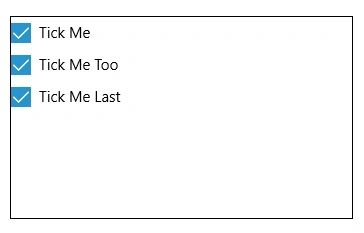
Border control is useful if you are going to contain or group controls inside a visually bordered control.
Santhakumar MunuswamyPosted Oct 25, 2015, 11:55 AM
Good one
Priyaranjan K SPosted Oct 19, 2015, 12:43 PM
Good Write Up
Sibeesh VenuPosted Oct 19, 2015, 8:53 AM
Nice Share
Nilesh JadavPosted Oct 19, 2015, 8:07 AM
Thank you for sharing
Harshad PansuriyaPosted Oct 19, 2015, 6:30 AM
Nice
Mukesh KumarPosted Oct 19, 2015, 5:11 AM
Good One Sir... Thanks for sharing