

Introduction
In this article I will explain about creating a bot using Bot builder SDK with .NET, The bot builder is an open source SDK with support of .NET ,REST, Node.JS, etc. Bots can be developed using visual studio by managing the NUGET packages and bot builder SDK for.net, the following article will help to build a bot and test with the bot framework emulator.
Prerequisites
- Visual Studio 2017.
- Bot framework emulator.
Steps to be followed to create a bot
Step 1
Open Visual Studio 2017.
Step 2
Click->new->visual c#->Bot application->provide a name for the bot and click->create.
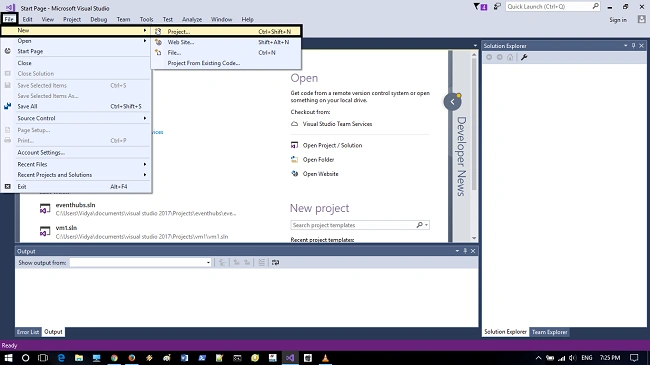
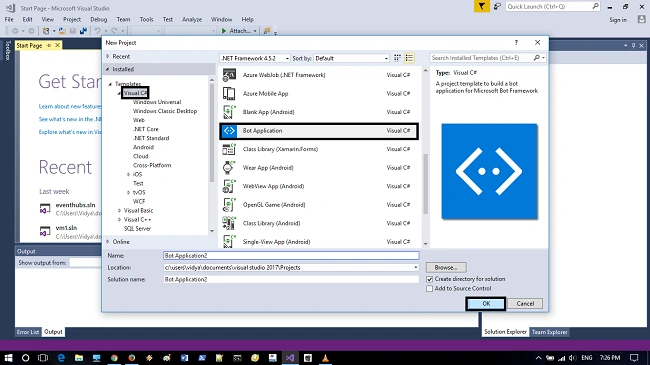
Step 3
The bot application will be created using the Bot application template, the application will contain all the requirements that are needed to build an bot service. Now we need to update it to the latest version of SDK, using NUGET packages.
Right click->project-> click->Manage NUGET packages.
Switch->Browse tab-> and search for Microsoft.Bot.Builder package and update the package to the latest version of it.
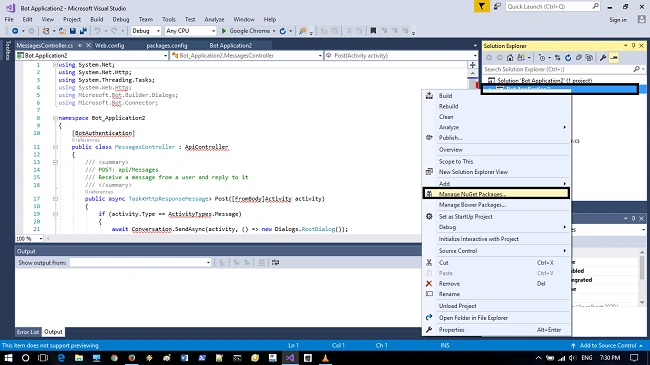
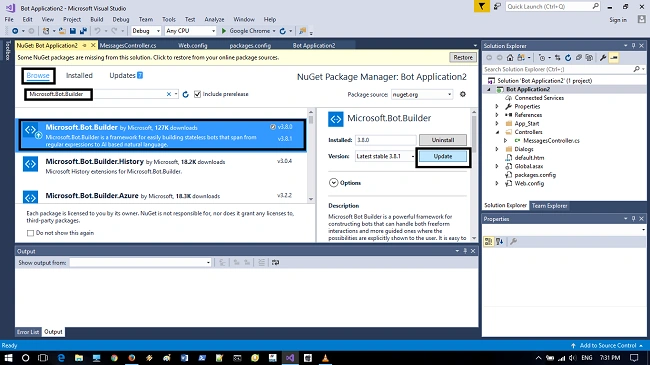
Wait till the package gets updated and the project contains all the requirements for building a bot so that we need not write any codings.
Step 4
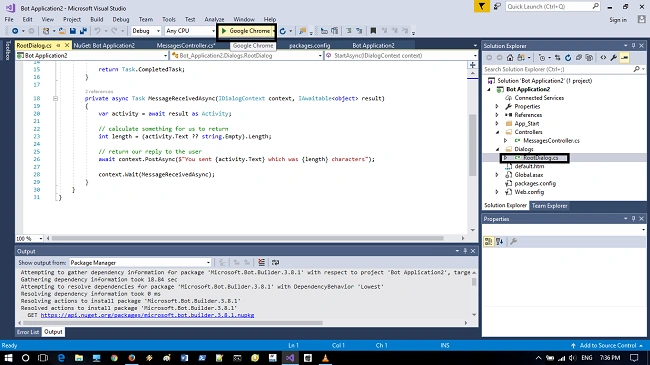
select->controllers\MessagesController.CS in the right side of the solution explorer and the bot requirements will be available as described below
- [BotAuthentication]
- public class MessagesController: ApiController {
- /// <summary>
- /// POST: api/Messages
- /// Receive a message from a user and reply to it
- /// </summary>
- public async Task < HttpResponseMessage > Post([FromBody] Activity activity) {
- if (activity.Type == ActivityTypes.Message) {
- await Conversation.SendAsync(activity, () => new Dialogs.RootDialog());
- } else {
- HandleSystemMessage(activity);
- }
- var response = Request.CreateResponse(HttpStatusCode.OK);
- return response;
- }...
- }
Join the conversation! Your thoughts help the community grow.