

Forms play a crucial role in any web application, especially when collecting structured user data. But long, single‑page forms can overwhelm users, reduce engagement, and negatively impact completion rates.
To solve this, I recently built a fully customized multi-step form in Microsoft Power Pages—designed to improve usability, guide users step-by-step, and deliver a clean, professional interface.
This solution blends Power Pages’ low-code strengths with custom styling to create a seamless form experience.
Objective
Design and implement a multi-step form in Power Pages that is:
User-friendly
Visually appealing
Fully responsive
Easy to maintain
Built with standard Power Pages features + custom CSS enhancements
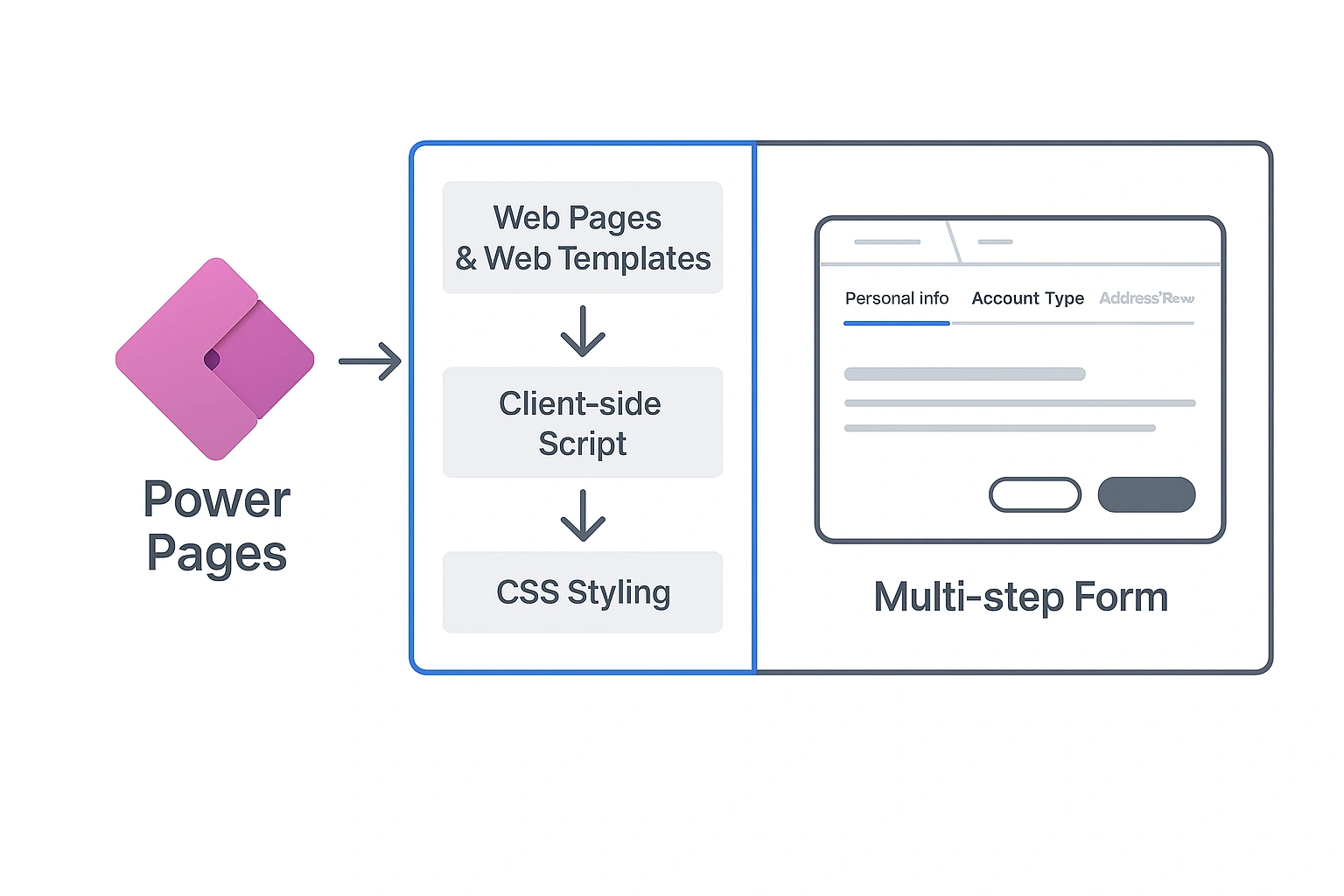
✨ What I Built
The multi-step form includes:
1️⃣ Step-by-Step Navigation
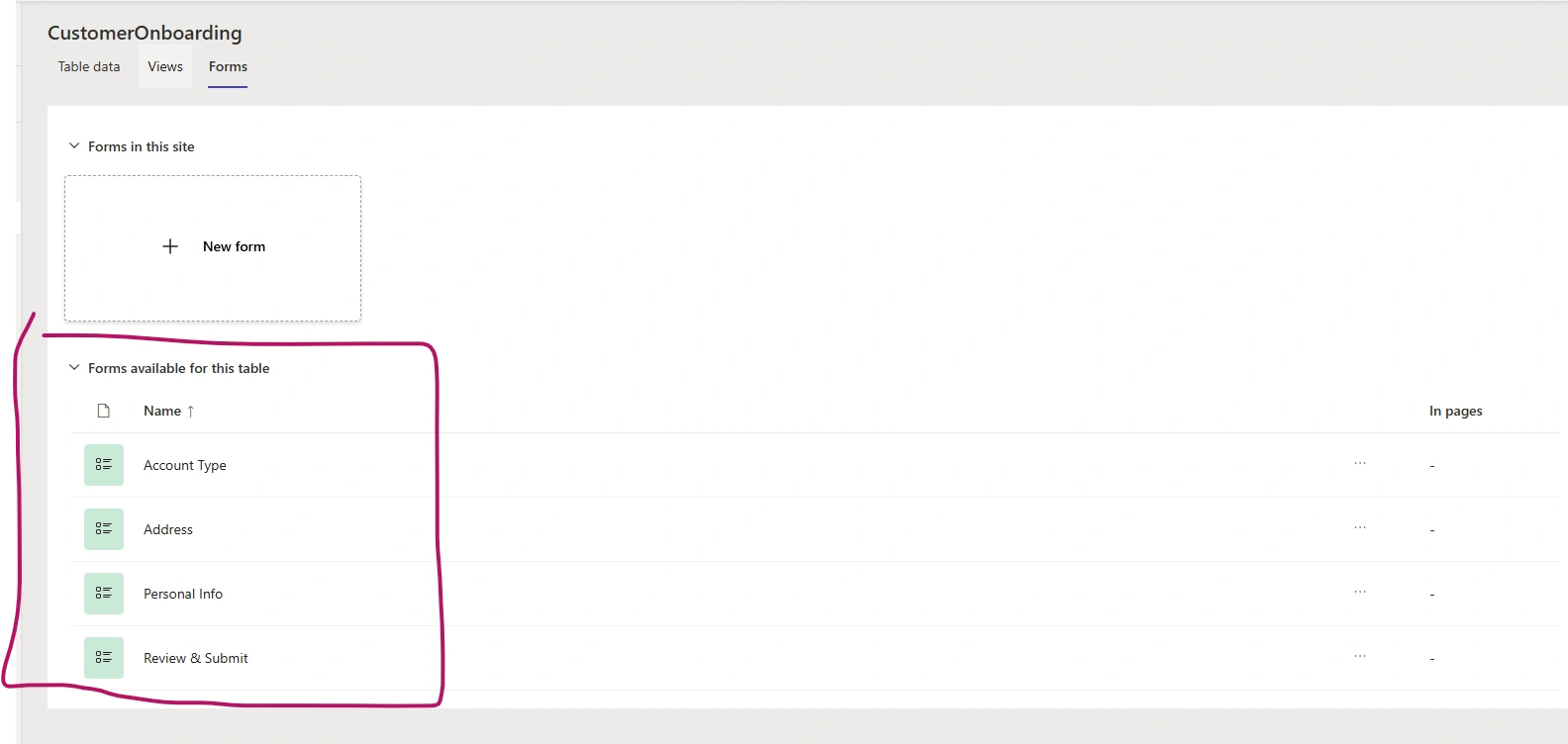
The form is divided into clear, structured steps:
Personal Information
Account Type Selection
Address Details
Review & Submit
This layout helps users focus on one section at a time, reducing cognitive load and improving completion rates.
2️⃣ Custom, Modern UI Styling
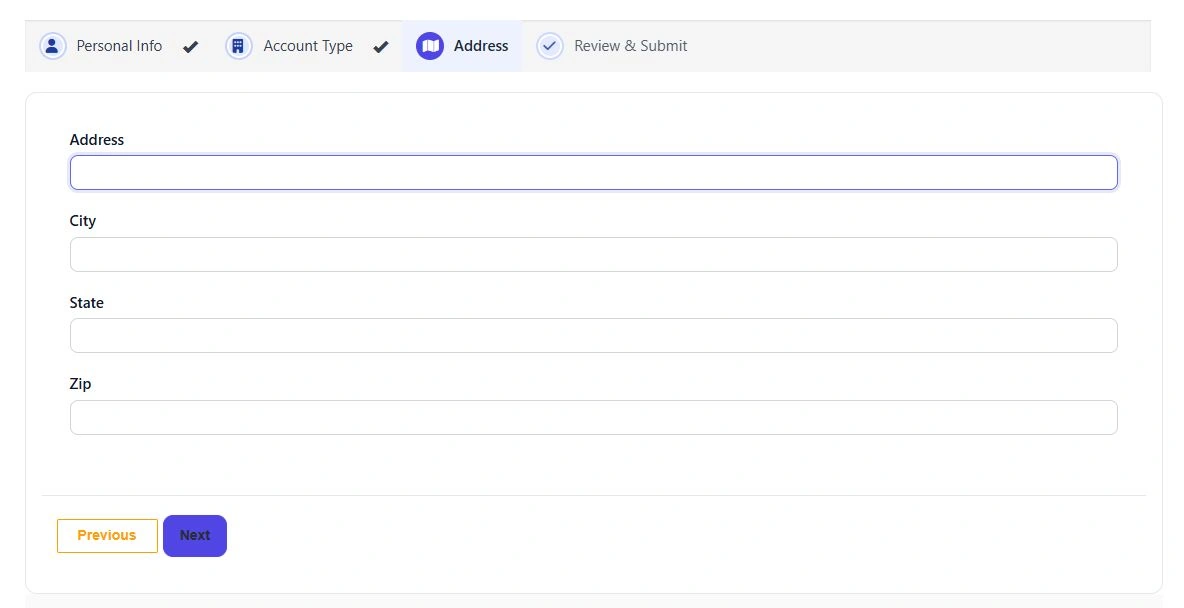
Using custom CSS, I enhanced the look-and-feel of the form with:
Clean step indicators
Highlighted active steps
Smooth transitions
Spacing & typography adjustments
Visual consistency across all fields
The result is a premium, app-like experience inside Power Pages.
3️⃣ Responsive Design
The form adapts beautifully across devices:
Desktop → Multi‑column smooth layout
Tablet → Compact and centered
Mobile → Stacked, easy-to-scroll interface
Ensuring accessibility for all users.
4️⃣ Enhanced User Experience
Several user experience improvements were added:
✔ Clear visual feedback when navigating steps
✔ Validation per step
✔ “Back” and “Next” buttons for smooth progression
✔ A final review page before submission
These small touches collectively elevate the form’s professionalism.
🛠️ How It Works Behind the Scenes
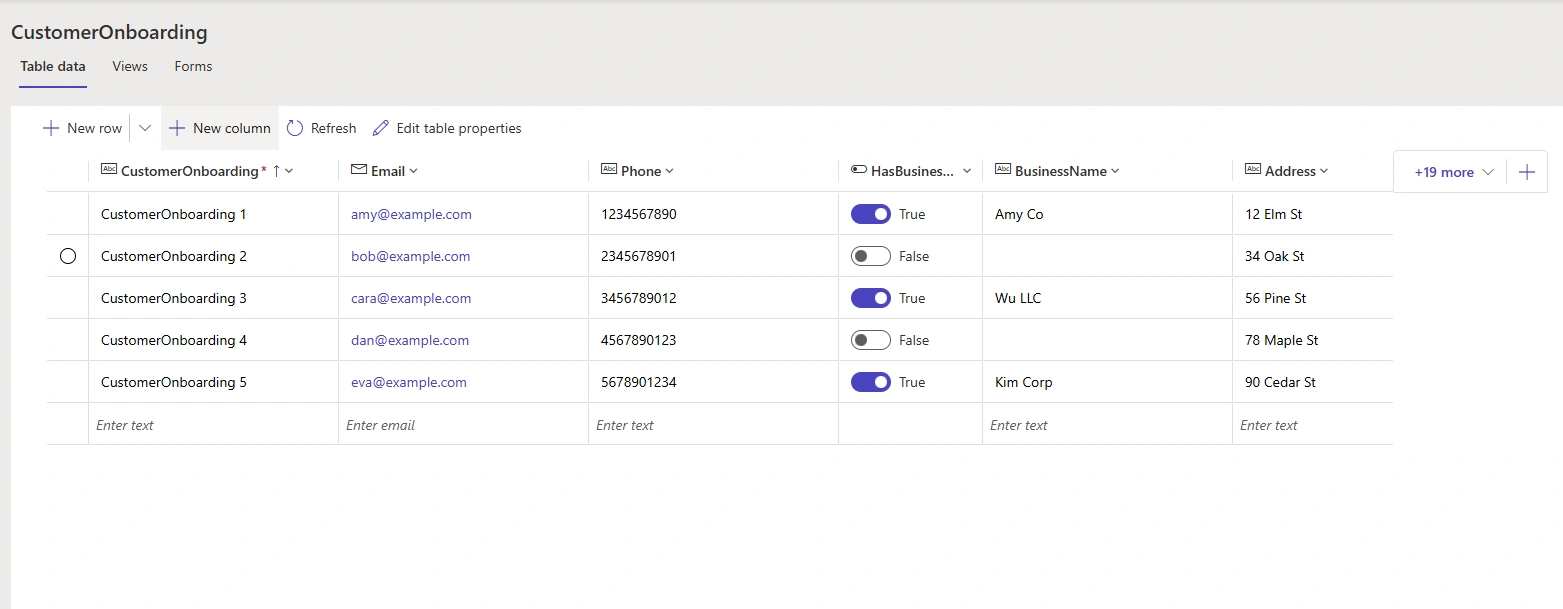
Power Pages Forms
The core form is built using:
Multi-form approach
Form metadata
Web pages handling navigation
Web templates to conditionally show content
Custom CSS
A dedicated web file manages:
Step indicators
Button styling
Section spacing
Mobile responsiveness
/* =========================================
   Progress Stepper (Classic Web Form)
   ========================================= */

/* Scoped to your current GUID-based container */
#WebFormControl_1bfd7ef7c97e4cb5955b46d057151071_ProgressIndicator {
  padding-right: 12px;
}

#WebFormControl_1bfd7ef7c97e4cb5955b46d057151071_ProgressIndicator .progress.list-group.left {
  list-style: none;
  margin: 0;
  padding: 0;
  border-radius: 10px;
  background: #f7f9fc;
  border: 1px solid #e6e9ef;
  overflow: hidden;
}

#WebFormControl_1bfd7ef7c97e4cb5955b46d057151071_ProgressIndicator .list-group-item {
  display: flex;
  align-items: center;
  gap: 10px;
  padding: 12px 14px;
  border: none;
  background: transparent;
  color: #374151; /* slate-700 */
  position: relative;
  transition: background .2s ease, color .2s ease, opacity .2s ease;
}

/* Icon bubble (base) */
#WebFormControl_1bfd7ef7c97e4cb5955b46d057151071_ProgressIndicator .list-group-item::before {
  content: "";
  width: 28px; height: 28px;
  border-radius: 50%;
  background: #e0e7ff;   /* indigo-100 */
  border: 2px solid #c7d2fe;
  flex: 0 0 28px;
  box-shadow: inset 0 0 0 2px #fff;
  position: relative; /* ensure proper stacking */
}

/* >>> NEW: Icon over bubble (Font Awesome) <<< */
#WebFormControl_1bfd7ef7c97e4cb5955b46d057151071_ProgressIndicator .list-group-item::after {
  position: absolute;
  left: 21px;
  top: 50%;
  transform: translateY(-50%);
  font-family: "Font Awesome 6 Free"; /* FA6 solid */
  font-weight: 900;
  font-size: 14px;
  line-height: 1;
  color: #1f3b9f; /* default icon color on incomplete */
  content: ""; /* set per step below */
}

/* >>> NEW: Per-step icons (FA codepoints) <<< */
#WebFormControl_1bfd7ef7c97e4cb5955b46d057151071_ProgressIndicator .list-group-item:nth-child(1)::after { content:"\f007"; } /* fa-user */
#WebFormControl_1bfd7ef7c97e4cb5955b46d057151071_ProgressIndicator .list-group-item:nth-child(2)::after { content:"\f1ad"; } /* fa-briefcase */
#WebFormControl_1bfd7ef7c97e4cb5955b46d057151071_ProgressIndicator .list-group-item:nth-child(3)::after { content:"\f279"; } /* fa-map-marker-alt */
#WebFormControl_1bfd7ef7c97e4cb5955b46d057151071_ProgressIndicator .list-group-item:nth-child(4)::after { content:"\f00c"; } /* fa-check */

/* Active state */
#WebFormControl_1bfd7ef7c97e4cb5955b46d057151071_ProgressIndicator .list-group-item.active {
  background: #eef2ff;   /* indigo-50 */
  color: #1f2937;        /* gray-800 */
  font-weight: 600;
}
#WebFormControl_1bfd7ef7c97e4cb5955b46d057151071_ProgressIndicator .list-group-item.active::before {
  background: #4f46e5;   /* indigo-600 */
  border-color: #4f46e5;
  box-shadow: none;
}
/* Make icon white on active */
#WebFormControl_1bfd7ef7c97e4cb5955b46d057151071_ProgressIndicator .list-group-item.active::after {
  color: #fff;
}

/* Incomplete state */
#WebFormControl_1bfd7ef7c97e4cb5955b46d057151071_ProgressIndicator .list-group-item.incomplete {
  opacity: 0.85;
}

/* Completed state */
#WebFormControl_1bfd7ef7c97e4cb5955b46d057151071_ProgressIndicator .list-group-item.completed {
  color: #065f46;        /* emerald-800 */
}
#WebFormControl_1bfd7ef7c97e4cb5955b46d057151071_ProgressIndicator .list-group-item.completed::before {
  background: #10b981;   /* emerald-500 */
  border-color: #10b981;
  color: #fff;
  content: "✓";
  display: inline-flex;
  align-items: center;
  justify-content: center;
  font-weight: 700;
}
/* Make icon white on completed */
#WebFormControl_1bfd7ef7c97e4cb5955b46d057151071_ProgressIndicator .list-group-item.completed::after {
  color: #fff;
}

/* Hover/focus for better UX */
#WebFormControl_1bfd7ef7c97e4cb5955b46d057151071_ProgressIndicator .list-group-item:hover {
  background: #f0f4ff;
}
#WebFormControl_1bfd7ef7c97e4cb5955b46d057151071_ProgressIndicator .list-group-item:focus {
  outline: 2px solid #6366f1; outline-offset: 2px;
}

/* =========================================
   Form Panel
   ========================================= */
#WebFormPanel.crmEntityFormView {
  background: #fff;
  border: 1px solid #e5e7eb;
  border-radius: 12px;
  padding: 16px;
}

#EntityFormView .field-label {
  font-weight: 600;
  color: #111827; /* gray-900 */
}

#EntityFormView .form-control {
  border-radius: 8px;
  border-color: #d1d5db; /* gray-300 */
  box-shadow: none;
  transition: border-color .15s ease, box-shadow .15s ease;
}

#EntityFormView .form-control:focus {
  border-color: #6366f1; /* indigo-500 */
  box-shadow: 0 0 0 3px rgba(99,102,241,.15);
  outline: none;
}

/* Validation summary */
#ValidationSummaryEntityFormView.validation-summary {
  border-radius: 10px;
  border: 1px solid #fecaca; /* red-200 */
  background: #fee2e2;       /* red-100 */
  color: #7f1d1d;            /* red-900 */
}
#ValidationSummaryEntityFormView .validation-header {
  font-size: 1rem;
  margin-bottom: 8px;
}

/* Buttons */
#NextButton.btn.btn-primary.button.next.submit-btn {
  border-radius: 10px;
  background: #4f46e5; /* indigo-600 */
  border-color: #4f46e5;
  padding: 10px 16px;
  font-weight: 600;
  transition: background .15s ease, border-color .15s ease;
}
#NextButton:hover {
  background: #4338ca; /* indigo-700 */
  border-color: #4338ca;
}

/* =========================================
   Mobile layout
   ========================================= */
@media (max-width: 768px) {
  .div-left {
    width: 100% !important;
    margin-bottom: 12px;
  }
  .right.col-md-10 {
    width: 100% !important;
  }
  /* Tighten padding on small screens */
  #WebFormControl_1bfd7ef7c97e4cb5955b46d057151071_ProgressIndicator .list-group-item {
    padding: 10px 12px;
    gap: 8px;
  }
}

/* =========================================
   Fallback (GUID-agnostic) — use if ID changes
   ========================================= */
.crmEntityFormView + .div-left .progress.list-group.left .list-group-item,
.crmEntityFormView ~ #WebFormControl_ProgressIndicator .list-group-item {
  /* Fallback scope example */
}
Client-Side Logic
A bit of JavaScript is used for:
Step switching
Validations
Review page population
All lightweight and optimized.
document.addEventListener('DOMContentLoaded', function() {
  const list = document.querySelector('#WebFormControl_1bfd7ef7c97e4cb5955b46d057151071_ProgressIndicator .list-group.left');
  const nextBtn = document.getElementById('NextButton');
  function markCompleted() {
    // Mark all items before the active one as completed
    const items = Array.from(list.querySelectorAll('.list-group-item'));
    const activeIndex = items.findIndex(li => li.classList.contains('active'));
    items.forEach((li, idx) => {
      li.classList.toggle('completed', idx < activeIndex);
      li.classList.toggle('incomplete', idx > activeIndex);
    });
  }
  markCompleted();
  nextBtn?.addEventListener('click', function() {
    // Let portal handle navigation, then update classes after a short delay
    setTimeout(markCompleted, 500);
  });
});
🔚 Final Thoughts
Working with Power Pages continues to prove that low code doesn’t mean low design quality. By combining out-of-the-box capabilities with carefully crafted CSS and form structuring, we can deliver rich, modern, and user-friendly web experiences.
This multi-step form is a great example of how thoughtful design choices and Power Pages flexibility come together to create impactful solutions.
Join the conversation! Your thoughts help the community grow.