
In this example, I have created a custom control in which I took image and a textblock to make a simple Tile.
- Create a Blank Universal Windows Project.
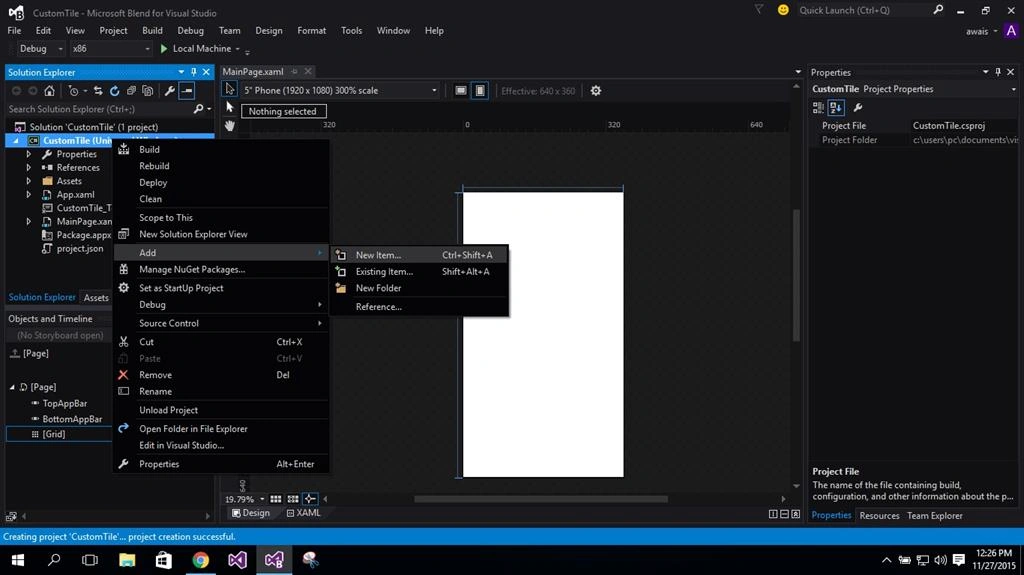
- Right click on your project, Add, then click New item.
- Choose User Control and Add.

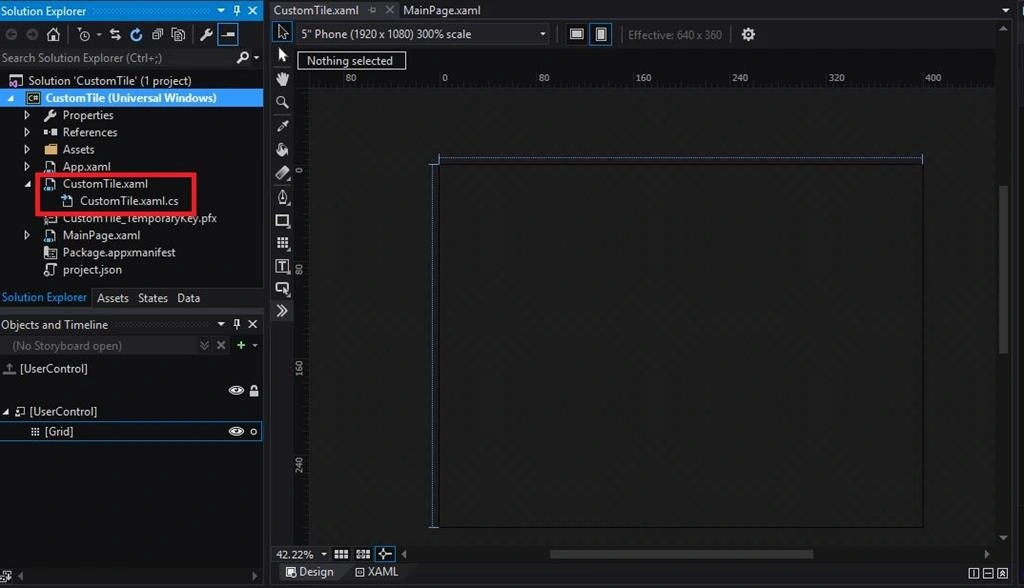
- After adding User control you will see the following two files (.xaml and xaml.cs),
- Colour the background of your control.

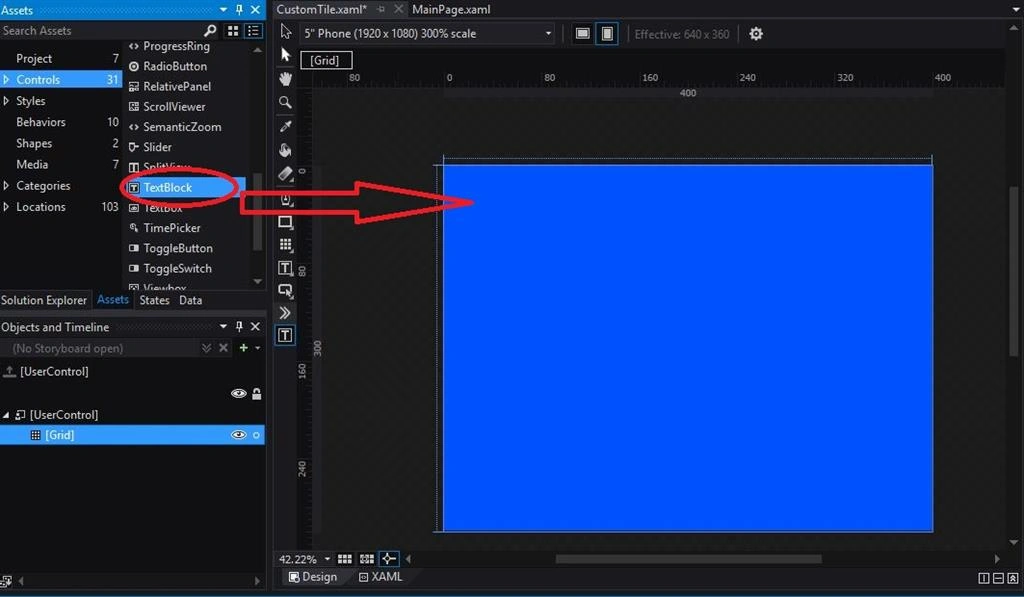
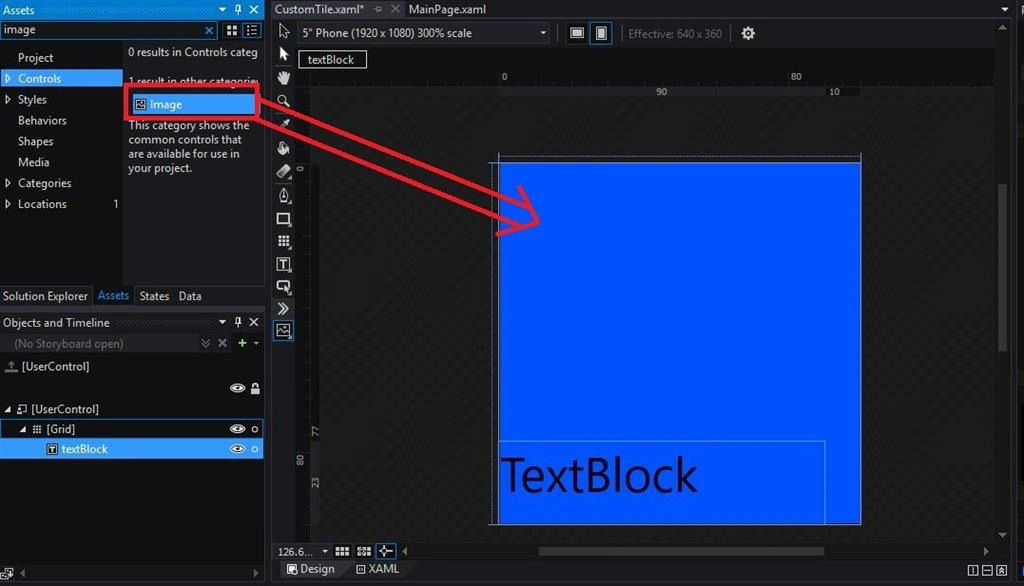
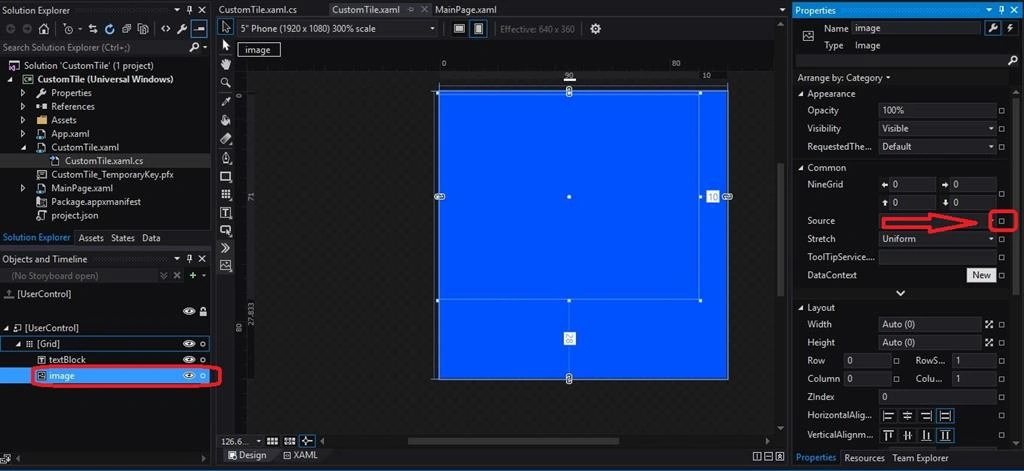
- Drag and drop the Textblock and Image tag.
- Now choose the .xaml.cs file of your control and Add dependency properties. Dependency properties are those which depend on your controls.
E.g. textblock.text
In this example text property is dependent to textblock.
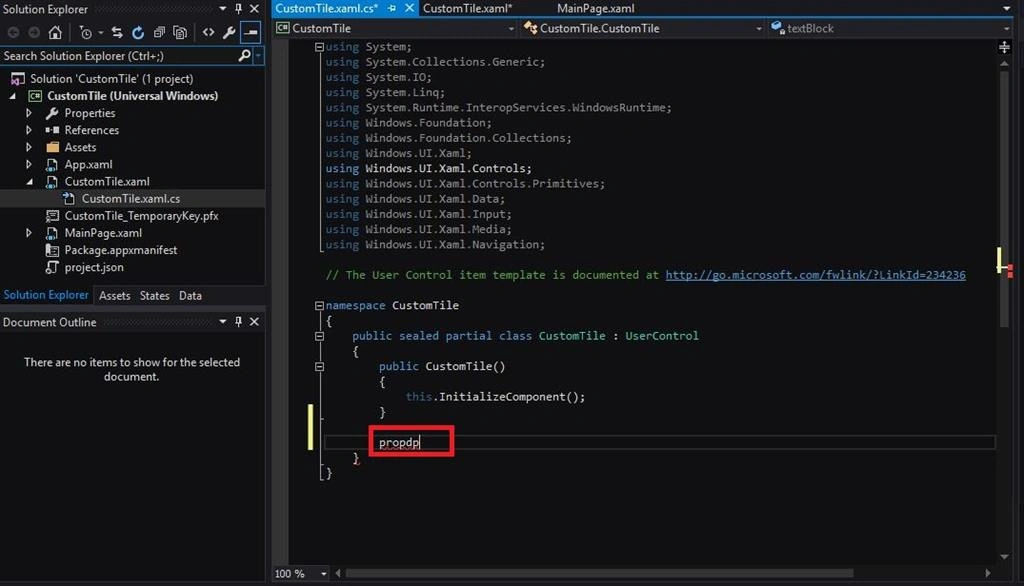
- Type "propdp" and press tab buttons two times from your keyboard. Visual Studio will automatically generate property code.
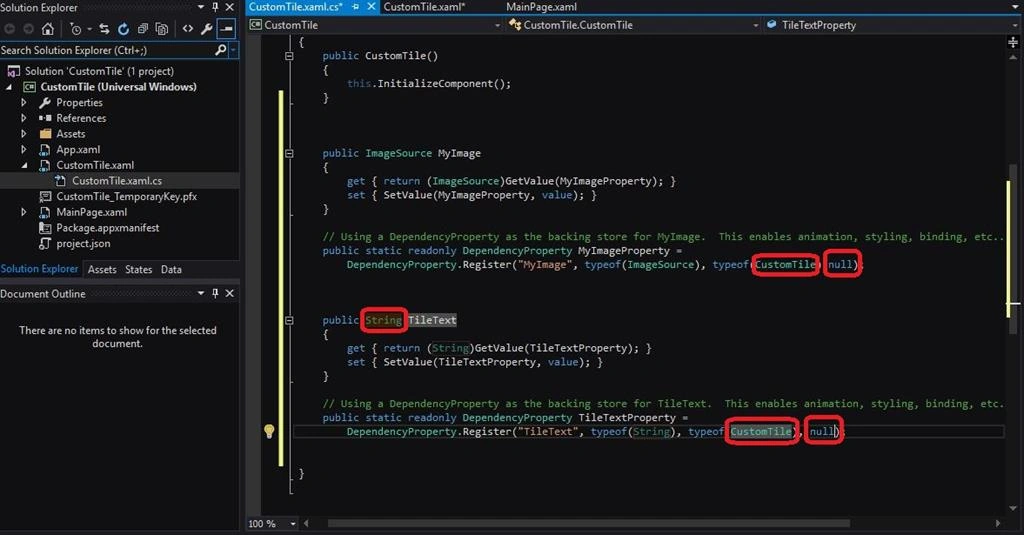
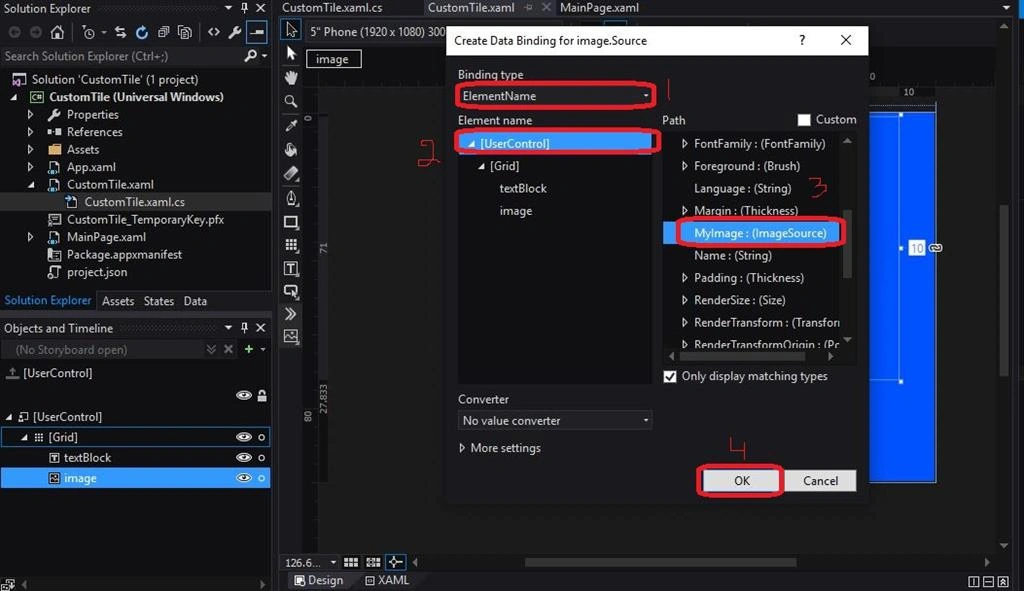
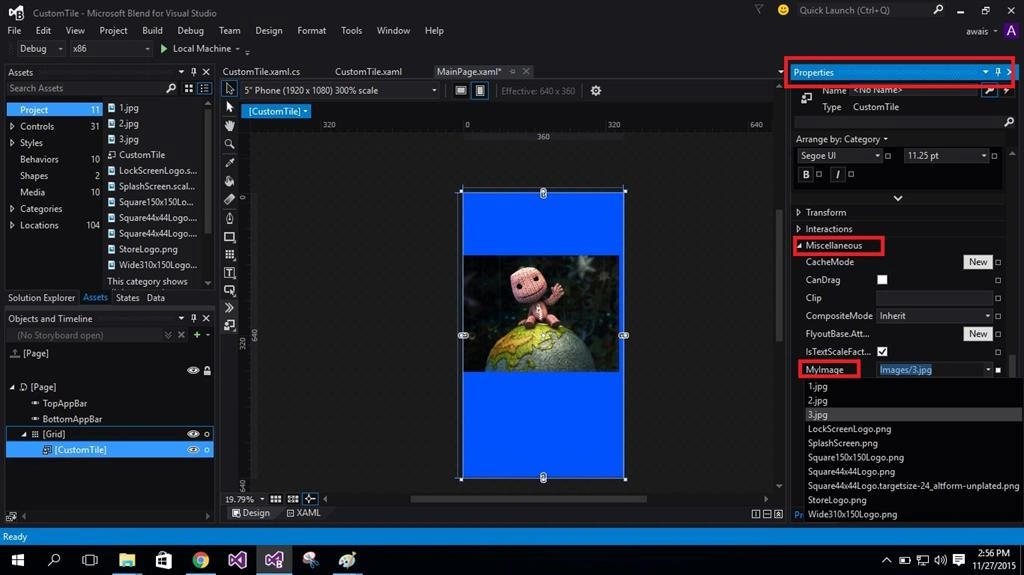
The following is the Property of image which I will draw in my custom control:
- Set return type to "ImageSource" and rename your property as you like.
- Change owner class name to name of your User control name and set metadata to Null.




Asfend YarPosted Feb 21, 2016, 4:43 AM
nice
Mukesh KumarPosted Nov 30, 2015, 2:08 AM
Good Job
Sibeesh VenuPosted Nov 30, 2015, 2:07 AM
Nice Share
Banketeshvar NarayanPosted Nov 30, 2015, 1:20 AM
Good Start... Nice Share
Santhakumar MunuswamyPosted Nov 29, 2015, 11:44 PM
Good one