

When building a program structure, sometimes several classes need to exchange information with each other without knowing each other directly. With this, it becomes possible to accompany those classes independently of each other, to expand them easily.
PS: you can download the source code from the repository. Don't forget to star if you like it. :)
public class Subscriber {
    private string _name;
    public Subscriber(string name) {
        this._name = name;
    }
    public void NotifyMe(string filename, string folder) {
        Console.WriteLine($ "{_name}, `{filename}` removed from {folder}");
    }
}
The Observer Design pattern is for implementing the notification, subscription, and process that we encounter in real life. If you can subscribe to any person, or channel on social networks, various sites, and portals, it means that the system uses the Observer design pattern directly or indirectly.
Delegates are one of the most interesting topics encountered while learning .NET/C#, which many people do not fully understand, will be used in this article when establishing a 1-to-1 relationship between classes. So, our program will inform the subscribed object about the changes that occur in it.
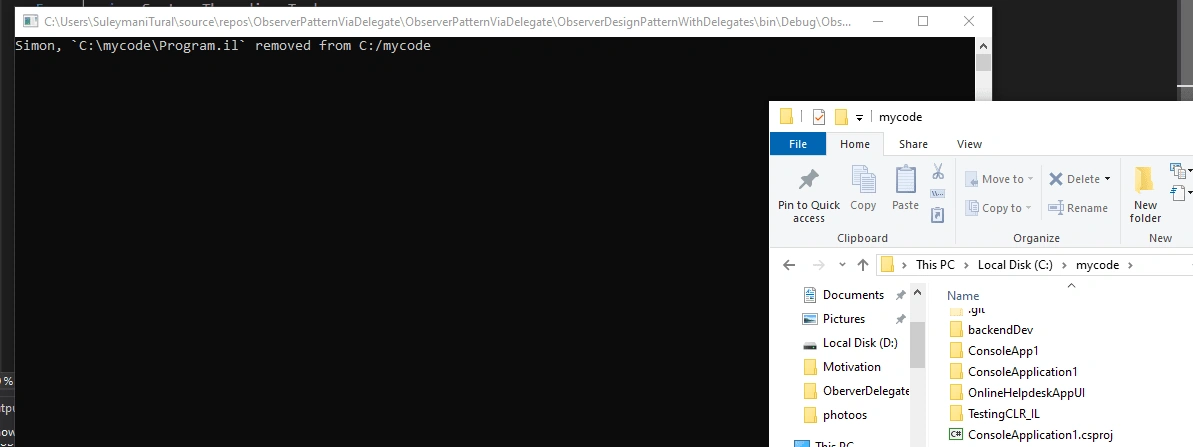
The program we will write will monitor any folder in the operating system and if any file in that folder is deleted, it will inform the subscriber about it.
Let's first prepare for the Subscriber class in the program. What this class will do is simply get the name of the deleted file and the folder where the file is deleted via the NotifyMe method and display it on the screen.
Our DirectoryMonitor class starts monitoring the selected directory through the StartMonitoring() method. If one or more files in the folder are deleted, our GetDeletedFiles() method gives us information about it.
public class DirectoryMonitor {
    private readonly List < string > _filesInFolder;
    public string MonitoredDirectory {
        get;
        private set;
    }
    public DirectoryMonitor(string foldernameToMonitor) {
        MonitoredDirectory = foldernameToMonitor;
        _filesInFolder = new List < string > ();
    }
    ///
    /// Check if we can monitor given folder from ctor..
    ///
    ///
    public bool StartMonitoring() {
        if (!Directory.Exists(MonitoredDirectory)) {
            return false;
        }
        var directoryInfo = new DirectoryInfo(MonitoredDirectory);
        foreach(var fileInfo in directoryInfo.GetFiles()) {
            _filesInFolder.Add(fileInfo.FullName);
        }
        return true;
    }
    public List < string > GetDeletedFiles() {
        var result = new List < string > ();
        foreach(var file in _filesInFolder.ToArray()) {
            if (!File.Exists(file)) {
                _filesInFolder.Remove(file);
                result.Add(file);
            }
        }
        return result;
    }
}
Join the conversation! Your thoughts help the community grow.