

In this article, I going to give the shortest solution for the error “The Process Cannot Access the file XXX because it is being used by another Process”.
My Code
if (!File.Exists(FileName))
{
    File.Create(FileName);
}

File.AppendAllText(FileName, MyStringBuilder.ToString());
The above one is my code. I am trying to create a file using the specific path if the file does not exist. Then, I'm trying to append my StringBuilder text into that file.
When I ran the above code while appending - I got the error “The Process Cannot Access the file XXX(FilePath) because it is being used by another Process”. So, I searched on many sites to overcome this error but couldn't find the exact solution to solve this.
Here are some answers,

Source: www.stackoverflow.com

Source: www.stackoverflow.com
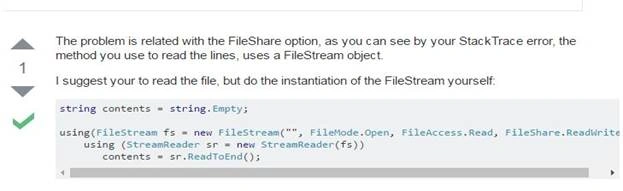
Source: www.stackoverflow.com
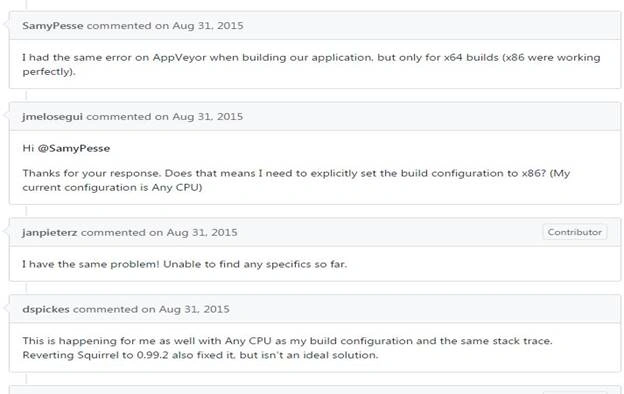
Source: www.stackoverflow.com
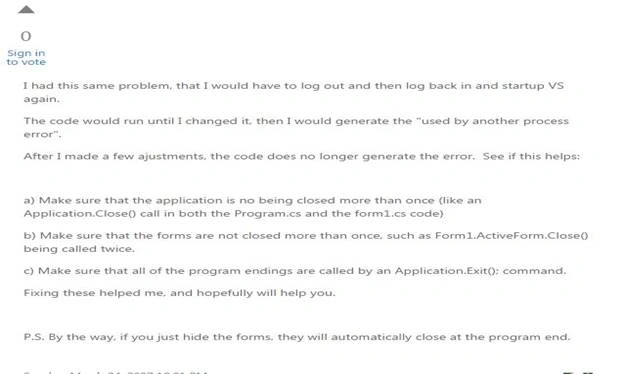
Source: www.stackoverflow.com
Finally, I got the reason why this error is rising at that particular point.
Because you’re not disposing of File Instance, a lock remains on that File with another process. To overcome this error, I changed the code to,
MyCode
if (!File.Exists(FileName))
{
    File.Create(FileName).Dispose();
}

File.AppendAllText(FileName, MyStringBuilder.ToString());
By adding Dispose in the File creation part, the lock is released after the file is created. That means we implemented a DISPOSE method to release unmanaged resources used by the application. In the above (top first) code, when we created the file using the Create method, the resources were allocated to that file, and the Lock was appended.
By calling the DISPOSE method, we are releasing the memory (Objects) that is allocated to that file. We should call this method after file processing is finished. Otherwise, it will throw an EXCEPTION "Access Denied" or the file is being used by another program.
Close() Method
Here, we may have the question, why can we not also use the Close() method to release the file resources? Yes, both methods are used for the same purpose. Even by calling the DISPOSE method it calls the Close() method inside.
void Dispose()
{
    this.Close();
}
But there is some a slight difference in both behaviors. For example -- Connection Class. If the close method is called, then it will disconnect with the database and release all resources being used by the connection object, and the open method will reconnect it again with a database without reinitializing.
However, the Dispose method is used to completely release the connection object and cannot be reopened just by calling the open method.
I hope this article is useful. Thank You.
Indal yadavPosted Sep 8, 2022, 8:24 AM
If there is a photo already and I am saving it after cropping it , throw exceptionIt Is Being Used By Another Process" plz reply sir and i am using dispose method
AMIT SINGHPosted May 6, 2022, 9:25 AM
If (File.Exists(filePath) == false) { using (File.Create(filePath)) {} } File.AppendAllText(filePath, s);
Naga BooshPosted Jan 5, 2019, 6:29 AM
HI had this same issue when delete the chartimage in specific folder. strChart1 = @"C:\Excel\RHSCount.png"; //DELETE EXISTING IMAGE if (File.Exists(strChart1)) { var img1 = Image.FromFile(strChart1); img1.Dispose(); File.Delete(strChart1); } this is my code.Unable to solve this issue
Rosnadia RuslanPosted Dec 5, 2018, 10:15 PM
Hi, I have the same issues while running 2 engines where these 2 will be accessing the same folder for Main summary to write and update the MainSummary. Im using File.WriteAllText. How to solve my problem?
Rajan MPosted Sep 7, 2018, 5:50 AM
Yes, I too come across this problem. File.Create returns file object which needs to be used for further file operations. If we try to create other file object then the error would be thrown. Instead of explicit Dispose, using keyword can be used in C# for safe un-managed resource cleanup.
Ajay GuptaPosted Aug 24, 2018, 4:47 AM
Sometime got same error while deleting file
Ajay GuptaPosted Aug 24, 2018, 4:44 AM
This is not valid solution .
Bhavesh JadavPosted Apr 18, 2018, 2:35 AM
Good.........................
Midhun TpPosted Aug 5, 2017, 1:46 AM
Nice information bro :)