

Today, in this article let's play around with one of the interesting and most useful concepts in SharePoint 2010.
Question: What is calculated field?
In simple terms "You can have any type of numeric calculations for any field in a list or to perform any string data manipulations".
Step 1: Open SharePoint 2010 Central Administration and navigate to a specific site.
Step 2: Create a new custom list; see:
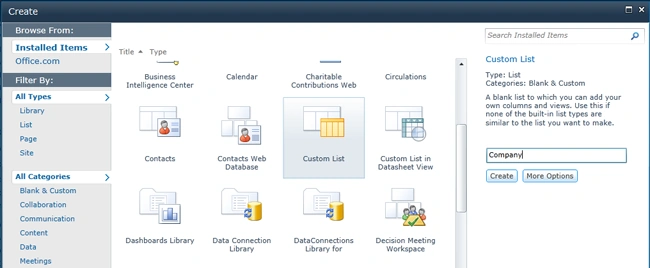
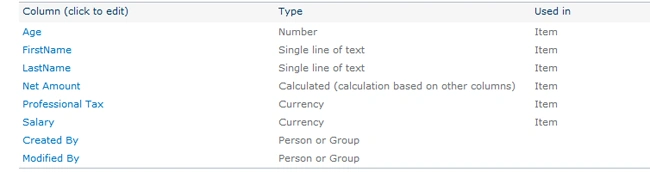
Step 3: The design view of the created new list looks like this:
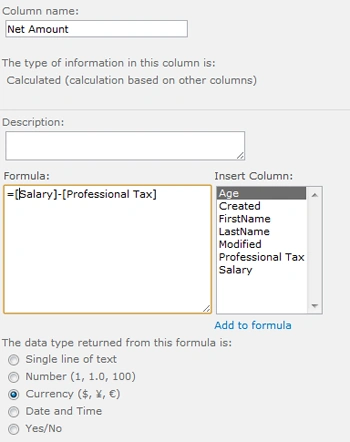
Step 4: Creating a calculated field with formula output of the application looks like this:
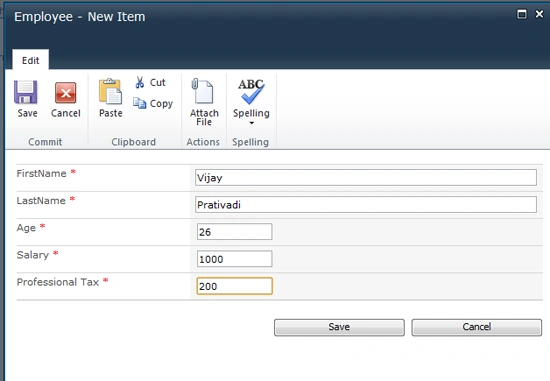
Step 5: The output of employee data form looks like this:
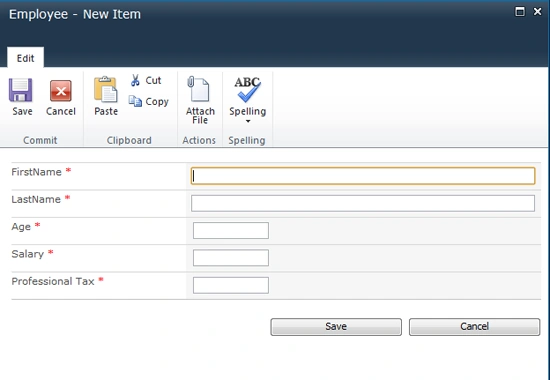
Step 6: The output of list data entering form looks like this:
Step 7: The output of list data entered looks like this:

I hope this article is useful for you. I look forward for your comments and feedback. Thanks Vijay Prativadi
Join the conversation! Your thoughts help the community grow.