Introduction
In this article I will create a single-view application. Here I use one text field, 10 buttons for each digit and another 6 buttons for operations. To better understand use this walthrough.
Step 1
Open XCode by double-clicking on it.

Step 2
Create a New XCode Project by clicking on it.
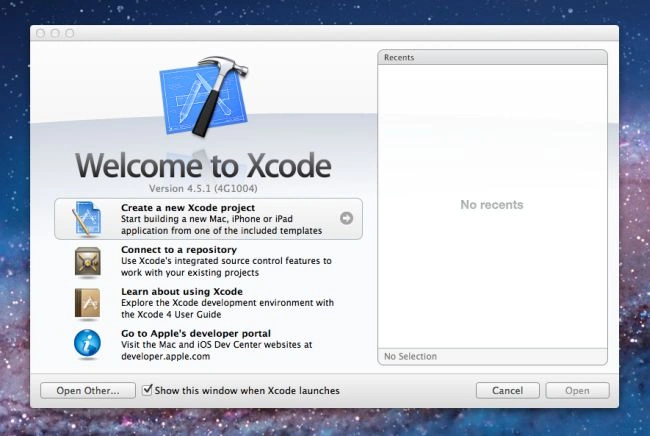
Step 3
Now select Single View Application and click on Next.
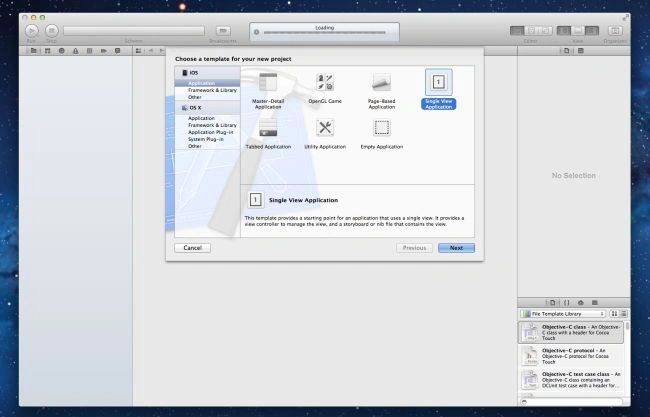
Step 4
Now provide your Product Name and Company Identifier then click on Next.
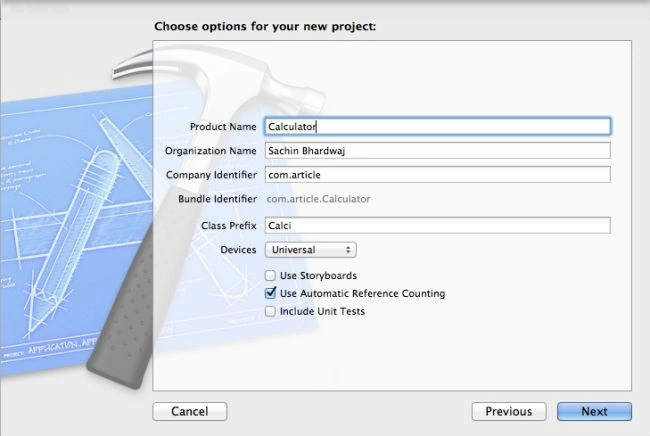
Step 5
Select the location where you want to save your project and click on Create.
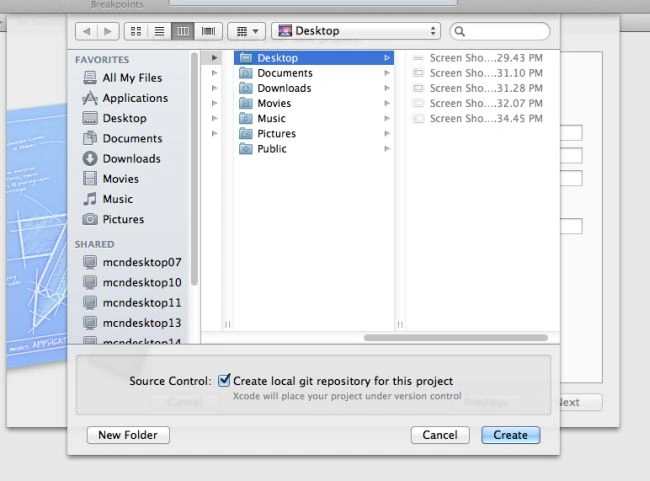
Step 6
Here we write code:
CalciViewController.h
//
// CalciViewController.h
// Calculator
//
// Created by Sachin Bhardwaj on 23/11/12.
// Copyright (c) 2012 Sachin Bhardwaj. All rights reserved.
//
#import <UIKit/UIKit.h>
typedef enum{ Plus,Minus,Multiply,Divide} CalcOperation;
@interface CalciViewController : UIViewController<UITextFieldDelegate>
{
IBOutlet UITextField *display;
IBOutlet UIButton *cbutton;
NSString *storage;
CalcOperation operation;
}
@property(strong,nonatomic)IBOutlet UITextField *display;
@property(strong,nonatomic) IBOutlet UIButton *cbutton;
@property(strong,nonatomic)NSString *storage;
- (IBAction) button1;
- (IBAction) button2;
- (IBAction) button3;
- (IBAction) button4;
- (IBAction) button5;
- (IBAction) button6;
- (IBAction) button7;
- (IBAction) button9;
- (IBAction) button0;
- (IBAction) plusbutton;
- (IBAction) equalsbutton;
- (IBAction) clearDisplay;
@end
CalciViewController.m
//
// CalciViewController.m
// Calculator
//
// Created by Sachin Bhardwaj on 23/11/12.
// Copyright (c) 2012 Sachin Bhardwaj. All rights reserved.
//
#import "CalciViewController.h"
@interface CalciViewController ()
@end
@implementation CalciViewController
@synthesize display,cbutton,storage;
- (IBAction) clearDisplay {
display.text = @"";
}
- (IBAction) button1 {
display.text=[NSString stringWithFormat:@"%@1",display.text];
}
- (IBAction) button2 {
display.text=[NSString stringWithFormat:@"%@2",display.text];
}
- (IBAction) button3 {
display.text=[NSString stringWithFormat:@"%@3",display.text];
}
- (IBAction) button4 {
display.text=[NSString stringWithFormat:@"%@4",display.text];
}
- (IBAction) button5 {
display.text=[NSString stringWithFormat:@"%@5",display.text];
}
- (IBAction) button6 {
display.text=[NSString stringWithFormat:@"%@6",display.text];
}
- (IBAction) button7 {
display.text=[NSString stringWithFormat:@"%@7",display.text];
}
- (IBAction) button8 {
display.text=[NSString stringWithFormat:@"%@8",display.text];
}
- (IBAction) button9 {
display.text=[NSString stringWithFormat:@"%@9",display.text];
}
- (IBAction) button0 {
display.text=[NSString stringWithFormat:@"%@0",display.text];
}
- (IBAction) plusbutton {
operation = Plus;
storage = display.text;
display.text=@"";
}
- (IBAction) minusbutton {
operation = Minus;
storage = display.text;
display.text=@"";
}
- (IBAction) multiplybutton {
operation = Multiply;
storage = display.text;
display.text=@"";
}
- (IBAction) dividebutton {
operation = Divide;
storage = display.text;
display.text=@"";
}
- (IBAction) equalsbutton {
NSString *val = display.text;
switch(operation) {
case Plus :
display.text= [NSString stringWithFormat:@"%qi",[val longLongValue]+[storage longLongValue]];
break;
case Minus:
display.text= [NSString stringWithFormat:@"%qi",[storage longLongValue]-[val longLongValue]];
break;
case Divide:
display.text= [NSString stringWithFormat:@"%qi",[storage longLongValue]/[val longLongValue]];
break;
case Multiply:
display.text= [NSString stringWithFormat:@"%qi",[val longLongValue]*[storage longLongValue]];
break;
}
}
- (void)viewDidLoad
{
[super viewDidLoad];
// Do any additional setup after loading the view, typically from a nib.
}
- (void)didReceiveMemoryWarning
{
[super didReceiveMemoryWarning];
// Dispose of any resources that can be recreated.
}
@end
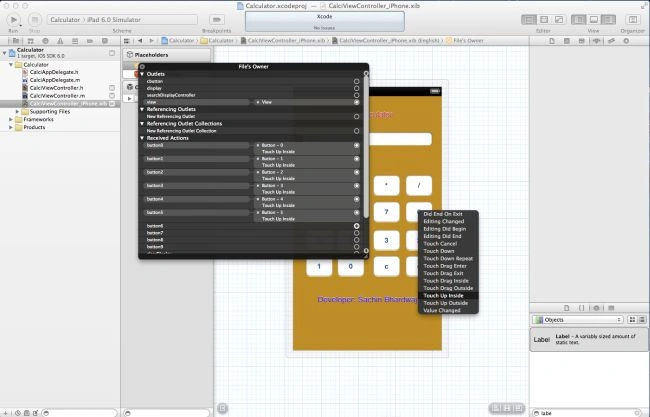
CalciViewController.xib
Step 7
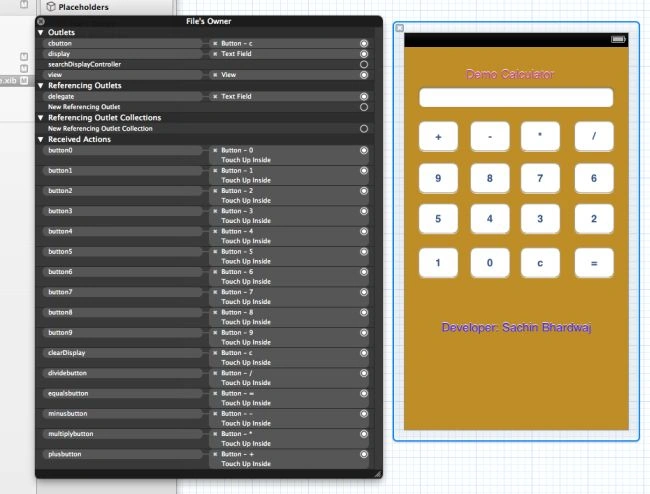
After mapping all connections we click on the file owner:
Step 8
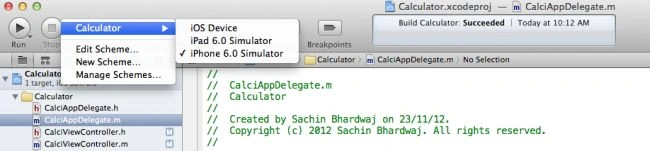
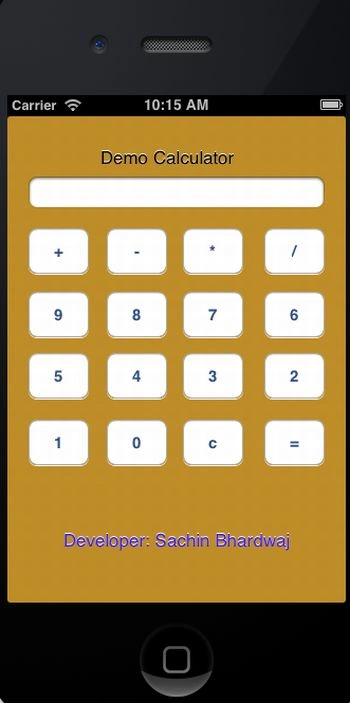
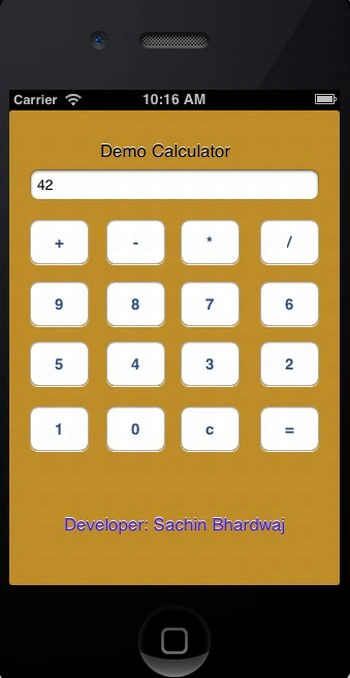
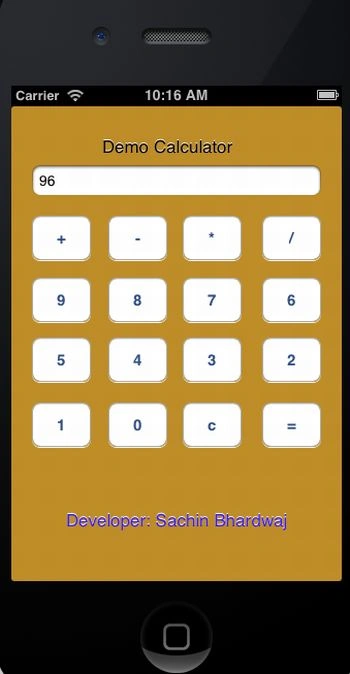
At last we run our application and see the output.
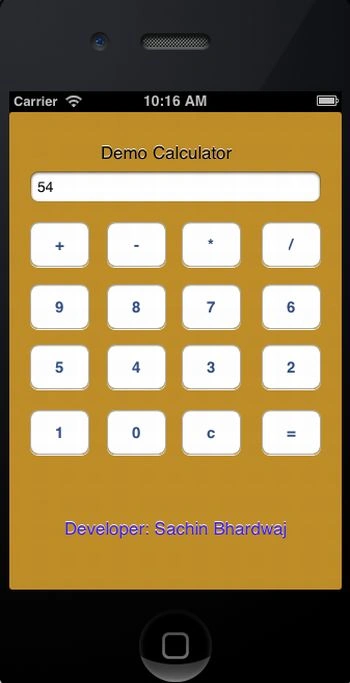
Output
Here we add two numbers: 54+42=96.
Output 1 in iPhone:
Output 2 in iPhone:
Output 3 in iPhone:
Output 4 in iPhone:


Sachin BhardwajPosted Dec 26, 2012, 6:11 AM
it is compatible to only mac environment. I mean it run only on Xcode(ide).
kinjal patelPosted Dec 21, 2012, 12:39 AM
i was amazing but i have one query that it is compatible to all operating system i.e.,window xp,2007 or it is only compatible to mac os.