

Welcome to an article on the ‘Cascading of Dropdown fields on SharePoint 2013 & Office 365’. This is a major approach when we build forms and when we have to use multiple look up fields on the form and they should be related to each other as a parent and child relationship.
So what happens is, when you select a parent, other child items are related to it. So if you select a particular parent, all the child items related to the parent will appear.
Let’s see it.
- Create a list named “Company”.
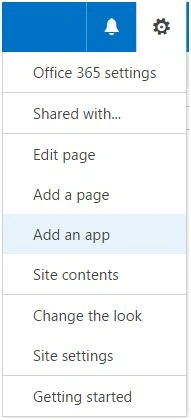
- Click on Add an app,
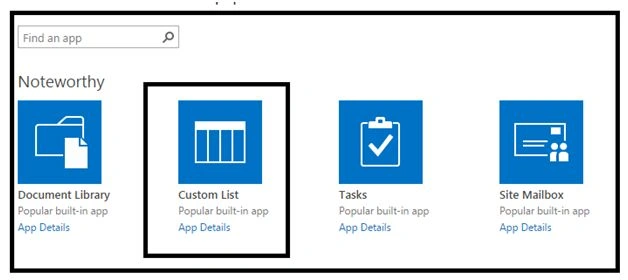
- Choose the Custom List App.
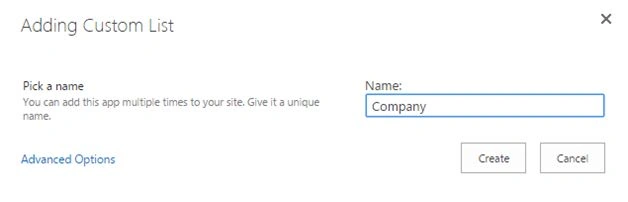
- Click on it and create a ‘Company’ List.
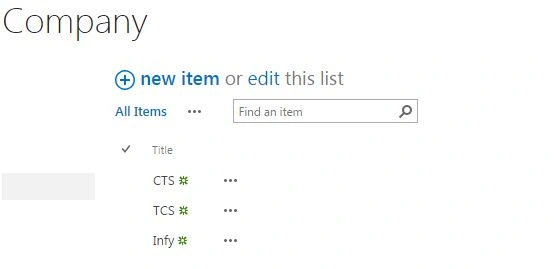
- Once the list is created, add in the names of the companies.

- As per the screenshot below.
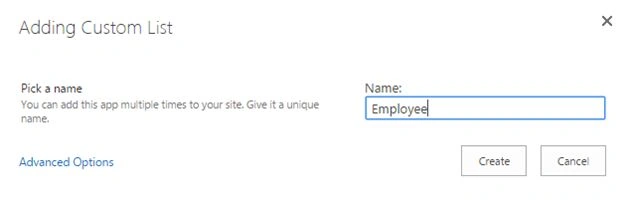
- Create another list named as “Employee”
- Once the list is created, Create a look up column named as Company from our Company List.
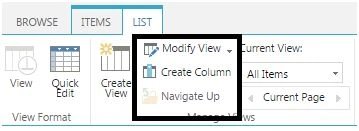
- As you can see below, Clock on Create Column and the choose Lookup.
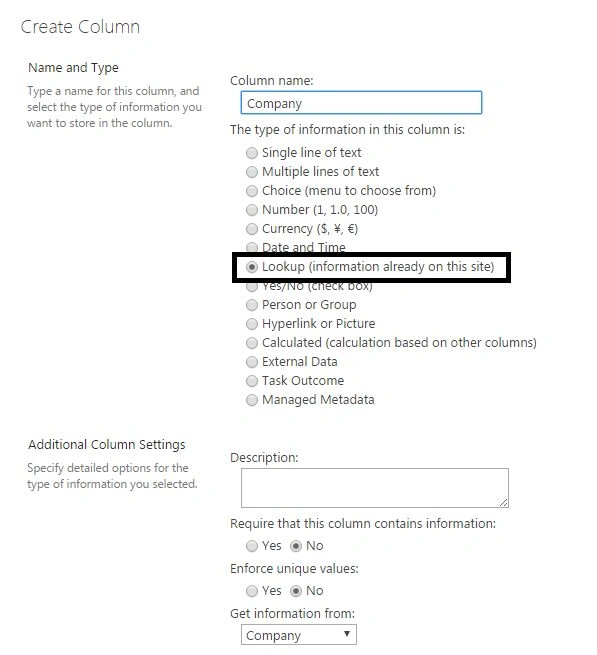
- Select the list as Company and choose the Title field while configuring the lookup column.
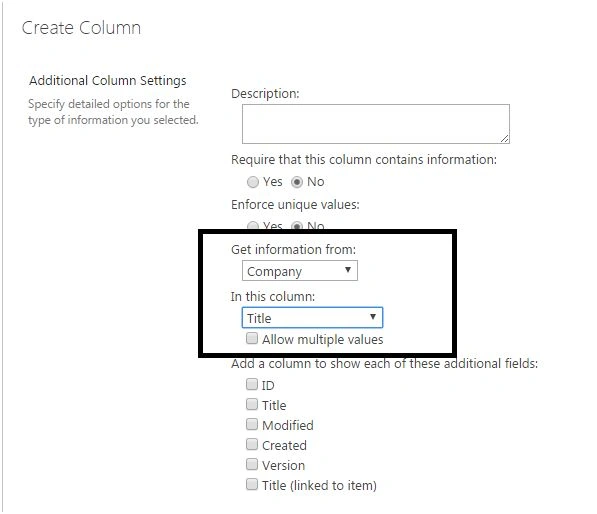
- So here we can see our look up column has values from another list.
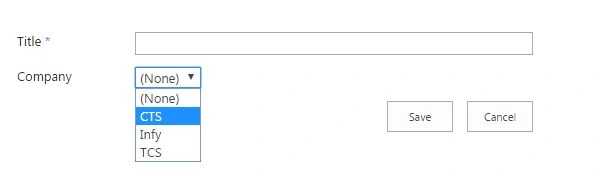
- Fill in your required values; as for mine, I have filled in the name of the employees under the Title and have selected the company names from my look up field.
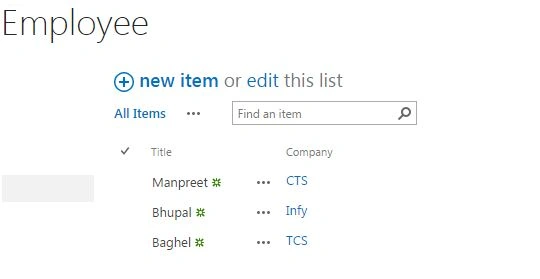
- Now create a third list as Database.
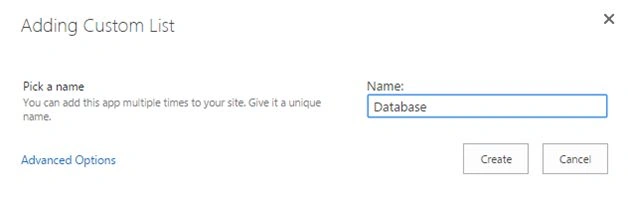
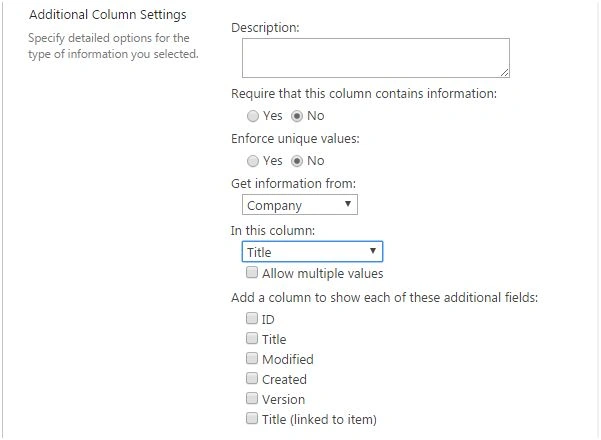
- Add the two look up columns, Company from the company list, and select title as the source of the column as per the screen shot below.
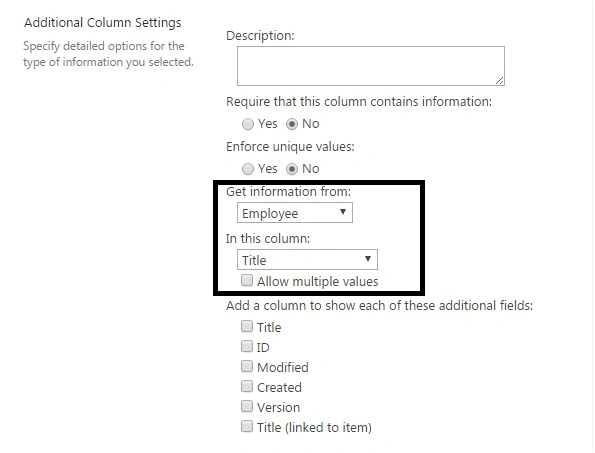
- Add the second look up columns; Employee from the employee list as per the screen shot below, selecting title as the field of source column.
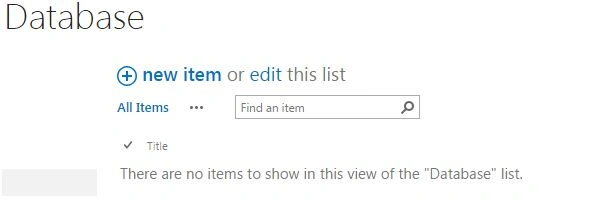
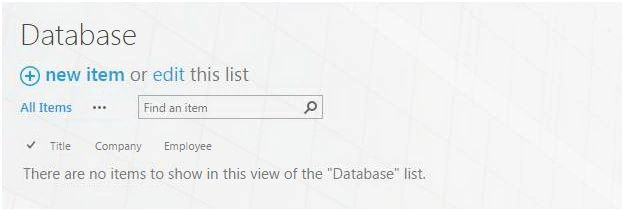
- So this will be your blank list view with all the columns,
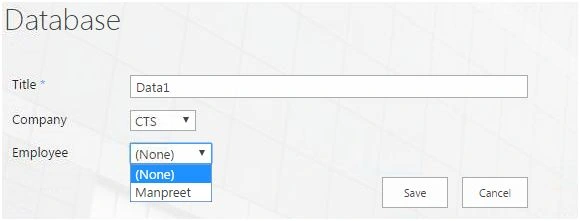
- When you click on New Item as you have added both the column as lookup they should display all the values but no, we are controlling their values as parent and child relationship as per the screen below.
- If you select Company as “CTS”, the employee sees Manpreet as the value.
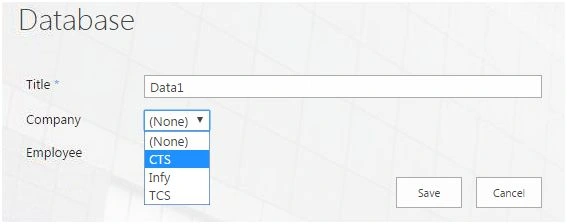
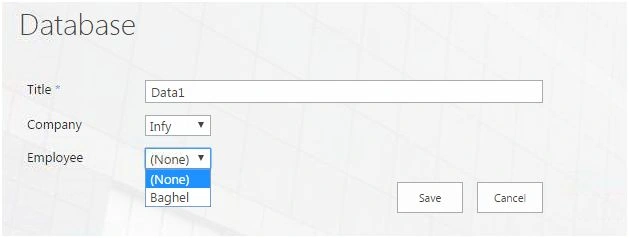
- Here when you select “Infy” as the Company name, Baghel is displayed as the Employee.
- How was it done?
- Go to the Database list.
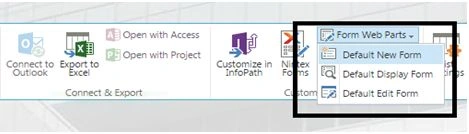
- Under the list tab select “Default New Form”.
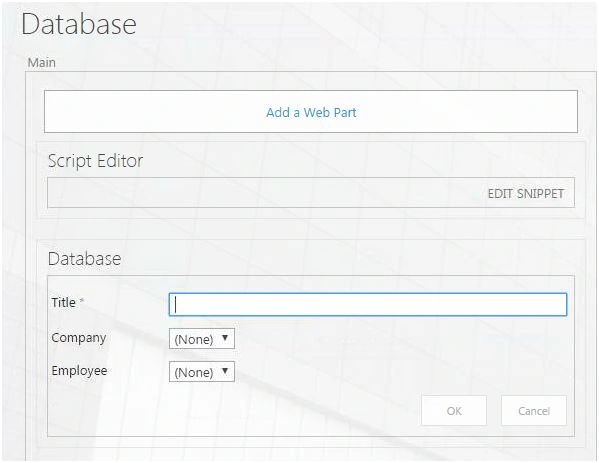
- Add a ‘Script Editor’ web part and paste the code below.
Code:
- <script src="https://site name/jquery.min.js"></script>
- <script src="https://sitename/jquery.SPServices.min.js"></script>
- <script type="text/javascript">
- $(document).ready(function ()
- {
- $().SPServices.SPCascadeDropdowns(
- {
- relationshipList: "Employee",
- relationshipListParentColumn: "Company",
- relationshipListChildColumn: "Title",
- parentColumn: "Company",
- childColumn: "Employee",
- debug: true
- });
- });
- </script>
- Click on OK and come back to the Database List and click on New Form.
- Your Cascading will start functioning.
Here we saw today an amazing functionality of Cascading of lookup Dropdown fields on SharePoint 2013 & Office 365. Keep reading more articles and keep learning.
Kalyan GuinPosted Sep 14, 2020, 10:16 AM
I followed all the steps but this is not working for me.... also please provide the actual site name and path for references
Gopi HappyPosted Sep 18, 2019, 2:36 PM
relationshipList: "Employee", relationshipListParentColumn: "Company", relationshipListChildColumn: "Title", parentColumn: "Company", //Third List (Database) main look up display name childColumn: "Employee", //Third List (Database) child look up display name //If you keep OOTB required validation then cascade dropdown will not work since it has asterik in the display name of the field.
Vishala KattaPosted Jul 18, 2019, 8:27 AM
Hello this is great stuff,Thanks. I have managed to follow all your steps except the last one. I am unable to add a Script Editor to the Database list. Though my SP version allows me to add Default new form I do not see an option to insert code. Can you help me?
BOB RICHPosted Nov 6, 2018, 8:42 PM
I have three column list, I am getting duplicate values in the drop-down. Can we get distinct values?
Nabila AhmedPosted Oct 29, 2018, 9:06 AM
Hi, is there a limitation on the amount of items in the relationship list. I am currently running into an issue where the relationship column list values keep referring back to the previous parent column. please help!
Nabila AhmedPosted Oct 29, 2018, 9:05 AM
Hi, is there a limitation on the amount of items in the relationship list. I am currently running into an issue where the relationship column list values keep referring back to the previous parent column. please help!
Phy SPosted Jul 15, 2018, 10:50 PM
Hi. I can't make a lookup column a mandatory field. Once I make these columns a required field, the cascading is not working. What are the options available to make sure people are selecting a value in these lookup columns before submitting the form?
Devang MistryPosted Jul 8, 2018, 3:17 PM
What if I have All three lists at the root and on one of the subsite library, I want this to implement, in such case how do I get the context of Employee list and set it to relationshipList? What if I have Database list at a subsite level and other two lists reside at parent, will this still work?
Srikanth HNPosted Jun 20, 2018, 3:34 AM
Hello, After adding Script editor and pasting the code using EDIT SNIPPET and closing the dialogue box, OK button is not getting active. It's greyed out
Manuel RosarioPosted Apr 15, 2018, 7:22 PM
Where do I download the two js files from? Please!
angela kohPosted Sep 5, 2017, 4:22 AM
Hi, I have downloaded the file but the cascading drop down only work on when select Company "CTS" if select "Infy" the employee drop down show nothing. May I know how to solve this problem? Thank you
angela kohPosted Sep 5, 2017, 2:15 AM
Hi, I'm very new to sharepoint. May I know where to download "jquery.min.js" and "jquery.SPServices.min.js"? Thank you
Daniel WesterdalePosted Aug 23, 2017, 11:45 AM
Thanks for sharing , very simple . I attempted a CEWP and found it would't save any changes. The SEWP worked like a charm.
Fabio ValenciaPosted Aug 3, 2017, 3:51 PM
Hi, how could I implement this solution in the modern view?
Dhanesh BabuPosted May 17, 2017, 6:05 AM
In this form after inserting the script the cascading is not working. can you please let me know how to do cascading dropdowns in sharepoint forms created using infopath?
Dhanesh BabuPosted May 17, 2017, 6:04 AM
Hi have a form created using infopath. i am not using the default form.
Carl BlunckPosted Apr 3, 2017, 1:21 AM
Hi Manpreet, how can you add a 2nd child column to this?
Octavio GyllenPosted Mar 22, 2017, 4:52 PM
Hi, where the script is downloaded?
Ira RAdPosted Oct 24, 2016, 11:03 AM
Hello, have problems on step:Add a ‘Script Editor’ web part and paste the code below. My “Default New Form” doesnt show any option to add anything- shows just two fields. Please advise......Can I send you somehow the printscreen. Thanks
prasad GPosted Oct 13, 2016, 11:50 AM
Hi, Do I need to replace any thing on the below lines of code? <script src="https://site name/jquery.min.js"></script> <script src="https://sitename/jquery.SPServices.min.js"></script> On Inserting the code, I m unable to click ok..But believe by clicking 'Stop Editing' the code is saved.. even though on clicking new item for Database list, I do not see the cascading working. PLease help.
Rupali ShindePosted Mar 16, 2016, 3:58 AM
thanks for sharing ..
Sonu ChaudharyPosted Mar 16, 2016, 3:20 AM
nice
Saillesh PawarPosted Mar 15, 2016, 8:48 AM
I wish i would have some experience working on sharepoint, though appreciate your hardwork.Thanks for sharing
Humayun Kabir MamunPosted Mar 15, 2016, 2:35 AM
Nice...
Vignesh ManiPosted Mar 14, 2016, 5:42 PM
Nice
Debasis SahaPosted Mar 14, 2016, 10:16 AM
Good One..