
In this article, we will discuss how to easily change the icon of a Windows Phone Application. So when we create an application in Windows Phone there is an ApplicationIcon.png (image) file like this: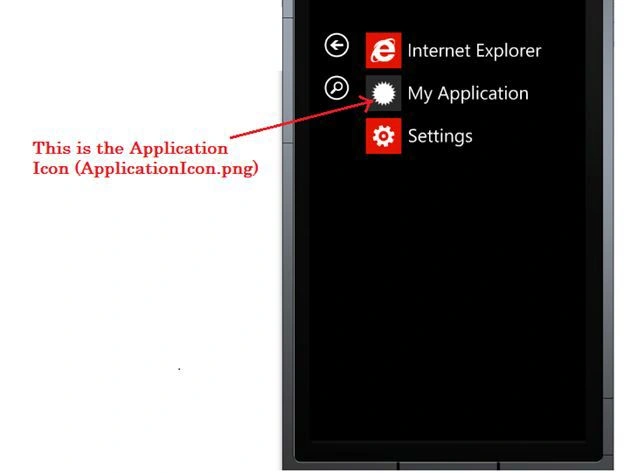
Now we will change the icon like this:
Step 1
First we will take an image (in my case I am using a simple image) as in:
Step 2
Now we will click on the solution in the Solution Explorer and select the properties like this: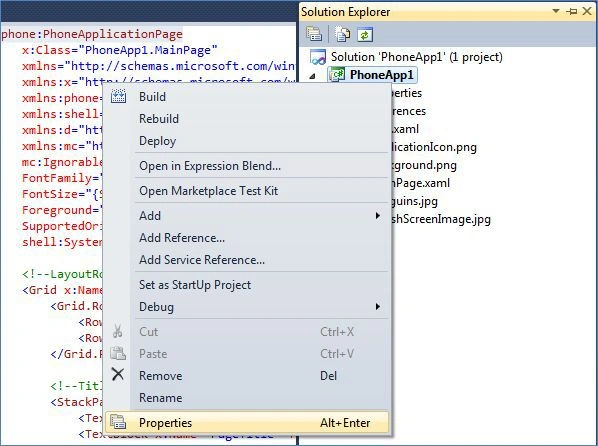
Step 3
Now in the Properties Application page, we will select our image for our Application Icon like this: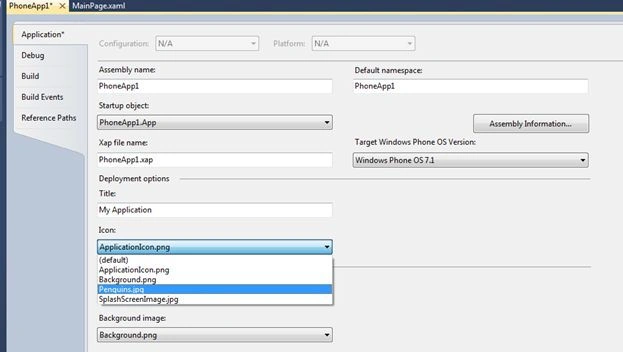
After that, when we run this application, the output will be: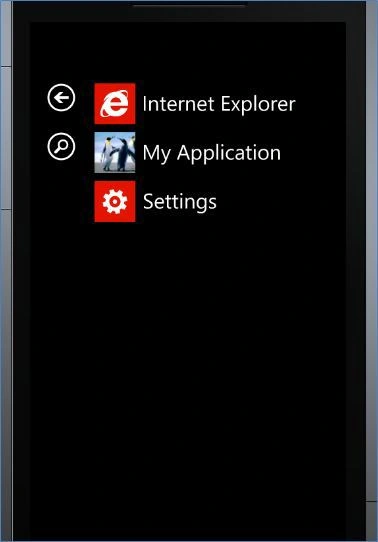

Change the Icon Of a Windows Phone 7 Application
Join the conversation! Your thoughts help the community grow.
Sign in to leave a comment
It is the same account you read, post and publish with — and you will come straight back to this page.
Ammar shaghlilPosted May 10, 2013, 2:31 AM
thank you it's new information for me ^_^