

Introduction
In this article, we are going to explain how to change the screen resolution in Windows 8. It is the same process as in Windows 7.
Change Screen Resolution
Step 1
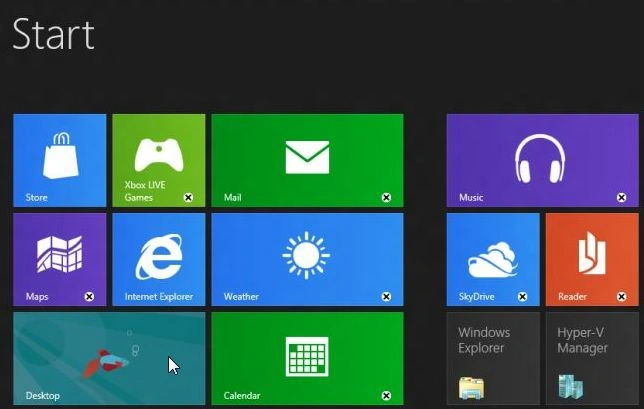
First of all, we have to move to the Start Screen window of Windows 8 and click the "Desktop".
Step 2
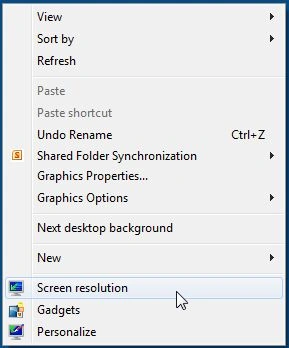
Once you're on the desktop right-click on the wallpaper and click "Screen resolution".
Step 3
From here click "Resolution" and select your desired resolution.
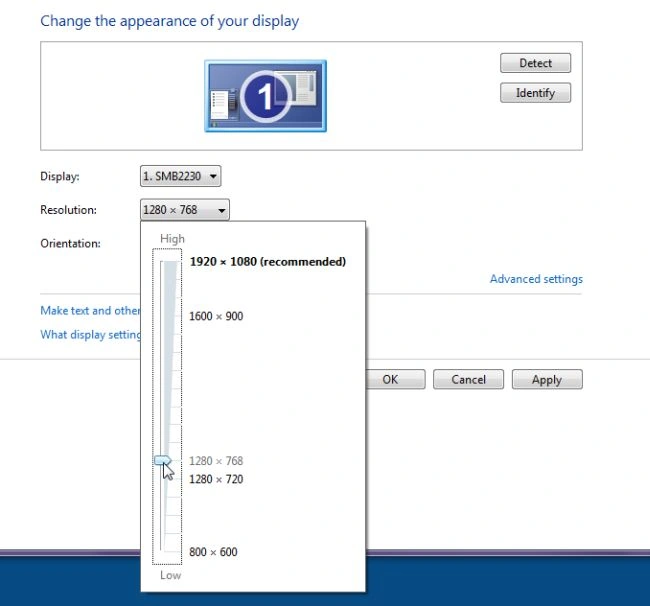
Then click "OK", and you're done.
Summary
In this article, we learned about Change the Screen Resolution on Windows 8.
Join the conversation! Your thoughts help the community grow.