

Introduction
At WWDC 2022, Apple introduced Swift Charts. This is Apple's new framework for making informative and easy-to-understand charts in SwiftUI. In this world, we deal with a lot of data. So, it is important to understand the data so that we can understand the world and make better decisions. Data alone is of little use; to make it useful, we must make sense of it. We can understand complex data with well-designed and accessible data visualization. We use charts for a better understanding of data, such as fluctuations in stock prices over some time ranges, heart rates during exercise, temperatures over time, and many more things.
Swift Charts
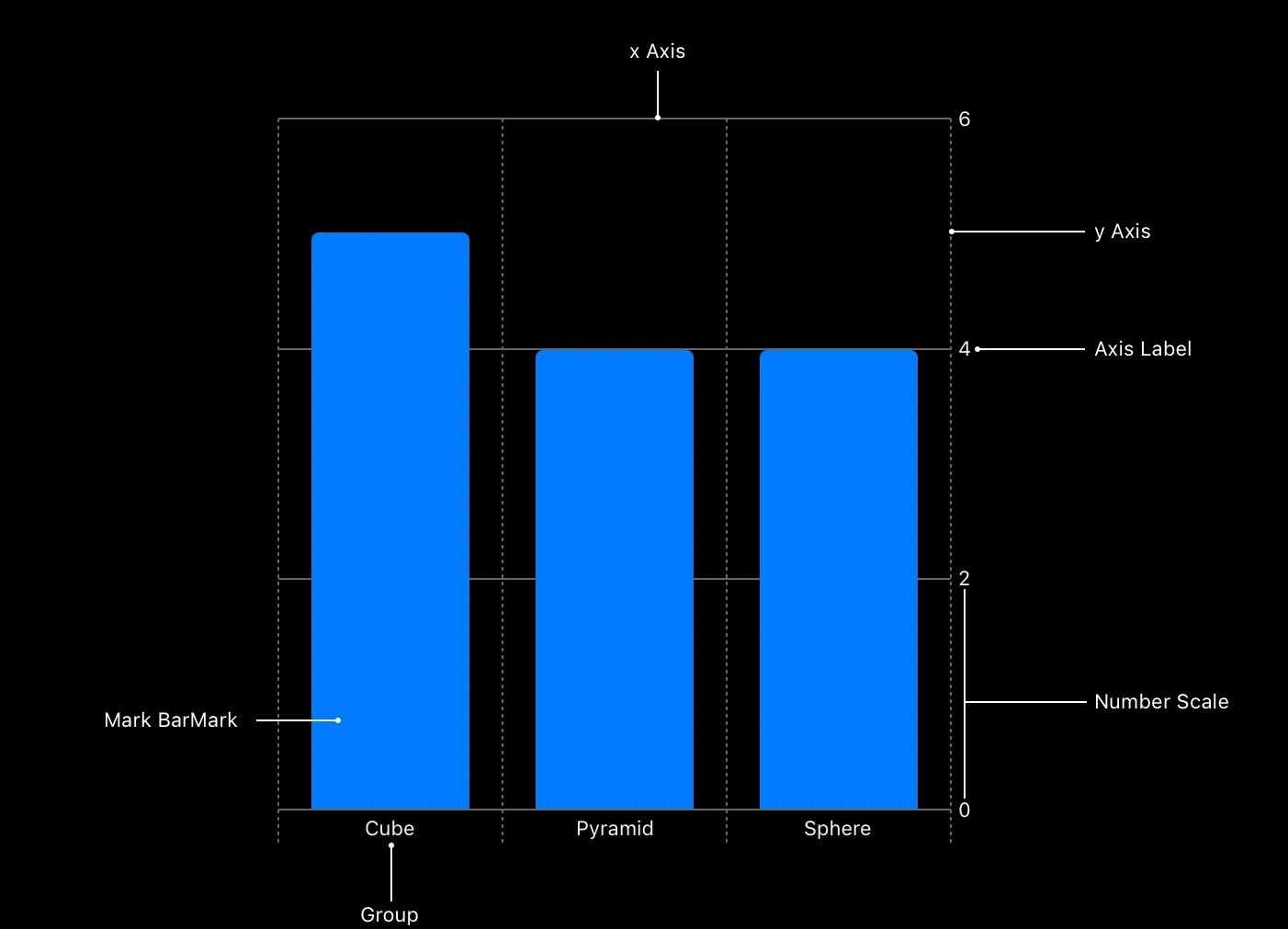
Swift Charts is a flexible and powerful framework for making Apple-designed charts. It uses the same syntax as SwiftUI, which means that we already know the language of Swift Charts. We will understand SwiftCharts using some examples. Let's say on a table there are different shapes of glasses in different colors. Here we will plot a chart that will visualize all data related to these glasses. To make this visualization in SwiftCharts, we can use the same syntax as what we'd use in SwiftUI. The main components of the BarChart are the bars, which are visual elements for each item in our data. In SwiftCharts, these visual elements are called Marks.
Let's jump into Xcode
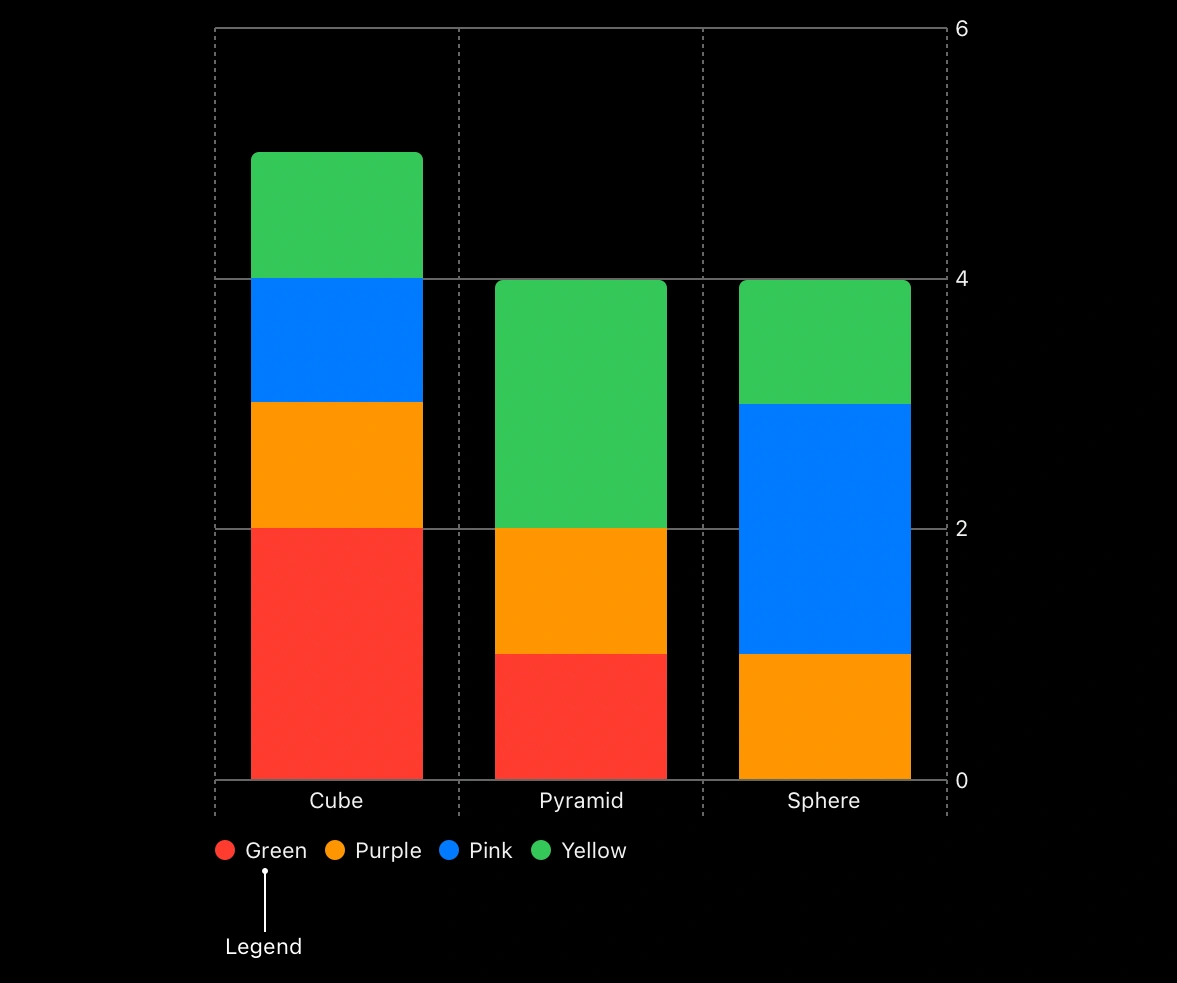
We have different shapes and colors of glasses. We will plot a chart that will show how many numbers of cubes, spheres, and pyramids there are, and which colors appear the most. Let's create data to show in our charts.
struct GlassShape: Identifiable {
    var type: String
    var count: Double
    var id = UUID()
}
Here we have created a struct that has variable types, count, and id, which means that every shape has its own unique id.
Now we will create an array of struct GlassShape, which will contain all the data regarding the glasses.
var data: [GlassShape] = [
    .init(type: "Cube", count: 5),
    .init(type: "Sphere", count: 4),
    .init(type: "Pyramid", count: 4)
]
Initialization of Chart
Here we will create a new SwiftUI project. In the ContentView.swift file, we will import Charts that will be available only in the Xcode 14 beta version. If you are using another version, you will not be able to import Charts.
import SwiftUI
import Charts

struct GlassChart: View {
    var body: some View {
        Chart {
            // Add marks here.
        }
    }
}
Here we have created an empty Chart container. In the Chart container, we will specify our data. We can specify marks using BarMark, LineMark, or PointMark. We use LineMarks to visualize the data with lines of a chart, and PointMark to show the points on a chart, called a Scatter plot. We will use the BarMark here, which shows the bar on the chart.
Chart {
    BarMark(
        x: .value("Shape Type", data[0].type),
        y: .value("Total Count", data[0].count)
    )
    BarMark(
         x: .value("Shape Type", data[1].type),
         y: .value("Total Count", data[1].count)
    )
    BarMark(
         x: .value("Shape Type", data[2].type),
         y: .value("Total Count", data[2].count)
    )
}
Join the conversation! Your thoughts help the community grow.