

In this article, we are going to see how to configure LUIS apps.
What is LUIS?
LUIS - Language Understanding Intelligent Service.
- To start with LUIS, go to luis.ai
- Click on sign in and log in with your Microsoft account. You can see 'My Apps' tab defaultly selected. ’My Apps' tab will list down all the LUIS apps you have created earlier.
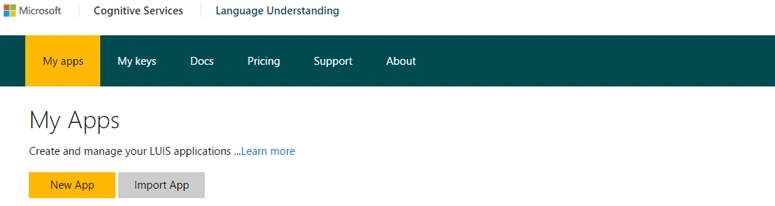
To create a new LUIS app, click on 'New App' button. It will pop up the following page.
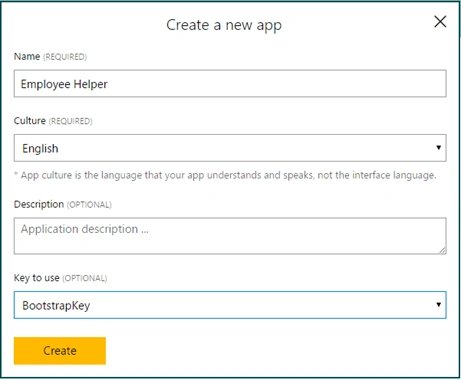
Here, you can specify Name, Culture, and Description for your LUIS app.
The most important attribute is Key to use. Here, you need to specify Endpoint key. It is required while publishing the app and accessing its HTTPS endpoint. By default, free key (named Bootstrap) is provided by Microsoft with a limit of 1000 hits per month. You can select this key and click on "Create" button.
- You will be redirected to applications page again and will see your application listed there.
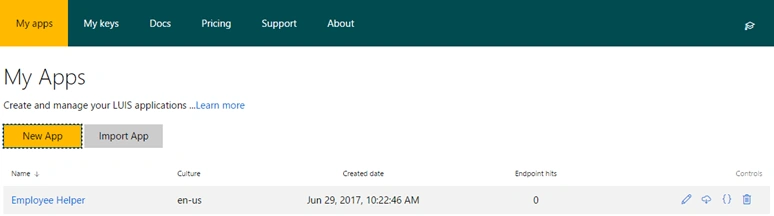
Click on application and it will redirect to Dashboard. Here, it shows id of app, counts of intents, and entities. If you want to know about dashboard in details, click on the Learn more link.
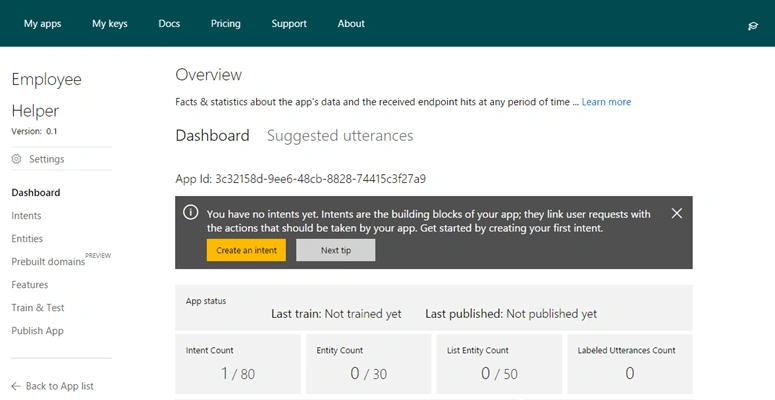
On dashboard, it is highlighted as our app has no intents and entities yet. But before creating, let us understand about them first.
Let us take an example such as ‘A person wants to know an address’. There are multiple ways to ask for an address, some of them are listed as
- Where is the Eiffel tower?
- May I know the address of Jack?
- Where do you live?
When anyone asks us the above questions, our brain understands that the intention of the person is to know the location. But the answer for each question will be different because of the entities involved in the query.
- Utterance is a ‘query/input from the user’.
- Intent is an ‘actions the user wants to perform’.
- Entities are ‘objects referred to in query’.
To understand it clearly please refer to the table below.
| Query - (Utterance) | Intention - (Intent) | Entities |
| Where is the Eiffel tower? | To know address | Eiffel tower |
| May I know the address of Jack? | To know address | Jack |
| Where do you live? | To know address | You |
| What is your name? | To know name | You |
| What is the rank of Akshay on C Sharp corner? | To know the rank | Akshay, C Sharp Corner |
Now we will start by adding intents to our app. Click on ‘Intents’ in left hand side bar menu.
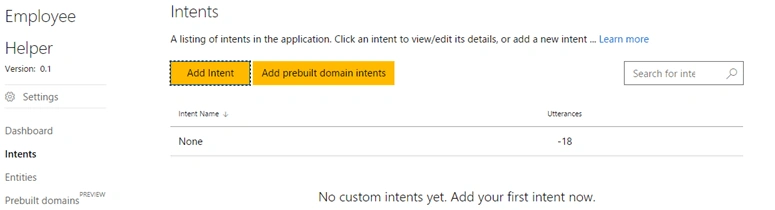
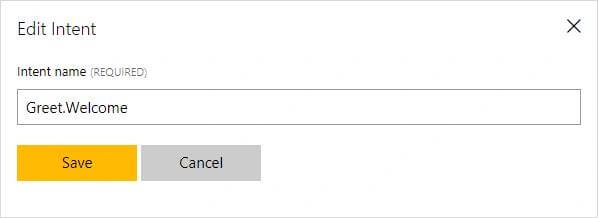
Click ‘Add Intent’. Provide name and click ‘Save’. I want to add greeting and a welcome intent.
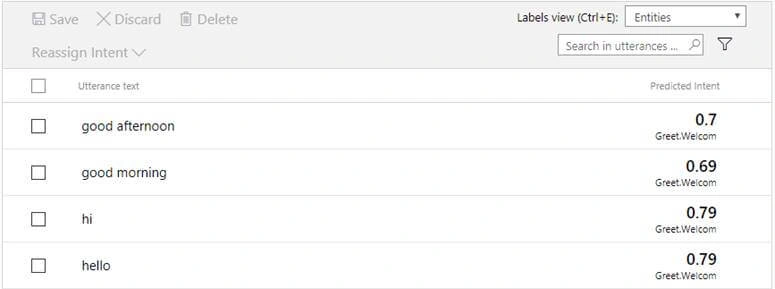
It will redirect you to the intent page to add utterances. I have added the following utterances for ‘Greet.Welcome’ intent.
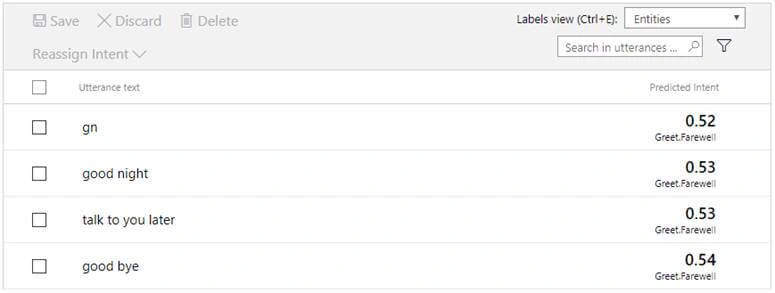
I have also added ‘Greet.Farewell’ intent with following utterances.
Now I want to add intent for searching people. I will add intent with name ‘Search.People’.
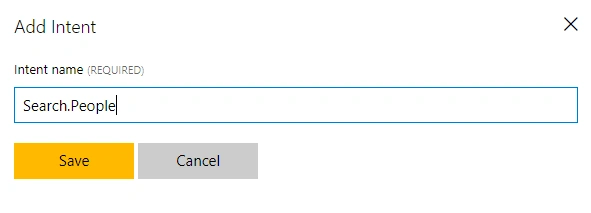
I will add first utterance as ‘find Akshay’ and press enter. It will get added in list.
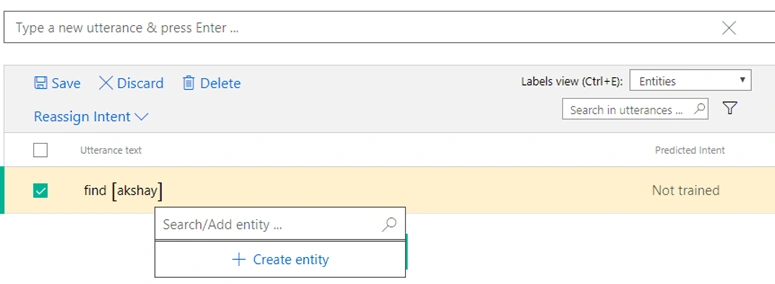
I want to highlight ’Akshay’ as object in utterance i.e. instance of entity. Click on ‘Akshay’, it will show popup to create entity for this instance. Give name to entity as ‘Person.name’ and click on create entity. It will update that utterance with entity name as follows.

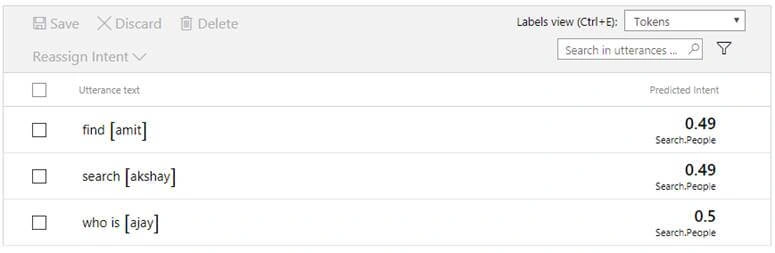
You can add multiple utterances for ‘Search.People’ intent and add entity to it. (Please refer screenshot)
Now it’s time to test our app. Click on Train & Test in left hand sidebar and click on Train Application.

Console will be enabled after training, now start typing utterance and press enter to see result.
Query: ‘could you please search Akshay’, Result: App has identified intent as ‘Search.People’ and object as ‘Akshay’.

Query: ‘hello there’, Result: App has identified intent as ‘Greet.Welcome’.

Query: ‘bye’, Result: App has identified intent as ‘Greet.Farewell’.

Steps to create intelligent app
- Try and test multiple utterances.
- Find utterances for which app failed to find intended 'intent'.
- Educate the app for those utterances.
In next part, we will see how to publish this app to HTTP endpoint and consume it in Bot application created using Microsoft Bot Framework.
E IPosted Jun 7, 2018, 11:32 AM
Where are you entering the answers its supposed to give? I want to make an FAQ bot. Where do I enter the answers its supposed to give?
Pradeep YadavPosted Apr 12, 2018, 7:40 AM
Hi, We are getting utterances in lowercase, however we want it as it is entered. Imean if I am entering Brazil it is returning brazil, however we want Brazil in return. i.e. B of Brazil as Capital. Please provide some suggetion
Mansour RakiaPosted Mar 6, 2018, 6:53 AM
Hello what is the error please "Exception: The response status code does not indicate success: 404 (Resource Not Found).[File type 'text / plain']"
kea feaPosted Jul 5, 2017, 1:46 AM
May I know the link for Part two?