

In this article you will see how to check out a file from a document library in SharePoint 2010 using ECMAScript.
Introduction
In this article you will see how to check out a file from a document library in SharePoint 2010 using ECMAScript. I have a document library named "Shared Documents" which has the following document.
I am going to check out that document using ECMAScript.
Steps Involved
- Navigate to the SharePoint site (I have a site page created in my site where I am going to add the content editor web part).
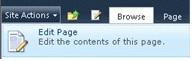
- Go to Site Actions, click on Edit Page.
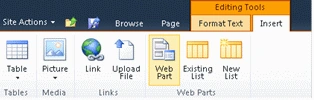
- Click on the Insert tab in the ribbon interface and then click on Web Part button.
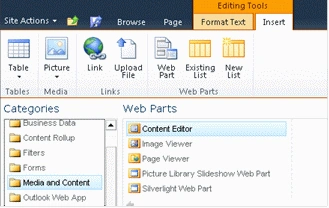
- Select Media and Content in the Categories section and then click on Content Editor.
- Click on Add.
- The Content Editor web part will be added to the site page.
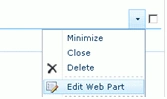
- Click on the down arrow and then click on Edit Web Part.
- Click on "Click here to add new content".

- Click on the Format Text tab in the ribbon interface and then click on HTML drop down.

- Click on Edit HTML source.
- The HTML source window will pop up.
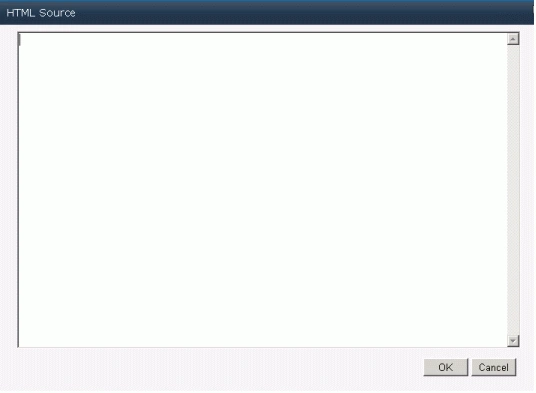
- Copy and paste the following script.
<script language="ecmascript" type="text/ecmascript">var list;
var item;
var file;
function fileCheckOut() {
var clientContext = SP.ClientContext.get_current();
if (clientContext != undefined && clientContext != null) {
var webSite = clientContext.get_web();
this.list = webSite.get_lists().getByTitle("Shared Documents");
this.item = list.getItemById(16);
this.file = this.item.get_file();
this.file.checkOut();
clientContext.load(this.file)
clientContext.executeQueryAsync(Function.createDelegate(this, this.OnLoadSuccess), Function.createDelegate(this, this.OnLoadFailed)); }
}function OnLoadSuccess(sender, args) {
alert(this.file.get_title() + " checked out successfully");
}function OnLoadFailed(sender, args) {
alert('Request failed. ' + args.get_message() + '\n' + args.get_stackTrace());
}</script>
<input id="btnFileCheckOut" onclick="fileCheckOut()" type="button" value="File Check Out" />
- Click on Ok.
- In the ribbon interface click on Save & Close button.
- In the content editor web part you can find a button named "File Check Out"; click on that button.
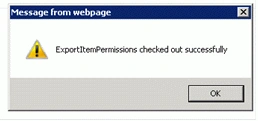
- An alert will pop up which displays the following.
Reference
1. SP.File.checkOut() Method - http://msdn.microsoft.com/en-us/library/ee658788.aspx
Summary
Thus in this article you have seen how to check out a file from a document library in SharePoint 2010 using ECMAScript.
Join the conversation! Your thoughts help the community grow.