
In my previous article we learned how to check-out and check-in the pages, in this article I would like to share the procedure to check the history of a page in SharePoint.
Procedure to check the page history
You can use the following procedure to view the page history.
Step 1
Go to your SharePoint site and open the page that you want to view the history.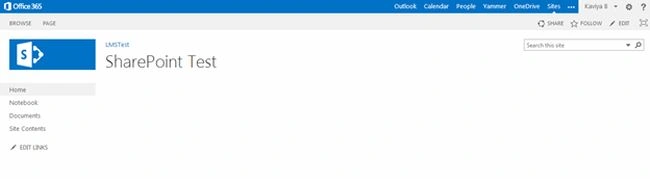
Step 2
Select the page tab on your SharePoint Page as shown below.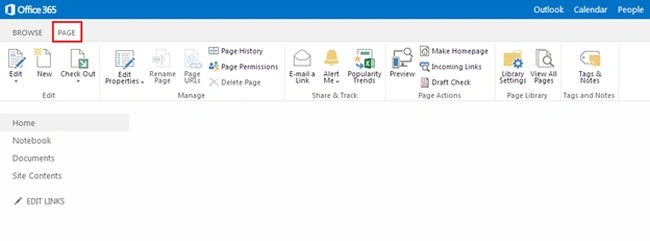
Step 3
On the top ribbon select the “Page History” from Manage Group. 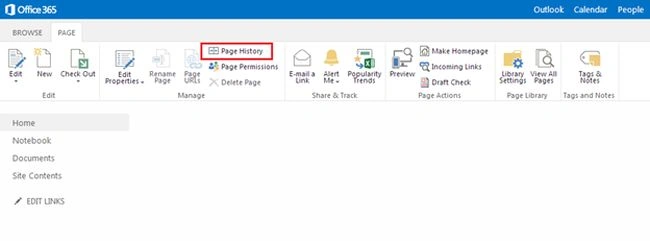
Step 4
When you select the page history from the ribbon, you will be navigated to the history of the page. 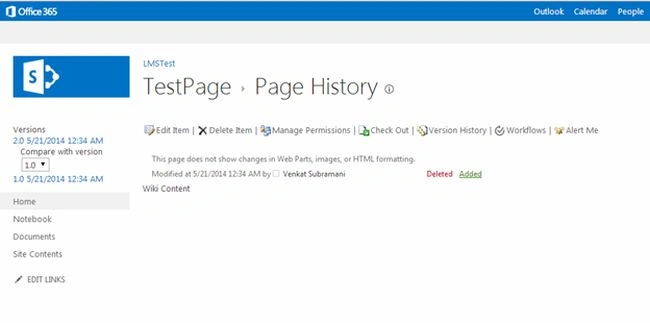
Step 5
On left navigation you can view the versions of the page as shown below.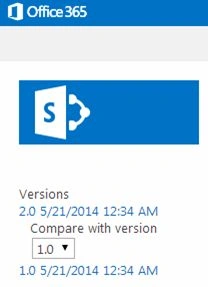
And also you can restore the old version as you want.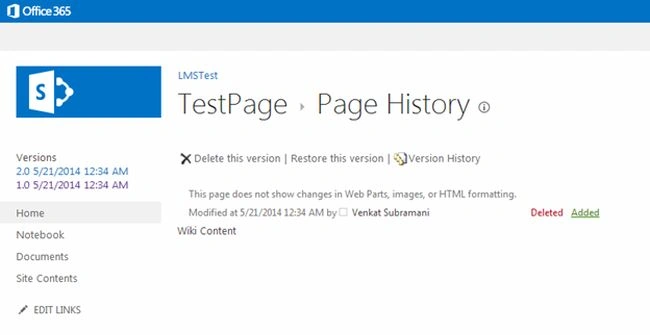
Summary
In this article we explored how to view the SharePoint page history.

Join the conversation! Your thoughts help the community grow.