

Let's start with definitions first. As per MSDN:
And:The checked keyword is used to explicitly enable overflow checking for integral-type arithmetic operations and conversions.
Here, overflow checking means that when the value of an integral-type exceeds its range, it does not raise an exception, instead it will provide unexpected results. Let's discuss this with an example of integers.The unchecked keyword is used to suppress overflow-checking for integral-type arithmetic operations and conversions.
We know that the range on an integer is 2147483647. Let's see what happens when we try to add more to it, say add 50 to it. See the code below:
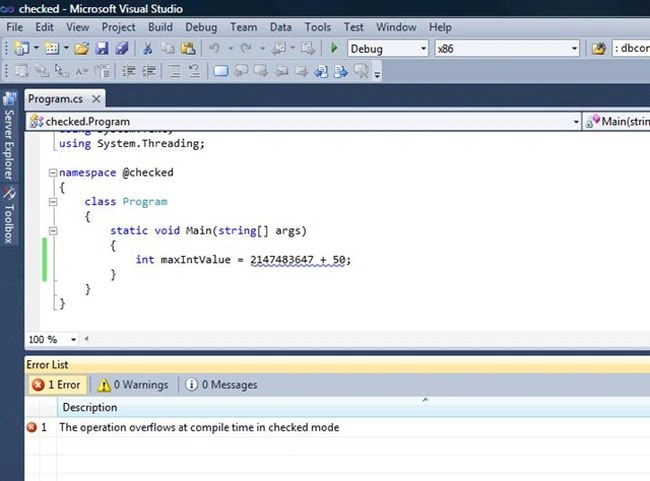
It gives the compile time error:
Error 3 The operation overflows at compile time in checked mode ...\checked\Program.cs 23 29 checked.
So, at least we cannot do this directly. Also, in most cases, we work with values from a database. So we fetch them, store them in variables and then perform any operations on it. In such a case, there will be no compile time or run time error, instead will see unexpected results. Let's check and see what happens:
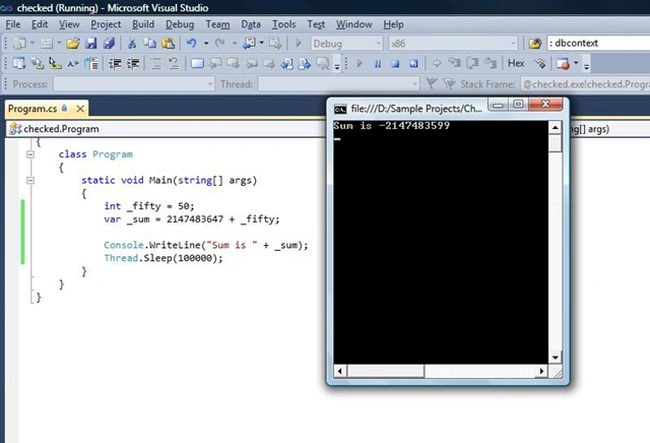
As we discussed, an unexpected result. The unexpected result is generated in a pattern. The add operation adds a given number up-to maximum possible value of its range. Then it resets itself to its minimum value of its range and then starts adding again. In our case, we were adding 50 to 2147483647. So let's see how it works.
- It starts adding 1 at a time. By the first addition of 1, it resets itself to a minimum value of -2147483648. Now further 49 is to be added.
- Then it re-starts from its minimum value of its range, which is -2147483648 and starts adding them one by one.
-2147483648 + 49 = -2147483599
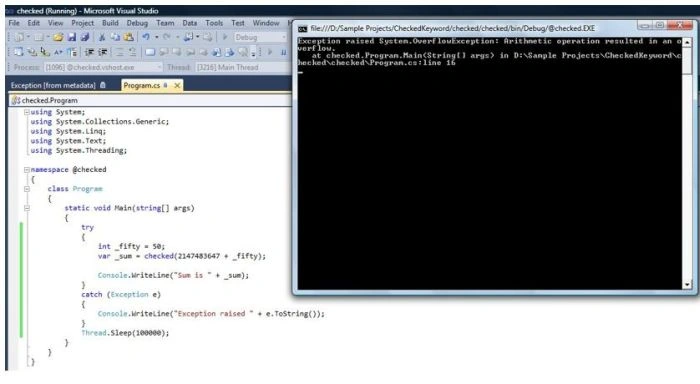
So you can now at least handle such kind of situation, instead of giving incorrect results to the user.
Now, earlier in our discussion, we discussed that directly we cannot add more value to the maximum value of an integer. What if we need to do this. This is where we can use the unchecked keyword. Just use the same code with the unchecked keyword and it will compile and will even run to give the results. See the code below:
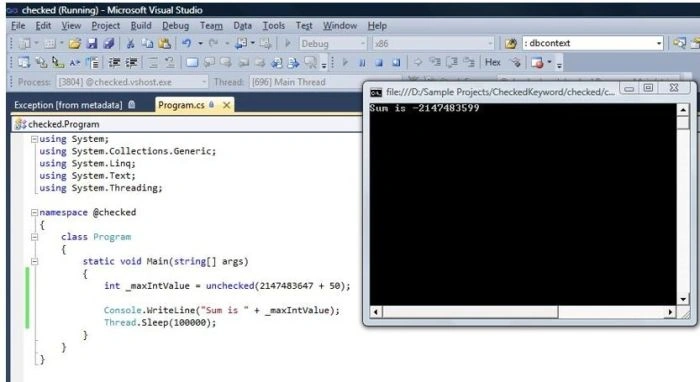
So to summarize the discussion:
- If we are directly trying to add something to the maximum value of an integer, we will get a compile time error.
- To avoid the preceding compile time error, we can use the unchecked keyword.
- Using the unchecked keyword or indirectly adding more values to a maximum value of its range results in unexpected results, generated in a pattern.
- To handle the overflow value, we can use the checked keyword, apply a try-catch block and handle the operation in a catch block.
- These keywords can be applied as blocks of code or directly on the variables (like in our discussion above). See the code below:
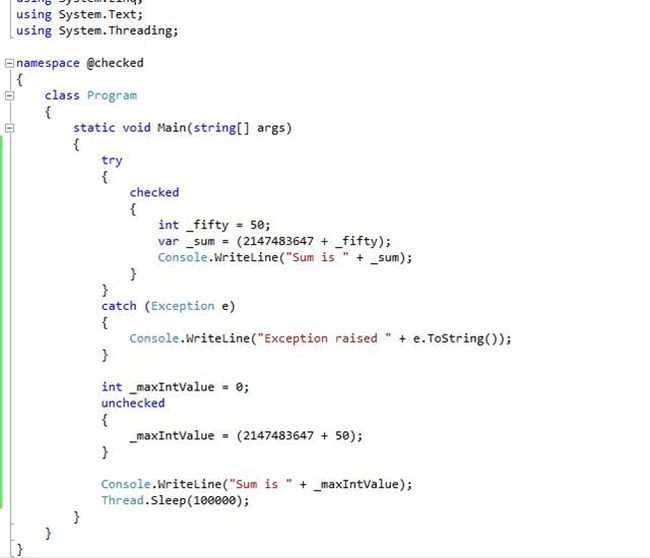
So this about the use of checked and unchecked keywords. I hope you enjoyed reading it!
Guest UserPosted Nov 10, 2014, 9:48 PM
I agree, these keywords are unknown to me also. I assume Checked is default one rite? please correct me Jasminder Singh
Jaganathan BantheswaranPosted Nov 10, 2014, 12:36 AM
Nice to know about the unknown keywords :). But it could be useful to readers to copy/paste your code, if you could post it as CODE instead IMAGE. Thanks.