

Introduction
In this article I'll explain the simplest way to check for network availability in Windows Phone. This is a very necessary and required feature for all the apps that use an internet connection. For example if you you want to request something from the internet or send something to the server then you need to be sure that the network is available to avoid errors. So let's start.
Device Network Information
This class contains network information for a specific Windows Phone device. Using this class we can check various device network parameters like it's availability, roaming, network change, WiFi status and so on. To use this class you need to include the namespace "Microsoft.Phone.Net.NetworkInformation".
Is Network Available
This property contains the status of the network. If the device is connected to then it will return true else it'll return false.
Demo
To run this project, create a new project and add the following code to the XAML file.
XAML
<phone:PhoneApplicationPage
x:Class="Demo.MainPage"
xmlns="http://schemas.microsoft.com/winfx/2006/xaml/presentation"
xmlns:x="http://schemas.microsoft.com/winfx/2006/xaml"
xmlns:phone="clr-namespace:Microsoft.Phone.Controls;assembly=Microsoft.Phone"
xmlns:shell="clr-namespace:Microsoft.Phone.Shell;assembly=Microsoft.Phone"
xmlns:d="http://schemas.microsoft.com/expression/blend/2008"
xmlns:mc="http://schemas.openxmlformats.org/markup-compatibility/2006"
mc:Ignorable="d"
FontFamily="{StaticResource PhoneFontFamilyNormal}"
FontSize="{StaticResource PhoneFontSizeNormal}"
Foreground="{StaticResource PhoneForegroundBrush}"
SupportedOrientations="Portrait" Orientation="Portrait"
shell:SystemTray.IsVisible="True">
<!--LayoutRoot is the root grid where all page content is placed-->
<Grid x:Name="LayoutRoot" Background="Transparent">
<Grid.RowDefinitions>
<RowDefinition Height="Auto"/>
<RowDefinition Height="*"/>
</Grid.RowDefinitions>
<!--TitlePanel contains the name of the application and page title-->
<StackPanel x:Name="TitlePanel" Grid.Row="0" Margin="12,17,0,28">
<TextBlock Text="Demo" Style="{StaticResource PhoneTextNormalStyle}" Margin="12,0"/>
<TextBlock Text="TTS Demo" Margin="9,-7,0,0" FontSize="40"/>
</StackPanel>
<!--ContentPanel - place additional content here-->
<Grid x:Name="ContentPanel" Grid.Row="1" Margin="12,0,12,0">
<TextBlock Text="Network Status" Name="nwSts" TextAlignment="Center" Margin="0,128,0,476"></TextBlock>
<Button Name="startBtn" Click="startBtn_Click" Content="Check N/W" HorizontalAlignment="Left" Margin="0,0,0,268" Width="446" Height="72" VerticalAlignment="Bottom"/>
</Grid>
</Grid>
</phone:PhoneApplicationPage>
C# Code Behind
using Microsoft.Phone.Controls;
using System;
using System.Collections.Generic;
using System.Linq;
using System.Net;
using System.Windows;
using System.Windows.Controls;
using Windows.Phone.Speech.Synthesis;
using Windows.Devices.Sensors;
using System.Diagnostics;
using Microsoft.Phone.Net.NetworkInformation;
namespace Demo
{
public partial class MainPage : PhoneApplicationPage
{
// Constructor
public MainPage()
{
InitializeComponent();
}
private void startBtn_Click(object sender, RoutedEventArgs e)
{
if (DeviceNetworkInformation.IsNetworkAvailable)
{
nwSts.Text = "Network Status: Connected." ;
}
else
{
nwSts.Text = "Network Status: Not Connected.";
}
}
}
}
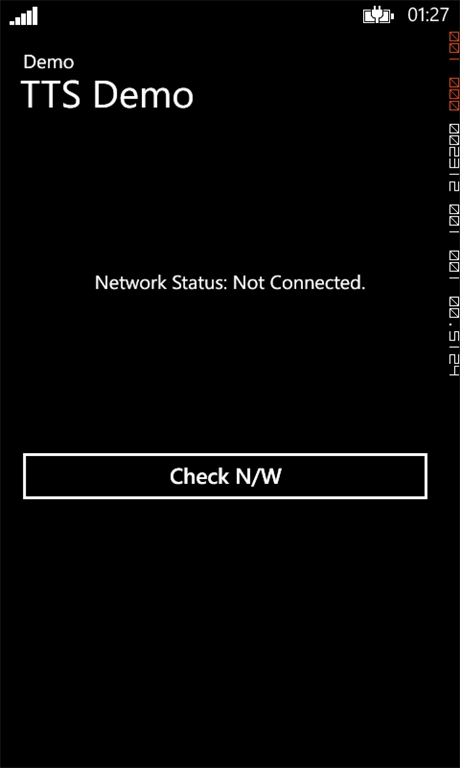
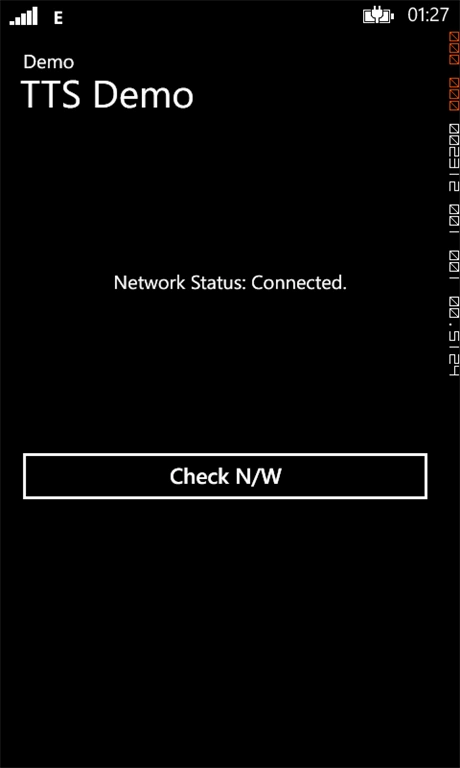
In the code above "DeviceNetworkInformation.IsNetworkAvailable" is the main line that checks for network connectivity. If the device is connected to a network in any way then it returns true else it returns false.
Output
Mukesh Kumar TiwariPosted Apr 10, 2014, 8:06 AM
Good