
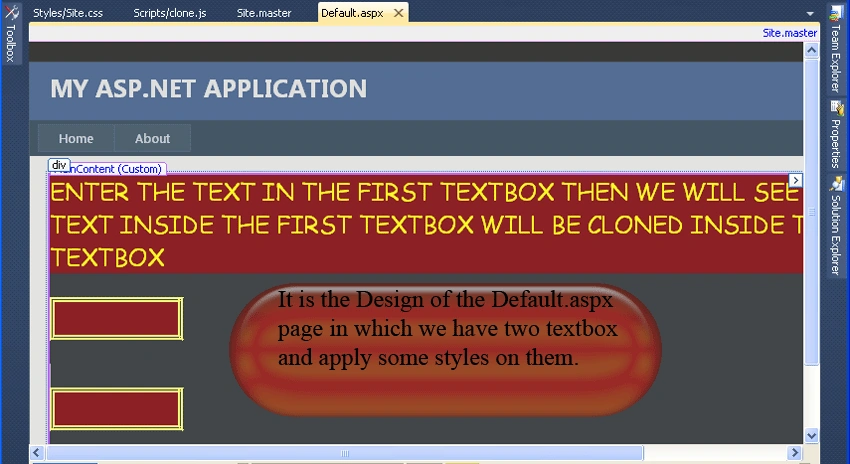
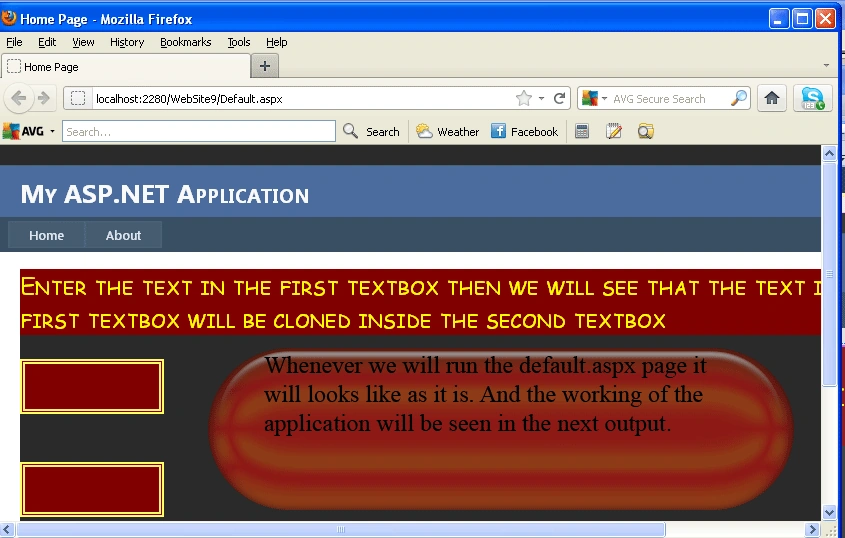
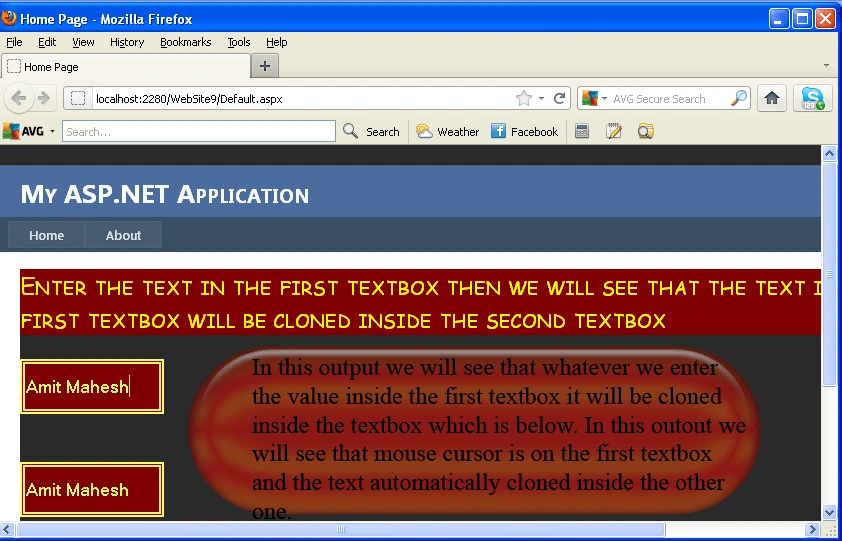
Introduction: In this article we will discuss how to use jQuery with a master page and we are also going to explore how to clone one textbox value inside another textbox using jQuery. Cloning means whatever we enter inside the textbox then we will see that it will automatically insert inside another textbox. In this article we have to use a master page in which we will use a jQuery reference inside it and we will create a default page which will contains the jQuery code and pass the reference of that script inside the container. In this we are using CSS for applying some awesome effects, let's see how we will use jQuery with master page and cloning the textbox value.
Step 1: Firstly you have to create a web site
- Go to visual studio 2010
- New-> Select a website application
- Click OK
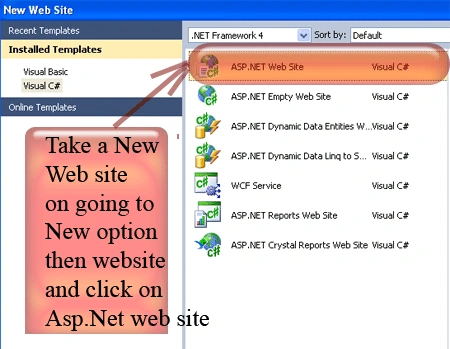
Step 2: Secondly you have to add a JScript file to the Scripts folder
- Go to the Solution Explorer
- Right Click on the Scripts folder
- Select add new item
- Add new JScript file and give it a name
- Click OK
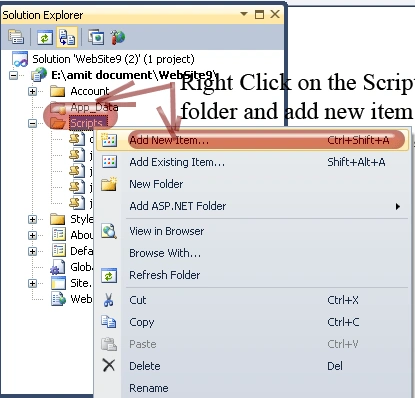
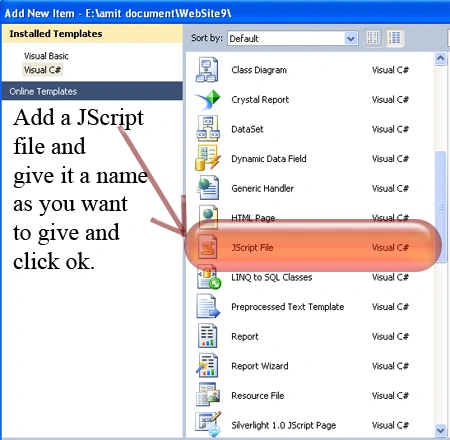
Step 3: In this step let's see the JScipt code for the cloning the textbox value first of all you will have to open the .js file let see how it will looklike:
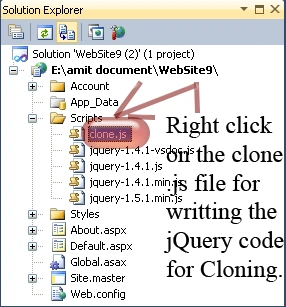
Step 4: Now in this step you have to write the code for the .js file
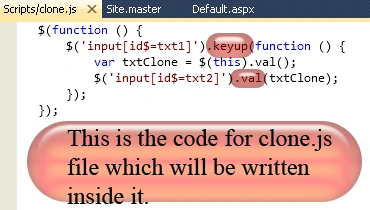
Explanation: In this explanation first of all we have to use the event named as keyup which will be fired As the user types in the first TextBox, we retrieve the value of the first TextBox and set it to the value of the second TextBox. Here is the working of the jQuery code that how to clone one textbox value inside the other textbox value.
Step 5: In this step we will see that from where we have to placed the jQuery reference inside the master page file let see from where you have to give it.
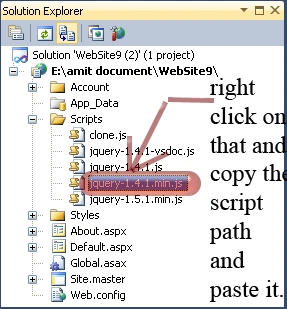
Step 6: In this step we will copy the script file path on right click and place it into the master page file let see the code given below how it will added:
MasterPage code:
<%@
Master Language="C#"
AutoEventWireup="true"
CodeFile="Site.master.cs"
Inherits="SiteMaster"
%>
<!DOCTYPE
html PUBLIC
"-//W3C//DTD XHTML 1.0 Strict//EN"
"http://www.w3.org/TR/xhtml1/DTD/xhtml1-strict.dtd">
<html
xmlns="http://www.w3.org/1999/xhtml"
xml:lang="en">
<head
runat="server">
<title></title>
<script
type="text/javascript"
src="Scripts/jquery-1.4.1.min.js"></script>
<link
href="~/Styles/Site.css"
rel="stylesheet"
type="text/css"
/>
<asp:ContentPlaceHolder
ID="HeadContent"
runat="server">
</asp:ContentPlaceHolder>
</head>
<body>
<form
runat="server">
<div
class="main">
<asp:ContentPlaceHolder
ID="MainContent"
runat="server"/>
</div>
</form>
</body>
</html>
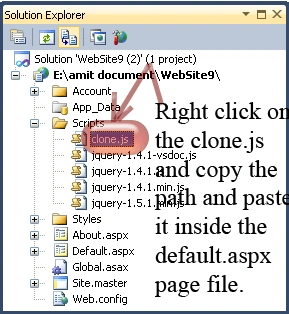
Gowtham RajamanickamPosted Apr 1, 2015, 4:34 AM
nice..
Arunava BhattacharjeePosted Aug 29, 2014, 7:46 AM
great :)